
הקדמה
The Dyson Airstrait straightener is designed to dry and straighten hair simultaneously, from wet to dry, using airflow instead of hot plates. This innovative approach helps prevent heat damage, simplifies your styling routine, and maintains natural hair volume and shine. It combines two steps into one, offering an efficient and effective way to achieve a natural straight style.

Image: The Dyson Airstrait Straightener, showcasing its sleek design in Bright Nickle / Bright Copper.
וויכטיק סאַפעטי אינפֿאָרמאַציע
שטענדיק לייענען און נאָכפאָלגן אַלע זיכערהייט אינסטרוקציעס איידער נוצן.
- האַלטן אויס פון דערגרייכן פון קינדער.
- דו זאלסט נישט נוצן לעבן וואַסער.
- נעמט ארויס דעם עלעקטרישן אפּאַראַט בעת בליץ-שטורעמס אדער ווען מען ניצט עס נישט פאר לאנגע צייטן.
- דו זאלסט נישט אַרבעטן קיין אַפּפּליאַנסע מיט אַ דאַמידזשד שנור אָדער צאַפּן.
- Refer to the full safety manual for comprehensive guidelines.
וואָס איז אין די קעסטל
Your Dyson Airstrait package includes the following components:
- Dyson Airstrait Straightener
סעטאַפּ
- אויספּאַקן: Carefully remove the Dyson Airstrait straightener from its packaging. Retain packaging for future storage or transport.
- מאַכט קשר: Plug the appliance into a suitable electrical outlet. The Dyson Airstrait is equipped with a PRCD (Portable Residual Current Device) plug for enhanced safety.
- PRCD Test: Before each use, press the 'TEST' button on the PRCD plug. The 'RESET' button should pop out. Press 'RESET' to continue. If the 'TEST' button does not function as described, do not use the appliance and contact customer support.

Image: The PRCD plug, featuring 'TEST' and 'RESET' buttons for safety verification.
אַפּערייטינג ינסטראַקשאַנז
מאַכט אויף / אַוועק
To power on the Dyson Airstrait, press and hold the power button until the display illuminates. To power off, press and hold the power button again.
Mode Selection and Temperature Settings
The Airstrait offers three distinct modes for versatile styling:
- נאַס מאָדע: Designed for straightening hair from wet. Available temperatures: 80°C, 100°C, and 115°C.
- טרוקן מאָדע: For touch-ups or refreshing your style on dry hair. Available temperatures: 100°C and 115°C.
- בוסט מאָדע: An optional setting within Dry Mode for maximum styling impact, reaching 130°C.
Select your desired mode and temperature using the controls on the device. The high-definition colour LCD screen will display your current settings.
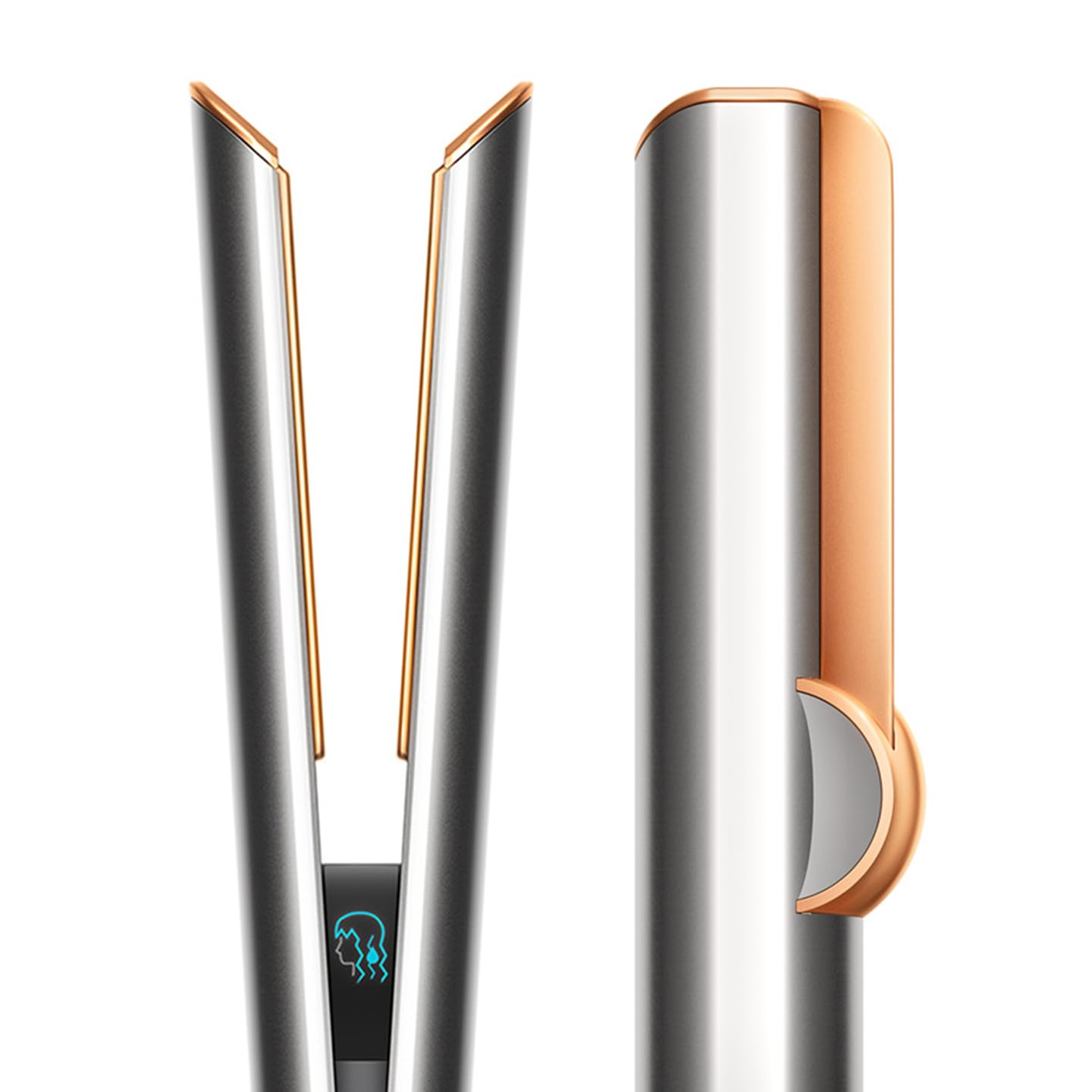
Image: The Dyson Airstrait being used to straighten wet hair, demonstrating its wet-to-dry capability.
סטילינג טעקניקס
- Wet to Dry Straightening: Ensure hair is towel-dried. Select Wet Mode and your preferred temperature. Pass the straightener slowly through sections of hair, allowing the airflow to dry and straighten simultaneously.
- Dry Styling: For refreshing or light straightening on dry hair, select Dry Mode.
- Root Volume: Use the lock feature to close the arms of the machine. With the arms locked, gently pre-dry hair at the roots to create volume before unlocking for full straightening.

Image: An internal diagram illustrating how the Dyson Airstrait uses directional airflow to straighten hair without hot plates.
Intelligent Heat Control
The Dyson Airstrait features intelligent heat control, which regulates the airflow temperature 16 times per second. This precise regulation ensures that hair is straightened without extreme heat, helping to maintain hair strength and reduce breakage.
Intuitive Airflow
The machine is designed with intuitive airflow, sensing when hair is between its arms. When hair is detected, the airflow automatically adjusts to the optimal level for styling. When no hair is present, the airflow reduces to a lower setting, contributing to quieter and more efficient operation.
לקד סקרין
The high-definition colour LCD screen provides clear visual feedback on airflow and temperature settings, allowing for easy monitoring and adjustment during styling.

Image: Close-up of the Dyson Airstrait's LCD screen, showing temperature and airflow indicators.
לאַק שטריך
A sliding button allows you to lock and unlock the arms of the straightener. This feature is particularly useful for pre-drying hair or creating root volume when the arms are locked.

Image: Detail of the lock button on the Dyson Airstrait, used to secure the arms.
אַוטאָ פּויזע
For energy efficiency and convenience, the machine will automatically pause airflow after three seconds of inactivity. Simply move the straightener to restart the airflow.
וישאַלט
Regular maintenance ensures optimal performance and longevity of your Dyson Airstrait straightener.
- רייניקונג די פילטער: Periodically check and clean the filter located at the base of the handle. Dust and hair buildup can restrict airflow and affect performance. Refer to the full user manual for detailed filter cleaning instructions.
- ווישן סערפאַסיז: ניצן אַ ווייך, דamp cloth to wipe down the exterior surfaces of the straightener. Do not use abrasive cleaners or immerse the device in water.
- סטאָרידזש: Store the straightener in a dry place, away from direct sunlight and extreme temperatures. Ensure the arms are locked for compact storage.
טראָובלעשאָאָטינג
If you encounter issues with your Dyson Airstrait, refer to the following common troubleshooting steps:
| פּראָבלעם | מעגלעך סיבה | לייזונג |
|---|---|---|
| די מיטל טוט נישט מאַכט אויף. | No power supply; PRCD tripped. | Ensure the plug is fully inserted. Press the 'RESET' button on the PRCD plug. Check the power outlet. |
| No airflow or weak airflow. | Filter is blocked; arms are locked; auto-pause engaged. | Clean the filter. Unlock the arms. Move the device to reactivate airflow. |
| Hair not straightening effectively. | Incorrect mode/temperature; hair sections too large; device moved too quickly. | Ensure correct mode (Wet for wet hair) and appropriate temperature. Use smaller hair sections. Pass the device through hair more slowly. |
| LCD screen not displaying correctly. | צייטווייליגע ווייכווארג פראבלעם. | אויסלעשן און ריסטאַרטן דעם מיטל. אויב די פּראָבלעם בלייבט, קאָנטאַקט קונה שטיצע. |
If the problem persists after attempting these steps, please contact Dyson Customer Support.
ספּעסאַפאַקיישאַנז
| שטריך | דעטאַל |
|---|---|
| מאָדעל נומער | 408213-01 |
| פּראָדוקט דימענשאַנז (LxWxH) | 33 X 4.1 X 4.1 סענטימעטער |
| פּונקט וואָג | 998 ג |
| מאַכט מקור | קאָרדעד עלעקטריק |
| מאַקסימום טעמפּעראַטור באַשטעטיקן | 130 Degrees Celsius (Boost Mode) |
| האָר טיפּ קאָמפּאַטאַבילאַטי | אַלע |
| מאַטעריאַל | אַלומינום |
וואָראַנטי און שטיצן
The Dyson Airstrait Straightener comes with a 2 יאָר וואָראַנטי פֿון דעם קויפֿדאַטום, וואָס דעקט פֿאַבריקאַציע־דעפֿעקטן און פֿאַלפֿונקציעס אונטער נאָרמאַלן באַנוץ. ביטע באַהאַלטן אייער קויפֿבאַווײַז פֿאַר וואָראַנטי־קליימז.
For technical assistance, warranty claims, or further inquiries, please contact Dyson Customer Support:
- פאַבריקאַנט: דייסאָן
- אימפארטירער: Dyson Technology India Pvt Ltd
- קאָנטאַקט אינפֿאָרמאַציע: Refer to the official Dyson website or your product packaging for the most current contact details and service center locations in your region.
You can also visit the official Dyson store for more information: Dyson Store on Amazon.in