
1. הקדמה
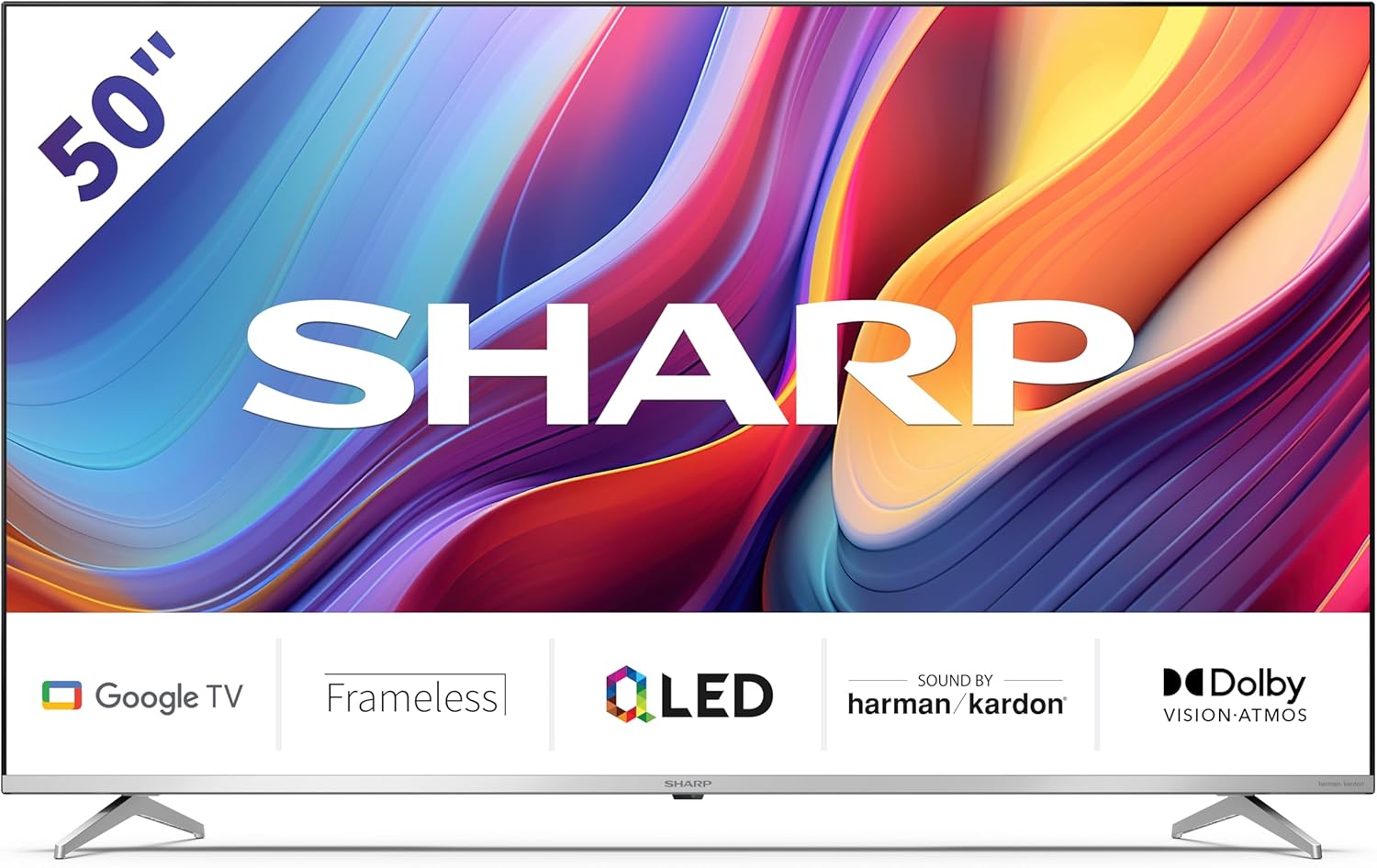
Welcome to the user manual for your new Sharp 50GP6265E 50-inch QLED 4K Ultra HD Google TV. This manual provides essential information for the safe and efficient use of your television. Please read it thoroughly before operating the device and retain it for future reference.
וויכטיק סאַפעטי אינפֿאָרמאַציע
- זיכער מאַכן אַז דער טעלעוויזיע איז געשטעלט אויף אַ סטאַבילן ייבערפלאַך צו פאַרמייַדן עס פון פאַלן.
- Do not block ventilation openings. Proper airflow is crucial to prevent overheating.
- באַשיצן די מאַכט שנור פון גיין אויף אָדער פּינטשעד.
- Do not expose the TV to rain or moisture to reduce the risk of fire or electric shock.
- אָפּשיקן אַלע סערוויסעס צו קוואַלאַפייד סערוויס פּערסאַנעל.
2. וואָס איז אין דער קעסטל
ביים אויספּאַקן, ביטע זיכער מאַכן אַז אַלע די פאלגענדע קאָמפּאָנענטן זענען אַרייַנגערעכנט:
- Sharp 50GP6265E 50-inch QLED 4K Ultra HD Google TV
- ווייַט קאָנטראָל
- 2 x AAA batteries (for remote control)
- שנעל אָנהייב פירער
- TV stands (if not wall-mounted)
- מאַכט קאַבלע
3. סעטאַפּ
3.1 אַנפּאַקינג
Carefully remove the television from its packaging. It is recommended to keep the original packaging for potential future transport or servicing.
3.2 שטיין ייַנמאָנטירונג
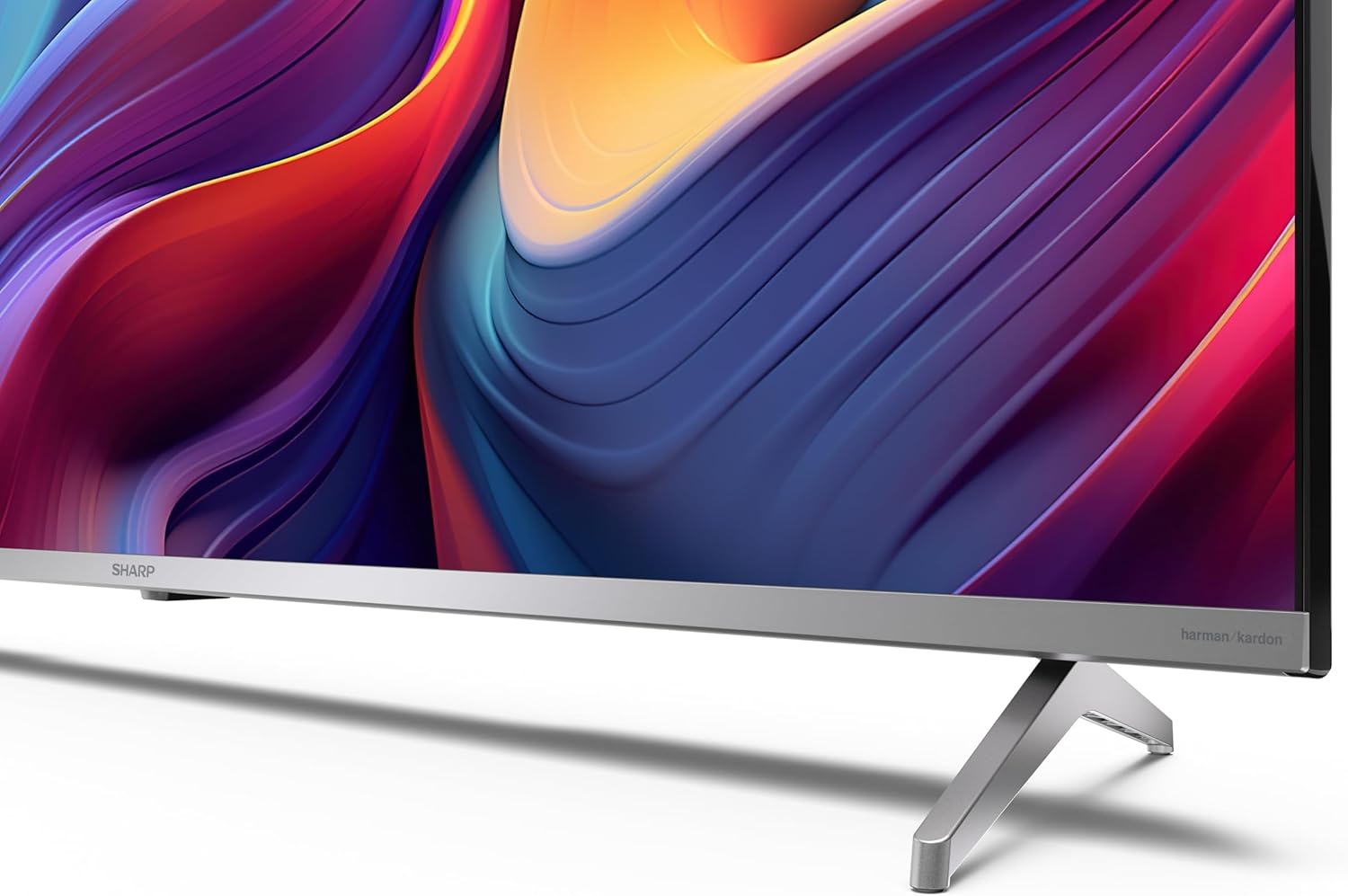
If you are not wall-mounting the television, attach the included stands to the bottom of the TV. Ensure the screws are securely fastened. Refer to the quick start guide for detailed diagrams.
3.3 וואנט מאָונטינג
For wall mounting, the VESA dimensions required are 400 x 300 mm. Use a compatible wall mount bracket (sold separately) and follow the instructions provided with the bracket. Ensure the wall can support the weight of the television (9.7 kg net weight).

3.4 קאַנעקטינג פּעריפעראַלס
אייער שאַרפּ טעלעוויזיע אָפפערט פֿאַרשידענע קאָנעקטיוויטי אָפּציעס:
- הדמי: Connect external devices such as Blu-ray players, gaming consoles, or set-top boxes using the 4 HDMI 2.1 ports. One port supports eARC for enhanced audio return channel functionality.
- וסב: Use the 2 USB ports for connecting external storage devices to play media or for service updates.
- עטהערנעט: פֿאַר אַ סטאַבילע דראָטיקע אינטערנעט פֿאַרבינדונג.
- ווי-פי: פֿאַר וויירלעס אינטערנעט קאַנעקטיוויטי.
- בלועטאָאָטה: Connect wireless headphones, soundbars, or other Bluetooth-enabled accessories.

3.5 ערשטע מאָל אויפשטעלן
After connecting the power cable and turning on the TV, follow the on-screen instructions to complete the initial setup. This typically includes language selection, network connection, and Google account sign-in for Google TV features.
4. אַפּערייטינג דיין טעלעוויזיע
4.1 רימאָוט קאָנטראָל
The included remote control allows you to navigate the TV's interface, adjust volume, change channels, and access smart features. Insert the 2 AAA batteries into the remote control, ensuring correct polarity.
4.2 גוגל טיווי צובינד
Your Sharp TV runs on Google TV, which organizes movies, shows, and live TV from all your apps and subscriptions. The home screen provides personalized recommendations and quick access to your favorite content.

Supported internet services include Netflix, Amazon Prime Video, HBO, Disney+, Movistar+, DAZN, Atresmedia, KODI, IPTV, Steamlink, Twitch, VLC, YouTube, Puffin TV Browser, Spotify, Deezer, TuneIn Radio, and many more available on Google Play for Google TV.
4.3 בילד סעטטינגס
Experience stunning visuals with 4K Ultra HD resolution and Quantum Dot technology for vibrant colors. The TV supports Dolby Vision and HDR10 for enhanced contrast and brightness. Access picture settings through the TV menu to customize brightness, contrast, color, and sharpness to your preference. AQUOS Smooth Motion technology provides image interpolation for smoother motion.
4.4 געזונט סעטטינגס
The integrated Harman/Kardon speaker system (2 x 12 W) delivers immersive audio. With Dolby Atmos support, you can enjoy a rich, multi-dimensional sound experience. Adjust sound modes and equalizer settings in the audio menu.
4.5 סמאַרט פֿעיִקייטן
- גוגל אַססיסטאַנט: ניצט שטימע קאמאנדעס צו זוכן אינהאלט, קאנטראלירן קלוגע היים דעווייסעס, און באקומען אינפארמאציע.
- Chromecast Built-in: Cast content from your smartphone, tablet, or computer directly to your TV screen.
5. וישאַלט
5.1 רייניקן דעם טעלעוויזאר
- שטענדיק אויסשטעקן דעם טעלעוויזאר איידער איר רייניגט.
- ניצט אַ ווייכע, טרוקענע שטאָף צו ווישן דעם עקראַן און קאַבינעט. פֿאַר שווערע פֿלעקן, לייכט ווישןampווישט דעם שטאָף מיט וואַסער אָדער אַ ספּעציעלן עקראַן רייניגער.
- ויסמיידן ניצן אַברייסיוו קלינערז, וואַקסעס אָדער סאָלוואַנץ.
5.2 ווייכווארג דערהייַנטיקונגען
אייער טעלעוויזיע קען באַקומען ווייכווארג דערהייַנטיקונגען צו פֿאַרבעסערן פאָרשטעלונג און צולייגן נייַע פֿעיִקייטן. זיכער מאַכן אַז אייער טעלעוויזיע איז פארבונדן צום אינטערנעט צו באַקומען די דערהייַנטיקונגען אויטאָמאַטיש אָדער טשעק פֿאַר זיי מאַנועל אין די סעטטינגס מעניו.
6. טראָובלעשאָאָטינג
אויב איר טרעפט פּראָבלעמען מיט אייער טעלעוויזיע, זעט די פאלגענדע געוויינטלעכע פּראָבלעמען און לייזונגען:
| פּראָבלעם | מעגלעך לייזונג |
|---|---|
| קיין מאַכט | קאָנטראָלירט צי דער עלעקטרישער קאַבל איז זיכער פֿאַרבונדן צום טעלעוויזאָר און צום עלעקטרישן אַוטלעט. מאַכט זיכער אַז דער אַוטלעט פֿונקציאָנירט. |
| קיין בילד נישט, אבער סאונד איז דא | באַשטעטיקן אַז די ריכטיקע אַרייַנגאַנג מקור איז אויסגעקליבן. קאָנטראָלירט די פֿאַרבינדונגען פֿון די עקסטערנע דעווייסעס. |
| קיין קלאַנג, אָבער בילד איז דאָ | Check the volume level and mute status. Ensure audio cables are correctly connected for external devices. |
| ווייַט קאָנטראָל נישט ארבעטן | טוישט די AAA באַטעריעס. מאַכט זיכער אַז עס זענען נישטאָ קיין שטערונגען צווישן דעם ווײַטקאָנטראָל און דעם טעלעוויזיע'ס IR סענסאָר. |
| ווי-פי קשר ישוז | Restart your router and the TV. Re-enter the Wi-Fi password. Ensure the TV is within range of your Wi-Fi network. |
7. ספּעסאַפאַקיישאַנז
| שטריך | דעטאַל |
|---|---|
| סאָרט | שאַרף |
| מאָדעל נומער | 50GP6265E |
| פאַרשטעלן גרייס | 50 אינטשעס |
| ווייַז טעכנאָלאָגיע | QLED, Quantum Dot |
| האַכלאָטע | 4K Ultra HD (3840 X 2160 בילדצעלן) |
| דערפרישן קורס | 60 הז |
| אָפּערייטינג סיסטעם | גוגל טעלעוויזיע |
| HDR שטיצן | דאָלבי וויזשאַן, HDR10 |
| אַודיאָ סיסטעם | Harman/Kardon (2 x 12 W), Dolby Atmos |
| קאַנעקטיוויטי | 4x HDMI 2.1 (with eARC), 2x USB, Wi-Fi, Bluetooth, Ethernet |
| ספּעציעלע פֿעיִקייטן | Google Assistant, Chromecast built-in, AQUOS Smooth Motion |
| VESA וואנט בארג | 400 רענטגענ 300 מם |
| דימענשאַנז (מיט שטיין) | 111.6P x 26.5l x 69.3H cm (1116.4 x 692.9 x 264.7 mm) |
| דימענסיעס (אָן שטיין) | 111.6P x 9.2l x 65.1H cm (1116.4 x 651.3 x 91.5 mm) |
| נעץ וואָג | 9.7 קג |
| ענערגיע עפעקטיווקייַט קלאַס (SDR) | ג (69 קווה/1000 שעה) |
| ענערגיע עפעקטיווקייַט קלאַס (HDR) | ג (98 קווה/1000 שעה) |

פֿאַר דעטאַלירטע פּראָדוקט אינפֿאָרמאַציע און ענערגיע עפֿעקטיווקייט דאַטן, ביטע זען די EPREL דאַטאַבייס: https://eprel.ec.europa.eu/qr/1942440
8. וואָראַנטי און שטיצן
Information regarding spare parts availability and software updates is not explicitly provided for a guaranteed period. Please refer to the manufacturer's official website for the most up-to-date warranty terms and support information.
פאַבריקאַנט: SHARP
באַאַמטער Webפּלאַץ: www.sharpconsumer.com
For customer service inquiries, please visit the Sharp consumer website or contact their support channels as listed on their official site.