
הקדמה
Welcome to the user manual for your new Redmi Xiaomi 13 4G LTE smartphone. This guide provides essential information on setting up, operating, maintaining, and troubleshooting your device to ensure optimal performance and user experience. Please read this manual thoroughly before using your phone.
וואָס איז אין די קעסטל
Upon unboxing your Redmi Xiaomi 13, verify that all the following items are included:
- Redmi Xiaomi 13 Smartphone
- 33 וו וואנט טשאַרדזשער
- אַדאַפּטער
- שנעל מאַשין טשאַרדזשער
- סים טרייַ עדזשעקטאָר
סעטאַפּ
1. סים קאַרטל און מיקראָסד קאַרטל ינסטאַלירונג
Your Redmi 13 supports Dual Nano SIM cards or one Nano SIM and one MicroSD card in a hybrid slot. Ensure your SIM card is activated by your carrier before installation.
- געפינט די SIM טאַץ אויף דער זייט פון אייער טעלעפאָן.
- שטעקט אריין דעם סים טרעי אויסווארף געצייג אין דעם קליינעם לאך לעבן דעם טרעי און דריקט פעסט ביז דער טרעי קומט ארויס.
- Carefully place your Nano SIM card(s) and/or MicroSD card into the designated slots on the tray. Ensure the gold contacts face downwards.
- שטופּ אָפּ דעם טאַץ צוריק אין דעם טעלעפאָן ביז עס איז גלייך מיטן אַפּאַראַט.
בילד: זייט view of the Redmi Xiaomi 13, illustrating the location of the SIM tray and camera module.
2. ערשטע איינשאַלטונג און סעטאַפּ
צו אנצינדן אייער אפאראט צום ערשטן מאל:
- Press and hold the Power button (located on the right side of the phone) until the Redmi logo appears on the screen.
- Follow the on-screen instructions to select your language, region, connect to a Wi-Fi network, and set up your Google account.
- You will be prompted to set up security features such as a PIN, pattern, password, fingerprint, or face unlock.

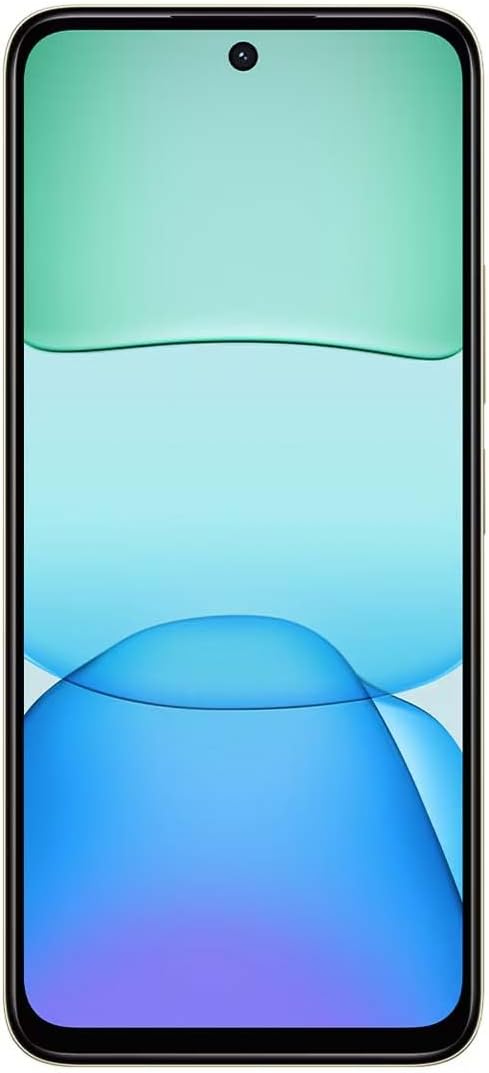
בילד: פראָנט view of the Redmi Xiaomi 13, showing the display and front camera.
3. נעטוואָרק קאָנפיגוראַטיאָן
Your device is designed for 4G LTE connectivity. For USA users, it is compatible with Tello and Mint Mobile. For global users, it supports various GSM carriers. Ensure your APN settings are correctly configured if you experience network issues. These settings are usually automatically detected upon SIM insertion.
אַפּערייטינג דיין מיטל
1. ווייַז פֿעיִקייטן
The Redmi 13 features a 6.79-inch Dot Drop HD+ display with a resolution of 1650 x 720. It supports Sunlight display for better visibility in bright conditions and Reading mode to reduce eye strain. You can adjust color temperature in the display settings.
2. קאַמעראַ יוז
Your phone is equipped with a powerful camera system:
- דערציען אַפּאַראַט: 108MP main camera (f/1.8 with 4-in-1 pixel binning) and a 2MP depth camera (f/2.4).
- פראָנט אַפּאַראַט: 13MP פֿאַר סעלפֿיז און ווידעאָ קאָלס.
צו נעמען אַ פאָטאָ:
- עפֿענען די אַפּאַראַט אַפּלאַקיישאַן.
- אויסקלייבן אייער געוואונטשענעם מאָדע (פאָטאָ, פּאָרטרעט, ווידעאָ, אאז"וו).
- דריק דעם שאטער קנעפל צו כאפן א בילד.
The camera features HDR mode for improved dynamic range and quick snap functionality for capturing moving moments efficiently.

בילד: צוריק view of the Redmi Xiaomi 13, highlighting the 108MP dual camera system.
3. קאַנעקטיוויטי
The device supports Wi-Fi for internet access, GPS for navigation (including AGPS, GLONASS, Beidou, Galileo), and Bluetooth for connecting wireless accessories. It also includes a 3.5mm headphone jack for wired audio.
4. זיכערהייַט פֿעיִקייטן
באַשיצט אייער מיטל און דאַטן מיט די פאלגענדע זיכערהייט אָפּציעס:
- הינטערשטע פינגערפּרינט סענסאָר: רעגיסטרירט אייערע פינגער-אפדרוקן פאר שנעלע און זיכערע אויפשליסן.
- קינסטלעכע אינטעליגענץ פּנים אַנטלאַק: ניצט אייער פנים צו עפענען דעם אפאראט.
- פּין/מוסטער/פּאַראָל: Standard lock screen security methods.
וישאַלט
1. באַטערי קער
The Redmi 13 is equipped with a 5030mAh (typ) battery. To prolong battery life:
- ויסמיידן עקסטרעם טעמפּעראַטורעס.
- Use the provided 33W charger for optimal charging speed and safety.
- לאָזט נישט די באַטאַרייע זיך אָפט גאָר אויסליידיקן.
2. ווייכווארג דערהייַנטיקונגען
קאָנטראָלירט און אינסטאַלירט סאָפֿטוועיר דערהייַנטיקונגען צו זיכער מאַכן אַז אייער מיטל האט די לעצטע פֿונקציעס, זיכערהייט פּאַטשאַז און פאָרשטעלונג פֿאַרבעסערונגען. נאַוויגירט צו Settings > About phone > System update צו קאָנטראָלירן פֿאַר דערהייַנטיקונגען.
3. רייניקן דיין דעווייס
Use a soft, lint-free cloth to clean your phone. Avoid using harsh chemicals or abrasive materials that could damage the screen or finish.
טראָובלעשאָאָטינג
If you encounter issues with your Redmi 13, try the following common troubleshooting steps:
- מיטל ניט ריספּאַנדינג: דריק און האלט דעם פּאַוער קנעפּל פֿאַר בערך 10-15 סעקונדעס צו צווינגען אַ ריסטאַרט.
- נעץ פראבלעמען: Check if your SIM card is properly inserted. Toggle Airplane Mode on and off. Reset network settings via Settings > Connection & sharing > Reset Wi-Fi, mobile networks, and Bluetooth.
- אַפּ קראַשט: אויסמעקן די אַפּ'ס קאַש און דאַטן דורך Settings > Apps > Manage apps > [App Name] > Clear dataאויב די פראבלעם בלייבט, דעאינסטאלירט און ריאינסטאלירט די אפליקאציע.
- די באַטאַרייע פליסן געשווינד: Review באַטעריע באַניץ אין סעטטינגס> באַטערי to identify power-hungry apps. Reduce screen brightness and disable unnecessary features like GPS or Bluetooth when not in use.
- סטאָרידזש פול: ויסמעקן ומנייטיק files, photos, and videos. Uninstall unused apps. Consider moving media to a MicroSD card if installed.
- פאַבריק באַשטעטיק: As a last resort for persistent software issues, you can perform a factory reset. ווארענונג: דאָס וועט אויסמעקן אַלע דאַטן אויף דיין טעלעפאָן. מאַכט אַ באַקאַפּ פון וויכטיקע דאַטן איידער איר גייט ווייטער. גיין צו סעטטינגס> וועגן טעלעפאָן> פאַבריק באַשטעטיק.
ספּעסאַפאַקיישאַנז
Below are the key technical specifications for the Redmi Xiaomi 13 4G LTE:
| מאָדעל נאָמען | Redmi 13 |
| אָפּערייטינג סיסטעם | Android 14 HyperOS |
| פּראַסעסער | MediaTek Helio G91 Ultra Octa-core (2x2.0 GHz Cortex-A75 & 6x1.8 GHz Cortex-A55) |
| גפּו | Mali-G52 MC2 |
| ווייַז | 6.79 Inches Dot Drop HD+ (1650 x 720) |
| באַראַן | 6 גיגאבייט |
| אינערלעכער סטאָרידזש | 128 גיגאבייט |
| דערציען אַפּאַראַט | 108MP (main) + 2MP (depth) |
| פראָנט אַפּאַראַט | 13MP |
| באַטאַרייע קאַפּאַציטעט | 5030 מאַה (טיפּיש) |
| טשאַרדזשינג | 33W שנעלע טשאַרדזשינג (USB טיפּ-C) |
| קאַנעקטיוויטי | 4G LTE, Wi-Fi, Bluetooth, GPS (AGPS, GLONASS, Beidou, Galileo) |
| אַודיאָ דזשאַק | 3.5 מם |
| זיכערהייַט | הינטערשטע פינגערפּרינט סענסאָר, קינסטלעכע אינטעליגענץ פּנים ופשליסן |
| פּעקל דימענשאַנז | 7 X 4 X 2 אינטשעס |
| וואָג | 6 אונסעס |
Note: Specifications are subject to change without prior notice. Please refer to the official Redmi webפּלאַץ פֿאַר די מערסט דערהייַנטיקט אינפֿאָרמאַציע.
וואָראַנטי און שטיצן
For warranty information, please refer to the warranty card included with your product or visit the official Redmi/Xiaomi website. For technical support, software updates, or service inquiries, please contact Xiaomi customer service or visit their official support channels. Keep your proof of purchase for warranty claims.
Official Redmi/Xiaomi Support: https://www.mi.com/global/support