
הקדמה
This manual provides comprehensive instructions for the setup, operation, and maintenance of your Diyeeni WH TA11PE Air Conditioner Remote Controller. Please read this manual carefully before using the remote control to ensure proper functionality and longevity.
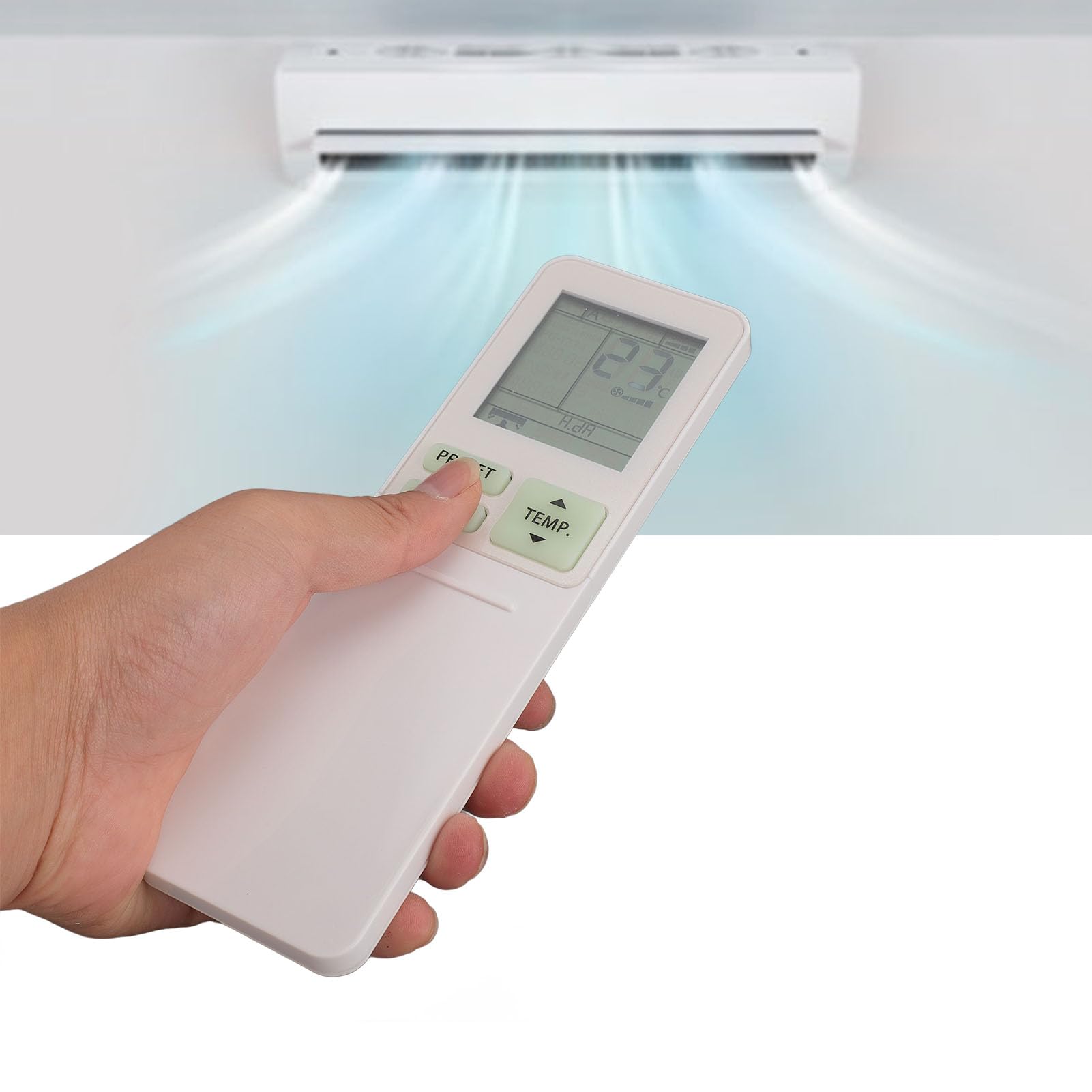
Image: The Diyeeni WH TA11PE remote control in use, with an air conditioner in the background.
קאַמפּאַטאַבאַל מאָדעלס
The Diyeeni WH TA11PE remote controller is designed as a replacement for the following Toshiba Air Conditioner series:
- RAS-10G2KVP Series
- RAS-13G2KVP Series
- RAS-16G2KVP Series
- RAS-18E2KVSG A Series
- RAS-22E2KVSG A Series
- RAS-24E2KVSG A Series
This remote control offers full functionality for these specified models, replicating the original remote's features.
סעטאַפּ: באַטעריע אינסטאַלאַציע
צו אָנהייבן ניצן אייער ווײַטקאָנטראָל, מוזט איר ערשט אינסטאַלירן די באַטעריעס.
- עפֿענען די באַטערי אָפּטייל: Locate the battery compartment cover on the back of the remote control. Gently slide or press the latch to open the cover.
- אַרייַנלייגן באַטעריז: Insert two (2) AAA batteries (not included) into the compartment. Ensure the positive (+) and negative (-) terminals of the batteries match the indicators inside the compartment.
- פאַרמאַכן די באַטערי אָפּטייל: לייגט צוריק דעם דעקל פונעם באַטעריע־אָפּטייל דורך עס צוריקצורוקן אין פּלאַץ ביז עס קליקט זיכער.

Image: Remote control with the battery compartment open, illustrating correct battery placement.

בילד: דעטאַלירט view of the battery compartment, highlighting the terminals.
Once batteries are installed, the remote control is ready for use. No programming is required for compatible Toshiba air conditioner models.
אַפּערייטינג ינסטראַקשאַנז
The Diyeeni WH TA11PE remote control provides access to all standard functions of your Toshiba air conditioner. Point the remote control directly at the air conditioner's receiver when operating.

בילד: פראָנט view פון דער ווײַטקאָנטראָל, ווײַזנדיק אַלע קנעפּלעך.
שליסל פאַנגקשאַנז:
- מאַכט קנעפּל (⏻): טוט אן אדער אויסלעשן דעם לופטקילונג.
- TEMP. Buttons (▲/▼): אַדזשאַסטירט די טעמפּעראַטור סעטטינג אַרויף אָדער אַראָפּ.
- PRESET קנעפּל: Activates a pre-set operating mode or setting.
- מאָדע קנעפּל: גייט דורך אפערירן מאָדעס (למשל, קילן, הייצן, ווענטילאַטאָר, טרוקן, אויטאָ).
- SWING קנעפּל: קאָנטראָלירט די ווערטיקאַלע שווינג פון די לופט דעפלעקטאָר.
- FAN קנעפּל: אַדזשאַסטירט די ווענטילאַטאָר גיכקייט (למשל, נידעריק, מיטל, הויך, אויטאָמאַטיש).
- AIR FLOW Button: Controls horizontal airflow direction.
- 8°C Button: Activates an 8°C heating mode for frost protection (if supported by AC).
- ECO קנעפּל: אַקטיוויזירט ענערגיע-שפּאָרנדיק מאָדע.
- Hi POWER Button: Activates maximum power operation for rapid cooling/heating.
- PURE Button: Activates air purification function (if supported by AC).
- COMFORT SLEEP Button: Sets the air conditioner to a comfortable sleep mode.
- P-SEL (Program Select) Button: Selects programmed settings.
- WEEKLY ON/OFF, DAY/EDIT, PROGRAM P1-P4 Buttons: Used for setting and managing weekly timers and programs.
- TIMER ON/OFF, SET, CLR Buttons: Used for setting and clearing basic timers.
- CLOCK, CHECK, FILTER, RESET Buttons: For setting the clock, checking status, filter reset, and general reset functions.

Image: Close-up of the remote's display and primary control buttons.
Refer to your Toshiba air conditioner's original manual for specific details on how each function interacts with your unit.
וישאַלט
- רייניקונג: Wipe the remote control with a soft, dry cloth. Do not use liquid cleaners, sprays, or abrasive materials, as these can damage the surface or internal components.
- באַטערי פאַרבייַט: Replace batteries when the remote's range decreases or the display becomes dim. Always replace both batteries at the same time with new ones of the same type (AAA).
- סטאָרידזש: אויב די ווײַטקאָנטראָל וועט נישט ווערן גענוצט פֿאַר אַ לענגערע צײַט, נעמט אַרויס די באַטעריעס כּדי צו פֿאַרמײַדן ליקאַדזש און מעגלעכע שאָדן. האַלט אין אַ קיל, טרוקן אָרט.
- פארמיידט אויסגעשטעלטקייט: שטעלט נישט אויס די ווײַטקאָנטראָל צו דירעקטער זון, הויכע טעמפּעראַטורן, אדער הויכער פֿײַכטקייט.
טראָובלעשאָאָטינג
| פּראָבלעם | מעגלעך סיבה | לייזונג |
|---|---|---|
| די ווײַטקאָנטראָל אַרבעט נישט דעם עיר קאַנדישאַנער אַפּאַראַט. |
|
|
| דער עקראַן איז טונקל אָדער ליידיק. |
|
|
| Certain functions do not work. |
|
|
ספּעסאַפאַקיישאַנז
- מאָדעל: WH TA11PE
- מאַטעריאַל: ABS
- באַטערי טיפּ: 2 X AAA באַטעריז (ניט אַרייַנגערעכנט)
- קאַמפּאַטאַבילאַטי: Toshiba RAS-10G2KVP, RAS-13G2KVP, RAS-16G2KVP Series, RAS-18E2KVSG A, RAS-22E2KVSG A, RAS-24E2KVSG A
- וואָג: אומגעפער 110 גראַם

Image: Back of the remote control, displaying the model identifier.