
הקדמה
Thank you for choosing the TECKNET TK-MS317 Bluetooth Wireless Mouse. This manual provides detailed instructions for setting up, operating, and maintaining your mouse to ensure optimal performance. Please read this manual thoroughly before use and retain it for future reference.
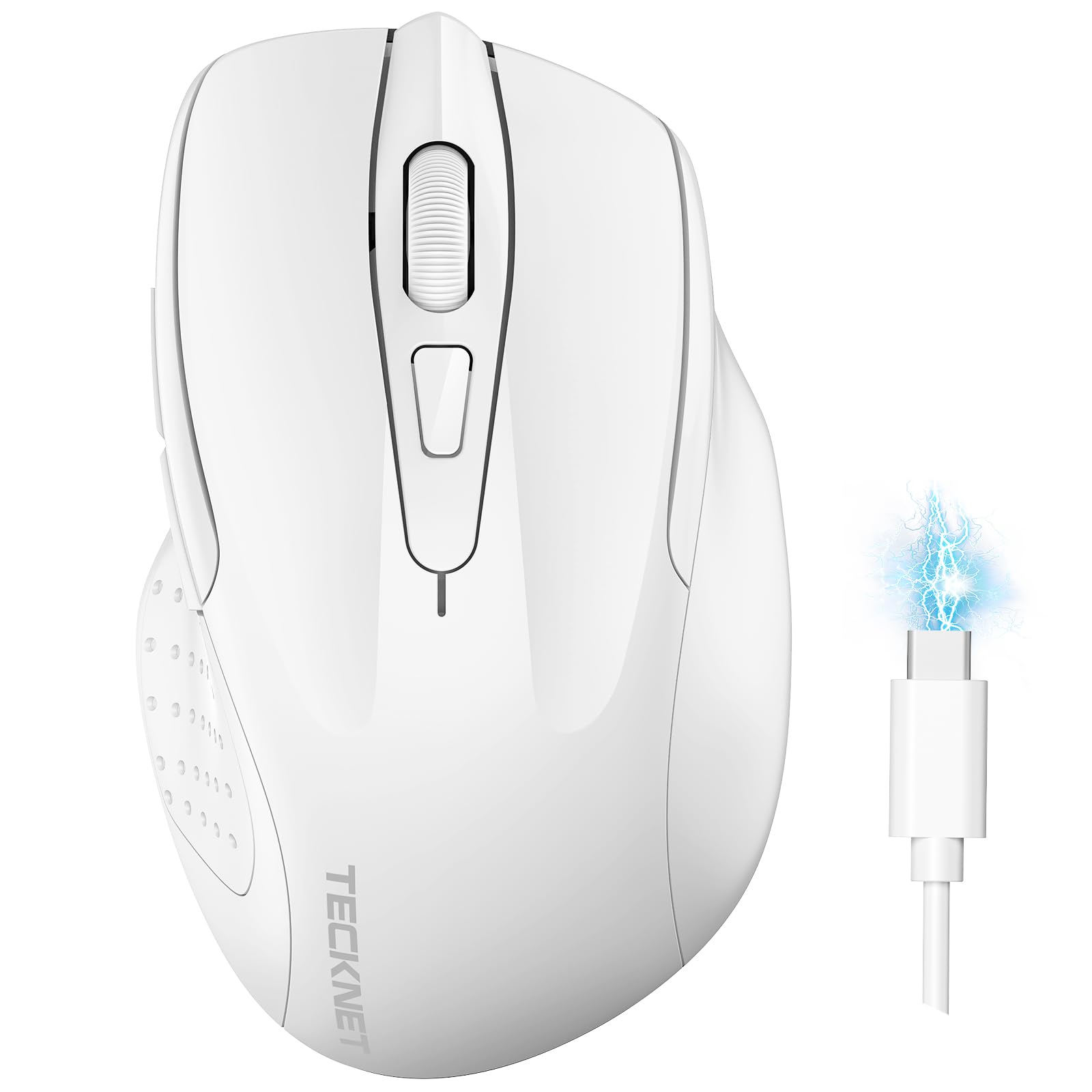
Image: The TECKNET TK-MS317 Bluetooth Wireless Mouse, showcasing its ergonomic design and sleek white finish.
פּראָדוקט פֿעיִקייטן
- טריפּל קאַנעקשאַן מאָדעס: Supports Bluetooth 5.0, Bluetooth 3.0, and 2.4GHz wireless connectivity, allowing seamless switching between up to two devices.
- אַדזשאַסטאַבאַל דפּי: Six adjustable DPI levels (800/1200/1600/2400/3200/4800) for precise control and adaptability to various tasks.
- קריקאָנלאָדלעך באַטערי: Equipped with a 700 mAh rechargeable battery, providing extended usage on a single charge. Can be used while charging via USB-C.
- שטילע קליקן: Designed for quiet operation, reducing click noise by 90% for a focused work environment.
- ערגאָנאָמיק פּלאַן: Contoured shape fits comfortably in the palm, reducing hand fatigue during prolonged use.
- ענערגיע שפּאָרן: Features a key-wake function and automatic sleep mode to conserve battery life.
- וניווערסאַל קאַמפּאַטאַבילאַטי: Compatible with Windows 11/10/8/7/XP/Vista, Mac OS, Linux, Android, and iOS (BT 5.0 for iOS 10.4+).

Image: Illustration highlighting the silent click feature of the mouse, showing a quiet work environment.

Image: Diagram illustrating the ergonomic curvature of the TECKNET TK-MS317 mouse, designed for comfortable hand fit.
סעטאַפּ אינסטרוקציעס
1. אויפלאָדן די מויז
Before first use, or when the battery is low, connect the mouse to a power source using the provided USB-C cable. The charging indicator light will illuminate. A full charge typically takes about two hours and can last for 1 to 2 months of intensive use.

Image: The TECKNET TK-MS317 mouse connected via a USB-C cable for charging, highlighting its 700mAh battery capacity.
2. פֿאַרבינדן זיך דורך 2.4GHz ווירעלעס
- געפינט דעם USB 2.4G ריסיווער, וואָס ווערט געוויינטלעך געהאלטן אין אַ אָפּטייל אויף דער אונטערשטער זייט פון דער מויז.
- שטעקט אריין דעם USB ריסיווער אין א פאראן USB-A פארט אויף אייער קאמפיוטער.
- Switch the mode selector on the bottom of the mouse to the "2.4G" position.
- The mouse should automatically connect to your computer. If not, try moving the mouse or restarting your computer.
3. פֿאַרבינדן זיך דורך בלועטוט (BT5.0 / BT3.0)
- Switch the mode selector on the bottom of the mouse to either "BT5.0" or "BT3.0" position.
- Press and hold the Bluetooth pairing button (usually located near the mode switch) for 3-5 seconds until the indicator light starts flashing, indicating pairing mode.
- אויף אייער דעווייס (קאמפיוטער, לעפטאפ, טאבלעט, סמארטפאן), גייט צו בלועטוט סעטינגס.
- זוכן פֿאַר new devices. You should see "TECKNET Mouse" or a similar name appear in the list.
- Select the mouse to pair. Once connected, the indicator light on the mouse will stop flashing.
- To switch between paired Bluetooth devices or to the 2.4G mode, simply use the mode selector switch on the bottom of the mouse.

Image: Diagram showing the three connection modes (2.4G, Bluetooth 5.0, Bluetooth 3.0) of the TECKNET TK-MS317 mouse, connecting to a laptop and a tablet.
אַפּערייטינג ינסטראַקשאַנז
1. דפּי אַדזשאַסטמאַנט
The mouse features a DPI button, typically located behind the scroll wheel. Press this button to cycle through the six available DPI settings: 800, 1200, 1600, 2400, 3200, and 4800. Select the DPI that best suits your task and preference for cursor speed and precision.

Image: Visual representation of the TECKNET TK-MS317 mouse highlighting its 6 levels of adjustable DPI, up to 4800 DPI.
2. מאָדע סוויטשינג
Use the physical switch on the underside of the mouse to select your desired connection mode: 2.4G, BT5.0, or BT3.0. This allows you to quickly switch between different devices without re-pairing.
3. מאַכט שפּאָרן מאָדע
The mouse will automatically enter sleep mode after a period of inactivity to conserve battery. To wake the mouse, simply move it or click any button.
וישאַלט
1. רייניקונג
צו רייניקן אייער מויז, ניצט א ווייכע, טרוקענע שטאָף. פאר שווערע שמוץ, ניצט א לייכט טרוקענעם שטאָף.amp cloth with mild soap can be used, ensuring no liquid enters the mouse. Avoid using harsh chemicals or abrasive materials.
2. באַטערי קער
- פֿאַרמײַדט אָפֿט פֿולשטענדיק אויסצולאָדן די באַטעריע.
- האַלט די מויז אין אַ קיל, טרוקן אָרט ווען נישט אין באַנוץ פֿאַר לענגערע פּעריאָדן.
- ניצט נאָר דעם צוגעשטעלטן USB-C קאַבל אָדער אַ סערטיפיצירטן עקוויוואַלענט צום אָפּלאָדן.
טראָובלעשאָאָטינג
- מויז ענטפערט נישט:
- זייט זיכער אז די מויז איז אויפגעלאָדן.
- Check if the mode switch is set correctly (2.4G, BT5.0, or BT3.0).
- פֿאַר 2.4G מאָדע, זאָרגט אַז דער USB ופנעמער איז זיכער אַרייַנגעשטעקט.
- For Bluetooth mode, ensure Bluetooth is enabled on your device and the mouse is paired. Try re-pairing if necessary.
- פרובירט צו פארבינדן די מויז צו אן אנדערן USB פארט אדער דעווייס צו אויסשליסן פראבלעמען מיטן פארט/דעווייס.
- אומגעריכטע פֿאַרבינדונג:
- ריקט די מויז נענטער צום ריסיווער/דעווייס.
- פֿאַרמײַדט צו ניצן די מויז אויף מעטאַלישע פֿלאַכן, וואָס קענען שטערן די וויירלעס סיגנאַלן.
- זיכער מאַכן אַז עס זענען נישטאָ קיין אַנדערע שטאַרקע וויירלעסע שטערונג קוואלן אין דער נאָענט.
- קורסאָר באַוועגונג איז נישט סטאַביל:
- רייניקט דעם אָפּטישן סענסאָר אויף דער אונטערשטער זײַט פֿון דער מויז.
- פרובירט צו ניצן די מויז אויף אן אנדער ייבערפלאך אדער א מויז-פאד.
- אַדזשאַסטירן די DPI סעטינג צו אַ נידעריקער ווערט.
ספּעסאַפאַקיישאַנז
| מאָדעל נומער | TK-MS317 |
| סאָרט | טעקנעט |
| קאַנעקשאַן מאָדעס | 2.4GHz Wireless, Bluetooth 5.0, Bluetooth 3.0 |
| דפּי לעוועלס | 800, 1200, 1600, 2400, 3200, 4800 |
| נומער פון קנעפּלעך | 6 |
| באַטערי טיפּ | Built-in 700 mAh Rechargeable Lithium Battery |
| טשאַרדזשינג פּאָרט | וסב-C |
| וואָג | 150 גראַמז |
| קאַמפּאַטאַבילאַטי | Windows 11/10/8/7/XP/Vista, Mac OS, Linux, Android, iOS (10.4+ for BT 5.0) |
וואָראַנטי און שטיצן
TECKNET offers a 36-month warranty for registered users of this product. If you encounter any issues with your TECKNET TK-MS317 Bluetooth Wireless Mouse, please do not hesitate to contact our professional customer service team for assistance.
For warranty claims or technical support, please visit the official TECKNET webזייטל אדער זעט די קאנטאקט אינפארמאציע וואס איז צוגעשטעלט געווארן מיט אייער פראדוקט פארפאקונג.