
1. הקדמה
This manual provides detailed instructions for the installation, operation, and maintenance of your BN-LINK U211A Countdown Timer Switch. This device is designed to automate the shut-off of lights and exhaust fans, contributing to energy savings and convenience. Please read this manual thoroughly before installation and use.
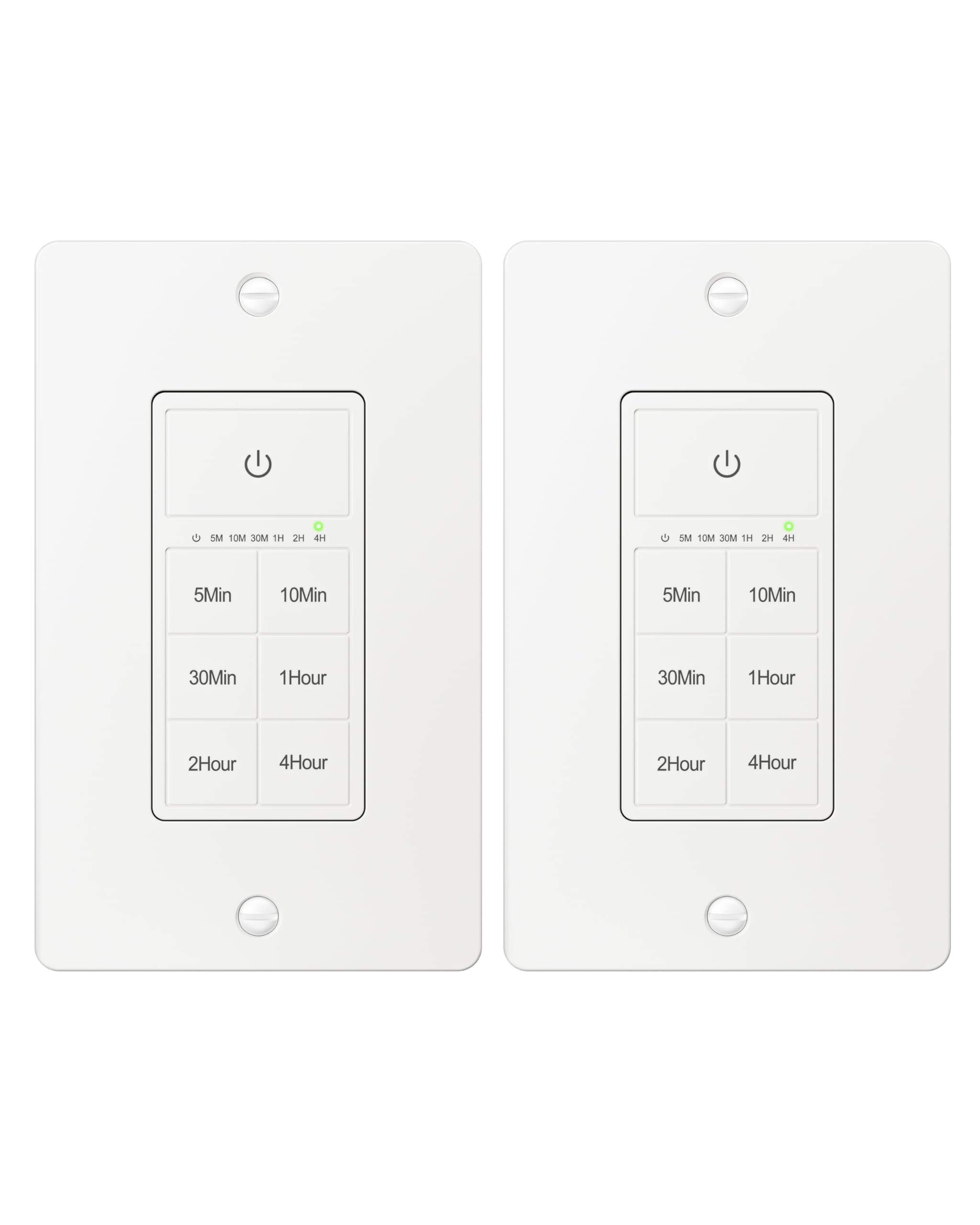
Figure 1: BN-LINK U211A Countdown Timer Switch
2. זיכערקייַט אינפֿאָרמאַציע
- פאַכמאַן ינסטאַלירונג רעקאַמענדיד: For your safety, it is highly recommended to have a qualified electrician install this product.
- מאַכט דיסקאַנעקשאַן: Always cut off power at the circuit breaker before attempting any installation, wiring, or maintenance to prevent electric shock.
- נייטראַל דראָט פארלאנגט: This timer switch requires a neutral wire for proper operation. Ensure your wall box has a neutral wire before proceeding with installation.
- Single Pole Only: This switch is designed for single-pole applications only. It is not intended for use in 3-way applications where multiple switches control the same outlet.
- בלויז דרינענדיק נוצן: דער פּראָדוקט איז בלויז פֿאַר דרינענדיק נוצן.
- מאַסע קאַפּאַציטעט: Do not exceed the maximum load capacity: 15A/1875W Resistive or General Purpose, 10A/1250W Ballast or Tungsten, ½ HP. Exceeding these limits can cause damage to the switch and connected devices, and poses a fire hazard.
3. פּעקל אינהאַלט
באַשטעטיקן אַז אַלע זאכן זענען פאַראַן אין דיין פּעקל:
- BN-LINK U211A Countdown Timer Switch
- וואנט פּלאַטע
- מאַונטינג סקרוז
- Wire Nuts (Orange Twist Connectors)

Figure 2: Included components and size details
4. ינסטאַלירונג
פאָלגט די סטעפּס קערפֿול פֿאַר ריכטיקער אינסטאַלאַציע:
- Cut Power: Turn off the main power at the circuit breaker for the switch location you will be working on.
- Uninstall Current Switch: Carefully remove the existing wall plate and switch from the wall box.
- אידענטיפיצירן דראָטן: Identify the wires in your wall box: hot (line), load, neutral, and ground. A neutral wire is required.
- פאַרבינדן ווירעס: Use the included orange twist connectors to connect the wires from the wall box to the corresponding wires on the timer switch. Ensure connections are secure.
- פאַרבינדן די ווייַס דראָט from the timer to the נייטראַל דראָט in the wall box.
- פאַרבינדן די שוואַרץ דראָט from the timer to the hot (line) wire in the wall box.
- פאַרבינדן די רויט דראָט from the timer to the load wire in the wall box.
- פאַרבינדן די גרין דראָט from the timer to the ערד דראָט in the wall box.
- זיכערער סוויטש: Gently push all connected wires and the timer switch into the wall box. Secure the timer switch to the wall box using the provided mounting screws.
- ינסטאַלירן וואנט פּלאַטע: Attach the decorative wall plate over the installed timer switch.
- ומקערן מאַכט: קער די מאַכט צוריק אויף די קרייַז צוימען.
- ינישאַלייז: The timer will initialize. Wait for all indicator lights to go out, signaling that initialization is complete.

פיגורע 3: וויירינג דיאַגראַמע
Video 1: BN-LINK Countdown Timer Switch Installation and Operation Guide. This video demonstrates the installation process and how to use the timer's countdown functions.
5. אָפּעראַציע
The BN-LINK U211A Countdown Timer Switch features a touch ON/OFF button and multiple preset countdown options.

Figure 4: Timer Switch Features
שטעלן אַ קאַונטדאַון טייַמער
- Press the button corresponding to your desired countdown duration (5 min, 10 min, 30 min, 60 min, 2 hours, or 4 hours).
- An LED indicator above the selected time will illuminate, confirming the countdown is active. The connected device (light or fan) will remain on for the selected duration and then automatically turn off.
- If you select a different countdown option while one is already active, the timer will reset to the newly selected duration.
- Pressing the same countdown button while it is active will not restart the countdown. To restart, first press the power button to turn the unit off, then press the desired countdown option again.
Manual ON/OFF and Always ON Mode
- To turn ON (Always ON Mode): If the unit is off, press the main power button (with the power symbol) once. The connected device will turn on and stay on indefinitely.
- צו קער אַוועק: If the unit is in Always ON mode or a countdown is running, press the main power button once to turn the connected device off.
- Override Countdown: If a countdown is active, pressing the main power button once will turn the device off. Pressing it again will enter Always ON mode.
6. ספּעסאַפאַקיישאַנז
| שטריך | באַשרייַבונג |
|---|---|
| מאָדעל | U211A |
| אָפּעראַציע מאָדע | אָטאַמאַטיק |
| קראַנט רייטינג | 15 Amps |
| אַפּערייטינג וואָלtage | 125 וואלטס |
| וואָסtage | 1875 וואטס |
| קאָנטראָל מעטאָד | ריר |
| באַשטימען טיפּ | Toggle (Push Button Actuator) |
| קרייַז טיפּ | 1-וועג |
| מאַונטינג טיפּ | וואנט בארג |
| דימענסיעס (L X W X H) | 4.2 X 1.8 X 2 אינטשעס |
| מאַטעריאַל | Plastic (body), Copper, Brass (contacts) |
| קאָליר | ווייַס |
| טעמפּעראַטור רייטינג | 5°F צו 122°F |
| סערטיפיקאַטיאָנס | ETL ליסטעד |
7. טראָובלעשאָאָטינג
If you encounter issues with your BN-LINK U211A Countdown Timer Switch, refer to the following common solutions:
- סוויטש רעאגירט נישט:
- זיכער מאַכן אַז די מאַכט איז צוריקגעשטעלט בײַם קרייַז ברעאַקער.
- באַשטעטיקן אַז אַלע דראָט פֿאַרבינדונגען זענען זיכער און ריכטיק לויט די ינסטאַלירונג אינסטרוקציעס.
- Check if the connected load exceeds the maximum wattagE אָדער ampעראַגע.
- Countdown Not Starting/Resetting:
- To restart a countdown, first press the main power button to turn the unit off, then select your desired countdown time again.
- If switching between countdowns, the new countdown will start from its full duration.
- Lights/Fan Remain On Indefinitely:
- The switch might be in "Always ON" mode. Press the main power button once to turn it off, or select a countdown duration.
- ינטערמיטאַנט אָפּעראַציע:
- Ensure the neutral wire connection is solid. A loose neutral wire can cause erratic behavior.
- Confirm the switch is not installed in a 3-way circuit.
For further assistance, please contact BN-LINK customer support.
8. וואָראַנטי און שטיצן
BN-LINK products are designed for ease of use and quality. This product is ETL Listed, ensuring it meets recognized safety standards.
For information regarding product warranty, returns, or technical support, please refer to the documentation included with your purchase or visit the official BN-LINK website. You may also contact BN-LINK customer service directly for assistance.
צוריקקער פּאָליטיק: דער בייבאָקס געווינער אָפפערט אַ 30-טאָגיקע צוריקקער פּאָליטיק פֿאַר אַ צוריקצאָל אָדער אַ פאַרבייַט.