
STRONG SRT32HG6733C
STRONG SRT32HG6733C 32-inch HD Android Smart TV User Manual
Model: SRT32HG6733C
הקדמה
This manual provides essential information for the setup, operation, and maintenance of your STRONG SRT32HG6733C 32-inch HD Android Smart TV. Please read these instructions carefully before using the product to ensure proper functionality and safety.
וואָס איז אין די קעסטל
ביים אויספּאַקן, זאָלט איר זיכער מאַכן אַז אַלע די זאכן וואָס זענען אויסגערעכנט אונטן זענען פאַראַן און אין אַ גוטן צושטאַנד:
- STRONG SRT32HG6733C TV Unit
- Remote control with voice recognition
- 2 רענטגענ אַאַאַ באַטעריז
- באַניצער מאַנואַל (דעם דאָקומענט)

Image: The STRONG SRT32HG6733C TV unit with its central stand, remote control, and included accessories.
סעטאַפּ
1. אנשטעלן דעם שטאנד
Carefully place the TV screen-down on a soft, clean surface to prevent scratches. Align the central stand with the mounting holes on the bottom of the TV. Secure the stand using the provided screws. Ensure the stand is firmly attached before proceeding.

בילד: הינטערשטע view of the TV showing the central stand attachment points and various input ports.
2. קאַנעקטינג מאַכט
שטעקט אריין דעם עלעקטרישן שנור אין דעם טעלעוויזאר'ס עלעקטרישן אריינגאנג, דערנאך אין א וואנט-אויסגאבע. דער טעלעוויזאר וועט אריינגיין אין סטענדביי מאָד.
3. ערשטע אויפשטעל און נעץ פארבינדונג
Upon first power-on, the TV will guide you through the initial setup process. This includes language selection, country, and network connection. For optimal Smart TV functionality, connect to your Wi-Fi network. You can also connect via an Ethernet cable for a stable wired connection.

Image: The TV screen displaying connectivity options, highlighting Wi-Fi and Bluetooth symbols.
אַפּערייטינג ינסטראַקשאַנז
יקערדיק פאַנגקשאַנז
- מאַכט אויף / אַוועק: דריק דעם מאַכט קנעפּל אויף דער ווײַט קאָנטראָל אָדער דעם טעלעוויזיע.
- קאַנאַל סעלעקציע: Use the CH+/- buttons or the number pad on the remote.
- באַנד קאָנטראָל: ניצט די VOL+/- קנעפלעך.
- אַרייַנשרייַב מקור: Press the SOURCE button to select between HDMI, AV, DVB-T/T2, DVB-C, DVB-S/S2 inputs.
סמאַרט טעלעוויזיע פֿעיִטשערז (גוגל טעלעוויזיע)
Your TV runs on Google TV, providing access to a wide range of applications and services.
- היים פאַרשטעלן: Access your favorite apps, movies, and shows directly from the customizable home screen.
- Streaming Applications: Pre-installed apps include Netflix, Prime Video, YouTube, and Disney+. Additional apps can be downloaded from the Google Play Store.
- גוגל אַססיסטאַנט: Use the voice recognition remote to control your TV, search for content, and get information by pressing the Google Assistant button and speaking your command.
- Google קאַסט: Stream content from your compatible smartphone or tablet directly to the TV.

Image: The TV screen showing the Google TV interface with icons for Netflix, YouTube, Prime Video, Disney+, and other streaming services.

Image: A user holding the voice-controlled remote, with a visual representation of Google Assistant responding to a voice command on the TV screen.
קאַנעקטיוויטי
די טעלעוויזיע אָפפערט פֿאַרשידענע פּאָרטן פֿאַר פֿאַרבינדן עקסטערנע דעוויסעס:
- HDMI פּאָרטן (x2): פֿאַרבינדט בלו-רэй שפּילער, שפּיל קאַנסאָולז, אָדער אַנדערע HDMI-ענייבאַלד דעוויסעס.
- יו-עס-בי פּאָרט (x1): שפּיל מעדיע fileס (פאָטאָס, ווידעאָס, מוזיק) פֿון אַ USB סטאָרידזש מיטל.
- Ethernet (RJ45) Port: פֿאַר אַ דראָטיקער אינטערנעט פֿאַרבינדונג.
- Antenna (ANT in) / Satellite (SAT in) Inputs: Connect your terrestrial or satellite antenna for live TV.
- סי שפּעלטל: פֿאַר קאָנדישאַנאַל אַקסעס מאָדולן (CAM) צו דעקריפּטירן ענקריפּטעד קאַנאַלן.
- SPDIF רעזולטאַט: פֿאַר דיגיטאַלער אַודיאָ אַרויסגאַנג צו אַ סאַונדבאַר אָדער היים טעאַטער סיסטעם.
- AV אין: פֿאַר פֿאַרבינדן עלטערע דעוויסעס ניצנדיק קאָמפּאָזיט ווידעאָ און סטערעאָ אַודיאָ.
- כעדפאָון רעזולטאַט: פֿאַר קאַנעקטינג כעדפאָונז.

בילד: דעטאַלירטע הינטערשטע זייט view of the TV highlighting all available input and output ports, including AV in, HDMI, USB, Ethernet, S/PDIF, ANT in, SAT in, CI slot, and Headphone output.
ווידעא: א קורצע הקדמהview demonstrating the TV's use in a mobile setting, such as a camper van, showing its compact size and clear display for entertainment on the go.
וישאַלט
רייניקונג די טעלעוויזיע
צו רייניקן דעם עקראַן, ווישט עס אָפּ מיט אַ ווייכן, לינט-פֿרייעם שטאָף. פֿאַר שווערע פֿלעקן, ווישט עס אַ ביסל.ampen the cloth with water or a screen-cleaning solution. Avoid using harsh chemicals or abrasive materials. Clean the TV casinג מיט אַ טרוקענעם, ווייכן שטאָף.
ווייכווארג דערהייַנטיקונגען
Your Android TV may receive software updates periodically. Ensure your TV is connected to the internet to receive these updates. Updates can improve performance, add new features, and enhance security. You can check for updates manually in the TV's settings menu.
טראָובלעשאָאָטינג
| פּראָבלעם | מעגלעך לייזונג |
|---|---|
| קיין מאַכט | Check if the power cord is securely plugged into the TV and the wall outlet. Ensure the outlet is functional. |
| קיין בילד נישט, אבער סאונד איז דא | באַשטעטיקן אַז די ריכטיקע אַרייַנגאַנג מקור איז אויסגעקליבן. קאָנטראָלירט קאַבל קאַנעקשאַנז צו פונדרויסנדיק דעוויסעס. |
| קיין קלאַנג, אָבער בילד איז דאָ | Check the volume level and mute status. Ensure audio cables are correctly connected if using external speakers. |
| ווייַט קאָנטראָל נישט ארבעטן | טוישט די באַטעריעס. מאַכט זיכער אַז עס זענען נישטאָ קיין שטערונגען צווישן דעם ווײַטקאָנטראָל און דעם טעלעוויזיע'ס IR סענסאָר. |
| קענען ניט פאַרבינדן צו ווי-פי | זיכער מאַכן אַז אייער ראַוטער איז אָן און אַרבעט. אַרייַן ווידער די Wi-Fi פּאַראָל. פּרוּווט ריסטאַרטן ביידע די טעלעוויזיע און די ראַוטער. |
| סמאַרט טעלעוויזיע אַפּפּס זענען פּאַמעלעך אָדער נישט רעאַגירנדיק | Check your internet connection speed. Close unused applications. Restart the TV. |
ספּעסאַפאַקיישאַנז
| שטריך | דעטאַל |
|---|---|
| מאָדעל נומער | SRT32HG6733C |
| פאַרשטעלן גרייס | 32 אינטשעס (81 סענטימעטער) |
| ווייַז טעכנאָלאָגיע | געפירט |
| האַכלאָטע | HD גרייט (1366 x 768p) |
| אָפּערייטינג סיסטעם | גוגל טעלעוויזיע |
| קאַנעקטיוויטי | Wi-Fi, Bluetooth, 2x HDMI, 1x USB, Ethernet (RJ45), AV In, SPDIF, ANT in, SAT in, CI Slot |
| טונערס | DVB-T/T2, DVB-C, DVB-S/S2 (HEVC 265 codec) |
| ספּעציעלע פֿעיִקייטן | Google Assistant, Google Cast, Dolby Audio |
| דימענשאַנז (ב x ד x ה) | 71.8 x 22.3 x 45.2 ס״מ (מיט שטאַנד) |
| אַרייַנגערעכנט קאַמפּאָונאַנץ | TV, Voice Remote, 2x AAA Batteries, Manual |
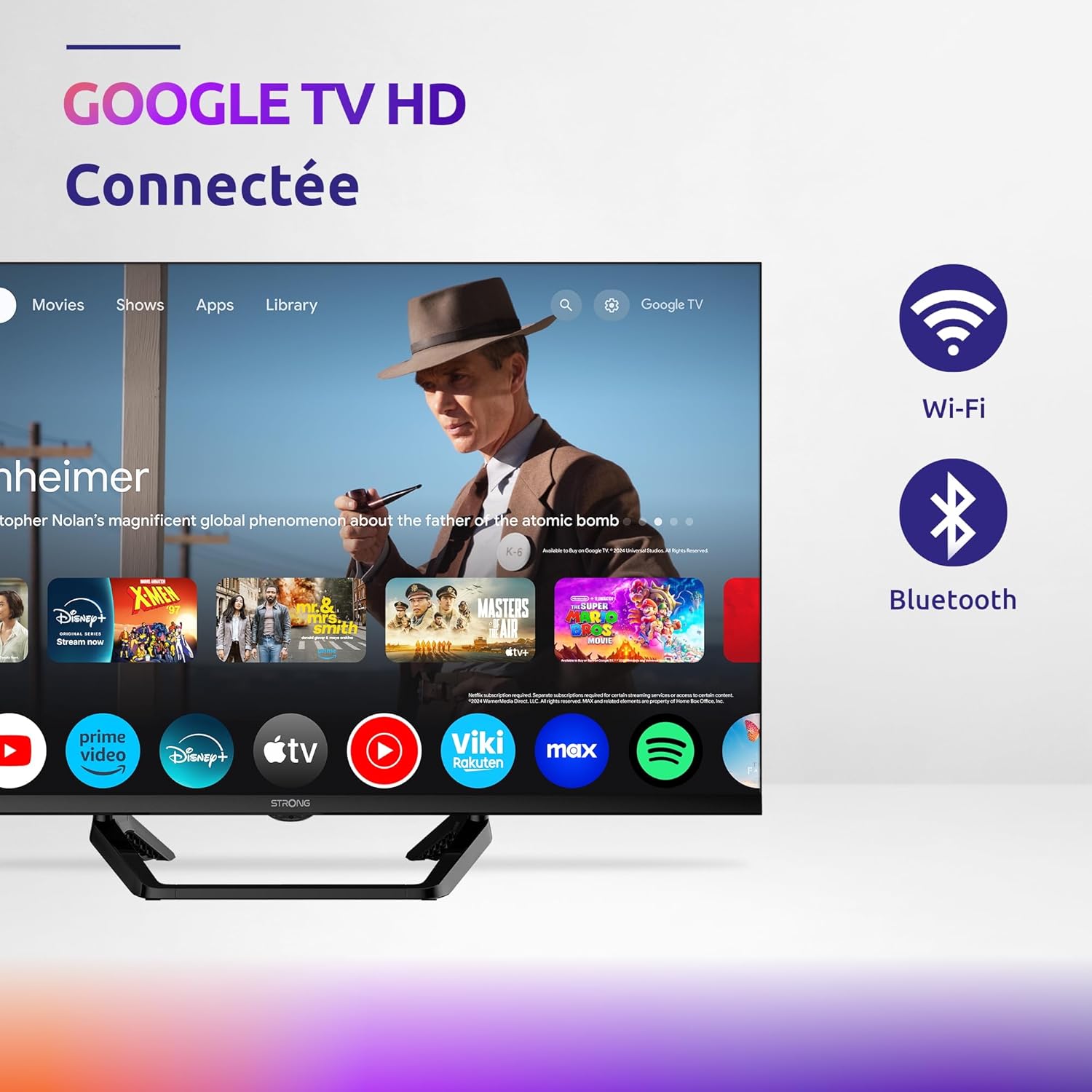
Image: Diagram showing the dimensions of the STRONG SRT32HG6733C TV, including width, height, and depth with the central stand.
וואָראַנטי און שטיצן
This product comes with a manufacturer's warranty of 24 months. For warranty claims or technical support, please refer to the contact information provided on the official STRONG webוועבזייטל אדער אייער קויפן דאקומענטאציע.
For frequently asked questions and additional resources, visit the STRONG Brand Store.


Images: Icons representing warranty information and frequently asked questions.
פֿאַרבונדענע דאָקומענטן - SRT32HG6733C
 |
STRONG SRT24HE4023 24-inch HD TV User Manual Comprehensive user manual for the STRONG SRT24HE4023 24-inch HD TV, covering installation, setup, remote control operation, menu settings, and troubleshooting. |
 |
STRONG SRT 24HC4023 LED TV Bedienungsanleitung Bedienungsanleitung für den STRONG SRT 24HC4023 LED-Fernseher mit Informationen zu Installation, Fernbedienung, Menüeinstellungen und Fehlerbehebung. |
 |
שטאַרק SRT 24HC4023 געפירט טעלעוויזיע באַניצער מאַנואַל א פולשטענדיגע באַניצער מאַנואַל פֿאַר די STRONG SRT 24HC4023 LED טעלעוויזיע, וואָס דעקט סעטאַפּ, ינסטאַלירונג, אָפּעראַציע, מעניו סעטטינגס, מעדיע פּלייבאַק, טראָובלעשווטינג, און טעכנישע ספּעסיפיקאַציעס. כולל זיכערהייט אינסטרוקציעס און לייסענסינג אינפֿאָרמאַציע. |
 |
Посібник користувача Strong SRT 32HC2003 LED TV Офіційний посібник користувача для LED телевізора Strong SRT 32HC2003. Інструкції з налаштування, використання, безпеки та вирішення проблем. |
 |
שטאַרק SRT 32HC4043 געפירט טעלעוויזיע באַניצער מאַנואַל User manual for the STRONG SRT 32HC4043 LED TV with DVB-T2/C/S2, providing detailed instructions on setup, operation, features, troubleshooting, and technical specifications. |
 |
שטאַרק SRT 24HC4023 געפירט טעלעוויזיע באַניצער מאַנואַל א פולשטענדיגע באַניצער מאַנואַל פֿאַר די STRONG SRT 24HC4023 LED טעלעוויזיע, וואָס דעקט ינסטאַלירונג, סעטאַפּ, פֿעיִקייטן, טראָובלעשווטינג און ספּעציפֿיקאַציעס. לערנט ווי צו סעטאַפּן דיין טעלעוויזיע, נאַוויגירן מעניוז און נוצן אַלע זיינע פֿונקציעס פֿאַר אַן אָפּטימאַלן viewינג דערפאַרונג. |
Ask a question about this manual
Ask about setup, troubleshooting, compatibility, parts, safety, or missing instructions. Manuals+ will review the question and use this page’s manual context to help answer it.