
הקדמה
This manual provides detailed instructions for the proper setup, operation, and maintenance of your QUANSHENG UV-5R Plus Tri-Band Ham Radio. Please read this manual thoroughly before using the device to ensure safe and optimal performance.
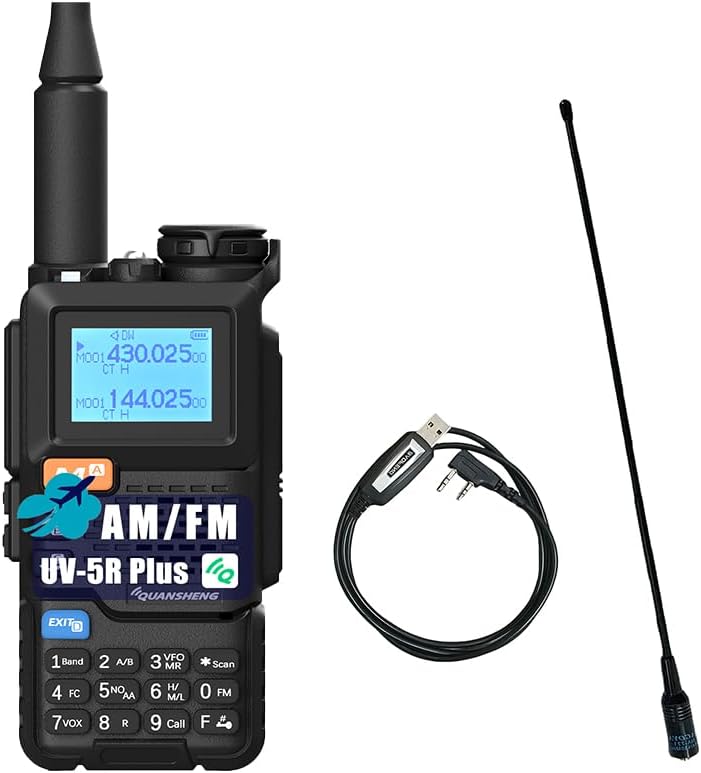
Image: The QUANSHENG UV-5R Plus radio, its included antenna, and a programming cable. This image provides an overview of the main components.
פּעקל אינהאַלט
באַשטעטיקט אַז אַלע זאכן וואָס זענען אויסגערעכנט אונטן זענען אַרייַנגערעכנט אין אייער פּעקל:
- QUANSHENG UV-5R PLUS Radio Unit
- הויך געווינען אַנטענע
- 2200 מאַה לי-יאָן באַטערי
- Desk Dock Charger
- גאַרטל קליפּ
- Hand String (Lanyard)
- באַניצערס מאַנואַל (דאָס דאָקומענט)
- 771 אַנטענע
- פּראָגראַממינג קאַבלע

Image: A visual representation of the standard package contents, including the radio, battery, antennas, charger, and accessories.
פּראָדוקט איבערview
Familiarize yourself with the components and controls of your UV-5R Plus radio.

Image: A detailed diagram labeling the various parts of the QUANSHENG UV-5R Plus radio, including the antenna, indicator, jack light, power/volume switch, LCD screen, menu key, up/down keys, speaker, exit key, microphone, keypad, transmitting key, side keys, programming jacks, and Type-C charging port.
- אַנטענע: פֿאַר טראַנסמיטינג און ריסיווינג סיגנאַלן.
- ינדיקאַטאָר: LED light for status indications.
- Jack Light: Illumination for the jack area.
- מאַכט/וואָלומען סוויטש: Rotates to power on/off and adjust volume.
- LCD פאַרשטעלן: ווײַזט אינפֿאָרמאַציע וועגן פֿרעקווענץ, קאַנאַל און סטאַטוס.
- מעניו (באַשטעטיקן קנעפּל): Accesses and confirms menu selections.
- אַרויף שליסל: Navigates up in menus or increases frequency/channel.
- רעדנער: אָוטפּוץ אַודיאָ.
- אַראָפּ שליסל: Navigates down in menus or decreases frequency/channel.
- עקסיט שליסל: Exits menus or functions.
- מיקראָפאָן: פֿאַר שטימע־אַרײַנגאַבע בעת טראַנסמיסיע.
- קיפּאַד: נומערישע און פונקציע קנעפּלעך פֿאַר אַרייַנשרייַב און קאָנטראָל.
- Transmitting Key (PTT): דריקן צו שיקן, לאזן לאזן צו באקומען.
- זייַט שליסל 1: פּראָגראַמירבאַרער פונקציע שליסל.
- זייַט שליסל 2: פּראָגראַמירבאַרער פונקציע שליסל.
- Microphone Programming Jacks: For connecting external microphone or programming cable.
- טיפ C טשאַרדזשינג פּאָרט: For direct USB-C charging.
סעטאַפּ
1. באַטאַרייע ייַנמאָנטירונג און טשאַרדזשינג
The UV-5R Plus uses a 2200mAh Li-ion battery. Ensure the battery is fully charged before first use.
- ייַנמאָנטירונג: Align the battery pack with the grooves on the back of the radio and slide it upwards until it clicks into place. To remove, press the release latch and slide the battery downwards.
- Charging via Desk Dock: Place the radio (with battery installed) into the charging cradle. Ensure the charging contacts align. The indicator light on the dock will show charging status.
- טשאַרדזשינג דורך וסב-C: Connect a USB-C cable to the Type-C charging port on the side of the radio and to a compatible USB power source (e.g., USB wall adapter, computer, power bank, car charger). The radio supports direct USB-C charging.

Image: The QUANSHENG UV-5R Plus radio alongside its high-capacity battery, emphasizing its long standby time capability.

Image: The QUANSHENG UV-5R Plus radio demonstrating various Type-C charging methods, including USB charging, computer charging, power bank charging, and car charger use. It also shows the Type-C interface cable.
2. אַנטענע אַטאַטשמענט
Screw the desired antenna (High Gain or 771 Antenna) clockwise onto the antenna connector on top of the radio until it is finger-tight. Do not overtighten.
3. פּראָגראַמירן קאַבל קאַנעקשאַן
To program the radio via computer, connect the programming cable to the microphone/programming jacks on the side of the radio and to your computer's USB port. Refer to specific programming software instructions for detailed steps.
אַפּערייטינג ינסטראַקשאַנז
1. אײַנשטעלן/אויסשטעלן און באַנד אַדזשאַסטמענט
- מאַכט אויף: Rotate the Power/Volume switch (04) clockwise until a click is heard.
- מאַכט אַוועק: Rotate the Power/Volume switch (04) counter-clockwise until a click is heard.
- באַנד אַדזשאַסטמאַנט: Continue rotating the Power/Volume switch (04) clockwise to increase volume, or counter-clockwise to decrease volume.
2. קאַנאַל מאָדע און אָפטקייט מאָדע
The radio operates in two main modes: Channel Mode (Memory Mode) and Frequency Mode (VFO Mode).
- באַשטימען מאָדעס: דרוק די F + 3 button on the keypad to toggle between Channel Mode and Frequency Mode.
- קאַנאַל מאָדע: Allows selection of pre-programmed memory channels (up to 200). Use the Up/Down keys (07, 09) to navigate through channels.
- אָפטקייַט מאָדע (VFO): Allows direct frequency input and tuning. Use the keypad to enter frequencies or the Up/Down keys (07, 09) to step through frequencies.
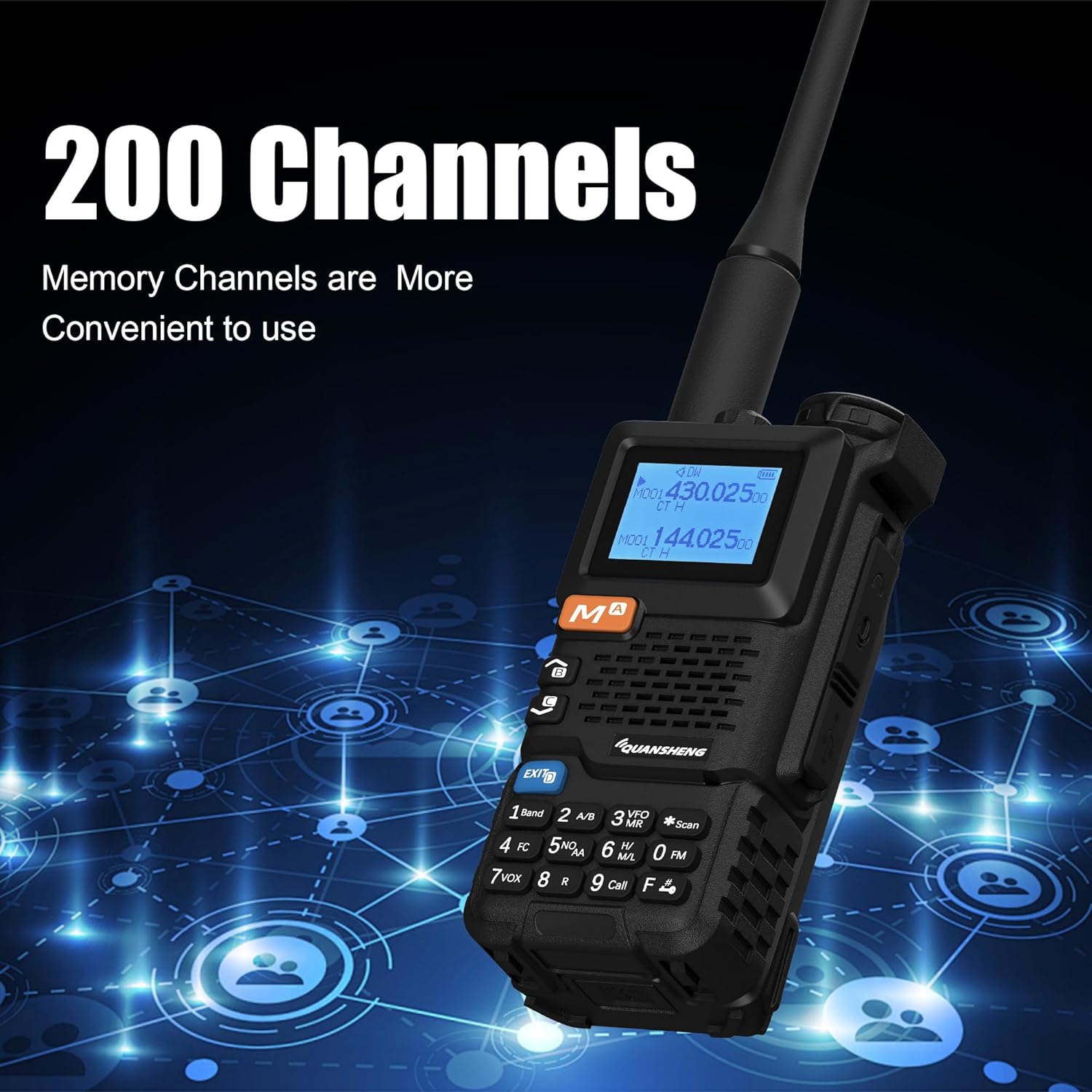
Image: The QUANSHENG UV-5R Plus radio's display showing channel information, illustrating its capability to store up to 200 memory channels for convenient use.
3. Tri-Band Operation (VHF/UHF/Air Band)
The UV-5R Plus supports VHF and UHF dual-band transmission and reception, and Air Band receiving. The LCD screen displays both A and B bands simultaneously. Use the א/ב key (2 on keypad) to switch the active band for transmission.

Image: The QUANSHENG UV-5R Plus radio's display showing active frequencies, with an overlay indicating its broad frequency range capabilities for 136-174MHz, 350-390MHz, 400-470MHz, and FM: 76.000-108.000MHz.
4. NOAA וועטער פאָרויסזאָגן
The radio can receive 10 USA NOAA weather forecast channels. Access this feature through the menu or a dedicated function key (if programmed).
5. עפעם ראַדיאָ
To listen to FM broadcast radio, activate the FM radio function. The radio supports 16 FM radio channels. Use the keypad or Up/Down keys to tune to desired FM frequencies (76-108MHz).
6. קאפירן פון דראטלאזע פרעקווענץ
The UV-5R Plus features wireless frequency replication, allowing it to copy frequencies from other compatible radios, including Quansheng UV-K6/UV-K5/UV-K5(8) models. Consult the menu for the "Wireless Copy" function.

Image: Two QUANSHENG UV-5R Plus radios, one transmitting and the other receiving, illustrating the one-touch frequency copy feature for quick and easy replication of frequencies between devices.
7. עמערגענסי אַלערט
The radio includes an auto/manual emergency alert feature. This can be activated to send out an alert signal in emergency situations. Refer to the menu for configuration and activation details.
8. VOX (שטימע-אפערירטע טראנסמיסיע)
VOX allows hands-free transmission. When enabled, the radio will automatically transmit when it detects your voice. Adjust VOX sensitivity in the menu to prevent accidental transmissions or missed voice activation.
9. אנדערע פאַנגקשאַנז
- Cross-band Communication: ערמעגליכט קאָמוניקאַציע צווישן פאַרשידענע אָפטקייט באַנדס.
- 10-גרופע סקראַמבלער: ענקריפּץ קול טראַנסמישאַנז פֿאַר פּריוואַטקייט.
- Frequency/DCS/CTCSS Scan: Scans for active signals or specific tones.
- Digital Signal CTCC/DCS: For advanced tone squelch functions.
- DTMF and 1750 Tone: For repeater access and other signaling.
- Built-in High Light Torch: Activates the LED flashlight for illumination.
וישאַלט
1. רייניקונג
רייניקט די אויסערליכע זייט פון ראַדיאָ מיט אַ ווייכן, דamp cloth. Do not use harsh chemicals or abrasive cleaners. Ensure the charging port and battery contacts are free of dust and debris.
2. באַטערי קער
- Avoid fully discharging the Li-ion battery frequently.
- האַלט די באַטאַרייע אין אַ קיל, טרוקן אָרט ווען נישט אין באַנוץ פֿאַר לענגערע פּעריאָדן.
- דו זאלסט נישט ויסשטעלן די באַטאַרייע צו עקסטרעם טעמפּעראַטורעס.
3. סטאָרידזש
When storing the radio for a long time, remove the battery and store both in a dry, temperature-controlled environment. Protect the radio from dust and moisture.
טראָובלעשאָאָטינג
אויב איר טרעפט פּראָבלעמען מיט אייער ראַדיאָ, זעט די פאלגענדע געוויינטלעכע פּראָבלעמען און לייזונגען:
| פּראָבלעם | מעגלעך סיבה / לייזונג |
|---|---|
| ראַדיאָ גייט נישט אָן. | Battery is not installed correctly or is discharged. Ensure battery is properly seated and charged. |
| קען נישט שיקן אדער באקומען. | Antenna not attached, incorrect frequency/channel selected, or squelch level too high. Check antenna connection, verify frequency/channel, and adjust squelch. |
| נעבעך אַודיאָ קוואַליטעט. | Low battery, antenna issue, or interference. Charge battery, check antenna, move to a different location. |
| ראַדיאָ לאָדט זיך נישט אויף. | Charger not connected properly, faulty cable/adapter, or dirty battery contacts. Ensure connections are secure, try a different cable/adapter, clean contacts. |
| קלאַוויאַטור רעאַגירט נישט. | Keypad lock may be active. Refer to the manual for keypad lock/unlock procedure. |
אויב די פּראָבלעם בלייַבט, קאָנטאַקט קונה שטיצן.
ספּעסאַפאַקיישאַנז
Detailed technical specifications for the QUANSHENG UV-5R Plus radio:
| שטריך | באַשרייַבונג |
|---|---|
| מאָדעל נומער | UV-5R Plus |
| נומער פון טשאַנאַלז | 200 |
| אָפטקייַט סטאַביליטי | ±1ppm |
| ארבעטן טעמפּעראַטור | -20°C צו +60°C |
| אַנטענע ימפּידאַנס | 50Ω |
| Modulation Mode (FM) | 11KOF3E (12.5KHz), 16K0F3E (25KHz) |
| NOAA קאַנאַלן | 10 |
| באַטאַרייע קאַפּאַציטעט | 2200mAh לי-יאָן (אריינגערעכנט) |
| אַודיאָ מאַכט | ≥0.5W |
| טראַנסמיטינג מאַכט | ≤5W |
| ימישאַן קראַנט | ≤1.5 אַ |
| מאַקסימום אָפטקייַט דעוויאַטיאָן | ≤5KHz (25KHz), ≤2.5KHz (12.5KHz) |
| מאָדולאַטיאָן דיסטאָרשאַן | ≤5% |
| פֿאַרבלאָנדזשעט מאַכט | ≤7.5 uW |
| שכייניש קאַנאַל מאַכט | 70dB (25KHz), 60dB (12.5KHz) |
| Frequency Range (Transmit/Receive) | VHF: 136-174MHz, UHF: 350-390MHz, 400-470MHz |
| Frequency Range (Receive Only) | Air Band, FM Broadcast: 76.000-108.000MHz |
| Voltage | 7.4 וואלטס (דק) |
| וואַסער קעגנשטעל מדרגה | ניט וואַסער קעגנשטעליק |
| דימענסיעס (ראַדיאָ אַפּאַראַט) | Approx. 11.5cm (H) x 5.5cm (W) x 3.9cm (D) (excluding antenna) |
| Weight (Radio Unit) | Approx. 487g / 17.17 ounces (with battery and antenna) |

Image: A diagram illustrating the physical dimensions of the QUANSHENG UV-5R Plus radio, showing its height (28cm/11.02inch including antenna), body height (11.5cm/4.53inch), width (5.5cm/2.17inch), and depth (3.9cm/1.54inch).
וואָראַנטי אינפֿאָרמאַציע
A 3-month warranty is provided exclusively through "Shiqun Electronics Co., Ltd". Please retain your proof of purchase for warranty claims.
שטיצן
For further assistance, technical support, or warranty inquiries, please contact the seller or manufacturer directly. Refer to your purchase documentation for specific contact information.