
1. פּראָדוקט איבערview
This manual provides essential instructions for the safe and efficient use of your HUAWEI MatePad SE 11" Tablet. Please read this manual thoroughly before using the device and retain it for future reference.

בילד: הינטערשטע view of the HUAWEI MatePad SE 11" tablet, highlighting its lightweight (475g) and slim (6.9mm) design. The tablet features a premium metal unibody construction.
The HUAWEI MatePad SE 11" is designed for an immersive visual and audio experience, featuring an 11-inch FullView Eye Comfort screen and a powerful quad-speaker system. Its lightweight and slim design make it highly portable.
2. ערשט סעטאַפּ
2.1. אויספּאַקן און פּאַקעט אינהאַלט
Carefully unpack your HUAWEI MatePad SE 11" tablet. Ensure all items listed below are present:
- HUAWEI MatePad SE 11" Tablet (6GB+128GB)
- טשאַרדזשער
- טיפּ-C קאַבלע
- שנעל אָנהייב גייד
- וואָראַנטי קאַרד
2.2. טשאַרדזשינג די טאַבלעט
Before first use, fully charge the tablet. Connect the Type-C cable to the tablet's USB-C port and the charger, then plug the charger into a power outlet. The tablet supports 22.5W fast charging.
2.3. פּאָווערינג אויף / אויסגעלאשן
- צו מאַכט אויף: Press and hold the Power button until the HUAWEI logo appears.
- צו מאַכט אַוועק: דריק און האלט דעם פּאַוער קנעפּל, און דערנאָך סעלעקטיר "אויסלאָשן" פֿון די אָפּציעס.
- צו ריסטאַרט: דריק און האלט דעם פּאַוער קנעפּל, און דערנאָך סעלעקטיר "ריסטאַרט" פֿון די אָפּציעס.
2.4. ערשט קאָנפיגוראַטיאָן
פֿאָלגט די אינסטרוקציעס אויף דעם עקראַן צו פֿאַרענדיקן די ערשטע סעטאַפּ, אַרייַנגערעכנט:
- שפּראַך סעלעקציע
- Wi-Fi נעץ קשר
- HUAWEI ID login (or create a new one)
- Security settings (PIN, password, pattern, or facial recognition)
3. אפערירן אייער טאַבלעט
3.1. ווייַז פֿעיִקייטן

Image: The HUAWEI MatePad SE 11" screen, showcasing its 11-inch FHD+ Eye Comfort display. Key features include an 85% screen-to-body ratio, 1920x1200 resolution, and 400 Nits brightness for a clear visual experience.
The 11-inch FHD+ Eye Comfort display provides an immersive visual experience. It features:
- רעזאלוציע: 1920 X 1200 בילדצעלן
- אויג טרייסט: TÜV Rheinland certified for low blue light and flicker-free viewing, reducing eye strain during prolonged use.
- ברייטקייט: 400 Nits, with 4096-level brightness adjustment.
- E-Book Mode: A dedicated mode for a paper-like reading experience.
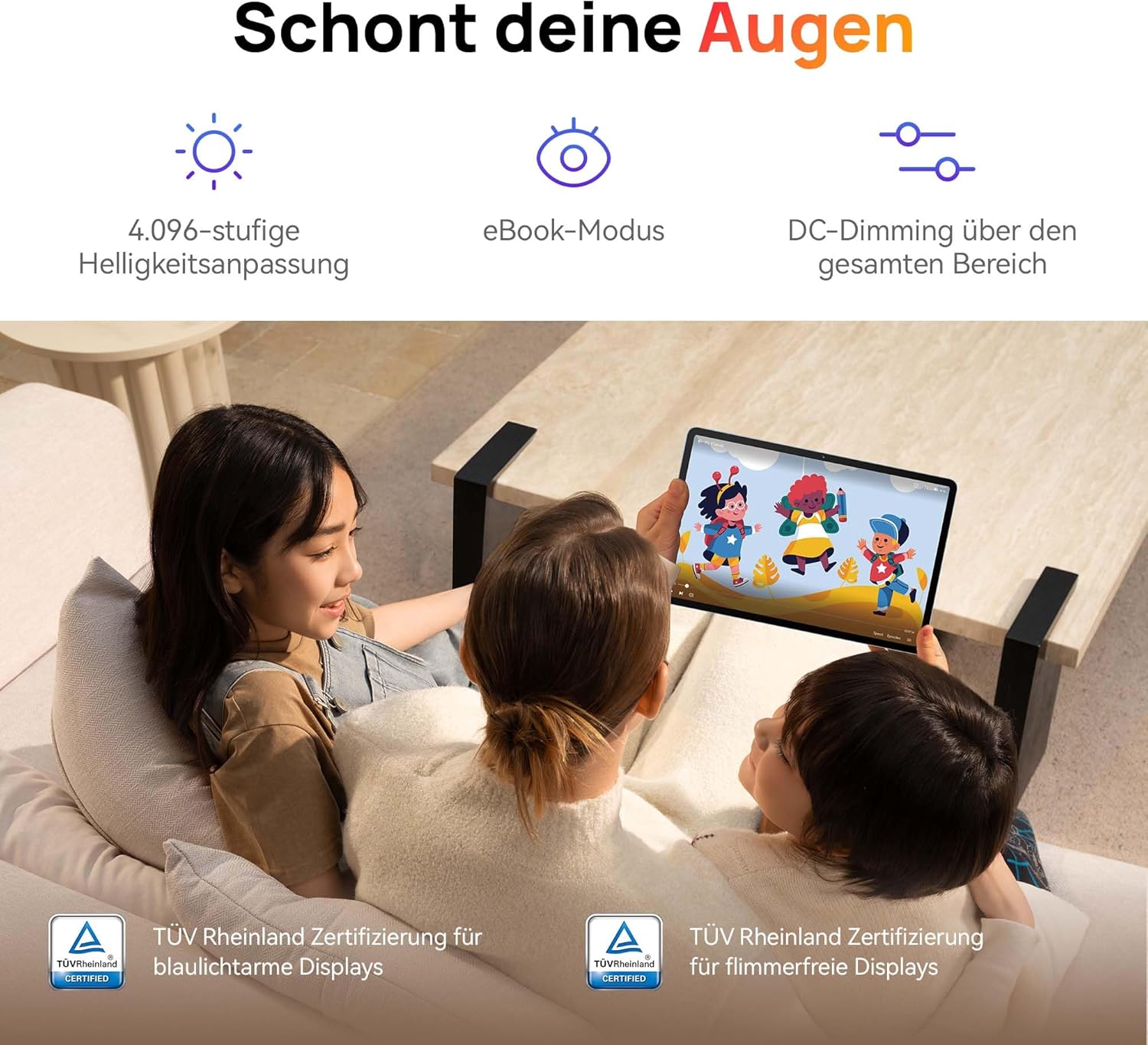
Image: Children using the tablet, illustrating the eye protection features. The display is TÜV Rheinland certified for low blue light and flicker-free operation, ensuring a comfortable viewינג דערפאַרונג.
3.2. אַודיאָ סיסטעם

Image: A user enjoying music on the tablet, demonstrating the immersive quad-speaker system. This system is optimized by HUAWEI Histen 9.0 technology for high-quality audio.
The tablet features a symmetrical quad-speaker system optimized by HUAWEI Histen 9.0 technology, providing cinematic sound quality for various applications.
3.3. Kids Corner

Image: The Kids Corner interface on the tablet, designed as a safe and engaging environment for children. Features include posture warnings, a blue light filter, and an eBook mode, along with content from BabyBus.
Kids Corner provides a safe and dedicated environment for children to learn and play. Parents can manage:
- Time limits for usage.
- Allowed applications and content.
- Features like posture warnings and blue light filters to promote healthy digital habits.
It also includes content from BabyBus, offering games, stories, and nursery rhymes.
3.4. M-Pen Lite (Optional Accessory)

Image: The HUAWEI M-Pen Lite stylus, an optional accessory that enhances interaction with the tablet for drawing, writing, and note-taking. It is supported by the HUAWEI MatePad SE 11" Stylus Set.
If you have the HUAWEI M-Pen Lite, it can be used for enhanced interaction, drawing, and note-taking. Ensure your tablet supports the M-Pen Lite stylus set.
The tablet also supports applications like GoPaint for professional and easy-to-use digital art, and HUAWEI Note for organized note-taking.

Image: GoPaint application on the tablet, illustrating its interface for digital art creation.

Image: HUAWEI Note application on the tablet, showing its capabilities for detailed note-taking.
3.5. קאַנעקטיוויטי
- ווי-פי: Connect to available Wi-Fi networks for internet access. Supports 802.11ac.
- בלועטאָאָטה: Pair with Bluetooth devices such as headphones, speakers, or keyboards.
- וסב- C פּאָרט: Used for charging, data transfer, and connecting compatible accessories.
3.6. Multi-Window and Multi-Device Collaboration
The tablet supports multi-window functionality for enhanced multitasking and multi-device screen sharing for seamless integration with other HUAWEI devices.
4. וישאַלט און קער
- רייניקונג: ניצט אַ ווייכע, לינט-פֿרייע שטאָף צו רייניקן דעם עקראַן און קערפּער. פֿאַרמייַדט אַברייסיוו מאַטעריאַלן אָדער שטרענגע כעמיקאַלן.
- באַטערי זאָרגן: To prolong battery life, avoid extreme temperatures. Do not allow the battery to fully discharge frequently.
- ווייכווארג דערהייַנטיקונגען: קאָנטראָלירט און אינסטאַלירט רעגולער ווייכווארג דערהייַנטיקונגען צו ענשור אָפּטימאַלע פאָרשטעלונג און זיכערהייט.
- סטאָרידזש: האַלט די טאַבלעט אין אַ קיל, טרוקן אָרט אַוועק פון דירעקט זונשייַן און נעץ.
5. טראָובלעשאָאָטינג
| פּראָבלעם | מעגלעך לייזונג |
|---|---|
| די טאַבלעט גייט נישט אָן. | זיכער מאַכן אַז די באַטאַרייע איז אויפגעלאָדן. פֿאַרבינדט דעם טשאַרדזשער און וואַרט אַ פּאָר מינוט איידער איר פּרוּווט ווידער אָנצוצינדן. |
| די פאַרשטעלן איז ניט ריספּאַנדאַבאַל. | Restart the tablet by holding the Power button for approximately 10 seconds. If unresponsive, ensure the screen is clean and dry. |
| Wi-Fi פֿאַרבינדונג פּראָבלעמען. | Check if Wi-Fi is enabled. Restart your router and the tablet. Ensure you are within range of the Wi-Fi signal. |
| Apps are not downloading from Play Store. | The HUAWEI MatePad SE 11" runs on HarmonyOS and uses HUAWEI AppGallery. Google Play Store services are not natively supported. Use Petal Search to find and install apps or access web versions of services. |
| לאַנגזאַמע פאָרשטעלונג. | Close unnecessary background applications. Clear cache and temporary files. Ensure sufficient storage space is available. Restart the tablet. |
6. טעכניש ספּעסאַפאַקיישאַנז
| שטריך | דעטאַל |
|---|---|
| מאָדעל נאָמען | MatePad SE 11" |
| מאָדעל נומער | 53014FHK |
| דימענסיעס (L X W X H) | 26.23 X 16.38 X 0.69 סענטימעטער |
| וואָג | 475 גראַמז |
| ווייַז גרייס | 11 אינטשעס |
| ווייַז טיפּ | לקד |
| ווייַז האַכלאָטע | 1920 רענטגענ 1200 בילדצעלן (FHD+) |
| אַספּעקט פאַרהעלטעניש | 16:9 |
| אָפּערייטינג סיסטעם | האַרמאָניאָס |
| פּראַסעסער | Huawei Processor (Agassi6-W09C) |
| באַראַן | 6 גיגאבייט |
| סטאָרידזש קאַפּאַסיטי | 128 גיגאבייט |
| באַטערי טיפּ | ליטהיום-פּאָלימער |
| באַטאַרייע קאַפּאַציטעט | 7700 מאַה |
| טשאַרדזשינג | 22.5W Fast Charging (via USB Type-C) |
| דערציען אַפּאַראַט האַכלאָטע | 8 מעגאַפּיקסעלס |
| ספּיקערז | 4 speakers with HUAWEI Histen 9.0 |
| ווירעלעסס טעכנאָלאָגיע | Wi-Fi (802.11ac), Bluetooth |
| וסב פּאָרץ | 1 (USB טיפּ-C) |
| ספּעציעלע פֿעיִקייטן | 11-inch Eye Comfort Screen, Kids Corner, Multi-window, Multi-device screen sharing |
| אַרייַנגערעכנט אין באָקס | Tablet, Charger, Type-C Cable, Quick Start Guide, Warranty Card |
7. וואָראַנטי און שטיצן
7.1. וואָראַנטי אינפֿאָרמאַציע
Your HUAWEI MatePad SE 11" Tablet comes with a manufacturer's warranty. Please refer to the included Warranty Card for specific terms and conditions. Spare parts availability is guaranteed for 24 months.
7.2. קונה שטיצן
For technical assistance, troubleshooting beyond this manual, or warranty claims, please contact HUAWEI customer support. Visit the official HUAWEI webזייטל פֿאַר קאָנטאַקט אינפֿאָרמאַציע און שטיצע רעסורסן.
אָנליין רעסורסן: HUAWEI Support Webפּלאַץ