
FORGING MOUNT FM4533
FORGING MOUNT Triple Monitor Desk Stand FM4533 Instruction Manual
מאָדעל: FM4533
הקדמה
This manual provides comprehensive instructions for the installation, operation, and maintenance of your FORGING MOUNT Triple Monitor Desk Stand, model FM4533. This stand is designed to support three computer screens ranging from 13 to 27 inches, with individual monitor weight capacity up to 17.6 lbs (8 kg) per arm. It features gas spring arms for flexible adjustment, including swivel, tilt, and rotation capabilities, to optimize your viewing experience and workspace ergonomics.
זיכערקייַט אינפֿאָרמאַציע
Please read all instructions carefully before installation and use. Failure to follow these instructions may result in property damage, serious injury, or death. If you do not understand these instructions, or have doubts about the safety of the installation, please contact customer support.
- Verify that the mounting surface (desk) can safely support the combined weight of the stand and all attached monitors.
- נישט איבערשטייגן די מאקסימום וואָג קאַפּאַציטעט פון 17.6 פונט (8 ק"ג) פּער אָרעם.
- זיכער מאַכן אַז אַלע שרויפן זענען גוט צוגעצויגן איידער נוצן. נישט צו שטאַרק צוציען.
- האַלט קינדער אַוועק פון באַוועגלעכע טיילן בעת אַדזשאַסטמענט.
- דער פּראָדוקט איז בדעה בלויז פֿאַר דרינענדיק נוצן.
פּעקל אינהאַלט
באַשטעטיקט אַז אַלע קאָמפּאָנענטן זענען פאַראַן און נישט געשעדיגט איידער איר גייט ווייטער מיט דער אינסטאַלאַציע. אויב עס פעלט אָדער זענען געשעדיגט טיילן, קאָנטאַקטירט קונה שטיצע.
- הויפּט פּאָל פֿאַרזאַמלונג
- Gas Spring Monitor Arms (3x)
- VESA Plates (3x)
- C- קלamp פֿאַרזאַמלונג
- Grommet Mount Assembly
- Hardware Kit (screws, washers, Allen keys)
- ינסטראַקשאַנז מאַנואַל
ספּעסאַפאַקיישאַנז
| סאָרט | פאָרגינג באַרג |
| מאָדעל נומער | FM4533 |
| מאַטעריאַל | צומיש שטאָל, אַלומינום |
| מאָניטאָר גרייס קאָמפּאַטאַבילאַטי | 13 - 27 אינטשעס |
| וואָג קאַפּאַציטעט פּער אָרעם | אַרויף צו 17.6 לבס (8 קג) |
| VESA קאַמפּאַטאַבילאַטי | 75 קס 75 מם, 100 קס 100 מם |
| סוויוואַל ראַנגע | 180° |
| טילט ראַנגע | +90° צו -85° |
| ראָוטיישאַן | 360° |
| מאַקס עקסטענסיאָן | 66.4 אינטשעס (אומגעפער 168.6 ס״מ) |
| פּונקט וואָג | 14.72 פונט (אומגעפער 6.68 ק"ג) |
סעטאַפּ און ינסטאַלירונג
Follow these steps to properly install your triple monitor desk stand.
1. Choose Mounting Method
The stand supports two installation methods: C-clamp or Grommet mount. Ensure your desk thickness is compatible with the chosen method.

בילד באַשרייַבונג: This image illustrates the desk thickness requirements for both C-clamp and Grommet mounting options. The C-clamp mount is suitable for desk thicknesses between 0.39 and 3.14 inches. The Grommet mount is suitable for desk thicknesses between 0.39 and 1.96 inches.
- C- קלamp בארג: Suitable for desk thickness 0.39" - 3.14" (10mm - 80mm). Attach the C-clamp to the edge of your desk and tighten the knob until secure.
- גראָמעט מאַונט: Suitable for desk thickness 0.39" - 1.96" (10mm - 50mm). Requires an existing grommet hole or drilling a hole in your desk. Secure the grommet plate and bolt through the hole.
2. Assemble the Main Pole and Arms
Attach the main pole to your chosen desk mount. Then, slide the three gas spring arms onto the main pole and secure them at your desired height using the provided clamps.

בילד באַשרייַבונג: This image displays the fully assembled FORGING MOUNT Triple Monitor Desk Stand, including the central pole, three gas spring arms, and the desk clamp mechanism. It shows the VESA plates ready for monitor attachment.
3. Attach Monitors
Attach the VESA plates to the back of your monitors using the appropriate screws from the hardware kit. Then, slide the monitors (with attached VESA plates) onto the ends of the gas spring arms. Ensure they click securely into place.
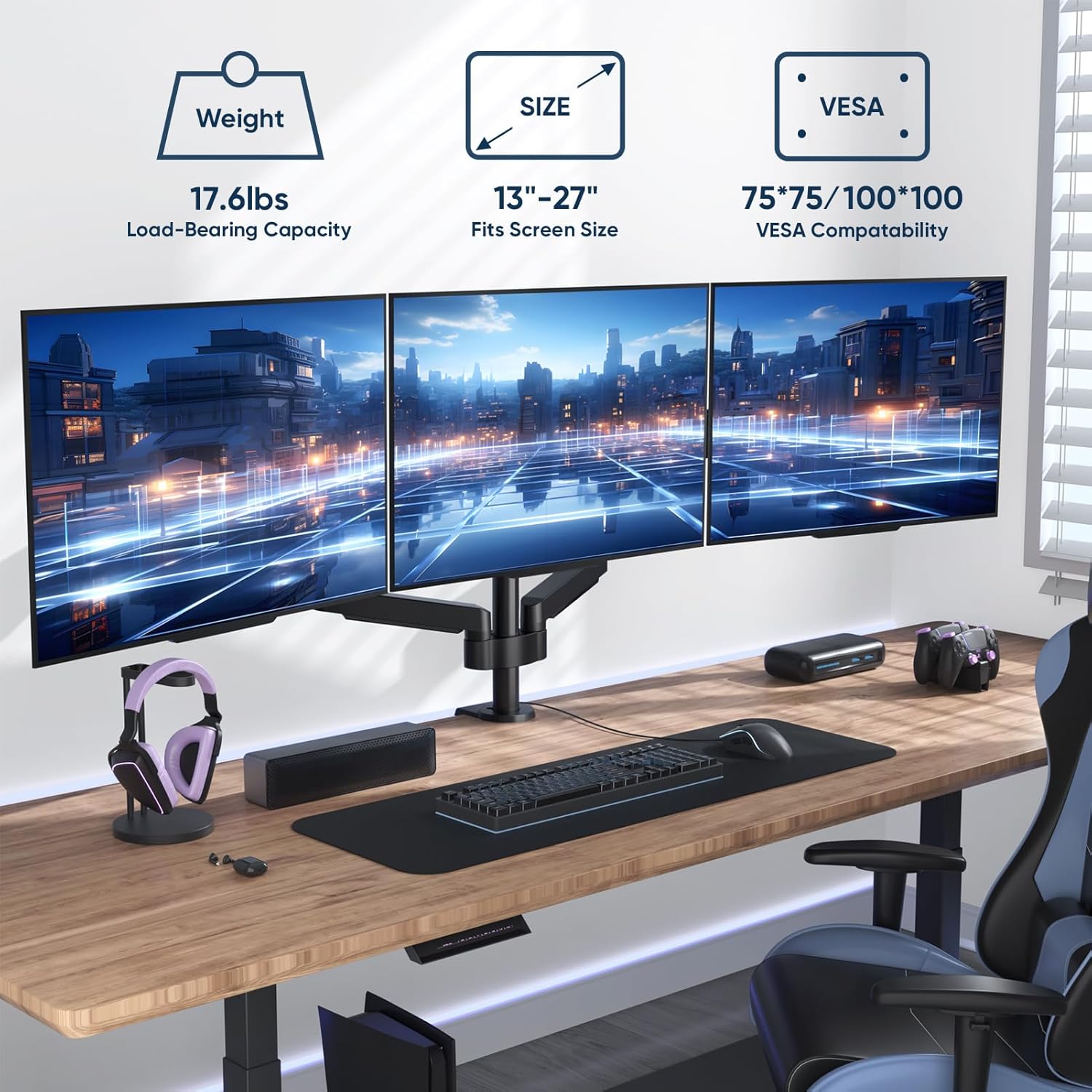
בילד באַשרייַבונג: This image shows three monitors successfully mounted on the desk stand in a typical workspace setup. Overlaid graphics highlight key specifications: 17.6 lbs load-bearing capacity per arm, compatibility with 13"-27" screens, and 75x75mm/100x100mm VESA compatibility.
אָפּעראַציע און אַדזשאַסטמאַנץ
The gas spring arms allow for flexible positioning of your monitors. Adjustments can be made for height, tilt, swivel, and rotation.
1. גאז פרילינג שפּאַנונג אַדזשאַסטמאַנט
The gas spring tension needs to be adjusted to match the weight of your monitors for optimal movement and stability. Use the provided Allen key to adjust the tension screw located on each arm.
- קער clockwise (-) to reduce tension for lighter monitors.
- קער counter-clockwise (+) to increase tension for heavier monitors.

בילד באַשרייַבונג: This image illustrates the adjustment points for the monitor arms. It shows how to adjust the gas spring tension using an Allen key (clockwise for lighter monitors, counter-clockwise for heavier monitors), and demonstrates the swivel and tilt capabilities of the monitor mount.
2. Swivel, Tilt, and Rotation
Once the gas spring tension is correctly set, you can freely adjust the position of your monitors:
- סוויוול: Rotate the monitor horizontally up to 180° for optimal viewינג אַנגלעס.
- טילט: Adjust the monitor vertically from +90° to -85° to reduce glare and improve ergonomics.
- ראָוטיישאַן: Rotate the monitor 360° to switch between landscape and portrait orientations.

בילד באַשרייַבונג: This image visually demonstrates the full motion capabilities of the monitor stand. It shows a monitor swiveling 180 degrees, tilting from +90 to -85 degrees, and rotating 360 degrees, allowing for flexible screen positioning.

בילד באַשרייַבונג: This diagram provides detailed product dimensions and articulation ranges. It highlights the maximum extension of 66.4 inches and shows the various swivel (±180°), tilt (90°), and rotation (360°) points across the three monitor arms.
וישאַלט
Regular maintenance ensures the longevity and safe operation of your monitor stand.
- רייניקונג: ווישט דעם שטאַנד מיט אַ ווייכן, דamp שטאָף. פֿאַרמײַדט אַברייסיוו רייניגער אָדער סאָלווענטן.
- פּעריאָדיש טשעקס: קאָנטראָלירט פּעריִאָדיש אַלע שרויפן און פֿאַרבינדונגען צו זיכער מאַכן אַז זיי בלייבן פֿעסט. פֿעסטשטײַערט ווידער אויב נייטיק.
- גאז פרילינג אַדזשאַסטמענט: If monitors begin to sag or are difficult to adjust, re-evaluate and adjust the gas spring tension as described in the "Operating and Adjustments" section.
טראָובלעשאָאָטינג
| פּראָבלעם | מעגלעך סיבה | לייזונג |
|---|---|---|
| Monitor sags or does not stay in position. | די גאז-פעדער שפּאַנונג איז צו נידעריק פֿאַר דעם מאָניטאָר'ס וואָג. | Increase gas spring tension by turning the adjustment screw counter-clockwise (+). |
| דער מאָניטאָר איז שווער צו רירן אָדער אַראָפּשטופּן. | די גאז-פעדער שפּאַנונג איז צו הויך פֿאַר דעם מאָניטאָר'ס וואָג. | Decrease gas spring tension by turning the adjustment screw clockwise (-). |
| דער שטאַנד פילט זיך נישט סטאַביל אָדער וואַקלט זיך. | דעסק קלamp or grommet mount is not securely tightened. | זיכער מאַכן אַז די C-clamp or grommet mount is fully tightened to the desk. Check all arm connections. |
| Monitors are not level. | Minor variations in arm position or VESA plate attachment. | Adjust individual monitor tilt and rotation. Ensure VESA plates are mounted squarely. |
וואָראַנטי אינפֿאָרמאַציע
For detailed warranty information regarding your FORGING MOUNT Triple Monitor Desk Stand FM4533, please refer to the warranty card included with your product or visit the official FORGING MOUNT webזייטל. גאַראַנטיע טערמינען און באדינגונגען קענען זיין אַנדערש לויט געגנט און הענדלער.
קונה שטיצן
If you have any questions, require assistance with installation, or encounter issues not covered in this manual, please contact FORGING MOUNT customer support. Contact details can typically be found on the product packaging, the official FORGING MOUNT webוועבזייטל, אדער דורך אייער הענדלער.
נאָך רעסורסן
No official seller videos were found for this product in the provided data. Please refer to the written instructions and diagrams for guidance.
Ask a question about this manual
Ask about setup, troubleshooting, compatibility, parts, safety, or missing instructions. Manuals+ will review the question and use this page’s manual context to help answer it.