
1. הקדמה
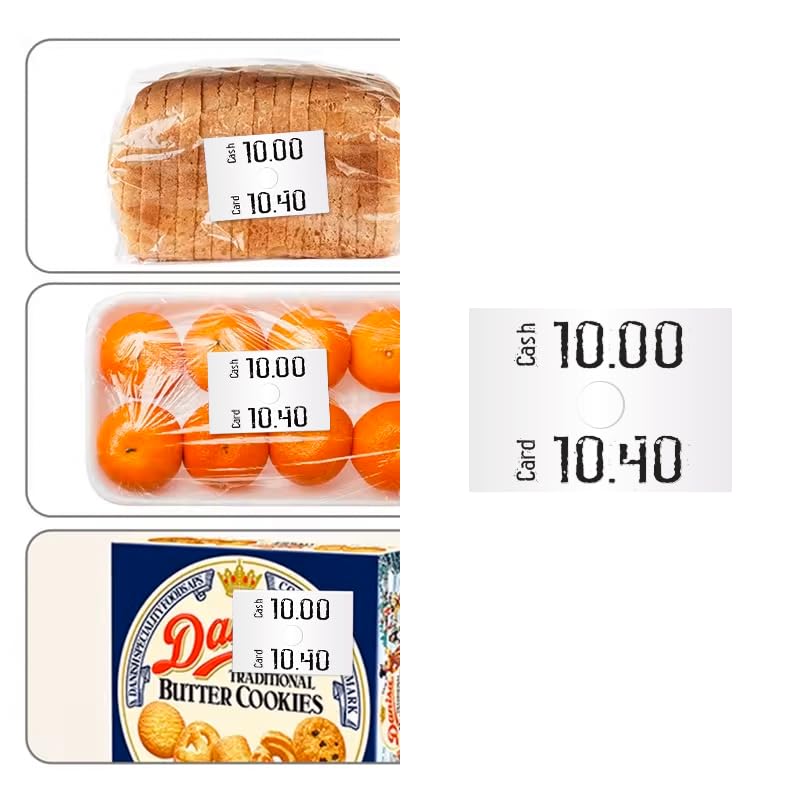
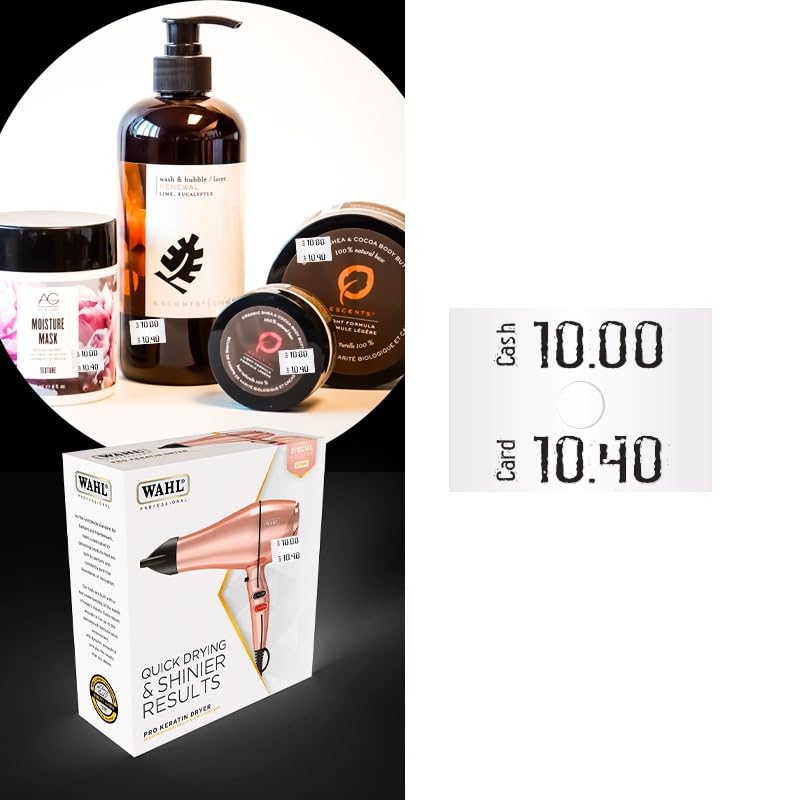
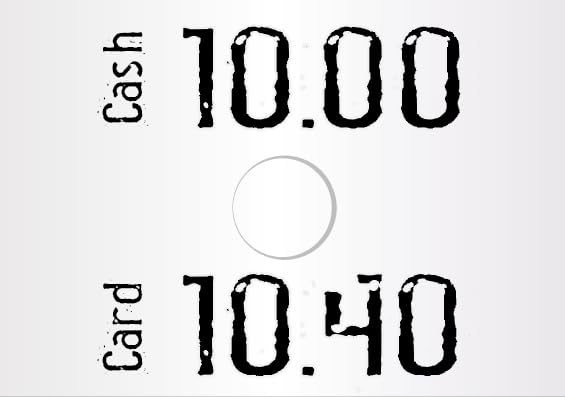
The Hongsheng MX-6600 is a handheld dual-line price labeller gun designed for efficient and accurate pricing in retail environments. It is capable of printing two lines of information, with up to 10 digits per line, on 23x16mm price labels. This manual provides instructions for setup, operation, maintenance, and troubleshooting to ensure optimal performance of your device.
2. פּראָדוקט איבערview
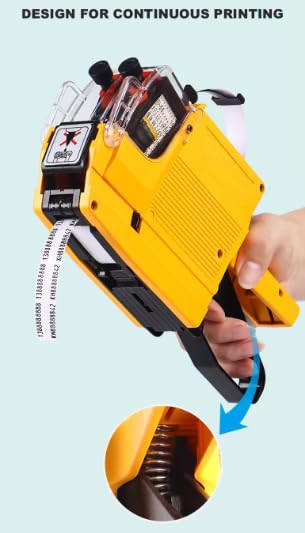
The MX-6600 features a robust, eco-friendly ABS material construction, designed for comfortable and continuous use. It utilizes an 18mm refillable ink roller and a spring-loaded mechanism for smooth label output.

3. סעטאַפּ
3.1 לאָדן עטיקעטן
- Open the label compartment by pressing the release latch, typically located on the side or bottom of the gun.
- Insert a roll of 23x16mm labels, ensuring the labels feed from the bottom and the adhesive side faces away from the gun's mechanism.
- Thread the first few labels through the feed mechanism until they emerge from the front slot.
- פאַרמאַכן די פירמע אָפּטייל סיקיורלי.
3.2 Installing/Replacing Ink Roller
- Locate the ink roller compartment, usually near the top or front of the device.
- If replacing, carefully remove the old 18mm ink roller.
- Insert the new ink roller, ensuring it is seated correctly in its designated slot.
- Close the ink roller compartment.
4. אָפּעראַציע
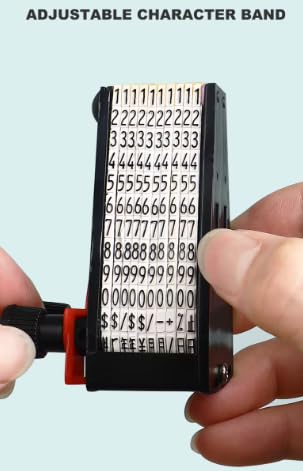
4.1 Adjusting Characters
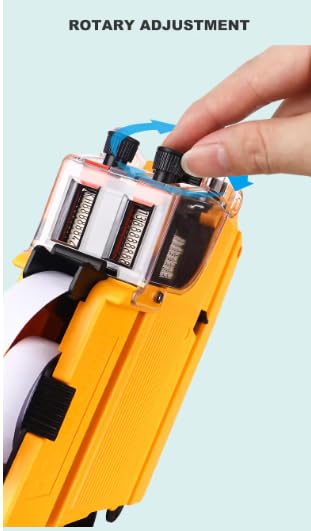
- Locate the rotary adjustment knobs on the top of the labeller gun.
- Rotate the knobs to select the desired characters, numbers, or symbols for each line. The MX-6600 supports 10 digits per line.
- Ensure all characters are aligned correctly before printing.
4.2 דרוקן עטיקעטן
- Position the labeller gun over the item where the label is to be applied.
- Squeeze the trigger handle firmly and completely. This action prints the characters onto the label and dispenses it.
- Release the trigger to prepare for the next label.
5. וישאַלט
5.1 טינט ראָללער אויסטויש
Replace the ink roller when print quality deteriorates or the ink runs out. Refer to Section 3.2 for detailed instructions on ink roller replacement.
5.2 רייניקונג
Periodically clean the exterior of the labeller gun with a soft, dry cloth. Avoid using harsh chemicals or abrasive cleaners. Ensure no dust or debris accumulates in the label feed mechanism to prevent jamming.
5.3 Label Roll Replacement
When the label roll is depleted, replace it with a new roll of 23x16mm labels. Refer to Section 3.1 for detailed instructions on loading labels.
6. טראָובלעשאָאָטינג
- עטיקעטן נישט צופירן: Check if the label roll is installed correctly and not jammed. Ensure the first label is properly threaded through the mechanism.
- Unclear or faded print: The ink roller may be dry or incorrectly installed. Replace the ink roller if necessary. Ensure characters are fully selected and aligned.
- Labels jamming: Inspect the label path for any obstructions or misaligned labels. Ensure the label roll is not too tight or loose.
- Characters not changing: Verify that the rotary adjustment knobs are fully engaged and turning the character bands.
7. ספּעסאַפאַקיישאַנז
| מאָדעל | מקס-6600 |
| סאָרט | Hongsheng |
| דרוק לינעס | 2 שורות |
| Digits Per Line | אַרויף צו 10 |
| Compatible Label Size | 23 מם X 16 מם |
| Ink Roller Size | 18 מם |
| טינט קאָליר | בלוי |
| מאַטעריאַל | עקאָ-פרייַנדלעך ABS |
| פּונקט וואָג | 445 ג (0.45 ק"ג) |
| ספּעציעלע שטריך | פּאָרטאַטיוו |
8. וואָראַנטי און שטיצן
פֿאַר וואָראַנטי אינפֿאָרמאַציע אָדער טעכנישע שטיצע, ביטע זען די דאָקומענטאַציע וואָס איז צוגעשטעלט געוואָרן ביים קויפן אָדער קאָנטאַקט דיין הענדלער. האַלט דיין קויף קוויטל ווי אַ באַווייַז פון קויפן.