
1. פּראָדוקט איבערview
The MCombo 6160-6922 Power Swivel Glider Rocker Recliner is designed for comfort and versatility in living rooms and nurseries. It features power reclining, smooth gliding, 270-degree swivel, and integrated USB charging ports.
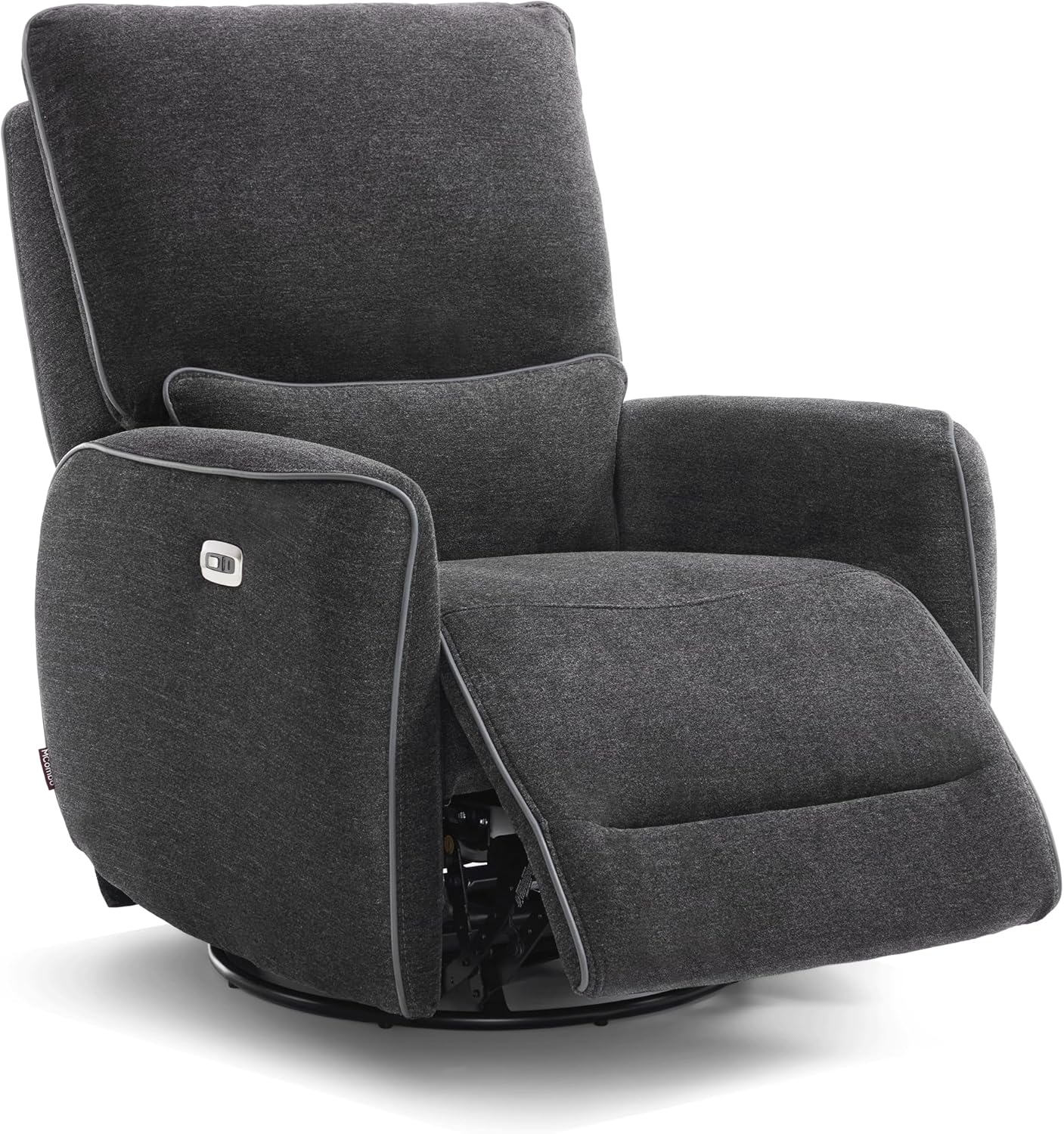
בילד 1.1: פראָנט view of the MCombo Power Swivel Glider Rocker Recliner in Grey.
2. זיכערקייַט אינסטרוקציעס
- ענשור אַז אַלע קאַמפּאָונאַנץ זענען סיקיורלי פארזאמלט איידער נוצן.
- האַלט הענט און פֿיס ווײַט פֿון דעם ריקליינינג מעקאַניזם בעת אָפּעראַציע.
- Do not allow children to play on or around the recliner unsupervised.
- Avoid placing heavy objects on the footrest when extended.
- Use the USB charging ports only for low-power devices.
- Do not expose the electrical components to moisture.
- מאַקסימום וואָג קאַפּאַציטעט: 320 לבס.
3. פּאַרץ רשימה
Verify that all parts are present before beginning assembly. The product is shipped in 2 boxes.
- אַרמרעסץ (2)
- באַקרעסט (1)
- באַזע (1)
- מאַכט אַדאַפּטער (1)
- Connecting Wires (various)
Video 3.1: MCombo Zero Gravity Recliner Assembly, ZG334. This video demonstrates the assembly process for a similar MCombo recliner, providing a visual guide to identifying parts and steps.
4. סעטאַפּ און אַסעמבלי
Assembly is designed to be straightforward, typically completed within 15 minutes by most users. Follow these three main steps:
- Install the Armrests: Attach the armrests to the main seat base. Ensure they are securely fastened.
- צוטשעפּען די רוקן-שטיצע: Slide the backrest onto the designated slots on the seat base until it clicks into place.
- פאַרבינדן די ווירעס: Connect all necessary electrical wires for the power reclining and USB features. Refer to the included wiring diagram for specific connections.
Video 4.1: "How to install" video by MCombo, demonstrating the assembly process for the recliner.
5. אַפּערייטינג ינסטרוקטיאָנס
5.1 Power Reclining
The recliner features electric reclining up to 142 degrees. Use the buttons located on the armrest to adjust the recline angle and footrest position. Press the forward button to recline and extend the footrest, and the backward button to return to the upright position.

Image 5.1: Illustration of different recline angles suitable for various activities like feeding, watching TV, and napping.
5.2 Swivel and Gliding Function
The chair swivels 270 degrees and glides smoothly, offering flexibility and comfort. This feature is ideal for nurseries, allowing easy access to items without leaving the chair.

Image 5.2: The recliner showcasing its 270-degree swivel and gentle gliding capabilities.
5.3 וסב טשאַרדזשינג פּאָרץ
Conveniently located on the armrest, the USB A/C ports allow you to charge low-power devices such as smartphones or tablets without needing to leave the comfort of your chair.
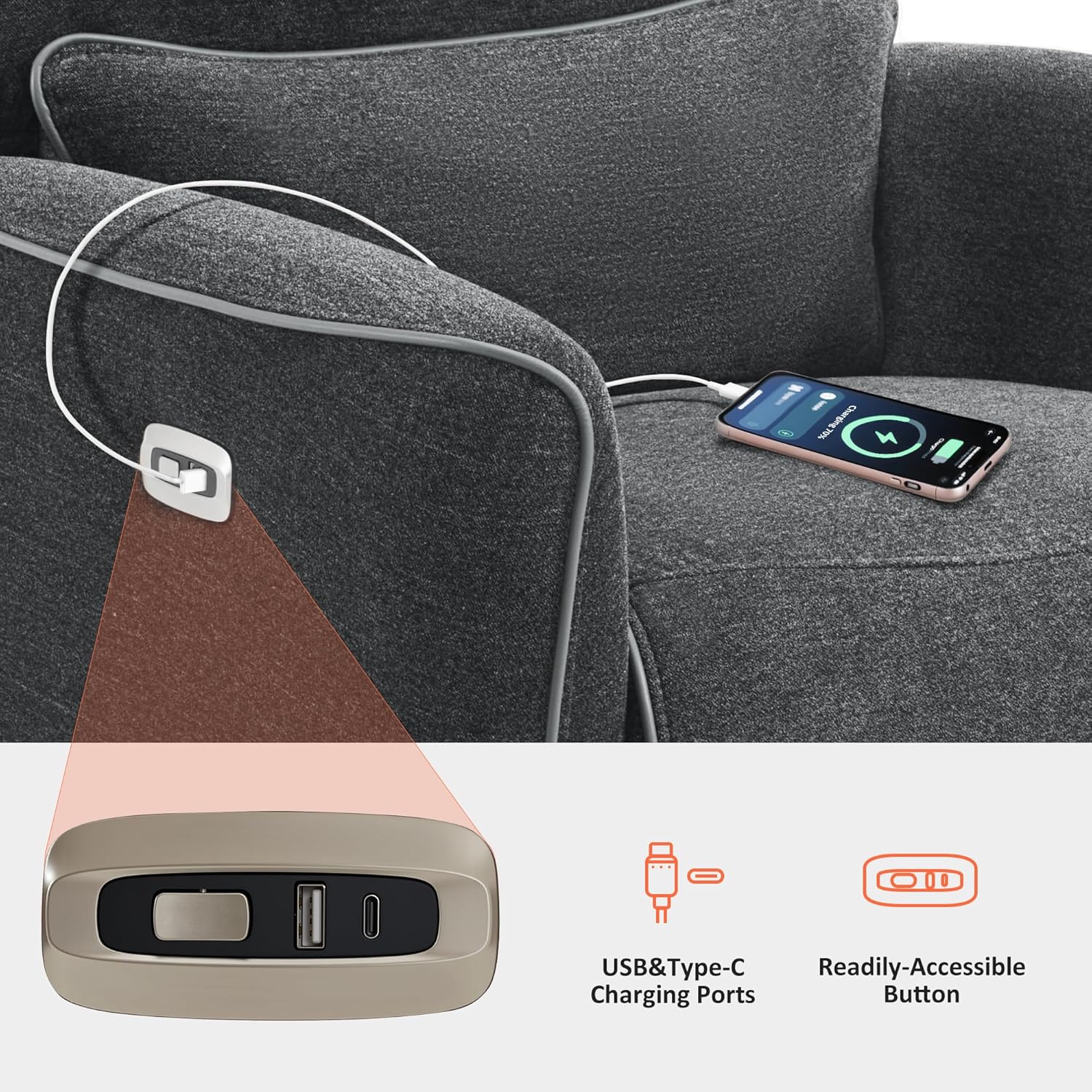
Image 5.3: Detail of the integrated USB A/C charging ports on the armrest.
6. וישאַלט און קער
- רייניקונג: ווישן ריין מיט אַדamp שטאָף. פֿאַרמײַדט שאַרפֿע כעמיקאַלן אָדער אַברייסיוו רייניגער.
- שטאָף זאָרגן: The fabric is durable and breathable. For spills, blot immediately with a clean, dry cloth.
- מעקאַניזאַם: Periodically check all bolts and screws to ensure they are tight. Do not lubricate the reclining mechanism unless specifically instructed by the manufacturer.
- עלעקטריקאַל קאַמפּאָונאַנץ: Ensure the power cord is not pinched or damaged. Unplug the recliner from the power outlet when not in use for extended periods or during cleaning.
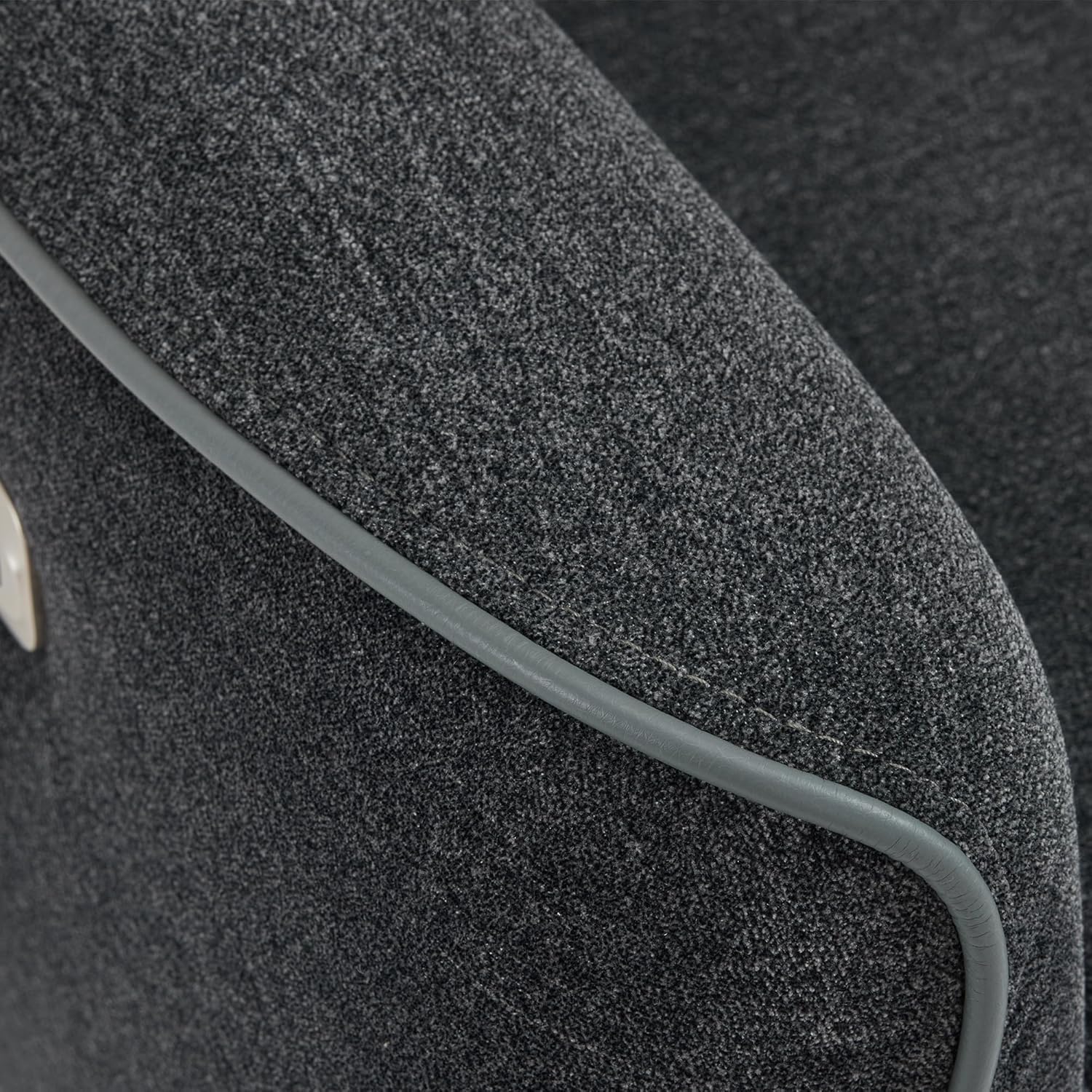
בילד 6.1: נאָענט־אַרויף view of the recliner's fabric, highlighting its texture and quality.

Image 6.2: OEKO-TEX Standard 100 certification ensures the fabric is safe and free from harmful substances.
7. טראָובלעשאָאָטינג
- Recliner not operating: Check if the power cord is securely plugged into both the chair and a working electrical outlet. Ensure no wires are pinched or damaged.
- אומגעוויינטלעכע גערוישן בעתן אפעראציע: Inspect the reclining mechanism for any obstructions. Ensure all assembly bolts are tight. If noises persist, discontinue use and contact customer support.
- USB פּאָרטן לאָדענען זיך נישט אויף: Verify the recliner is powered on. Ensure the device cable is properly connected to both the device and the USB port. Test with a different device or cable to rule out device-specific issues.
8. ספּעסאַפאַקיישאַנז
| סאָרט | מקאָמבאָ |
| מאָדעל נאָמען | 6160-6922 |
| קאָליר | גרוי |
| מאַטעריאַל | Textile (Sponge fill) |
| פּראָדוקט דימענשאַנז | 32"ד רענטגענ 32"וו רענטגענ 40.96"ה |
| פּונקט וואָג | 137.3 פונט |
| מאַקסימום וואָג רעקאָממענדאַטיאָן | 320 פונט |
| ריקליינינג שטעלע גראף | Infinite Position (up to 142°) |
| סוויוואַל ווינקל | 270° |
| מינימום דיסטאַנסע צו וואנט | 12.2 אינטשעס |
| וסב פּאָרץ | USB A/C ports on armrest |
| אַרייַנגערעכנט קאַמפּאָונאַנץ | Armrests, Backrest, Base |

Image 8.1: Detailed dimensions and operational clearances for the recliner.
9. וואָראַנטי און שטיצן
This MCombo recliner comes with a 2-יאָר לימיטעד וואָראַנטי. For warranty claims, technical support, or any questions regarding your product, please contact MCombo customer support.
Customer Support is available for 30-day easy returns.
פֿאַר ווייטערדיקע הילף, ביטע באַזוכט די MCombo קראָם.


