
1. פּראָדוקט איבערview
The ULTRAK 495 Professional 100-Lap Digital Stopwatch is designed for precise timekeeping in various sports and training activities. It features a large, easy-to-read display and multiple functions to support athletes, coaches, and referees.
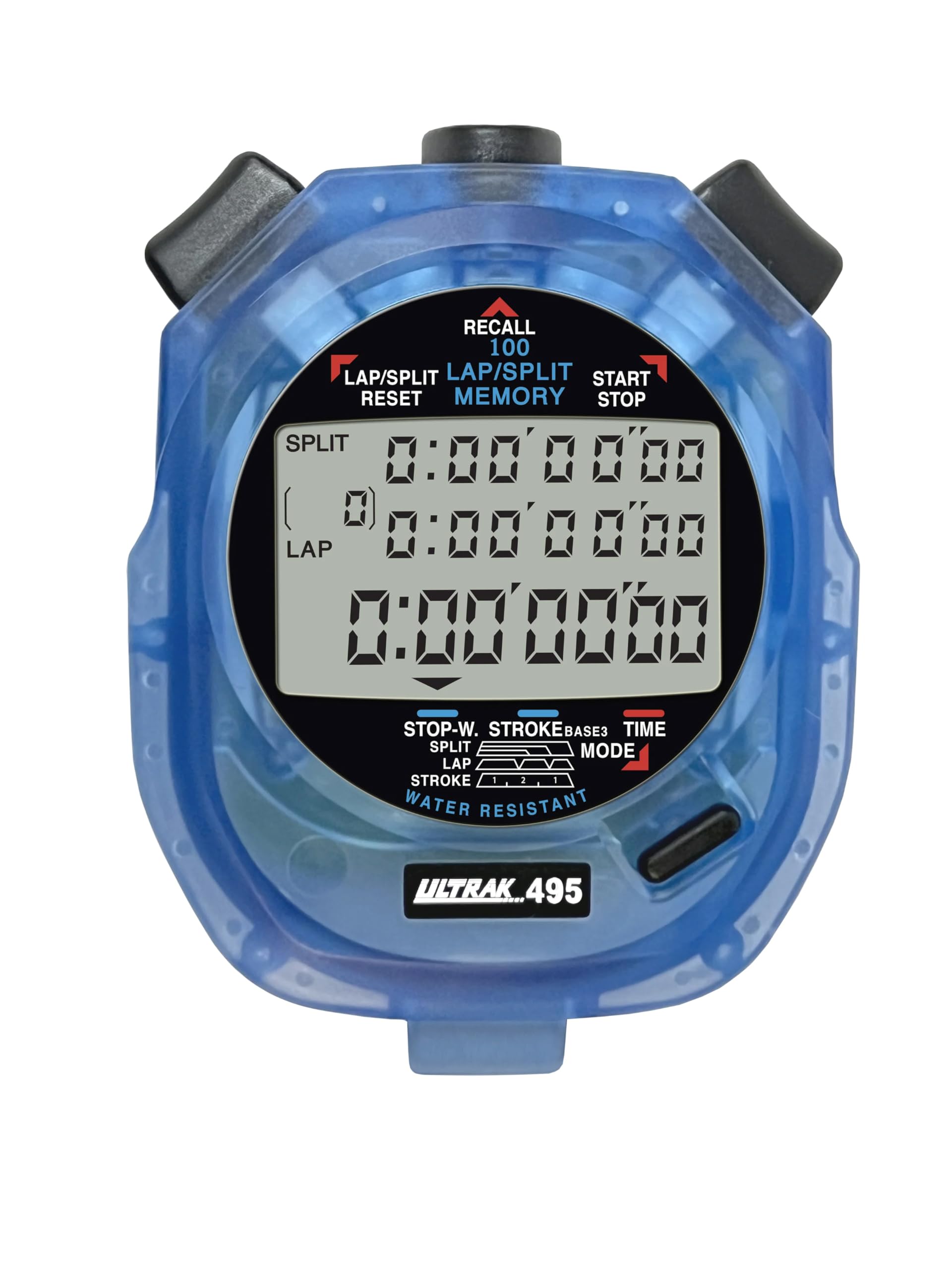
Figure 1: ULTRAK 495 Stopwatch in blue.
שליסל פֿעיִקייטן:
- 100 Dual Split Recallable Memory: Enhances accuracy for track and field events, ideal for athletes and coaches requiring precise timekeeping.
- ווערסאַטאַל פאַנגקשאַנז: Includes stroke/frequency, time, and calendar functions, suitable for diverse sports activities.
- וואַסער קעגנשטעליק פּלאַן: Allows for outdoor use in various weather conditions.
- Large 3-Row Display: ערלייכטערט גרינג viewing of multiple lap times simultaneously.
- Durable Lithium Battery: Ensures reliability for extended use.
2. סעטאַפּ
2.1. באַטאַרייע ייַנמאָנטירונג
The ULTRAK 495 Stopwatch comes with one Lithium Metal battery pre-installed. If battery replacement is needed, refer to the Maintenance section.
2.2. ערשטע צייט און דאטום איינשטעלונג
צו שטעלן די צייט און דאַטע:
- דרוק די מאָדע button repeatedly until the time/calendar display mode is active.
- דריקן און האַלטן די שטעלן button (usually located on the top right) until the digits begin to flash.
- ניצן די LAP/SPLIT/RESET button (top left) to adjust the flashing digit.
- דרוק די שטעלן button to move to the next digit or setting (e.g., hours, minutes, seconds, month, day, year).
- אַמאָל אַלע סעטטינגס זענען ריכטיק, דריקן די מאָדע קנעפּל צו אַרויסגאַנג די באַשטעטיקן מאָדע.

Figure 2: Stopwatch displaying various modes, including Time/Calendar.
3. אָפּעראַציע
3.1. Stopwatch Mode (Standard Timing)
This mode is used for basic timing of events.
- Ensure the stopwatch is in the standard stopwatch mode (usually indicated by "STOPWATCH" on the display). If not, press מאָדע ביז עס אויס.
- דרוק אָנהייב / האַלטן (top right button) to begin timing.
- דרוק אָנהייב / האַלטן נאכאמאל צו פּויזירן דעם טייַמער.
- דרוק אָנהייב / האַלטן to resume timing.
- To reset the timer to zero, ensure it is stopped, then press LAP/SPLIT/RESET (top left button).
3.2. Lap/Split Timing with Memory Recall
The ULTRAK 495 can record up to 100 lap and split times.
- In stopwatch mode, press אָנהייב / האַלטן צו אָנהייבן טיימינג.
- דרוק LAP/SPLIT/RESET to record a split time. The display will momentarily show the split time while the main timer continues running in the background. The bottom row displays the running event or lap time.
- Repeat step 2 for each lap or split you wish to record.
- דרוק אָנהייב / האַלטן to end the timing session.
- To recall recorded times, press the צוריקרופן button (top center). Use the LAP/SPLIT/RESET און אָנהייב / האַלטן buttons to navigate through the stored lap and split times.
- To exit recall mode, press מאָדע. To clear memory, ensure the stopwatch is stopped and not in recall mode, then press and hold LAP/SPLIT/RESET.

Figure 3: Display showing simultaneous split, lap, and total times.
3.3. קאַונטדאַון טייַמער מאָדע
The stopwatch includes a countdown timer function.
- דרוק מאָדע ביז דער קאַונטדאַון טייַמער אַרויסווייַזן דערשיינט.
- דריקן און האַלטן שטעלן צו אַרייַן באַשטעטיקן מאָדע.
- ניצן LAP/SPLIT/RESET צו צופּאַסן די צייט און שטעלן צו באַוועגן צווישן שעה, מינוט און סעקונדעס.
- אַמאָל די געוואונטשענע צייל-אויס צייט איז באַשטימט, דריק מאָדע צו פֿאַרלאָזן דעם סעטטינג מאָדע.
- דרוק אָנהייב / האַלטן to begin the countdown. An alarm will sound when the timer reaches zero.
3.4. Stroke/Frequency Measuring Mode
This mode is useful for measuring stroke rates in swimming or other repetitive actions.
- דרוק מאָדע until the stroke/frequency mode is displayed.
- דרוק אָנהייב / האַלטן to begin measuring.
- דרוק LAP/SPLIT/RESET at the start of each stroke or cycle. The stopwatch will calculate and display the frequency.
- דרוק אָנהייב / האַלטן אויפצוהערן מעסטן.
4. וישאַלט
4.1. רייניקונג
Wipe the stopwatch with a soft, dry cloth. For stubborn dirt, use a slightly damp שטאָף און מילדע זייף, און דערנאָך טרוקן גוט אויס. פֿאַרמייַדן שטרענגע כעמיקאַלן אָדער אַברייסיוו רייניגער.
4.2. וואַסער קעגנשטעל
The ULTRAK 495 is water-resistant, making it suitable for use in various weather conditions. However, it is not designed for submersion. Avoid pressing buttons while the stopwatch is wet to prevent water ingress.
4.3. באַטערי פאַרבייַט
The stopwatch uses one Lithium Metal battery. When the display becomes dim or functions become erratic, it's time to replace the battery. Carefully open the battery compartment (usually on the back, secured by small screws) and replace with a new battery of the same type. Ensure proper polarity and securely close the compartment.
5. טראָובלעשאָאָטינג
- דיספּליי איז ליידיק אָדער טונקל: קאָנטראָלירט די באַטאַרייע. פֿאַרבייטן אויב נייטיק.
- Stopwatch resets unexpectedly during timing: This can sometimes occur due to low battery or a temporary electrical glitch. Try replacing the battery. If the issue persists, ensure buttons are not being pressed inadvertently.
- די קנעפּלעך זענען נישט ריספּאַנדינג: Ensure the stopwatch is not in a locked mode (if applicable, check manual for specific lock features). If wet, ensure it is completely dry. If still unresponsive, try replacing the battery.
- אומרעכטע צייט אדער דאטום: Refer to section 2.2 to re-set the time and date.
6. ספּעסאַפאַקיישאַנז
| שטריך | דעטאַל |
|---|---|
| מאָדעל נומער | 495 |
| זכּרון | 100 Dual Split Recallable Laps |
| ווייַז | Large 3-Row Display |
| פאַנגקשאַנז | Stopwatch, Lap/Split, Countdown Timer, Stroke/Frequency, Time, Calendar |
| וואַסער קעגנשטעל | Yes (Water Resistant) |
| באַטערי טיפּ | 1 ליטהיום מעטאַל באַטאַרייע (אַרייַנגערעכנט) |
| מאַטעריאַל | פּלאַסטיק |
| פּראָדוקט דימענשאַנז | 0.2"ד רענטגענ 2.5"וו רענטגענ 3.5"ה |
| פּונקט וואָג | 3.2 אונסעס |
7. וואָראַנטי און שטיצן
For specific warranty information and customer support, please refer to the documentation included with your product or visit the official Ultrak webזייטל. האַלט אייער קויף קוויטל ווי אַ באַווייַז פון קויפן פֿאַר קיין וואָראַנטי קליימז.