
BINNUNE BW01
BINNUNE Wireless Gaming Headset User Manual
מאָדעל: BW01
Brand: BINNUNE
הקדמה
Thank you for choosing the BINNUNE Wireless Gaming Headset. This manual provides detailed instructions on how to set up, operate, and maintain your headset to ensure optimal performance and a superior gaming experience. Please read this manual thoroughly before using the product.
וואָס איז אין די קעסטל
Upon unboxing your BINNUNE Wireless Gaming Headset, please verify that all the following components are included:
- BINNUNE Wireless Gaming Headset (Blue)
- 2.4 גהז וסב דאָנגלע
- 3.5 מם אַודיאָ קאַבלע
- וסב טשאַרדזשינג קאַבלע
- באַניצער מאַנואַל (דעם דאָקומענט)

Image: The BINNUNE Wireless Gaming Headset in blue, accompanied by its 2.4GHz USB dongle and a 3.5mm audio jack. These are the primary components included in the product package.
פּראָדוקט איבערview
Familiarize yourself with the key features and components of your BINNUNE Wireless Gaming Headset:
- אַדזשאַסטאַבאַל כעדבאַנד: פֿאַר אַ באַקוועמען פּאַסיק.
- ווייכע אויער-מופס: Large-size memory foam earmuffs (110mm diameter, 45mm thickness) made of breathable PU leather and mesh material for extended comfort.
- 50 מ״מ דרייווערס: High-performance 50mm driver units for clear and rich stereo sound.
- Unidirectional Noise-Canceling Microphone: A 120° adjustable boom mic designed to filter out background noise for clear communication.
- קאָנטראָלס אויף כעדסעט: Buttons for power, volume adjustment, and microphone mute.

בילד: א דעטאַלירטע view of the BINNUNE Wireless Gaming Headset's unidirectional boom microphone, highlighting its flexible design and noise-canceling capabilities.

Image: An exploded diagram illustrating the internal components of the 50mm audio drivers within the BINNUNE headset, emphasizing their design for rich, full-range sound.
סעטאַפּ
טשאַרדזשינג די העאַדסעט
Before first use, fully charge the headset. A full charge takes approximately 3 hours. A 10-minute quick charge can provide up to 3 hours of battery life. The headset offers up to 80 hours of continuous use in 2.4GHz mode and up to 120 hours in Bluetooth mode.
- פֿאַרבינדט דעם USB טשאַרדזשינג קאַבל צום כעדסעט'ס טשאַרדזשינג פּאָרט.
- פֿאַרבינדט דעם אַנדערן עק פֿונעם USB קאַבל צו אַ קאָמפּאַטיבלע USB מאַכט מקור (למשל, קאָמפּיוטער USB פּאָרט, USB וואַנט אַדאַפּטער).
- The LED indicator on the headset will show charging status (refer to the headset's LED guide for specific indications).

Image: The BINNUNE Wireless Gaming Headset displayed alongside a visual representation of its impressive 120-hour battery life, indicating extended usage time.
קאַנעקטיוויטי אָפּציעס
Your BINNUNE headset supports three connection modes:
- 2.4GHz Wireless (USB Dongle): Provides ultra-low latency (15ms) for gaming. Ideal for PS5, PS4, PC, and Mac.
- בלועטאָאָטה 5.3: For wireless connection to mobile phones, tablets, PC, and Mac.
- 3.5 מם ווייערד קאַנעקשאַן: Universal compatibility with any device featuring a 3.5mm audio jack.
2.4GHz Wireless Connection (for PS5, PS4, PC, Mac)
- Insert the 2.4GHz USB dongle into an available USB port on your PS5, PS4, PC, or Mac.
- Power on the headset. It will automatically attempt to connect to the dongle.
- Once connected, the LED indicator on the headset will confirm the connection (refer to LED guide).
- On your device, ensure the BINNUNE headset is selected as the audio output and input device.
Bluetooth 5.3 Connection (for PC, Mac, Mobile Phone, Tablet)
- Ensure the headset is powered on and in Bluetooth pairing mode (usually indicated by a blinking LED). If not, double-press the power button to switch to Bluetooth mode.
- On your device (PC, Mac, mobile phone, tablet), go to Bluetooth settings and search for available devices.
- Select "BINNUNE BW01" (or similar) from the list of found devices to pair.
- Once paired, the LED indicator will show a solid light (refer to LED guide).
3.5mm Wired Connection (for All Platforms)
- פֿאַרבינדט איין עק פֿון דעם 3.5 מ״מ אַודיאָ קאַבל צום כעדסעט'ס 3.5 מ״מ פּאָרט.
- Connect the other end of the 3.5mm audio cable to the 3.5mm audio jack on your device (e.g., PS4/PS5 controller, PC, mobile phone).
- The headset will function in passive wired mode. Note that some headset features (like LED lighting or specific controls) may be limited in wired mode.
Note: The BINNUNE Wireless Gaming Headset is not compatible with Xbox consoles.
קאָמפּאַטיביליטי איבערview
The following table provides a quick reference for device compatibility across different connection modes:

Image: A visual compatibility chart detailing which devices (PC, PS4/PS5 Console, PS4/PS5 Controller, Switch, Cell Phone, Tablet) support sound, microphone, and microphone mute functions across 2.4GHz Wireless (USB Dongle), Bluetooth 5.3, and 3.5mm Wired connection modes.
אַפּערייטינג ינסטראַקשאַנז
מאַכט אויף / אַוועק
- מאַכט אויף: דריק און האלט דעם פּאַוער קנעפּל פֿאַר אַרום 3 סעקונדעס ביז דער LED אינדיקאַטאָר צינדט זיך אָן.
- מאַכט אַוועק: דריק און האלט דעם פּאַוער קנעפּל פֿאַר אַרום 3 סעקונדעס ביז דער LED אינדיקאַטאָר גייט אויס.
Switching Between 2.4GHz and Bluetooth Modes
The headset supports simultaneous wireless operation, allowing quick toggling between 2.4GHz and Bluetooth modes.
- צו באַשטימען מאָדעס: Double-press the Power button. The headset will switch between 2.4GHz wireless mode and Bluetooth mode.
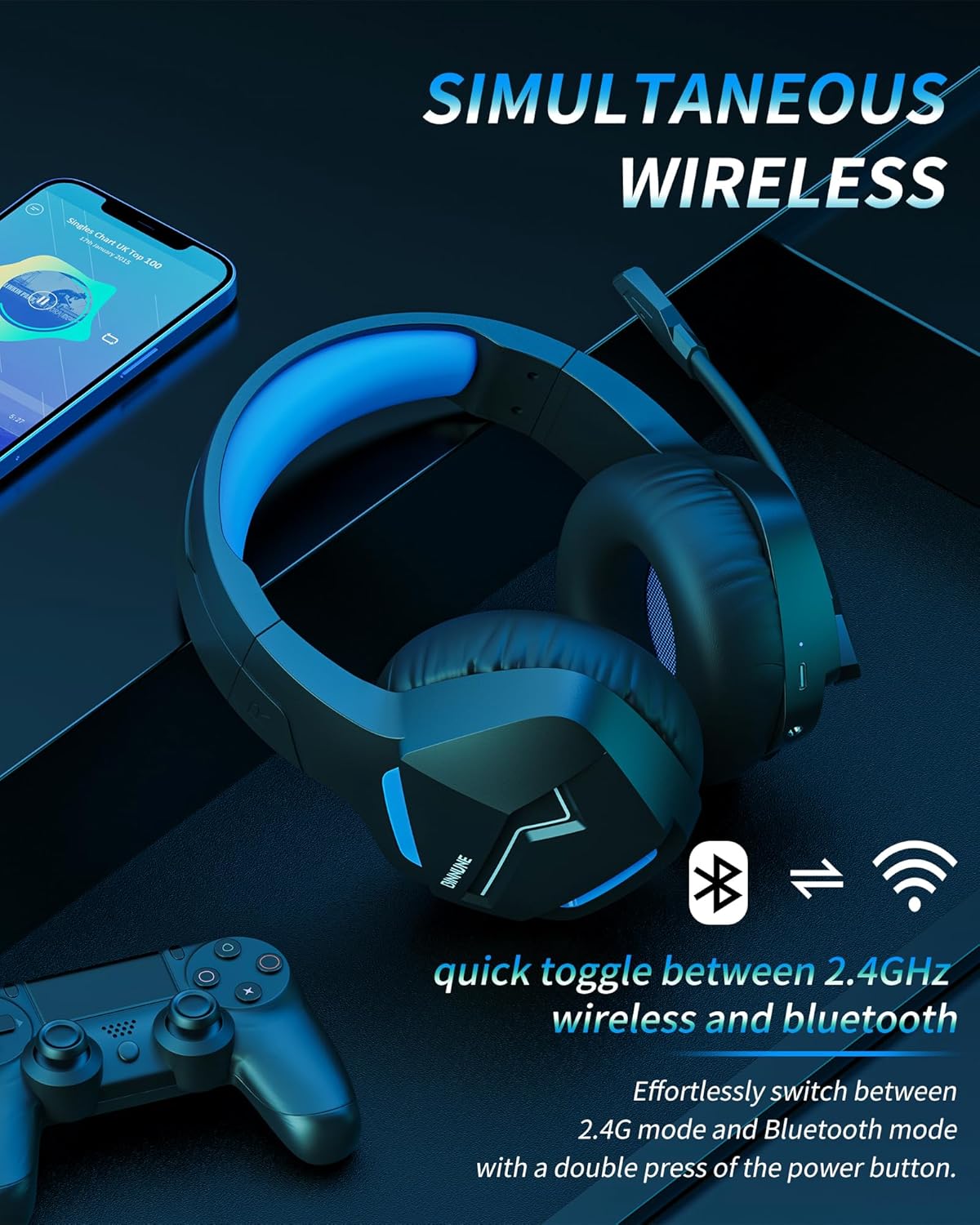
Image: The BINNUNE Wireless Gaming Headset shown with icons representing both 2.4GHz wireless and Bluetooth connectivity, indicating its ability to switch between these modes for versatile use.
באַנד קאָנטראָל
- פאַרגרעסערן באַנד: דריק דעם באַנד אַרויף (+) קנעפּל.
- פאַרמינערן באנד: דריק דעם באַנד אַראָפּ (-) קנעפּל.
מיקראָפאָן קאָנטראָל
- שטום / ונמוט מיקראָפאָן: Press the Microphone Mute button. A red LED on the microphone tip usually indicates it is muted.
- סטרויערן מיקראָפאָן שטעלע: The 120° adjustable memory line microphone can be freely shaped and adjusted to your ideal angle.
גיימינג פאָרשטעלונג
The headset is designed for an immersive gaming experience with features like:
- Accurate Sound Positioning: The 50mm drivers provide clear and rich stereo sound, allowing you to accurately pinpoint in-game sounds like footsteps and environmental details.
- נידעריק לייטאַנס: The 2.4GHz wireless technology ensures an ultra-low latency of 15ms, providing synchronized audio and video for competitive gaming.
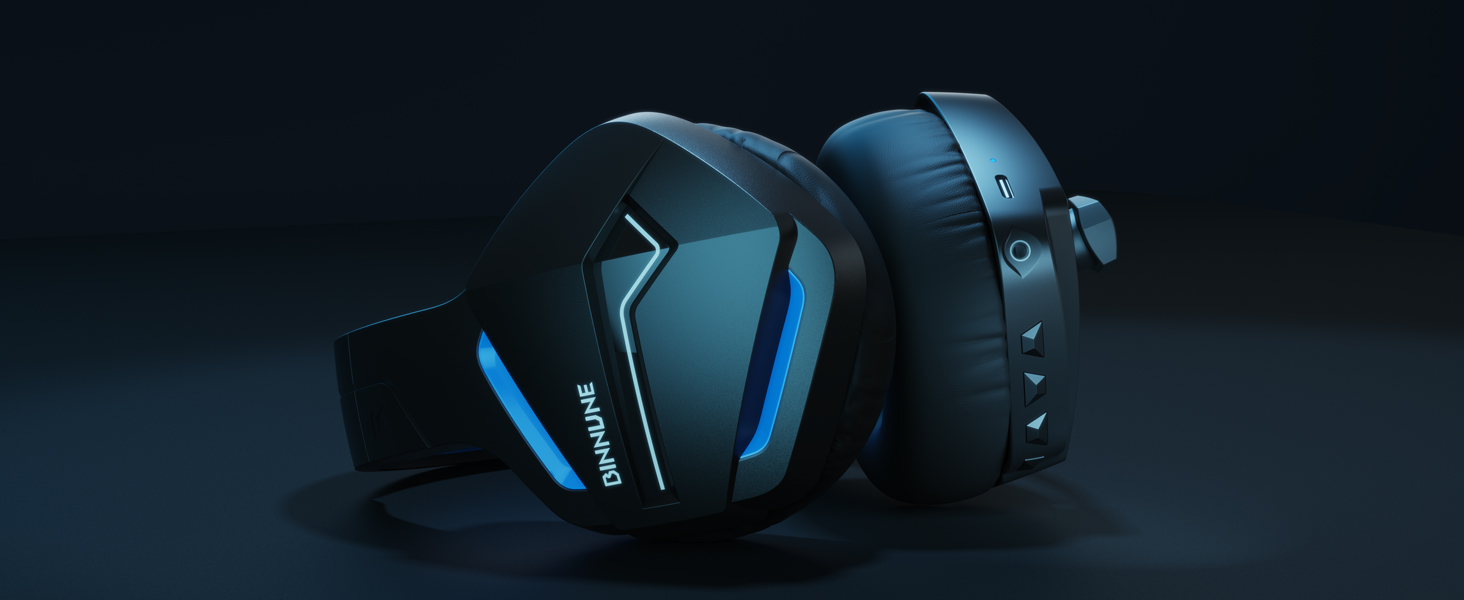
Image: A gamer immersed in a game, wearing the BINNUNE headset, highlighting the benefits of low latency and stable wireless connection for an enhanced gaming experience.
וישאַלט
Proper maintenance ensures the longevity and performance of your BINNUNE Wireless Gaming Headset.
- רייניקונג:
- Use a soft, dry, lint-free cloth to clean the headset's surfaces.
- For earmuffs, gently wipe with a slightly damp שטאָף און לאָזט עס גאָר טרוקן אין דער לופט איידער נוצן.
- דו זאלסט נישט נוצן האַרב קעמיקאַלז, רייניקונג סאָלוואַנץ אָדער שטאַרק דיטערדזשאַנץ.
- סטאָרידזש:
- האַלט די כעדסעט אין אַ קיל, טרוקן אָרט אַוועק פון דירעקט זונשייַן און עקסטרעמע טעמפּעראַטורן.
- פֿאַרמײַדט צו לייגן שווערע זאַכן אויף די כעדסעט.
- באַטערי זאָרגן:
- פֿאַרמײַדט אָפֿט פֿולשטענדיק אויסצולאָדן די באַטעריע.
- If storing for a long period, charge the headset to about 50% every few months to preserve battery health.
טראָובלעשאָאָטינג
If you encounter issues with your BINNUNE Wireless Gaming Headset, please refer to the following common solutions:
| פּראָבלעם | מעגלעך סיבה | לייזונג |
|---|---|---|
| קיין סאָונד / נידעריק באַנד |
|
|
| מיקראָפאָן איז נישט ארבעטן |
|
|
| Connection Issues (Intermittent/No Connection) |
|
|
| Headset Not Compatible with Xbox |
|
|
ספּעסאַפאַקיישאַנז
Detailed technical specifications for the BINNUNE Wireless Gaming Headset (Model: BW01):
| שטריך | דעטאַל |
|---|---|
| מאָדעל נאָמען | BW01 |
| קאַנעקטיוויטי טעכנאָלאָגיע | Wireless (2.4GHz USB Dongle, Bluetooth 5.3), Wired (3.5mm Jack) |
| ווירעלעסס קאָמוניקאַציע טעכנאָלאָגיע | בלועטאָאָטה 5.3 |
| בלועטאָאָטה קייט | אַרויף צו 10 מעטער (33 פֿיס) |
| Audio Latency (2.4GHz) | 15ms (Ultra Stable 2.4GHz Wireless Connection) |
| אַודיאָ דרייווער טיפּ | דינאַמיש דרייווער |
| אַודיאָ דרייווער גרייס | 50 מילאַמיטערז |
| אָפטקייַט ענטפער | 20 הערץ - 20,000 הערץ |
| סענסיטיוויטי | 96 דב |
| מיקראָפאָן | Unidirectional Noise-Canceling Mic (120° adjustable) |
| באַטערי לעבן | Up to 80 hours (2.4GHz mode), Up to 120 hours (Bluetooth mode) |
| טשאַרדזשינג צייט | בעערעך. 3 שעה פֿאַר פול אָפּצאָל |
| עאַרפּיעסע פאָרעם | Oval (110mm diameter, 45mm thickness memory foam) |
| מאַטעריאַל | Plastic (headset), PU leather and mesh (earmuffs) |
| פּונקט וואָג | 10.7 אונסעס (אומגעפער 303 גראַם) |
| פּראָדוקט דימענשאַנז | 8.27 X 7.48 X 4.33 אינטשעס |
| קאַמפּאַטאַבאַל דעוויסעס | Gaming Consoles (PS4, PS5), Laptops, PC, Mac, Mobile Phones, Tablets |
| קאָנטראָל טיפּ | קנעפּל קאָנטראָל |
| אַרייַנגערעכנט קאַמפּאָונאַנץ | User Manual, 2.4GHz USB Dongle, 3.5mm Audio Cable, USB Charging Cable |
וואָראַנטי אינפֿאָרמאַציע
BINNUNE products are manufactured with high-quality standards. While specific warranty details are not provided in this manual, BINNUNE typically offers a limited warranty against defects in materials and workmanship. For detailed warranty terms, conditions, and registration, please refer to the official BINNUNE webפּלאַץ אָדער קאָנטאַקט קונה שטיצן.
קונה שטיצן
For further assistance, technical support, or inquiries regarding your BINNUNE Wireless Gaming Headset, please contact BINNUNE customer support through the following channels:
- Official BINNUNE Webפּלאַץ: Visit the official BINNUNE webזייטל פֿאַר אָפֿט געשטעלטע פֿראַגעס, שטיצע רעסורסן און קאָנטאַקט פֿאָרמען.
- אַמאַזאָן סטאָר: איר קענט אויך באַזוכן די יו BINNUNE Store on Amazon פֿאַר פּראָדוקט אינפֿאָרמאַציע און פֿאַרקויפֿער קאָנטאַקט אָפּציעס.
Please have your product model (BW01) and purchase details ready when contacting support.
Ask a question about this manual
Ask about setup, troubleshooting, compatibility, parts, safety, or missing instructions. Manuals+ will review the question and use this page’s manual context to help answer it.