
ASMAX ASMAXF1DP01
ASMAX F1 מאָטאָרציקל בלועטוט כעדסעט באַניצער מאַנואַל
Model: ASMAX F1
1. הקדמה
The ASMAX F1 Motorcycle Bluetooth Headset is an advanced communication system designed for motorcyclists. It features Bluetooth 5.3 technology, supporting up to 10 riders with a communication range of up to 1.8km. The F1 offers dual intercom modes (Free and Group Mesh), voice control, superior sound quality with ENC noise reduction, and an IP67 waterproof rating. Its magnetic mounting system and fast-charging capabilities ensure convenience and reliability for all your rides.
2. זיכערקייַט אינפֿאָרמאַציע
- שטענדיק געבן א פריאריטעט פאר וועג זיכערהייט. ניצט נישט דעם אפאראט אויף א וועג וואס וועט אייך אפlenken פון פארן.
- זייט זיכער אז די כעדסעט איז זיכער באפעסטיגט צו אייער העלם איידער איר פארט.
- אַדזשאַסטירן די קול לעוועלס צו זיכער מאַכן אַז איר קענט נאָך הערן די אַרומיקע פאַרקער קלאַנגען.
- Do not attempt to disassemble or modify the device, as this may void the warranty and pose safety risks.
- האַלטן די מיטל אַוועק פון עקסטרעם טעמפּעראַטורעס און דירעקט זונשייַן.
- Charge the device using only the provided cable and a compatible power source.
3. פּעקל אינהאַלט
באַשטעטיקן אַז אַלע זאכן זענען פאַראַן אין דיין פּעקל:
- ASMAX F1 Bluetooth Headset Unit(s)
- Speaker and Microphone Kit(s)
- Magnetic Mounting Base(s)
- USB Charging Cable(s)
- באַניצער מאַנואַל
- Mounting Accessories (e.g., adhesive pads, clips)

Image: ASMAX F1 Headset and included accessories.
4. פּראָדוקט איבערview
4.1 קאַמפּאָונאַנץ
The ASMAX F1 unit features a sleek design with an illuminated cross-shaped indicator. It is designed for easy attachment to most motorcycle helmets.

Image: ASMAX F1 Bluetooth Headset units.
4.2 קאָנטראָלס און ינדיקאַטאָרס
The ASMAX F1 is equipped with intuitive controls and indicators for ease of use while riding.
- ינטערקאָם קנעפּל: Initiates and manages intercom connections.
- באַנד +/- קנעפּלעך: אַדזשאַסטירט אַודיאָ באַנד.
- פֿונקציע קנעפּל: Multi-purpose button for various operations.
- LED ינדיקאַטאָר: Displays device status (e.g., power, pairing, charging).
- קול קאָנטראָל: Activates functions using voice commands (e.g., "Hi Max").

Image: ASMAX F1 controls and helmet compatibility.
5. סעטאַפּ
5.1 Installation on Helmet
The ASMAX F1 features a magnetic mounting system for easy and secure attachment to your helmet.
- Choose a suitable location on the side of your helmet, typically on the left side, ensuring it does not obstruct your vision or helmet functionality.
- Clean the helmet surface thoroughly where the mounting base will be attached.
- Attach the magnetic mounting base to the helmet using the provided adhesive pad or clamp. Ensure it is firmly secured.
- Insert the speakers into the helmet's ear pockets. Ensure they are positioned directly over your ears for optimal sound.
- Route the microphone boom or wired microphone to a position near your mouth, ensuring clear voice pickup and minimal wind noise.
- Connect the speaker and microphone cables to the ASMAX F1 unit.
- Attach the ASMAX F1 unit to the magnetic mounting base. The strong magnet will secure it in place.
5.2 ערשט טשאַרדזשינג
Before first use, fully charge the ASMAX F1 unit. The 1250mAh battery supports fast charging.
- Connect the provided USB charging cable to the ASMAX F1 unit's charging port.
- פֿאַרבינדט דעם אַנדערן עק פֿונעם קאַבל צו אַ USB מאַכט אַדאַפּטער (נישט אַרייַנגערעכנט) אָדער אַ קאָמפּיוטער USB פּאָרט.
- The LED indicator will show charging status. Once fully charged, the indicator will change (refer to specific LED behavior in the full manual).
- די מיטל קענען זיין באפוילן בשעת אין נוצן.
6. אַפּערייטינג ינסטרוקטיאָנס
6.1 מאַכט אויף / אַוועק
- מאַכט אויף: Press and hold the Function Button for approximately 3 seconds until the LED indicator lights up and you hear a voice prompt.
- מאַכט אַוועק: Press and hold the Function Button for approximately 3 seconds until the LED indicator turns off and you hear a voice prompt.
6.2 Bluetooth Pairing with Mobile Device
The ASMAX F1 uses Bluetooth 5.3 for stable connections.
- With the ASMAX F1 powered off, press and hold the Function Button for approximately 5-7 seconds until the LED indicator flashes rapidly (usually blue/red alternating), indicating pairing mode.
- אויף אייער מאָביל טעלעפאָן, אַקטיוויזירט בלועטוט און זוכט פֿאַר נײַע דעוויסעס.
- Select "ASMAX F1" from the list of available devices.
- Once paired, the LED indicator will change (e.g., slow blue flashes) and you will hear a confirmation tone.

Image: Universal pairing capability of ASMAX F1.
6.3 אינטערקאם מאָדעס
The ASMAX F1 supports various intercom modes for group communication.
- פריי מאָדע: For spontaneous connections within range. Up to 10 riders can join instantly.
- Group Mode (MESH Communication): For private conversations with a team of up to 10 riders. Supports 1-on-1 chats within the group.
- CloudTalk Mode: (Requires app update) Supports cross-brand cloud intercom for up to 50 people, anywhere with a mobile network.

Image: ASMAX F1 10-Rider Mesh Group Intercom.
6.4 קול קאָנטראָל
Activate voice commands by saying "Hi Max" followed by your command. This allows for hands-free operation.
- "Hi Max, Music On"
- "Hi Max, Next Track"
- "Hi Max, Volume Up/Down"
- "Hi Max, Answer The Phone"
- "Hi Max, End Intercom"
- "Hi Max, Phone Pairing"
- "Hi Max, Group Mesh"
- "Hi Max, Free Mode"

Image: ASMAX F1 Voice Control feature.
6.5 אַודיאָ מולטיטאַסקינג
The ASMAX F1 allows for simultaneous audio streams, such as listening to music while receiving navigation instructions or participating in an intercom conversation.

Image: ASMAX F1 Audio Multitasking.
7. וישאַלט
- רייניקונג: ווישן די אַפּאַראַט מיט אַ ווייך, דamp שטאָף. דו זאלסט נישט נוצן האַרב קעמיקאַלז אָדער אַברייסיוו קלינערז.
- סטאָרידזש: סטאָר די מיטל אין אַ קיל, טרוקן אָרט ווען ניט אין נוצן.
- באַטערי זאָרגן: For optimal battery life, avoid fully discharging the battery frequently. Charge regularly.
- וואַסער קעגנשטעל: The ASMAX F1 is IP67 waterproof. While it can withstand rain and splashes, avoid prolonged submersion.

Image: ASMAX F1 IP67 Waterproof feature.
8. טראָובלעשאָאָטינג
| פּראָבלעם | מעגלעך סיבה | לייזונג |
|---|---|---|
| די מיטל טוט נישט מאַכט אויף. | נידעריק באַטאַרייע. | טשאַרדזש די מיטל גאָר. |
| קען נישט צוזאמענשטעלן מיטן טעלעפאן. | דעווייס נישט אין פּערינג מאָדע; בלועטוט אויסגעלאָשן אויף טעלעפאָן. | Ensure device is in pairing mode (flashing LED). Turn on phone's Bluetooth. Forget previous pairings on phone. |
| פראבלעמען מיט די אינטערקאם קאנעקשאן. | Out of range; interference; incorrect mode. | Ensure units are within range. Check for obstacles. Verify correct intercom mode (Free/Group). |
| Poor audio quality / Noise. | Microphone position; speaker placement; high speed. | Adjust microphone closer to mouth. Ensure speakers are aligned with ears. ENC noise reduction works best with visor closed at high speeds. |
| שטימע קאמאנדעס רעאגירן נישט. | Microphone issue; noisy environment; incorrect command. | Ensure microphone is clear. Speak clearly. Try again in a quieter environment. Refer to voice command list. |
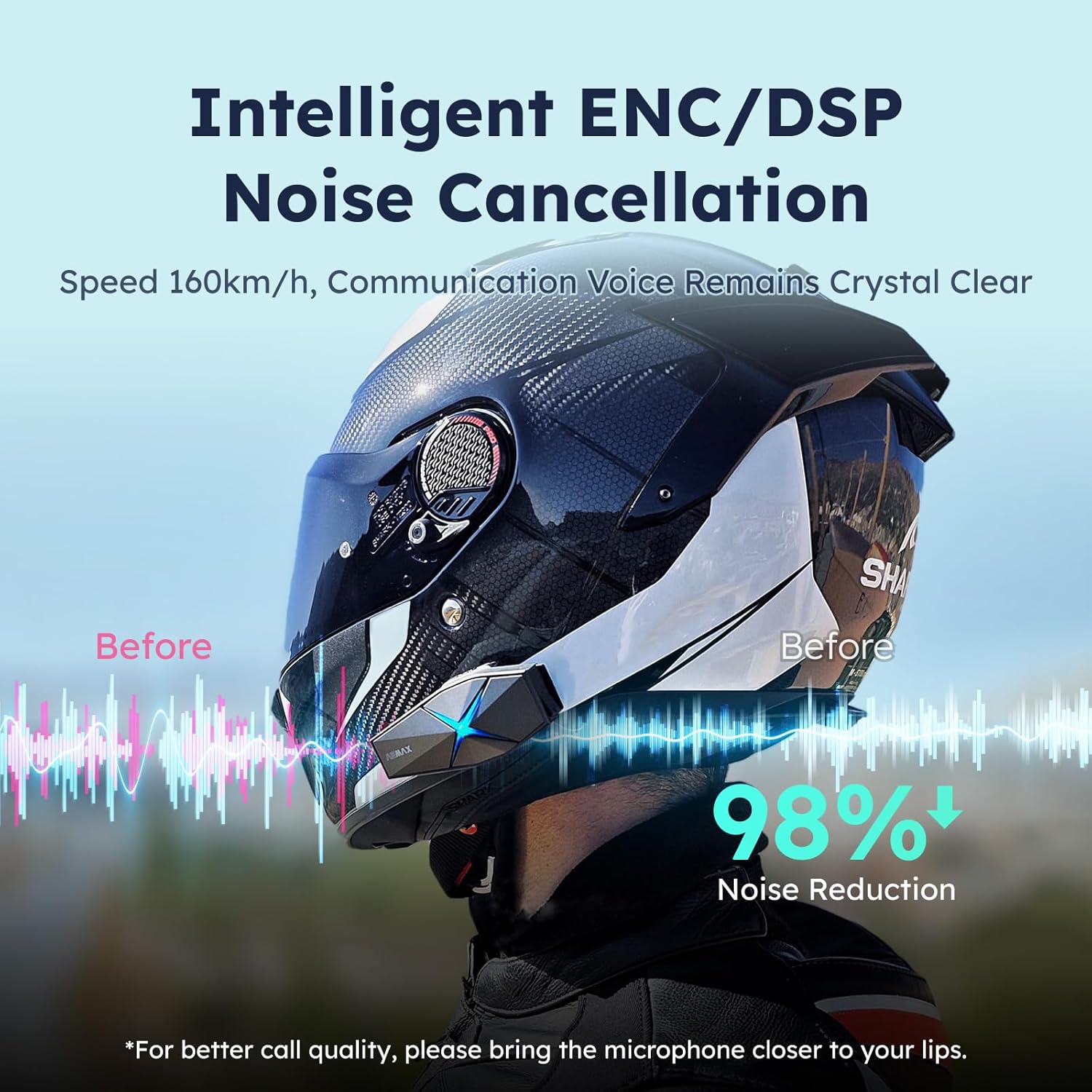
Image: ASMAX F1 Noise Cancellation technology.
9. ספּעסאַפאַקיישאַנז
| שטריך | דעטאַל |
|---|---|
| מאָדעל נאָמען | ASMAX F1 (F1 DP) |
| בלועטאָאָטה ווערסיע | 5.3 |
| ינטערקאָם קייט | Up to 1.8 km (10 riders) |
| באַטאַרייע קאַפּאַציטעט | 1250 מאַה |
| טשאַרדזשינג | Fast Charging, USB |
| וואָטערפּרוף רייטינג | IP67 |
| ראַש קאָנטראָל | Active Noise Cancellation (ENC/DSP) |
| קול קאָנטראָל | "Hi Max" commands |
| אַודיאָ פֿעיִקייטן | Audio Multitasking, Superior Sound Quality |
| דימענשאַנז | Approx. 86mm x 36mm x 23.6mm (unit) |
| וואָג | Approx. 50g (unit) |
| אויער פּלייסמאַנט | אין אויער |
| ימפּידאַנס | 32 Ohm |
| סענסיטיוויטי | 105 דב |
| אָפטקייַט ענטפער | 20 הז (מינימום) |

Image: ASMAX F1 Dual-Chip Octa-Core technology.
10. וואָראַנטי און שטיצן
ASMAX products come with a standard manufacturer's warranty. For specific warranty terms and conditions, please refer to the warranty card included in your product packaging or visit the official ASMAX webפּלאַץ.
For technical support, troubleshooting assistance, or any inquiries regarding your ASMAX F1 headset, please contact ASMAX customer service through their official channels. Contact information can typically be found on the ASMAX webפּלאַץ אָדער אין די פּראָדוקט פּאַקקאַגינג.
Regularly check the ASMAX website or app for firmware updates to ensure optimal performance and access to new features, such as CloudTalk Mode.
Ask a question about this manual
Ask about setup, troubleshooting, compatibility, parts, safety, or missing instructions. Manuals+ will review the question and use this page’s manual context to help answer it.