
1. הקדמה
This manual provides comprehensive instructions for the safe and efficient use of your NEC VKT16XZG5 laptop. Please read this manual thoroughly before using the product and retain it for future reference. This laptop is equipped with Windows 11, an Intel Core i5-8th Generation processor, and solid-state drive (SSD) storage, designed for general computing tasks.
2. זיכערקייַט אינפֿאָרמאַציע
Observe the following safety precautions to prevent damage to the laptop or injury to yourself.
- שטעלט נישט אויס דעם לאַפּטאָפּ צו עקסטרעמע טעמפּעראַטורן, דירעקטע זונשייַן, אדער הויכע הומידיטי.
- פֿאַרמײַדט צו לייגן שווערע זאַכן אויף דעם לאַפּטאָפּ.
- האַלט פליסיקייטן אַוועק פון די לאַפּטאָפּ צו פאַרמייַדן עלעקטרישע קלאַפּ אָדער שעדיקן.
- Use only the provided AC adapter or a compatible replacement.
- פרובירט נישט צו צענעמען אדער פאררעכטן דעם לעפטאפ אליין. ווענדט זיך צו קוואַליפֿיצירטע סערוויס פּערסאָנעל.
- זאָרגט פֿאַר געהעריקע ווענטילאַציע צו פֿאַרמייַדן איבערהיצונג. פֿאַרשטאָפּט נישט די לופֿט־ווענטילאַציעס.
3. פּעקל אינהאַלט
באַשטעטיקן אַז אַלע זאכן זענען פאַראַן אין פּעקל:
- NEC VKT16XZG5 Laptop
- אַק אַדאַפּטער
- Security Zero License Card
- 64GB USB Recovery Storage
- Digital Recovery Manual (pre-saved on the laptop)

Image: 64GB USB Recovery Storage device. This USB drive contains essential recovery files for your laptop.

Image: ZERO Security software box. A license card for this security software is included.
4. פּראָדוקט איבערview
Familiarize yourself with the components of your NEC VKT16XZG5 laptop.
4.1 שפּיץ View (Keyboard and Touchpad)

בילד: אויבן view of the NEC VKT16XZG5 laptop. This image highlights the Japanese keyboard layout and the integrated touchpad for navigation.
- קלאַוויאַטור: Standard Japanese layout for text input.
- טאָוטשפּאַד: For cursor control and gesture input.
- מאַכט קנעפּל: Located above the keyboard, typically on the right side.
4.2 Exterior Design and Durability
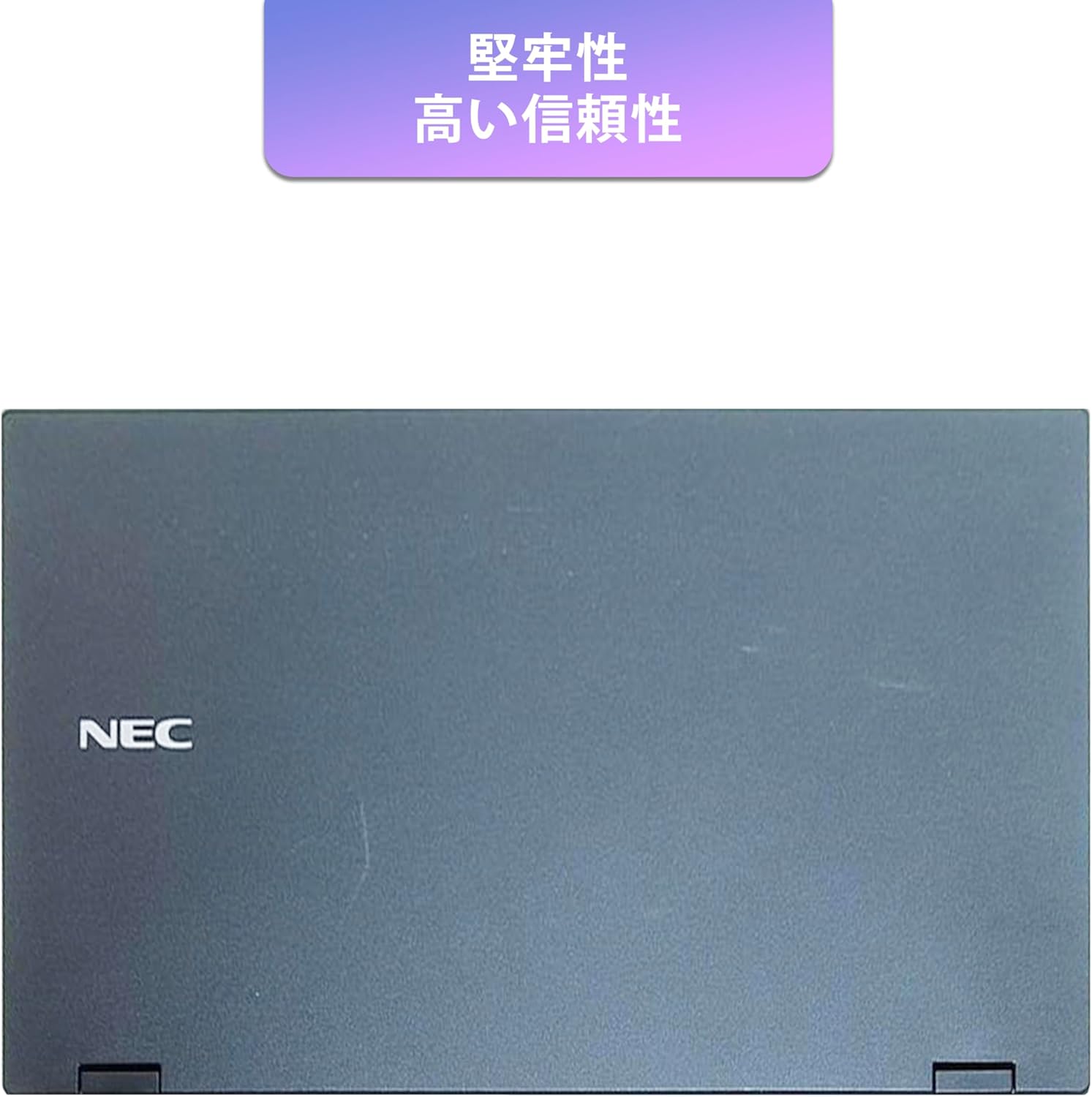
Image: Closed NEC VKT16XZG5 laptop, top casing. The design emphasizes durability and high reliability.
The laptop features a robust casing designed for durability and reliable performance.
4.3 Integrated Camera and Battery Life

בילד: זייט view of the open NEC VKT16XZG5 laptop. This view indicates the presence of an integrated camera and highlights the laptop's long battery life capability.
- ינאַגרייטיד אַפּאַראַט: Located at the top center of the display for video conferencing and other applications.
- באַטערי: Designed for extended usage on a single charge.
4.4 פאָרשטעלונג פֿעיִקייטן

בילד: זייט view of the open NEC VKT16XZG5 laptop. This image emphasizes the Intel Core i5-8th Generation processor and the high-speed SSD for enhanced performance.
- CPU: Intel Core i5-8th Generation processor for efficient multitasking.
- SSD: High-speed Solid State Drive for faster boot times and application loading.
5. סעטאַפּ
Follow these steps for initial setup of your laptop:
- אַנפּאַק: פֿאָרזיכטיק אַרויסנעמען דעם לאַפּטאָפּ און אַלע אַקסעסאָריעס פֿון דער פּאַקאַדזשינג.
- פאַרבינדן מאַכט: שטעקט אריין דעם AC אדאפטער אין דעם לעפטאפ'ס מאכט פארט און דערנאך אין א וואנט אווענטיל.
- ערשט מאַכט אויף: Open the laptop lid and press the power button. The laptop will begin the Windows 11 setup process.
- Windows סעטאַפּ: Follow the on-screen prompts to configure Windows 11, including language, region, network connection, and user account creation.
- WPS Office Activation: Your laptop comes with WPS Office pre-installed. Use the provided license card to activate the software upon first use.
- Security Software Installation: Install the included ZERO Security software using the license card for protection against malware.

Image: Laptop screen displaying information about the WPS Office 2 license card. This indicates that WPS Office is ready for use immediately after activation.
6. אַפּערייטינג ינסטרוקטיאָנס
This section covers basic operation of your NEC VKT16XZG5 laptop.
6.1 מאַכט אויף / אַוועק
- מאַכט אויף: דרוק די מאַכט קנעפּל.
- שאַט אַראָפּ: דריקט דעם סטאַרט קנעפּל אין ווינדאָוס, און דערנאָך סעלעקטירט מאַכט > שאַט דאַון.
- ריסטאַרט: דריקט דעם אָנהייב קנעפּל, און דערנאָך אויסקלײַבן מאַכט > ריסטאַרט.
- שלאָף: מאַכט צו דעם דעקל אָדער גיט דעם אָנהייב קנעפּל, און דערנאָך סעלעקטירט מאַכט > שלאָף.
6.2 ניצן די קלאַוויאַטור און טאָוטשפּאַד
- קלאַוויאַטור: Type text and use function keys (Fn) for special commands (e.g., volume, brightness).
- טאָוטשפּאַד: Move your finger across the surface to control the cursor. Tap to click, use two fingers to scroll.
6.3 קאַנעקטינג צו Wi-Fi
- דריקט דעם Wi-Fi בילדל אין דער טאַסקבאַר.
- אויסקלייבן אייער געוואונטשענע נעץ פון דער ליסטע.
- אַרייַן דעם נעץ זיכערהייט שליסל (פּאַראָל) אויב געבעטן.
- דריקט "פאַרבינדן".
6.4 Using the DVD-ROM Drive
- Press the eject button on the drive to open the tray.
- Place a DVD or CD onto the tray, ensuring it is seated correctly.
- Gently push the tray back into the laptop.
- The disc content should appear in File Explorer.
7. וישאַלט
געהעריגע אויפהאלטונג גאראנטירט די לאנגעוויטי און פאָרשטעלונג פון אייער לאַפּטאַפּ.
- רייניקונג: ניצט אַ ווייכע, לינט-פֿרייע שטאָף צו רייניקן דעם עקראַן און דעם אויסערן. פֿאַר שווערע פֿלעקן, דampווישט דעם שטאָף לײַכט מיט וואַסער אָדער אַ פאַרשטעלן־רייניגער. פֿאַרמײַדט שאַרפֿע כעמיקאַלן.
- באַטערי זאָרגן: To maximize battery life, avoid fully discharging the battery frequently. Store the laptop in a cool, dry place if not used for extended periods.
- ווייכווארג דערהייַנטיקונגען: קאָנטראָלירט און אינסטאַלירט רעגולער Windows דערהייַנטיקונגען און דרייווער דערהייַנטיקונגען צו ענשור סיסטעם פעסטקייט און זיכערהייט.
- Recovery Function: Your laptop includes a recovery area and a 64GB USB recovery storage. In case of system issues, refer to the digital recovery manual saved on your laptop for instructions on how to restore the system.

Image: Laptop screen displaying information about the recovery area, large capacity USB storage for recovery, and the performance benefits of the high-speed SSD.
8. טראָובלעשאָאָטינג
די סעקציע באהאנדלט אלגעמיינע פראבלעמען וואס איר קענט באגעגענען.
| פּראָבלעם | מעגלעך לייזונג |
|---|---|
| דער לאַפּטאָפּ גייט נישט אָן. | Ensure the AC adapter is securely connected to both the laptop and a working power outlet. Check if the power outlet is functional. Try charging the battery for a while before attempting to power on again. |
| קיין Wi-Fi פֿאַרבינדונג. | Check if Wi-Fi is enabled in Windows settings. Ensure your router is working correctly. Try restarting the laptop and the router. Verify the Wi-Fi password. |
| דער לאַפּטאָפּ אַרבעט שטייט. | Close unnecessary applications. Check for background processes consuming high resources (Task Manager). Ensure Windows and drivers are up to date. Run a virus scan using the ZERO Security software. |
| קלאַוויאַטור אָדער טאָוטשפּאַד רעאַגירט נישט. | Restart the laptop. Check for any physical obstructions. Ensure drivers are updated. |
9. ספּעסאַפאַקיישאַנז
Detailed technical specifications for the NEC VKT16XZG5 laptop.
| שטריך | באַשרייַבונג |
|---|---|
| סאָרט | NEC |
| מאָדעל נאָמען | VKT16XZG5 |
| פאַרשטעלן גרייס | 15.6 אינטשעס |
| ווייַז טיפּ | געפירט |
| מאַקסימום דיספּליי רעזאָלוציע | 1366x768 פּיקסעלס |
| שווער דיסק קאַפּאַציטעט | 256 גיגאבייט (SSD) |
| קפּו מאָדעל | Intel Core i5-8th Generation |
| קפּו ספּיד | 1.6 GHz (Max 3.9 GHz) |
| פּראַסעסער גראף | 4 |
| אינסטאַלירטע ראַם זכּרון גרייס | 8 גיגאבייט / 16 גיגאבייט |
| ראַם זכּרון טעכנאָלאָגיע | דדר4 |
| אָפּערייטינג סיסטעם | Windows 11 |
| גראַפיקס קאָופּראַסעסער | Intel UHD Graphics 620 |
| Optical Storage Device | דיווידי-ראַם |
| ווירעלעסס טיפּ | Bluetooth, Wireless LAN |
| קאָמוניקאַציע צובינד | וסב |
| נומער דימענשאַנז (LxWxH) | 37.6 X 25.4 X 2.5 סענטימעטער |
| קלאַוויאַטור באַשרייַבונג | JP (Japanese) |
| אַרייַנגערעכנט קאַמפּאָונאַנץ | AC Adapter, Security Zero License Card, 64GB USB Recovery Storage |
| באַטערי טיפּ | ליטהיום יאָן |
| באַטערי וואט שעה | 45 וואט שעה |
| Release Year/Model Year | 2019 |
10. וואָראַנטי און שטיצן
Your NEC VKT16XZG5 laptop comes with a warranty to ensure your peace of mind.
- וואָראַנטי פּעריאָד: 6 months of free repair service from the date of purchase.
- פאַרבייַט פּאָליטיק: If a repair is not possible, the product will be replaced with an equivalent item.
- For technical support or warranty claims, please refer to the contact information provided at the point of purchase or on the official NEC support webפּלאַץ.