
1. הקדמה
This manual provides detailed instructions for the setup, operation, and maintenance of your MAONO BA37 Heavy Duty Adjustable Metal Suspension Microphone Boom Arm. Please read this manual thoroughly before use to ensure proper installation and optimal performance.

Image 1.1: User operating the MAONO BA37 Microphone Boom Arm.
2. זיכערקייַט אינפֿאָרמאַציע
- פאַרזיכערן די שרייַבטיש קלamp is securely fastened to a stable surface before attaching the boom arm and microphone.
- Do not exceed the maximum weight recommendation of 5.5 pounds (2.5 kg) for attached equipment.
- Avoid pinching fingers or cables in the arm's joints during adjustment.
- Keep the boom arm away from heat sources and direct sunlight.
3. פּעקל אינהאַלט
באַשטעטיקן אַז אַלע זאכן זענען פאַראַן אין דיין פּעקל:
- Heavy-duty microphone scissor arm stand x1
- Upgraded table mounting clamp x1
- 3/8" to 5/8" screw adapter x1
- קאַבלע סטראַפּס x2
4. סעטאַפּ גייד
4.1. Installing the Desk Clamp
- Choose a stable desktop surface with a thickness up to 2.36 inches (6.5 cm).
- Place the upgraded table mounting clamp אויף דעם ראַנד פֿון דיין טיש.
- Tighten the screw mechanism until the clamp is firmly secured. The clamp features a 4200mm² surface area and a silicone pad to protect your desk from scratches.
- די קלamp also includes a convenient headset hook for storage.
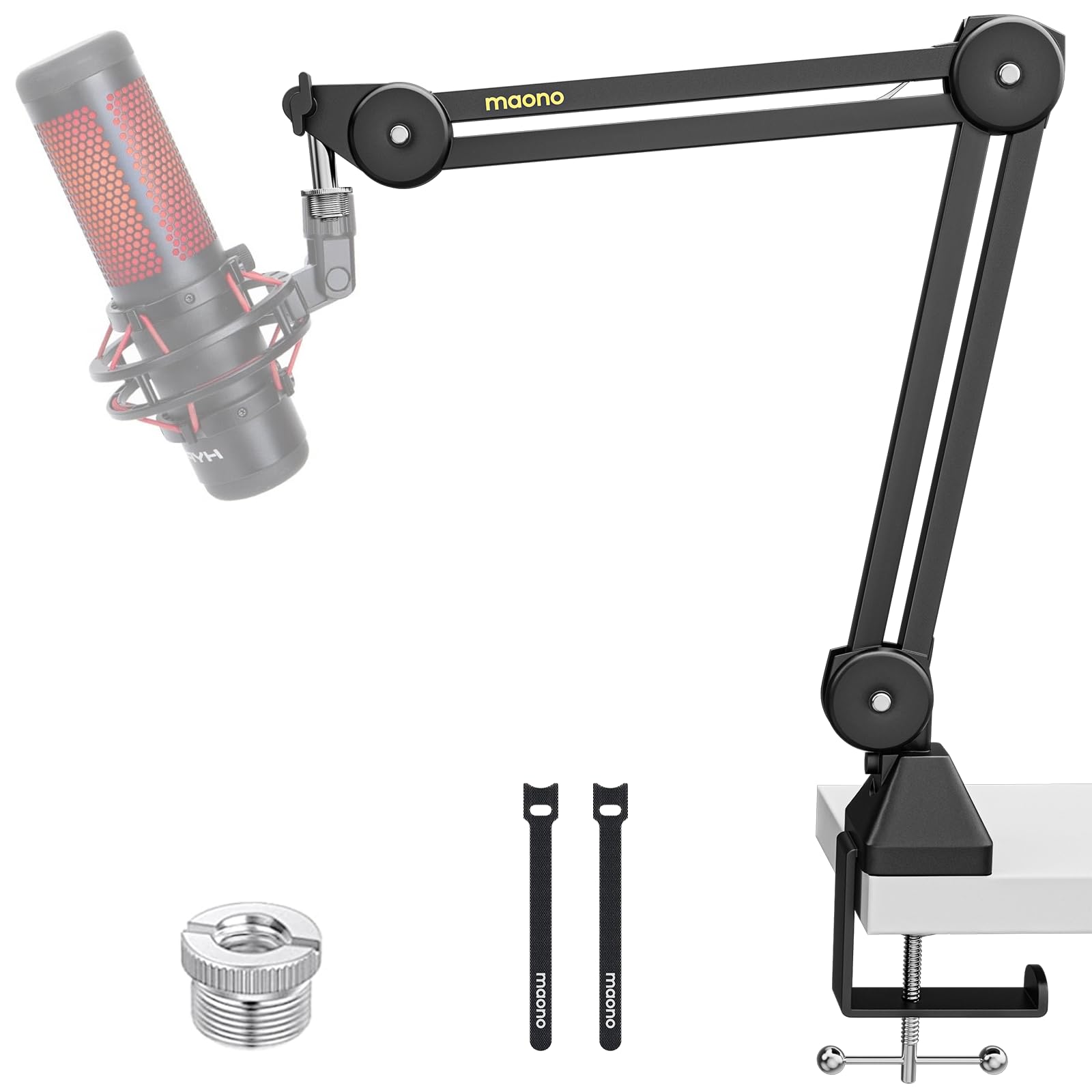
Image 4.1: Desk Clamp Installation and Features.
4.2. Attaching the Boom Arm
- Insert the base of the microphone scissor arm stand into the hole on the top of the desk clamp.
- Ensure the arm is seated properly and tighten any locking mechanisms on the clamp to secure the arm.
4.3. Attaching Your Microphone
- If your microphone has a 3/8" thread, use the provided 3/8" to 5/8" screw adapter if your microphone requires a 5/8" thread.
- Screw your microphone or shock mount onto the threaded end of the boom arm.
- Ensure the microphone is securely fastened.
Video 4.2: Official MAONO video demonstrating the installation and secure positioning of the BA37 Microphone Boom Arm.
4.4. קאַבלע מאַנאַגעמענט
Use the included cable straps to neatly route your microphone cable along the boom arm, preventing tangles and maintaining a clean setup.
5. אַפּערייטינג ינסטרוקטיאָנס
5.1. Adjusting the Boom Arm
The MAONO BA37 boom arm features 5 adjustable nodes, allowing for flexible positioning. It offers a horizontal reach of 27.6 inches (70 cm) and a vertical reach of 29.6 inches (75 cm). Adjust the arm to your desired height and angle for optimal microphone placement.

Image 5.1: Flexible Adjustment and Positioning.
5.2. Load Capacity and Stability
The boom arm is constructed from thicker metal, enhancing stability and boasting an impressive load capacity of 4.8 lbs (2.2 kg). Its internal springs ensure silent operation, crucial for professional recording environments.
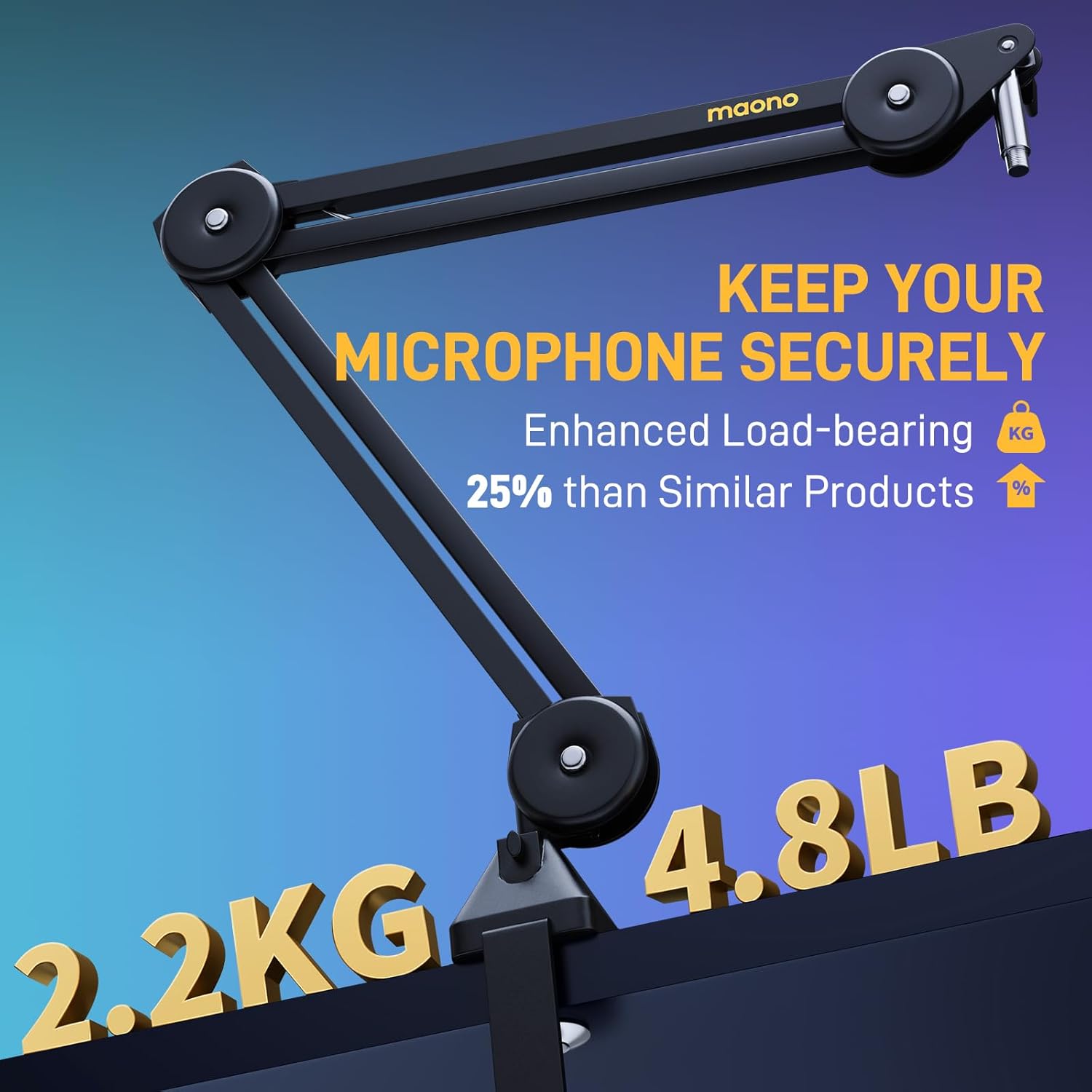
Image 5.2: Enhanced Load-bearing Capacity.
5.3. Microphone Compatibility
The MAONO BA37 is compatible with a wide range of microphones and shock mounts, including MAONO PD100X, PD200X, PM450, PD400, PM500, Fifine AM8, AmpliGame (A6V, A8), HyperX QuadCast, HyperX Solocast, Shure MV7, Shure SM58, Shure SM7B, AT2020, AT2035, and others.
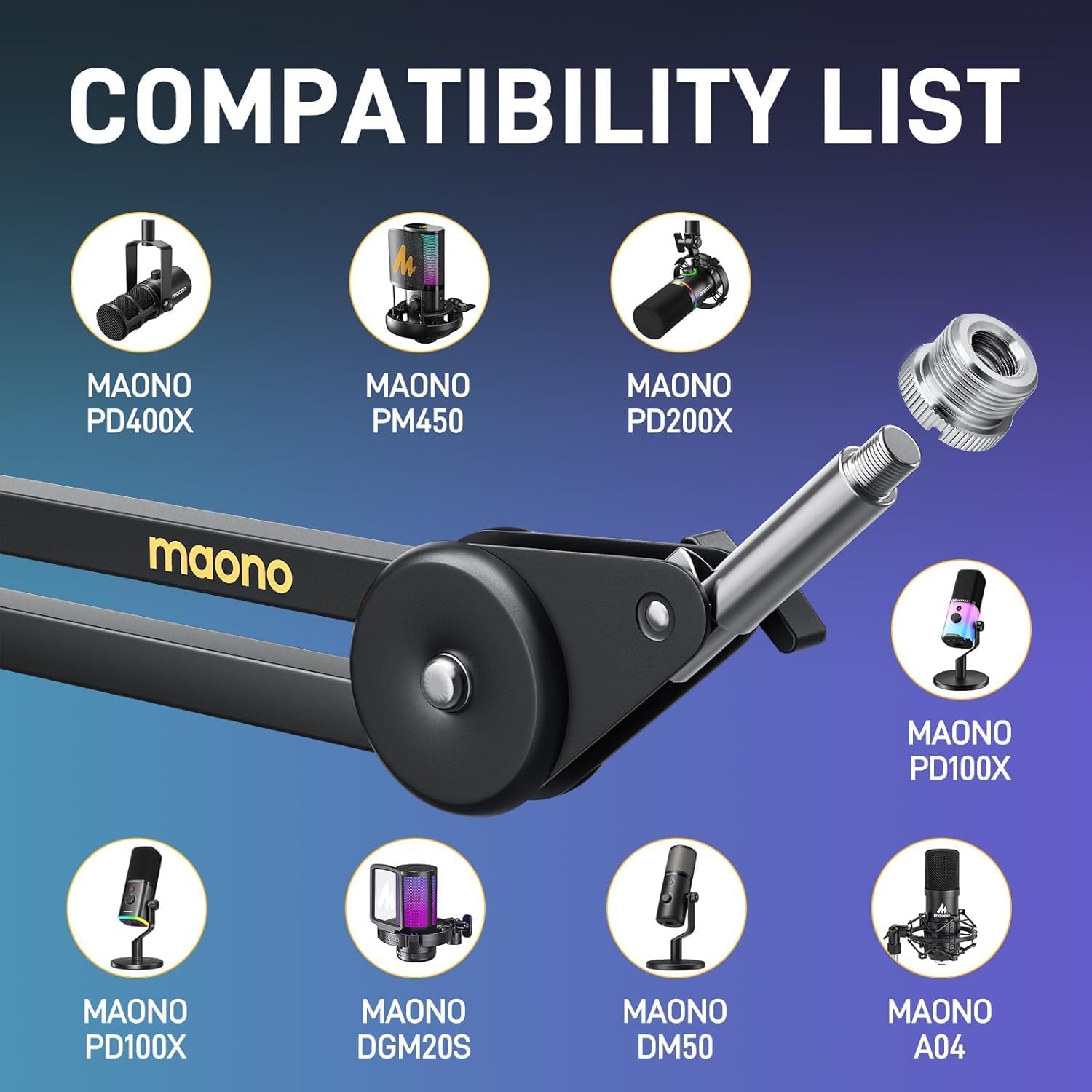
Image 5.3: Compatibility List for MAONO BA37.
6. וישאַלט
- Regularly check all screws and joints for tightness. Tighten if necessary to maintain stability.
- Clean the boom arm with a soft, dry cloth. Avoid abrasive cleaners or solvents.
- Ensure the silicone pad on the desk clamp is free from debris to maintain grip and protect your desk.
7. טראָובלעשאָאָטינג
- אָרעם האַלט נישט די פּאָזיציע: Ensure all adjustment knobs and the desk clamp are fully tightened. The arm is designed to hold up to 4.8 lbs (2.2 kg); verify your microphone's weight.
- Microphone wobbles: Check that the microphone or shock mount is securely screwed onto the arm's thread. Ensure the 3/8" to 5/8" adapter (if used) is also tight.
- דעסק קלamp slipping: צוריק-אנצינדן דעם טיש קלamp. Ensure the desktop surface is clean and dry for maximum grip. The silicone pad should be in direct contact with the desk.
8. ספּעסאַפאַקיישאַנז
| שטריך | דעטאַל |
|---|---|
| סאָרט | MAONO |
| מאָדעל נומער | BA37 |
| מאַטעריאַל | אַללוי שטאָל, מעטאַל |
| פּונקט וואָג | 3 פונט (1.36 קג) |
| מאַקסימום וואָג רעקאָממענדאַטיאָן | 5.5 פונט (2.5 קג) |
| מאַקסימום הייך | 29.6 אינטשעס (75 סענטימעטער) |
| האָריזאָנטאַל דערגרייכן | 27.6 אינטשעס (70 סענטימעטער) |
| באַזע טיפּ | Upgraded 4200mm² Surface Area Desk Clamp with Soft Pad |
| Desk Thickness Support | Up to 2.36 Inches (6.5 cm) |
| Mount Thread Size | 3/8" to 5/8" screw adapter |
| אַרייַנגערעכנט קאַמפּאָונאַנץ | Heavy-duty microphone scissor arm stand, Upgraded table mounting clamp, 3/8" to 5/8" screw adapter, Cable straps x2 |
9. וואָראַנטי און שטיצן
The MAONO BA37 Microphone Boom Arm comes with a 1 יאָר וואָראַנטי from the date of purchase. For warranty claims, technical support, or any questions regarding your product, please contact MAONO customer service through their official webזייטל אדער דעם פארקויפער וואו דער פראדוקט איז געקויפט געווארן. ביטע באהאלטן אייער באווייז פון קויפן פאר גאראנטיע באשטעטיקונג.


