
CLY 60BP-DW21
CLY LED Security Light with Motion Sensor
Model: 60BP-DW21 | Brand: CLY
1. הקדמה
Thank you for choosing the CLY LED Security Light with Motion Sensor. This 60W, 5200LM outdoor flood light is designed to provide bright, energy-efficient illumination and enhanced security for your yard, porch, garage, and other outdoor areas. Featuring an upgraded smart motion sensor and IP66 waterproof rating, this light is built for reliable performance in various environmental conditions. This manual will guide you through the installation, operation, and maintenance of your new security light.

Image 1.1: The CLY LED Security Light with Motion Sensor, showing the main light unit, integrated motion sensor, and power cord with plug.
2. וויכטיק סאַפעטי אינפֿאָרמאַציע
ביטע ליינט אלע זיכערהייט אינסטרוקציעס קערפול איידער די אינסטאַלאַציע און באַניץ. נישט נאָכפֿאָלגן די אינסטרוקציעס קען רעזולטירן אין עלעקטרישע קלאַפּ, פֿײַער אָדער אַנדערע געפֿאַרן.
- עלעקטריקאַל זיכערקייַט: Ensure the power supply is disconnected before installation or maintenance. This product uses a standard plug; do not modify the plug or use it with an ungrounded outlet.
- ינסטאַלירונג סוויווע: Install the light in a stable location that can support its weight. Avoid installing near flammable materials or in areas with excessive vibration.
- וואָטערפּרוף שאַץ: The light unit has an IP66 waterproof rating, and the sensor head is IP65. While designed for outdoor use, ensure all connections are secure and protected from direct water ingress during installation.
- טעמפּעראַטור: Do not operate the light outside its specified temperature range.
- ליכט מקור: קוקט נישט גלייך אריין אין די LED ליכט מקור ווען עס איז באלויכטן, ווייל דאס קען פאראורזאכן אויג אנשטרענגונג אדער שאדן.
- וישאַלט: Only perform maintenance when the light is cool and disconnected from power. Do not attempt to disassemble the light unit or sensor beyond what is described in this manual.
3. פּעקל אינהאַלט
באַשטעטיקן אַז אַלע קאָמפּאָנענטן זענען פאַראַן און נישט געשעדיגט איידער איר גייט ווייטער מיט דער אינסטאַלאַציע.
- CLY LED Security Light with Motion Sensor (1 unit)
- Mounting Bracket (pre-attached)
- Installation Screws and Wall Anchors (1 set)
- באַניצער מאַנואַל (דעם דאָקומענט)
4. ספּעסאַפאַקיישאַנז
| שטריך | באַשרייַבונג |
|---|---|
| מאָדעל נומער | 60BP-DW21 |
| וואָסtage | 60 וו |
| לומען רעזולטאַט | 5200לם |
| קאָליר טעמפּעראַטור | 5000K (ווייַס טאָגליכט) |
| שטראַל ווינקל | 120° |
| באַוועגונג סענסאָר דעטעקציע קייט | 0-12 מעטער |
| באַוועגונג סענסאָר דעטעקשאַן ווינקל | 180° |
| אַדזשאַסטאַבאַל לייטינג צייט | 10 ס / 45 ס / 120 ס / 600 ס |
| Waterproof Rating (Light) | IP66 |
| Waterproof Rating (Sensor) | IP65 |
| מאַכט מקור | Corded Electric (1.5M cable with plug) |
| מאַטעריאַל | פּלאַסטיק-קלאַד אַלומינום |
| פּראָדוקט דימענשאַנז | 58.42 x 41.91 x 19.05 cm (approx. 17L x 2W x 11H Centimetres for light head) |
| וואָג | 750 ג |
| לעבן | 50,000 שעה |

Image 4.1: Detailed dimensions of the CLY LED Security Light.
5. סעטאַפּ און ייַנמאָנטירונג
Follow these steps to properly install your CLY LED Security Light.
- קלייַבן ינסטאַללאַטיאָן אָרט: Select a suitable outdoor location, such as a wall, eave, or pole, where the light can provide optimal coverage. The recommended installation height is 5-7 meters (approximately 16-23 feet) for best motion detection and light spread.
- מאַרקירן דרילינג פונקטן: Hold the pre-attached mounting bracket against the desired surface and mark the positions for drilling holes using a pencil.
- בויער האָלעס: Use an appropriate drill bit to drill holes at the marked positions. Insert the wall anchors if installing on masonry or concrete.
- אָנקלאַפּן די בראַקאַץ: Align the mounting bracket with the drilled holes and secure it firmly using the provided screws.
- סטרויערן ליכט ווינקל: The light unit can be adjusted up to 180° on its bracket. Loosen the side screws, tilt the light to the desired angle, and then tighten the screws to secure it.
- אַדזשאַסטירן סענסאָר ווינקל: The motion sensor head can rotate 360° horizontally and 180° vertically. Adjust its position to cover the desired detection area.
- פאַרבינדן מאַכט: Plug the 1.5-meter power cord into a standard outdoor electrical outlet. Ensure the outlet is weather-protected.

Image 5.1: Illustration of the 120° beam angle, 180° detection range, and ideal mounting height (5-7M) for optimal performance.

בילד 5.2: עקס.amples of various mounting options including wall, ceiling, and ground installations.
6. אַפּערייטינג ינסטרוקטיאָנס
The CLY LED Security Light features an upgraded motion sensor with intuitive button controls for setting lighting duration and sensitivity.
6.1. סענסאָר סעטטינגס
The sensor has two main settings controlled by buttons on the sensor unit:
- Lighting Time Setting (L Button): This button controls how long the light stays on after motion is detected and no further motion is sensed. Press the 'L' button to cycle through the available durations:
- 10 ס: די ליכט בלייבט אָן פֿאַר 10 סעקונדעס.
- 45 ס: די ליכט בלייבט אָן פֿאַר 45 סעקונדעס.
- 120 ס: Light stays on for 120 seconds (2 minutes).
- 600 ס: Light stays on for 600 seconds (10 minutes).
- Sensitivity Setting (M Button): This button controls when the motion sensor is active based on ambient light levels. Press the 'M' button to select:
- Moon Icon (Only Night): The motion sensor will only activate and turn on the light when it is dark (nighttime).
- Sun Icon (Day and Night): The motion sensor will activate and turn on the light regardless of ambient light conditions (works both day and night).

Image 6.1: Close-up of the motion sensor unit showing the 'L' button for lighting time and 'M' button for sensitivity settings.

Image 6.2: Visual comparison of the sensor's operation in 'Only Night' mode versus 'Day and Night' mode.
6.2. ערשט אָפּעראַציע
Once plugged in and settings are configured, the light will operate according to the chosen motion sensor settings. When motion is detected within the 0-12 meter, 180° sensing range, the light will illuminate for the set duration.
7. וישאַלט
Regular maintenance ensures the longevity and optimal performance of your CLY LED Security Light.
- רייניקונג: Periodically clean the light fixture and sensor lens with a soft, damp cloth. Do not use abrasive cleaners or solvents, as they may damage the finish or sensor. Ensure the light is unplugged before cleaning.
- דורכקוק: Regularly inspect the power cord for any signs of damage, fraying, or wear. Check the mounting screws to ensure they remain tight and secure.
- וועטער קעגנשטעל: The light is designed with IP66 waterproof technology and constructed from plastic-clad aluminum for good heat dissipation and corrosion resistance, ensuring durability in rain, snow, heat, and frost.
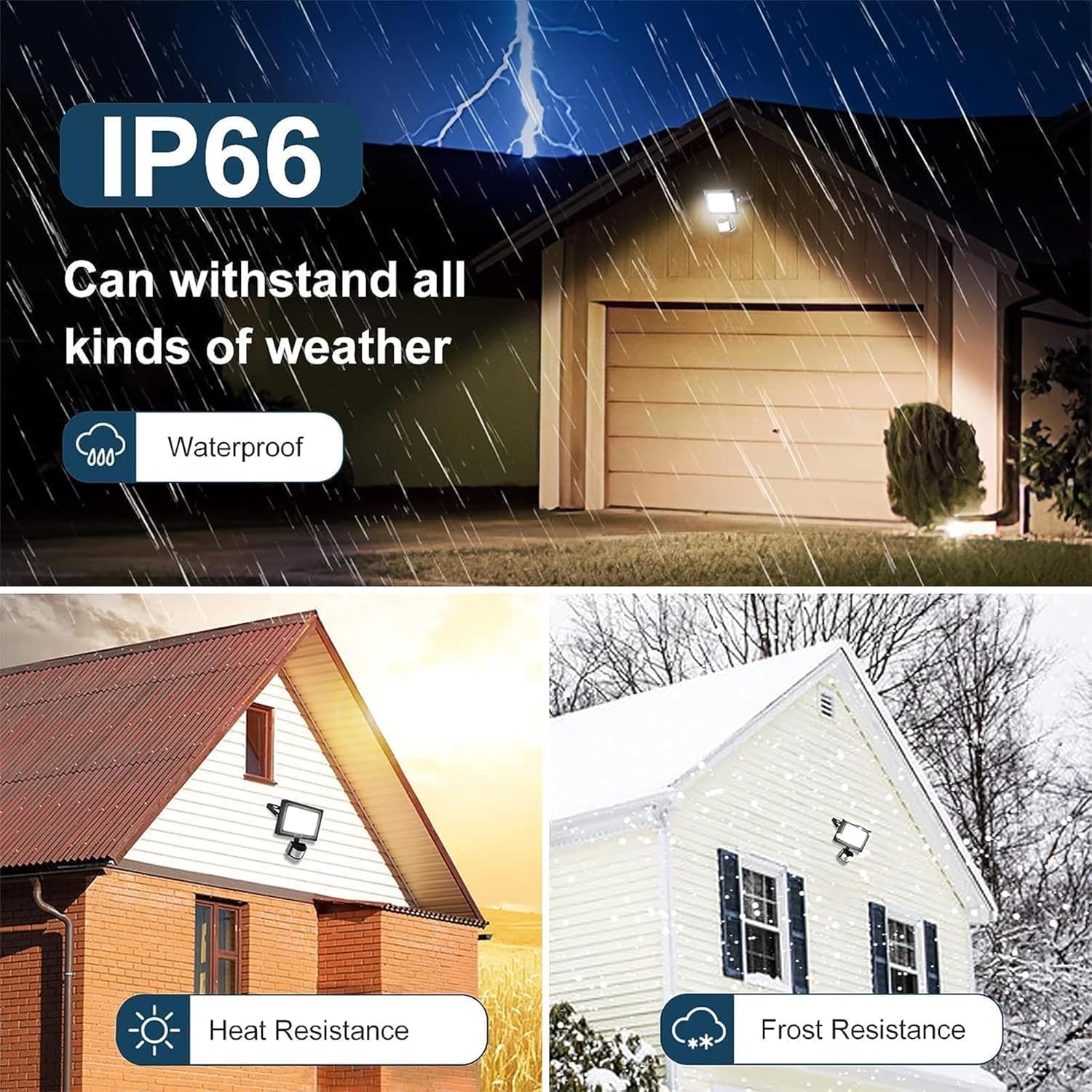
Image 7.1: Visual representation of the light's IP66 waterproof rating and resistance to various weather conditions like rain, heat, and snow.
8. טראָובלעשאָאָטינג
If you encounter issues with your CLY LED Security Light, refer to the following common problems and solutions:
| פּראָבלעם | מעגלעך סיבה | לייזונג |
|---|---|---|
| די ליכט צינדט זיך נישט אן ווען מען דעטעקטירט באוועגונג. | No power; Sensor sensitivity set to 'Moon' during daytime; Sensor obstructed; Motion outside detection range. | Check power connection; Change sensitivity to 'Sun' for day/night operation; Clear obstructions from sensor; Adjust sensor angle or light placement. |
| ליכט סטייז אויף קעסיידער. | Continuous motion in detection area; Sensor malfunction. | Ensure no constant motion (e.g., swaying branches, pets) is triggering the sensor; If problem persists, contact customer support. |
| Light turns on for too short/long a duration. | Incorrect lighting time setting. | Adjust the 'L' button setting on the sensor to the desired duration (10s, 45s, 120s, 600s). |
| ליכט פליקערט אדער איז שוואַך. | Unstable power supply; Damaged light unit. | Check power source stability; If problem persists, contact customer support. |
| Sensor is too sensitive or not sensitive enough. | Sensor angle or placement. | Adjust the sensor head's angle to narrow or widen the detection area. Ensure it's not pointing at heat sources or reflective surfaces. |
9. וואָראַנטי און שטיצן
CLY is committed to providing high-quality products. While specific warranty details are not provided in this manual, if you encounter any problems with your CLY LED Security Light, please do not hesitate to contact our customer support team. We are dedicated to ensuring your satisfaction.
For assistance, please refer to the contact information provided on the product packaging or the retailer's webפּלאַץ ווו איר געקויפט דעם פּראָדוקט.
Ask a question about this manual
Ask about setup, troubleshooting, compatibility, parts, safety, or missing instructions. Manuals+ will review the question and use this page’s manual context to help answer it.