
1. הקדמה
Thank you for choosing the CHiQ 22F650 22-inch FHD Monitor. This manual provides essential information for setting up, operating, and maintaining your monitor. Please read it thoroughly before use to ensure optimal performance and safety.
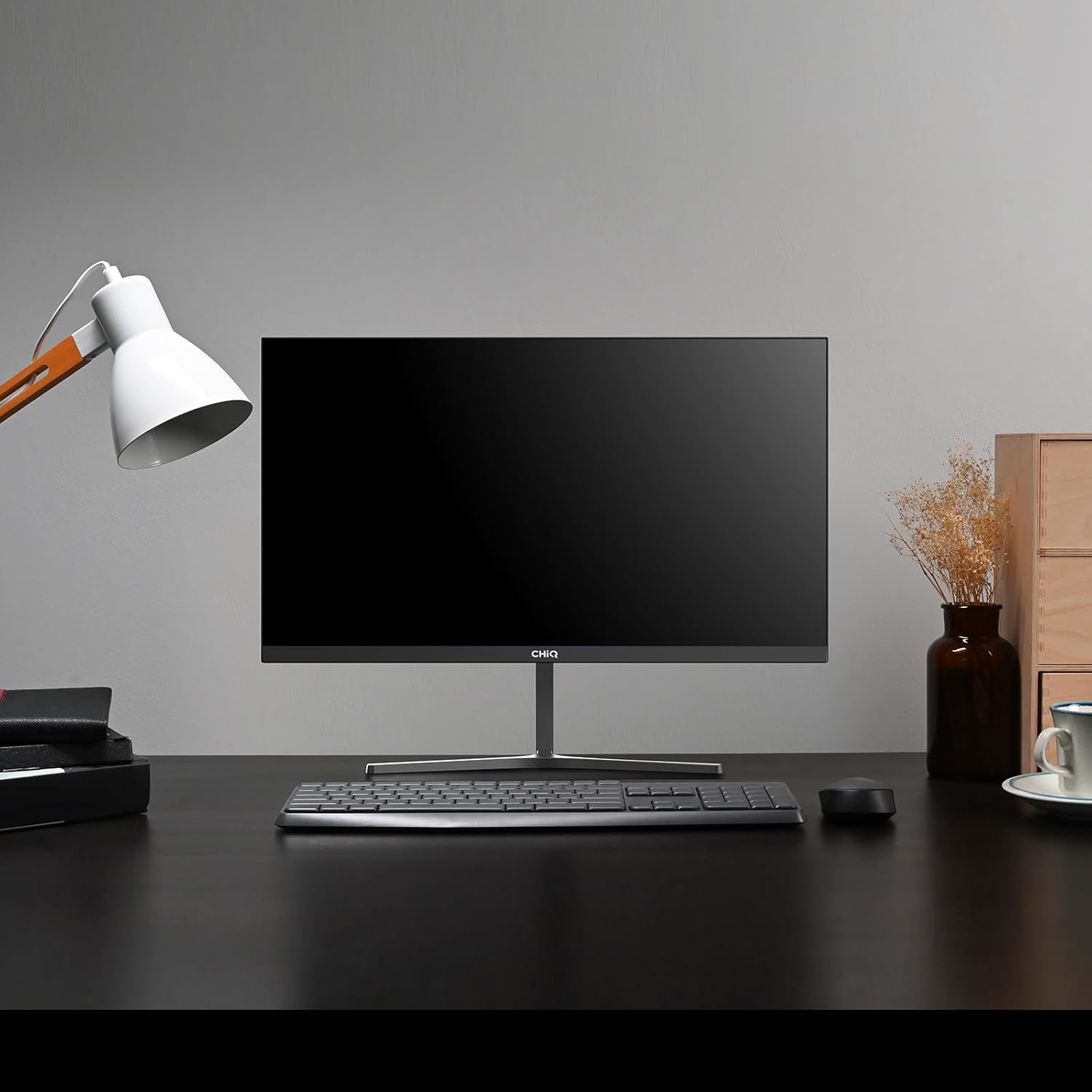
Image 1.1: The CHiQ 22F650 monitor set up on a desk.
The CHiQ 22F650 monitor features a 22-inch Full HD (1920 x 1080) display with a 100Hz refresh rate and AMD FreeSync technology for smooth visuals. Its ultra-thin, borderless design offers an immersive viewing experience, complemented by 100% sRGB color gamut and DC dimming for eye comfort.
2. זיכערקייַט אינפֿאָרמאַציע
Please observe the following safety precautions to prevent damage to the monitor and ensure your safety:
- שטעלט נישט אויס דעם מאָניטאָר צו רעגן, פייכטקייט, אדער עקסטרעמע טעמפּעראַטורן.
- זיכער מאַכן אַז די ווענטילאַציע אַרום דעם מאָניטאָר איז ריכטיק. בלאָקירט נישט די ווענטילאַציע עפענונגען.
- ניצט נאָר דעם מאַכט אַדאַפּטער און קייבלס וואָס זענען צוגעשטעלט אָדער רעקאָמענדירט דורך דעם פאַבריקאַנט.
- ויסמיידן פּלייסינג שווער אַבדזשעקץ אויף די מאַכט שנור.
- טרענט ארויס דעם שטראָם־שטעקן פֿון דער אַוטלעט אויב דער מאָניטאָר וועט נישט געניצט ווערן פֿאַר אַ לענגערער צײַט.
- פרובירט נישט צו פאררעכטן דעם מאָניטאָר אליין. לאָזט איבער אַלע סערוויסעס צו קוואַליפֿיצירטע פּערסאָנעל.
3. פּעקל אינהאַלט
באַשטעטיקן אַז אַלע זאכן זענען פאַראַן אין דיין פּעקל:
- CHiQ 22F650 Monitor
- מאָניטאָר שטאַנד (באַזע און האַלדז)
- מאַכט אַדאַפּטער און קאַבלע
- HDMI קאַבלע
- באַניצער מאַנואַל (דעם דאָקומענט)
4. אַסעמבלי און סעטאַפּ
4.1 צוזאַמענשטעלן דעם שטאַנד
- נעמט פֿאָרזיכטיק אַרויס דעם מאָניטאָר פֿון זײַן פּאַקעט, האַלטנדיק דעם עקראַן באַשיצט.
- באַפעסטיקט דעם שטאַנד האַלדז צום מאָניטאָר פּאַנעל.
- באַפֿעסטיקן דעם שטאַנד באַזע צום שטאַנד האַלדז מיט די צוגעשטעלטע שרויף.
The monitor features a quick detachable Y-shaped metal stand for easy assembly.
4.2 קאַנעקטינג די מאָניטאָר
Connect the monitor to your computer or other devices using the available ports:
- הדמי: פֿאַרבינדט אַן HDMI קאַבל פֿון אייער קאָמפּיוטער'ס HDMI אַרויסגאַנג צום מאָניטאָר'ס HDMI אַרייַנגאַנג.
- ווגאַ: פֿאַרבינדט אַ VGA קאַבל פֿון אייער קאָמפּיוטער'ס VGA אַרויסגאַנג צום מאָניטאָר'ס VGA אַרייַנגאַנג.
- אַודיאָ: Connect headphones or external speakers to the 3.5mm headphone output jack.
- מאַכט: פֿאַרבינדט דעם מאַכט אַדאַפּטער צום מאָניטאָר'ס גלייכשטראָם אַרייַנגאַנג און דערנאָך שטעקט עס אַרײַן אין אַ מאַכט ווענטיל.

Image 4.1: Monitor connectivity ports (HDMI, VGA, Headphone Output).
4.3 Adjusting the Monitor Angle
The monitor's stand allows for tilt adjustment from +5° to -15° to achieve an optimal viewינג ווינקל.

Image 4.2: Monitor tilt adjustment and VESA mount points.
4.4 וועסאַ וואַנט מאָונטינג
The monitor is compatible with VESA 75x75mm wall mounts. To mount the monitor on a wall, remove the stand and attach a compatible VESA bracket (sold separately) to the mounting holes on the back of the monitor.
5. אַפּערייטינג ינסטרוקטיאָנס
5.1 מאַכט אויף / אַוועק
דריק דעם מאַכט קנעפּל וואָס געפינט זיך אויף דער הינטערשטער זייט פון מאָניטאָר צו עס אנצינדן אָדער אויסלעשן.
5.2 אויף-סקרין ווייַז (אָסד) מעניו
The monitor features joystick-type buttons on the rear for navigating the OSD menu. Use these buttons to adjust various display settings:
- ברייטנאַס / קאַנטראַסט: אַדזשאַסטירן די אַלגעמיינע לומינאַנס און דעם חילוק צווישן ליכטיקע און טונקעלע געביטן.
- קאָליר סעטטינגס: מאָדיפֿיצירן קאָליר טעמפּעראַטור, גאַמאַ, און יחידישע RGB ווערטן.
- אַרייַנשרייַב מקור: מאַנועל אויסקלײַבן צווישן HDMI און VGA אינפּוטס.
- בילד מאָדע: קלייבט פון פארגעשטעלטע ווייזונג מאָדעס (למשל, סטאַנדאַרט, שפּיל, פֿילם).
- אַודיאָ: Adjust volume for the headphone output.

Image 5.1: Visual features of the CHiQ 22F650 monitor, including 100% sRGB and DC Dimming.
5.3 פריסינק טעכנאָלאָגיע
The CHiQ 22F650 monitor supports AMD FreeSync technology, which synchronizes the monitor's refresh rate with your graphics card's frame rate. This helps eliminate screen tearing and stuttering, providing a smoother gaming and viewing experience. FreeSync is typically enabled automatically when connected to a compatible AMD graphics card.
Video 5.1: This video demonstrates the smooth performance of the CHiQ 22F650 monitor, highlighting features like 100Hz refresh rate and FreeSync technology, and its ultra-thin design.
6. וישאַלט
6.1 רייניקונג די מאָניטאָר
- שטענדיק ארויסנעמען דעם מאָניטאָר פֿון דער עלעקטרישער אַוטלעט איידער איר רייניגט.
- ניצן אַ ווייך, לינט-פֿרייַ שטאָף לייטלי דampאָפּגעווישט מיט וואַסער אָדער אַ מילד, נישט-אַברייסיוו פאַרשטעלן רייניגער.
- שפריצט נישט רייניגער גלייך אויפן עקראַן.
- ווישט דעם עקראַן לײַכט צו באַזײַטיקן שטויב און פֿלעקן.
- פֿאַר דעם מאָניטאָר casinג, ניצט אַ ווייכן, טרוקענעם שטאָף.
6.2 סטאָרידזש
If storing the monitor for an extended period, place it in its original packaging in a dry, cool environment to protect it from dust and damage.
7. טראָובלעשאָאָטינג
אויב איר טרעפט פּראָבלעמען מיט אייער מאָניטאָר, זעט די פאלגענדע געוויינטלעכע פּראָבלעמען און לייזונגען:
| פּראָבלעם | מעגלעך סיבה | לייזונג |
|---|---|---|
| קיין בילד אויף פאַרשטעלן | Power cable disconnected, video cable loose/disconnected, incorrect input source selected. | Check power and video cable connections. Ensure the correct input source (HDMI/VGA) is selected in the OSD menu. |
| בילד איז פארשוואומען אדער פארדרייט | Incorrect resolution, faulty video cable. | Set the display resolution to 1920 x 1080. Try a different video cable. |
| קאָלאָרס זענען פאַלש | Color settings in OSD, faulty video cable. | אַדזשאַסטירן קאָליר סעטטינגס אין די OSD מעניו. פּרוּווט אַן אַנדער ווידעאָ קאַבל. |
| סקרין פליקער | Refresh rate mismatch, FreeSync issue, faulty cable. | Ensure your graphics card output matches the monitor's 100Hz refresh rate. Check FreeSync settings. Try a different video cable. |
| No audio from headphone output | Volume too low, incorrect audio output selected on computer. | Adjust volume in OSD. Ensure the monitor is selected as the audio output device on your computer. |
8. ספּעסאַפאַקיישאַנז
Detailed technical specifications for the CHiQ 22F650 monitor:
| שטריך | באַשרייַבונג |
|---|---|
| סאָרט | CHiQ |
| מאָדעל נומער | 22F650 |
| פאַבריקאַנט | טשאַנגהאָנג |
| פאַרשטעלן גרייס | 22 אינטשעס |
| האַכלאָטע | FHD 1080p (1920 x 1080 פּיקסעלס) |
| אַספּעקט פאַרהעלטעניש | 16:9 |
| פאַרשטעלן ייבערפלאַך | Anti-glare / Anti-slip |
| קאַנטראַסט פאַרהעלטעניש | 3000:1 |
| ענטפער צייט | 6 מיליסעקאַנדז |
| דערפרישן קורס | 100 הז |
| אַדאַפּטיוו סינק | FreeSync |
| ווייַז טיפּ | לקד |
| Viewינג אַנגלע | 178 דיגריז |
| ברייטנאַס | 250 candelas per square meter |
| בילד ענכאַנסמאַנט | DC Dimming, Anti-glare coating |
| דימענשאַנז (די רענטגענ וו x ה) | 13.9 X 49.3 X 37.7 סענטימעטער |
| וואָג | 1.92 קילאָגראַמס |
| קאַנעקטיוויטי | 1x HDMI, 1x VGA, 1x Headphone Output |
| וועסאַ בארג | Wall mount (75x75mm) |
| Voltage | 220 וואלטס |
| קאָליר | שוואַרץ |
Image 8.1: Product Information Sheet with technical data. For more details, visit the EPREL דייטאַבייס.
Image 8.2: EU Energy Label for the CHiQ 22F650 monitor. For more details, visit the EPREL דייטאַבייס.
9. וואָראַנטי און שטיצן
9.1 וואָראַנטי אינפֿאָרמאַציע
CHiQ monitors are protected by a 3 יאָר וואָראַנטיביטע באַהאַלטן אייער קויפן באַווייַז פֿאַר וואָראַנטי קליימז.
9.2 קונה שטיצן
If you encounter any problems or have questions regarding your CHiQ 22F650 monitor, please do not hesitate to contact CHiQ customer service. An online hotline managed by professional staff is available on weekdays to assist you.
For further assistance, please visit the official CHiQ webזייטל אדער זעט די קאנטאקט אינפארמאציע וואס איז צוגעשטעלט געווארן מיט אייער פראדוקט דאקומענטאציע.