
MYZONE MZ-20
MYZONE MZ-20 Bluetooth Digital Bathroom Scale User Manual
מאָדעל: MZ-20
הקדמה
This manual provides essential information for the safe and effective use of your MYZONE MZ-20 Bluetooth Digital Bathroom Scale. Please read these instructions thoroughly before use and retain for future reference.
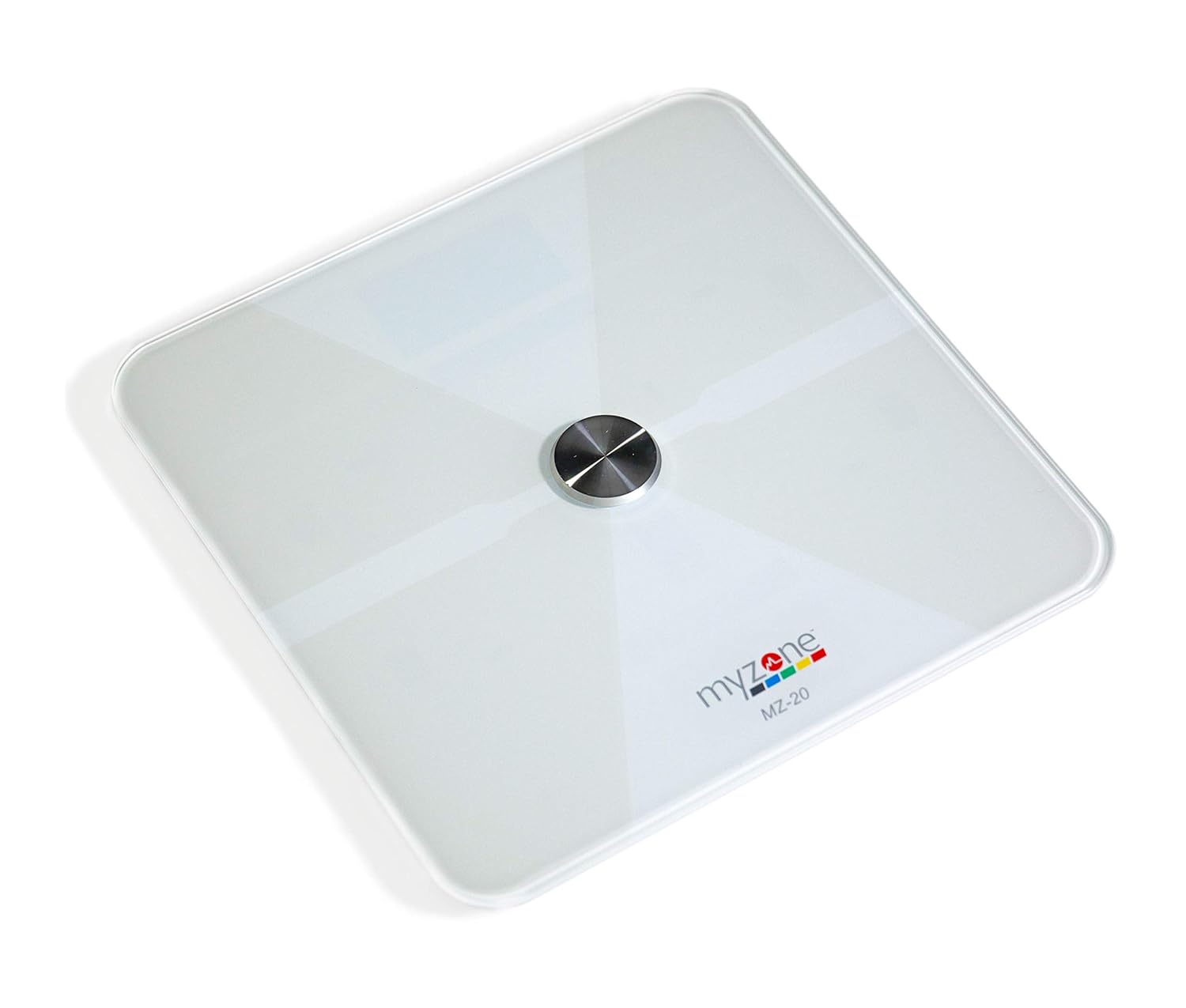
בילד: פון אויבן אַראָפּ view of the MYZONE MZ-20 Digital Bathroom Scale, white with a central metallic sensor and MYZONE logo.
וויכטיק סאַפעטי אינפֿאָרמאַציע
- ניצט נישט אויב איר האָט אַ פּייסמייקער אָדער אַנדערע אינערלעכע מעדיצינישע דעווייס.
- דו זאלסט נישט נוצן אויב איר זענט שוואַנגער.
- שטענדיק שטעלן די וואָג אויף אַ שווער, פלאַך ייבערפלאַך פֿאַר פּינטלעך מעזשערמאַנץ.
- האַלט די וואָג טרוקן. טונקט עס נישט אין וואַסער.
- די גלאָז ייבערפלאַך קען זיין גליטשיק ווען נאַס. טרעט אַרויף און אַראָפּ פֿאָרזיכטיק.
- This device is for home use only and should not be used for medical diagnosis or treatment.
פּעקל אינהאַלט
- MYZONE MZ-20 Digital Bathroom Scale
- 4 X AAA באַטעריז (אַרייַנגערעכנט)
- באַניצער מאַנואַל (דעם דאָקומענט)
סעטאַפּ
1. באַטאַרייע ייַנמאָנטירונג
- עפענען די באַטאַרייע אָפּטייל אויף די אַנדערסייד פון די וואָג.
- אַרײַנשטעלן די 4 AAA באַטעריעס, און זיכער מאַכן אַז די פּאָלאַריטעט איז ריכטיק (+/-).
- פאַרמאַכן די באַטאַרייע אָפּטייל סיקיורלי.
2. אַפּ דאַונלאָוד און פּערינג
To utilize the full features of the MZ-20 scale, including body composition analysis and progress tracking, download the MYZONE app on your mobile device.
- Download the "MYZONE" app from your device's app store (iOS or Android).
- Create an account or log in to your existing MYZONE account.
- געבן בלועטאָאָטה אויף דיין רירעוודיק מיטל.
- Open the MYZONE app and navigate to the device pairing section.
- Step onto the scale to activate it. The scale will automatically attempt to pair with the app via Bluetooth Low Energy (BLE).
- פֿאָלגט די אינסטרוקציעס אויף דעם עקראַן אין דער אַפּ צו פֿאַרענדיקן דעם פּערינג פּראָצעס.
3. ערשט קאַלאַבריישאַן
For the most accurate readings, it is recommended to perform an initial calibration. Place the scale on a hard, flat surface. Step on the scale briefly until a reading appears, then step off. The scale will display "0.0" or similar, indicating it is ready for use. Some users may observe slight variations in initial readings which stabilize after a few uses.
אַפּערייטינג ינסטראַקשאַנז
1. גענומען אַ מעזשערמאַנט
- שטעלן די וואָג אויף אַ שווער, פלאַך ייבערפלאַך.
- זיכער מאַכן אַז אייערע פֿיס זענען ריין און טרוקן.
- Step onto the scale barefoot, centering your feet on the metallic pads. Stand still until the display shows your weight.
- If connected to the MYZONE app, open the app before stepping on the scale. Your measurements (weight, body fat, muscle mass, body water, bone mass, Basal Metabolic Rate) will automatically sync to the app.

Image: A person stands barefoot on the MYZONE MZ-20 scale, demonstrating how to take a measurement. An overlay graphic illustrates the various body metrics recorded, including weight, body fat, muscle mass, and visceral fat.
2. Understanding Body Metrics
The MZ-20 scale provides comprehensive tracking of various physical characteristics:
- וואָג: דיין גאַנצע קערפּער מאַסע.
- Body Fat %: די פּראָצענטtagע פון דיין גאַנצן קערפּער וואָג וואָס איז פעט.
- מוסקל מאַסע: די גאַנצע וואָג פון מוסקלען אין דיין קערפּער.
- גוף וואַסער%: די פּראָצענטtage פון דיין גאַנצן קערפּער וואָג וואָס איז וואַסער.
- ביין מאַסע: די גאַנצע וואָג פון ביין אין דיין קערפּער.
- Basal Metabolic Rate (BMR): די צאָל קאַלאָריעס וואָס זענען נויטיק צו האַלטן דיין גוף פאַנגקשאַנינג אין רו.

Image: An infographic displaying icons and labels for the various body metrics measured by the MZ-20 scale, including Weight, Body Fat, Muscle Mass, Body Water, Bone Mass, and Basal Metabolic Rate. It also highlights features like included batteries, Bluetooth connectivity, digital display, and support for multiple users.
3. Using the MYZONE App
The MYZONE app allows you to view, track, and analyze your body metrics over time. Data is saved directly to the app for easy access and progress monitoring.

Image: A smartphone screen shows the MYZONE app interface, displaying a user's body metrics such as Resting Heart Rate, Weight, Basal Metabolic Rate, Body Fat Percentage, and Body Mass Index (BMI).
4. קייפל יוזערז
The MYZONE MZ-20 scale supports multiple users. Each user should create their own profile within the MYZONE app. When a user steps on the scale, the app will attempt to identify the user based on their weight history. If multiple users have similar weights, the app may prompt you to select the correct user.
וישאַלט
1. רייניקונג
ווישן די וואָג ייבערפלאַך מיט אַדamp cloth and mild detergent. Do not use abrasive cleaners or immerse the scale in water. Ensure the scale is dry before storage or next use.
2. באַטערי פאַרבייַט
When the battery indicator appears on the display, replace all 4 AAA batteries. Always replace with new batteries of the same type. Remove batteries if the scale will not be used for an extended period.
טראָובלעשאָאָטינג
| פּראָבלעם | מעגלעך סיבה / לייזונג |
|---|---|
| די וואָג צינדט זיך נישט אָן אָדער די עקראַן איז ליידיק. |
|
| נישט פּינקטלעכע אָדער נישט קאָנסיסטענטע לייענונגען. |
|
| Scale reading does not match app reading. |
|
| Body metrics (fat, muscle, etc.) seem inaccurate. |
|
| Cannot connect to MYZONE app via Bluetooth. |
|
ספּעסאַפאַקיישאַנז
| שטריך | דעטאַל |
|---|---|
| סאָרט | MYZONE |
| מאָדעל | MZ-20 |
| קאָליר | ווייַס |
| ספּעציעלע פֿעיִקייטן | Body Fat, Bone Mass, Muscle Mass, Smart (Bluetooth connectivity) |
| ווייַז טיפּ | געפירט |
| פאָרם פאַקטאָר | מיני |
| פּראָדוקט דימענשאַנז | 12.2 X 12.2 X 0.79 אינטשעס |
| פּונקט וואָג | 4.18 פונט (1.9 קילאָגראַמס) |
| באַטעריז | 4 AAA באַטעריז (אַרייַנגערעכנט) |
| קאַנעקטיוויטי | בלועטאָאָטה לאָו ענערגיע (בלע) |

Image: The MYZONE MZ-20 scale shown with its dimensions: 13.4 inches in length and width, and 1.97 inches in height.
פּראָדוקט איבערview ווידעא
ווידעא: אן אפיציעלע איבערview of the MYZONE MZ-20 Home Scales, demonstrating its sleek design, live body metric data streaming to a mobile device, and progress tracking features within the MYZONE app.
וואָראַנטי אינפֿאָרמאַציע
Warranty claims on any MYZONE product can only be approved by Myzone.org. Please refer to the official MYZONE webזייטל פֿאַר דעטאַלירטע וואָראַנטי טערמינען און באדינגונגען.
שטיצן
For further assistance, technical support, or frequently asked questions, please visit the official MYZONE support page or contact customer service:
- באַאַמטער Webפּלאַץ: www.myzone.org
- קונה סערוויס: Refer to the contact information on the official webפּלאַץ.
Ask a question about this manual
Ask about setup, troubleshooting, compatibility, parts, safety, or missing instructions. Manuals+ will review the question and use this page’s manual context to help answer it.