
הקדמה
Thank you for choosing the litokam 2.5K 4MP QHD Outdoor PTZ Security Camera. This manual provides detailed instructions for setting up, operating, and maintaining your camera to ensure optimal performance and security for your home. This camera features 2.5K 4MP QHD resolution, 360° pan/tilt monitoring, AI motion detection, color night vision, and two-way audio communication.
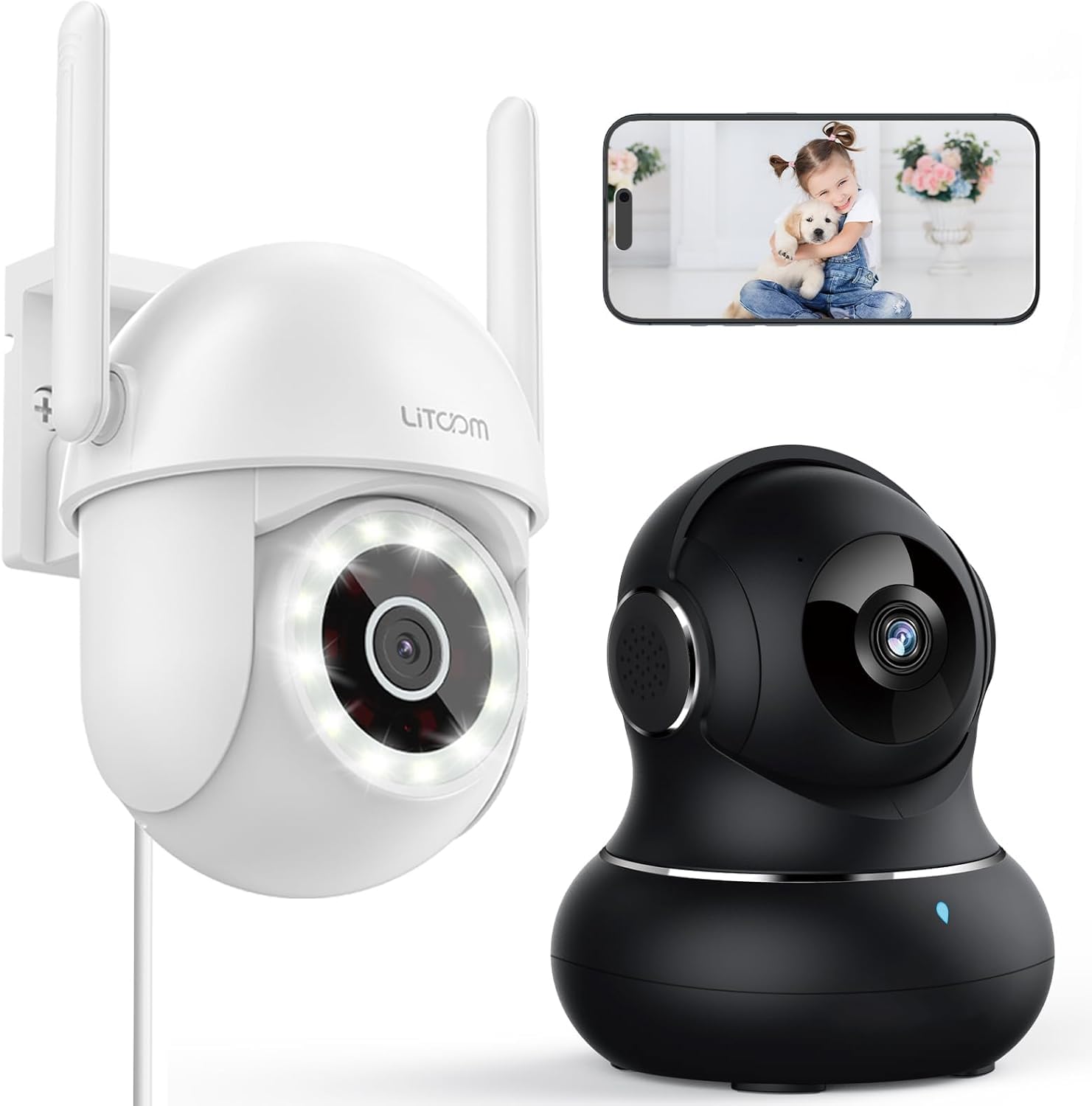
בילד: איבערview of the litokam 2.5K 4MP QHD Outdoor PTZ Security Camera.
סעטאַפּ גייד
1. פּעקל אינהאַלט
Before installation, please ensure all components are present:
- litokam 2.5K 4MP QHD Outdoor PTZ Security Camera
- מאַכט אַדאַפּטער
- מאַונטינג סקרוז און אַנגקערז
- באַניצער מאַנואַל (דעם דאָקומענט)
2. פּאַוערינג די קאַמעראַ
The camera requires a direct power supply. Connect the provided power adapter to the camera's power input port and then plug it into a standard electrical outlet. Ensure the power source is stable.
3. מאָונטינג די קאַמעראַ
די קאַמעראַ איז דיזיינד פֿאַר וואַנט-מאָנטירונג. קלייַבט אַ פּאַסיק אָרט וואָס גיט די געוואונטשענע viewing angle and is within range of your 2.4GHz Wi-Fi network. Use the included screws and anchors to securely mount the camera.
- מאַרקירט די בויער־פונקטן אויף דער וואַנט ניצנדיק די קאַמעראַ'ס באַזע ווי אַ מוסטער.
- בויער האָלעס אין די אנגעצייכנט פונקטן.
- אַרייַנלייגן די פּלאַסטיק אַנגקערז אין די דרילד האָלעס.
- Align the camera base with the holes and secure it with the screws.
4. אַפּ אינסטאַלאַציע און Wi-Fi פֿאַרבינדונג
To operate the camera, you need to download the litokam app on your smartphone (compatible with Android and iOS). The camera only works with 2.4GHz Wi-Fi networks.
- Download the litokam app from your device's app store.
- רעגיסטרירן אָדער קלאָץ אין צו דיין חשבון.
- Follow the in-app instructions to add your new camera. This typically involves scanning a QR code on the camera or manually selecting the device type and entering Wi-Fi credentials.
- Ensure your phone is connected to a 2.4GHz Wi-Fi network during the setup process.
אַפּערייטינג ינסטראַקשאַנז
1. לייוו View און פּאַן/טילט קאָנטראָל
Access the live video feed through the litokam app. The camera offers 360° pan and tilt functionality, allowing you to remotely adjust the viewing angle. Use the on-screen controls in the app to pan horizontally and tilt vertically.

Image: Remote Pan/Tilt/Zoom (PTZ) control via the mobile application, showing 360° horizontal viewing angle and 3X digital zoom.
The camera also supports 3X digital zoom to view details more closely within the live feed.
2. AI Motion Detection and Alerts
The camera features PIR motion detection and advanced AI analytics to accurately identify and differentiate between people and vehicles, significantly reducing false alarms. When motion is detected, real-time alerts are sent to your phone.

Image: AI analysis detecting a vehicle in the surveillance area, reducing false alarms.

Image: The camera detecting motion, with options for real-time alerts and app notifications.
You can customize alert settings, including siren activation and flashing white light, to deter unwanted visitors.
3. Two-Way Audio Communication
With a built-in microphone and speaker, the camera enables two-way audio. Use the app to speak with visitors, family members, or pets directly through the camera, or to warn intruders.

Image: Demonstrating two-way audio, allowing communication with a person at the door.
4. נאכט זעאונג מאָדעס
The camera offers three night vision options for clear monitoring up to 33 feet in low-light conditions:
- ינפרערעד מאָדע: סטאַנדאַרד שוואַרץ און ווייסע נאַכט זעאונג ניצן ינפראַרעד על-אי-די-עס.
- Full-Color Mode: Utilizes the built-in LED spotlight to provide full-color video even at night.
- קלוג מאָדע: Automatically switches between infrared and full-color mode based on detected motion or light conditions.

Image: Comparison of standard night vision (left) and full-color night vision (right) with LED spotlight activated.

Image: Visual representation of 4MP HD resolution for clearer images, comparing it to lower resolution.
5. מולטי-באַניצער ייַנטיילונג
The litokam app allows you to share camera access with multiple users, such as family members. This enables several people to view the live feed and receive alerts simultaneously.

Image: The litokam app interface showing multi-user access and sharing capabilities across different devices (Android, iOS, Tablet, PC Software).
וישאַלט
1. רייניקונג די קאַמעראַ
To ensure clear image quality, periodically clean the camera lens and housing. Use a soft, damp cloth to wipe away dust and dirt. Avoid using harsh chemicals or abrasive materials that could damage the lens or finish.
2. פירמוואַרע דערהייַנטיקונגען
Keep your camera's firmware updated to benefit from the latest features and security enhancements. Check for available updates within the litokam app and follow the on-screen instructions to install them.
3. וועטער קעגנשטעל
The camera has an IP65 rating, indicating it is protected against dust and water jets. This allows for efficient, all-weather operation, withstanding rain, snow, and harsh conditions. No special weather-related maintenance is typically required beyond ensuring the power connection remains secure and protected.
טראָובלעשאָאָטינג
If you encounter issues with your litokam security camera, refer to the following common solutions:
- אַפּאַראַט אָפפלינע:
- Ensure the camera is properly powered and the power adapter is securely connected.
- Verify your Wi-Fi router is working and the camera is within range of a 2.4GHz Wi-Fi signal.
- ריסטאַרט די קאַמעראַ דורך אַרויסציען און ווידער אַרײַנשטעקן דעם מאַכט אַדאַפּטער.
- Check the litokam app for any network status indicators or troubleshooting guides.
- קענען ניט פאַרבינדן צו Wi-Fi:
- Confirm your Wi-Fi network is 2.4GHz. The camera does not support 5GHz Wi-Fi.
- פאַרזיכערן אַז איר אַרייַן די ריכטיק Wi-Fi פּאַראָל.
- Move the camera closer to your Wi-Fi router during the setup process.
- Reset the camera (refer to the app for specific reset instructions, usually a small button).
- נעבעך בילד קוואַליטעט:
- ריין די אַפּאַראַט אָביעקטיוו מיט אַ ווייך שטאָף.
- זיכער מאַכן אַז עס זענען נישטאָ קיין שטערונגען פֿאַר דער לינז.
- קאָנטראָלירט אייער אינטערנעט פֿאַרבינדונג גיכקייט; אַ פּאַמעלעכע פֿאַרבינדונג קען אַפעקטירן סטרימינג קוואַליטעט.
- באַוועגונג דעטעקשאַן ניט ארבעטן:
- Verify motion detection settings are enabled in the litokam app.
- Adjust sensitivity levels if necessary.
- זיכער מאַכן אַז די קאַמעראַ view איז נישט פארמאכט.
For further assistance, please contact litokam customer support or refer to the FAQ section within the litokam app.
ספּעסאַפאַקיישאַנז
| שטריך | דעטאַל |
|---|---|
| מאָדעל | 2.5K 4MP QHD Outdoor PTZ Security Camera |
| ווידעא קאַפּטורע רעסאָלוטיאָן | 2.5K, 4 MP (2560*1440) |
| דיגיטאַל פארגרעסער | 3X |
| Pan/Tilt Coverage | 360° |
| קאַנעקטיוויטי פּראָטאָקאָל | Wi-Fi (נאָר 2.4GHz) |
| מאַכט מקור | Wired (Direct Power Supply) |
| באַוועגונג דעטעקשאַן | PIR Motion Detection, Advanced AI Analytics (Person/Vehicle Differentiation) |
| נאַכט זעאונג | Full-Color, Infrared, Smart Mode (up to 33ft visible range) |
| אַודיאָ | Two-Way Audio (Built-in Microphone & Speaker) |
| וועטער קעגנשטעל | IP65 רייטאַד |
| קאַמפּאַטאַבאַל דעוויסעס | Smartphone (Android, iOS), PC Software |
| מאַונטינג טיפּ | וואנט בארג |
| ASIN | B0CX91MDJ4 |
וואָראַנטי און שטיצן
וואָראַנטי אינפֿאָרמאַציע
For detailed warranty information, please refer to the warranty card included with your product or visit the official litokam webזייטל. גאַראַנטיע טערמינען און באדינגונגען קענען זיין אַנדערש לויט געגנט און קויף דאַטע.
קונה שטיצן
If you require technical assistance, have questions about your product, or need to report an issue, please contact litokam customer support. You can typically find contact information (email, phone, or support portal) on the official litokam website or within the litokam mobile application.
Please have your product model and ASIN (B0CX91MDJ4) ready when contacting support for faster service.