
פּעסקי ק-51
Peski Karaoke Machine User Manual
Model: K-51 | Brand: Peski
הקדמה
Thank you for choosing the Peski Portable Bluetooth Mini Karaoke Machine. This compact and versatile system is designed to bring joy and entertainment to your home parties, family gatherings, and outdoor events. Featuring astonishing sound, long battery life, Bluetooth 5.0 TWS technology, magic voice effects, and colorful lights, it's perfect for all ages. This manual provides detailed instructions for setup, operation, and maintenance to ensure you get the most out of your new karaoke machine.
וואָס איז אין די קעסטל
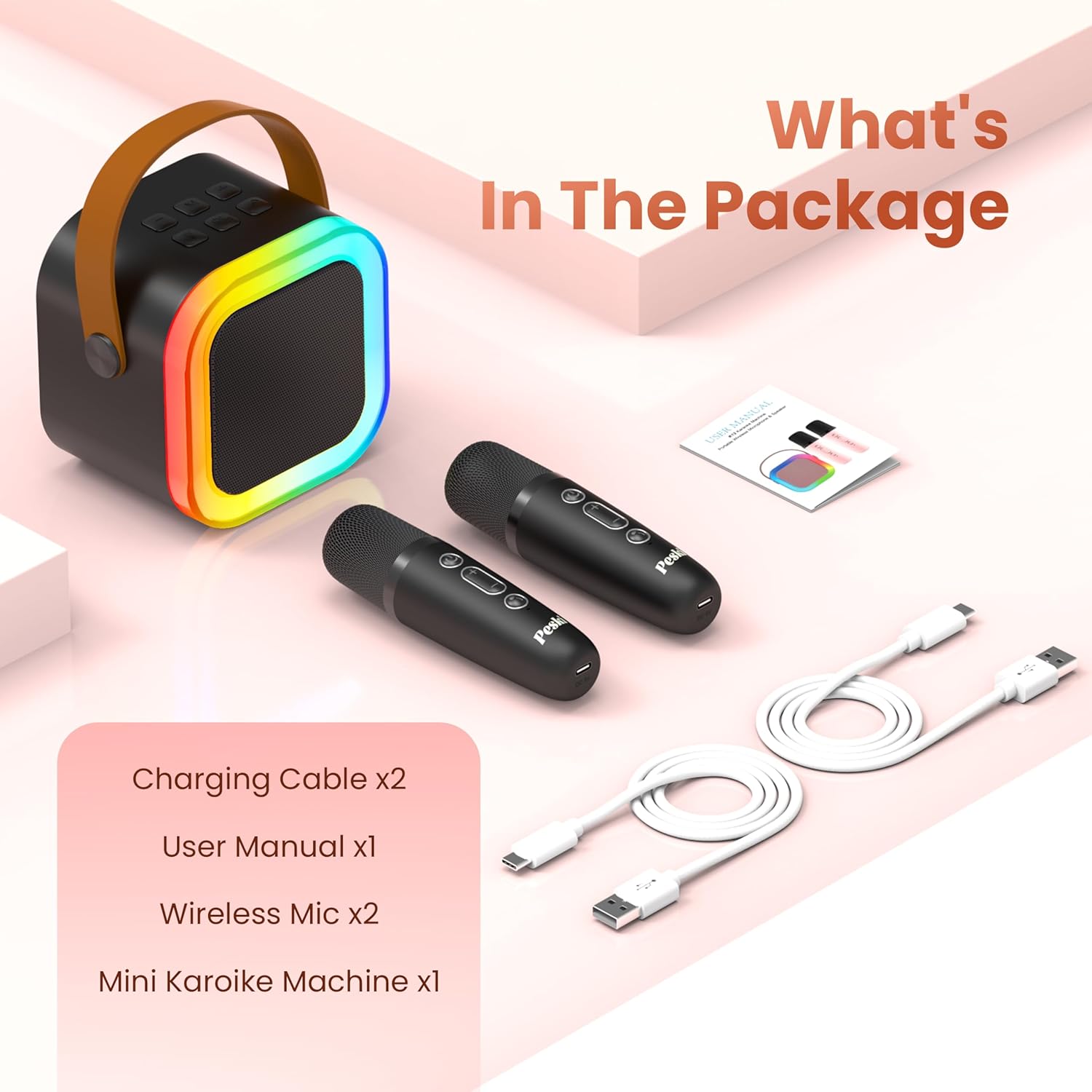
Image: All components included in the Peski Karaoke Machine package.
- Mini Karaoke Machine x1
- ווירעלעסס מיקראָפאָן x2
- וסב קאַבלע x2
- באַניצער מאַנואַל x1
פּראָדוקט איבערview
Main Unit (Speaker)
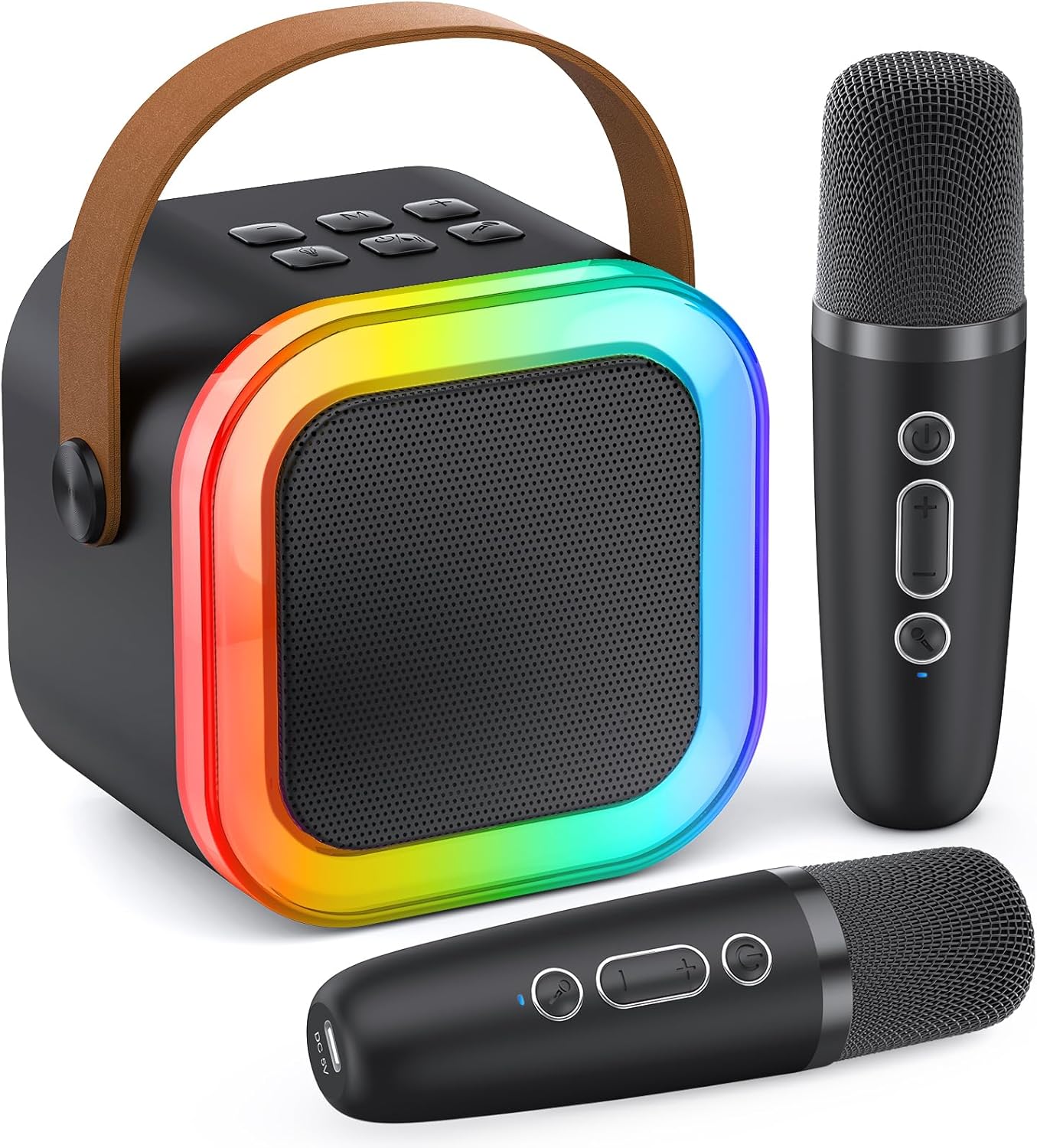
Image: The Peski Mini Karaoke Machine speaker, showcasing its compact design and vibrant LED light ring.
The main unit features a professional tuning grade speaker with subwoofers and tweeters for clear, powerful stereo sound. It includes a dynamic colorful LED light show that can sync with your music.
Control Panel & Ports

Image: Detailed diagram showing the control buttons on both the speaker and the wireless microphones.

Image: Diagram illustrating the various input and output ports on the back of the speaker unit, including USB, Micro SD, Headphone, and Type-C charging port.
The speaker features intuitive controls for volume, play mode, echo, power, and lights. It also includes multiple input options: TF card slot, USB port, AUX input, and a Type-C charging port.
ווירעלעסס מיקראָפאָנעס
The system comes with two wireless microphones that automatically pair with the speaker. Each microphone has controls for power, volume, and magic voice effects. They are also rechargeable via USB-C.

Image: Two children holding microphones, with illustrations of the five magic voice effects: Monster, Baby, Female, Male, and Original/Accompaniment.
סעטאַפּ
1. אויפלאָדן די דעווייסעס
Before first use, fully charge the karaoke machine speaker and both wireless microphones. Use the provided USB cables for charging.
- רעדנער: Connect the Type-C USB cable to the speaker's charging port and a compatible USB power adapter (not included). The charging indicator light will show charging status.
- מיקראָפאָן: Connect the USB cables to the charging port on the bottom of each microphone and a compatible USB power adapter.
Note: The speaker can provide 6-10 hours of playtime on a 2-3 hour charge. Playtime may vary based on volume and light usage.

Image: Visual representation of the speaker's battery life (6-10 hours playtime) and charging time (2-3 hours for 1500mAh battery).
2. בלועטאָאָטה פּערינג
- Power on the karaoke machine speaker by pressing the ON/OFF button.
- Power on the wireless microphones. They will automatically connect to the speaker.
- אַקטיווירן בלועטוט אויף דיין סמאַרטפאָון, טאַבלעט, אָדער אַנדער קאָמפּאַטיבל מיטל.
- זוכן פֿאַר "K-51" (or similar product name) in the Bluetooth device list and select it to pair.
- Once paired, you will hear a confirmation sound from the speaker. You can now play music from your device through the karaoke machine.
The Bluetooth 5.0 technology ensures stable transmission up to 50 feet without obstacles.

Image: Illustration of the speaker's Bluetooth 5.0 connectivity, showing a 50-foot wireless range and compatibility with various devices and music/karaoke applications like Starmaker, Spotify, Sing Karaoke, YouTube, and Smule.
3. אנדערע קאַנעקשאַן מעטהאָדס
- TF קאָרט: Insert a TF (Micro SD) card into the designated slot on the speaker. The machine will automatically switch to TF card playback mode.
- וסב: Insert a USB drive into the USB port on the speaker. The machine will automatically switch to USB playback mode.
- AUX אַרייַנשרייַב: Connect an external audio device (e.g., TV, PC) to the AUX input port using a 3.5mm audio cable (not included).
אַפּערייטינג ינסטראַקשאַנז
רעדנער קאָנטראָלס:
- ON/OFF (7): Press to power on/off the speaker.
- Vol - / Previous (1): Short press for previous track, long press to decrease speaker volume.
- Play Mode (2): Press to switch between Bluetooth, TF card, USB, and AUX modes.
- Vol + / Next (3): Short press for next track, long press to increase speaker volume.
- ECHO (4): Press to adjust the echo effect level.
- ON/OFF-PLAY/PAUSE (5): דרוק צו שפּילן אָדער פּויזע מוזיק.
- LIGHTS (6): Press to cycle through different colorful disco light effects or turn them off.
מיקראָפאָן קאָנטראָלס:
- Microphone VOL + (8): Press to increase microphone volume (5 levels).
- Microphone VOL - (9): Press to decrease microphone volume (5 levels).
- Magic Sounds (10 - Short Press): Short press to cycle through 5 magic voice effects: monster, baby, female, male, original/accompaniment.
- Remove/Restore Music Vocals (10 - Long Press): Long press to remove or restore the vocals from the playing music, turning it into an accompaniment track.
Using Two Microphones:
The two wireless microphones automatically pair with the speaker and can be used simultaneously for duets or group performances.
וישאַלט
- האַלט דעם אַפּאַראַט טרוקן. שטעלט עס נישט אויס צו וואַסער אָדער צו פיל הומידיטי.
- רייניקט די ייבערפלאַך מיט אַ ווייכן, טרוקענעם שטאָף. ניצט נישט קיין שרײַבנדיקע רייניגערס אדער סאָלווענטן.
- קראָם אין אַ קיל, טרוקן אָרט אַוועק פון דירעקט זונשייַן און עקסטרעם טעמפּעראַטורעס.
- ויסמיידן דראַפּינג אָדער אונטערטעניק די מיטל צו שטאַרק ימפּאַקץ.
- ווען נישט אין באַנוץ פֿאַר לענגערע פּעריאָדן, לאָדט די באַטאַרייע אָפּ פֿון צייט צו צייט צו האַלטן איר לעבן.
טראָובלעשאָאָטינג
| פּראָבלעם | מעגלעך סיבה | לייזונג |
|---|---|---|
| קיין קלאַנג פֿון רעדנער. | Speaker is off; Volume is too low; Not paired via Bluetooth; Incorrect input mode. | Ensure speaker is on; Increase speaker volume; Re-pair Bluetooth; Switch to correct input mode (Bluetooth, TF, USB, AUX). |
| מיקראָפאָן טוט נישט אַרבעטן. | Microphone is off; Microphone battery is low; Microphone volume is too low. | Power on microphone; Charge microphone; Increase microphone volume. |
| בלועטוט פֿאַרבינדונג נישט סטאַביל. | Device too far from speaker; Obstacles between devices; Interference. | Move device closer to speaker (within 50ft); Remove obstacles; Avoid strong electromagnetic interference. |
| לייץ נישט ארבעטן. | Lights feature is off. | Press the LIGHTS button (6) on the speaker to activate or change light modes. |
ספּעסאַפאַקיישאַנז
| שטריך | דעטאַל |
|---|---|
| מאָדעל נומער | ק-51 |
| סאָרט | פּעסקי |
| מאַכט מקור | באַטאַרייע פּאַוערד |
| קאַנעקטיוויטי טעכנאָלאָגיע | בלועטאָאָטה 5.0 |
| נומער פון טשאַנאַלז | 2 (for 2 microphones) |
| רעדנער גראף | 1 |
| פּונקט וואָג | 1.26 פונט |
| פּראָדוקט דימענשאַנז (L x W x H) | 5.71 X 3.94 X 4.53 אינטשעס |
| קאַמפּאַטאַבאַל דעוויסעס | Laptop, Television, Tablet, Headphone, Smartphone |
| Magic Voice Effects | 5 (Monster, Baby, Female, Male, Original/Accompaniment) |
| ליכט יפעקץ | Dynamic Colorful Disco Lights |
וואָראַנטי און שטיצן
Peski provides every customer with a LIFETIME AFTERSALES און NO REASON REPLACEMENT service. If you encounter any issues during the use of your karaoke machine, please do not hesitate to contact our customer support. We are available to assist you and will resolve any issues within 24 hours.
For support, please refer to the contact information provided in your product packaging or visit the official Peski store on Amazon: Peski Store
Ask a question about this manual
Ask about setup, troubleshooting, compatibility, parts, safety, or missing instructions. Manuals+ will review the question and use this page’s manual context to help answer it.