
1. הקדמה
Thank you for choosing the ARROWMAX Mini Electric Drill SDS MINI 22. This compact and powerful cordless drill is designed for precision tasks in various materials, making it ideal for DIY enthusiasts, model builders, and jewelers. This manual provides essential information for safe and efficient operation, maintenance, and troubleshooting.
שליסל פֿעיִקייטן:
- Compact and powerful with a 500 mAh LiPo battery and 600 RPM rotation speed.
- Ergonomic aluminum alloy body for comfortable single-hand operation.
- Includes 10 precision HSS drill bits (0.6mm to 2.2mm) for diverse materials.
- Equipped with 4 shadowless LED lights for optimal visibility and LED battery indicators.
- Simple one-button operation for clockwise, counter-clockwise rotation, and power off.
- Durable aluminum CNC storage case for drill bits.
2. זיכערקייַט אינסטרוקציעס
Please read all safety warnings and instructions carefully before using this product to prevent electric shock, fire, and serious injury.
אַלגעמיינע סאַפעטי
- Always wear appropriate personal protective equipment, including safety glasses, when operating the drill.
- האַלטן דיין אַרבעט געגנט ריין און געזונט-ליט. קלאַטערד אָדער טונקל געביטן פאַרבעטן אַקסאַדאַנץ.
- דו זאלסט נישט אַרבעטן מאַכט מכשירים אין יקספּלאָוסיוו אַטמאָספערעס, אַזאַ ווי אין דעם בייַזייַן פון ברענעוודיק ליקווידס, גאַסאַז אָדער שטויב.
- האַלטן קינדער און בייסטאַנדערז אַוועק בשעת אַפּערייטינג אַ מאַכט געצייַג. דיסטראַקשאַנז קענען אָנמאַכן איר צו פאַרלירן קאָנטראָל.
- פֿאַרמײַדט אַקצידענטאַלן אָנצינדן. מאַכט זיכער אַז דער קנעפּל איז אין דער אויסגעלאָשן פּאָזיציע איידער איר פֿאַרבינדט עס צו דער באַטעריע, הייבט עס אויף אָדער טראָגט עס.
עלעקטריקאַל סאַפעטי
- דו זאלסט נישט ויסשטעלן מאַכט מכשירים צו רעגן אָדער נאַס טנאָים. וואַסער קומט אין אַ מאַכט געצייַג וועט פאַרגרעסערן די ריזיקירן פון עלעקטריש קלאַפּ.
- ניצט נאָר דעם ספּעציפֿישן טשאַרדזשינג קאַבל און מאַכט אַדאַפּטער.
פערזענלעכע סאַפעטי
- בלייבן פלינק, היטן וואָס איר טאָן און נוצן סייכל ווען אַפּערייטינג אַ מאַכט געצייַג.
- דו זאלסט נישט יבערקערן. האַלטן געהעריק פוטינג און וואָג אין אַלע צייט.
- באַוואָרענען די וואָרקפּיעסע. ניצן clampס אדער אַ וויזע צו האַלטן די ווערקפּיס.
- Always ensure the drill bit is securely fastened in the chuck before operation.
3. פּעקל אינהאַלט
באַשטעטיקט אַז אַלע זאכן וואָס זענען אויסגערעכנט אונטן זענען אַרייַנגערעכנט אין אייער פּעקל. אויב עפּעס פעלנדיק אָדער צעבראָכן, ביטע קאָנטאַקט אייער הענדלער.
- 1 x ARROWMAX Mini Electric Drill (SDS MINI 22)
- 10 x HSS Drill Bits (0.6mm, 0.8mm, 1.0mm, 1.2mm, 1.4mm, 1.5mm, 1.6mm, 1.8mm, 2.0mm, 2.2mm)
- 1 x Aluminum Drill Bit Storage Case
- 1 x וסב טשאַרדזשינג קאַבלע (טיפּ-C)
- 1 x באַניצער מאַנואַל
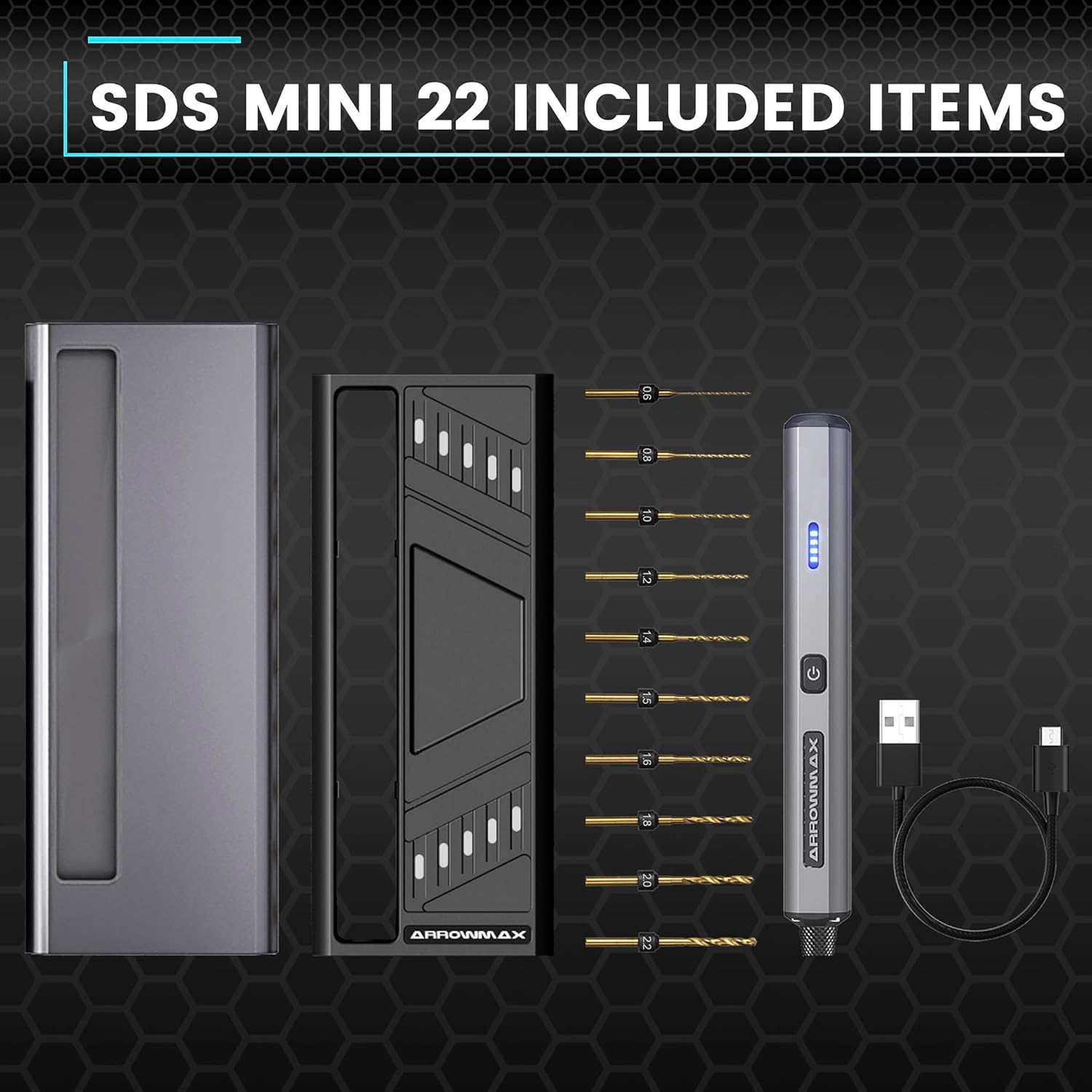
Figure 3.1: Complete package contents of the SDS MINI 22.
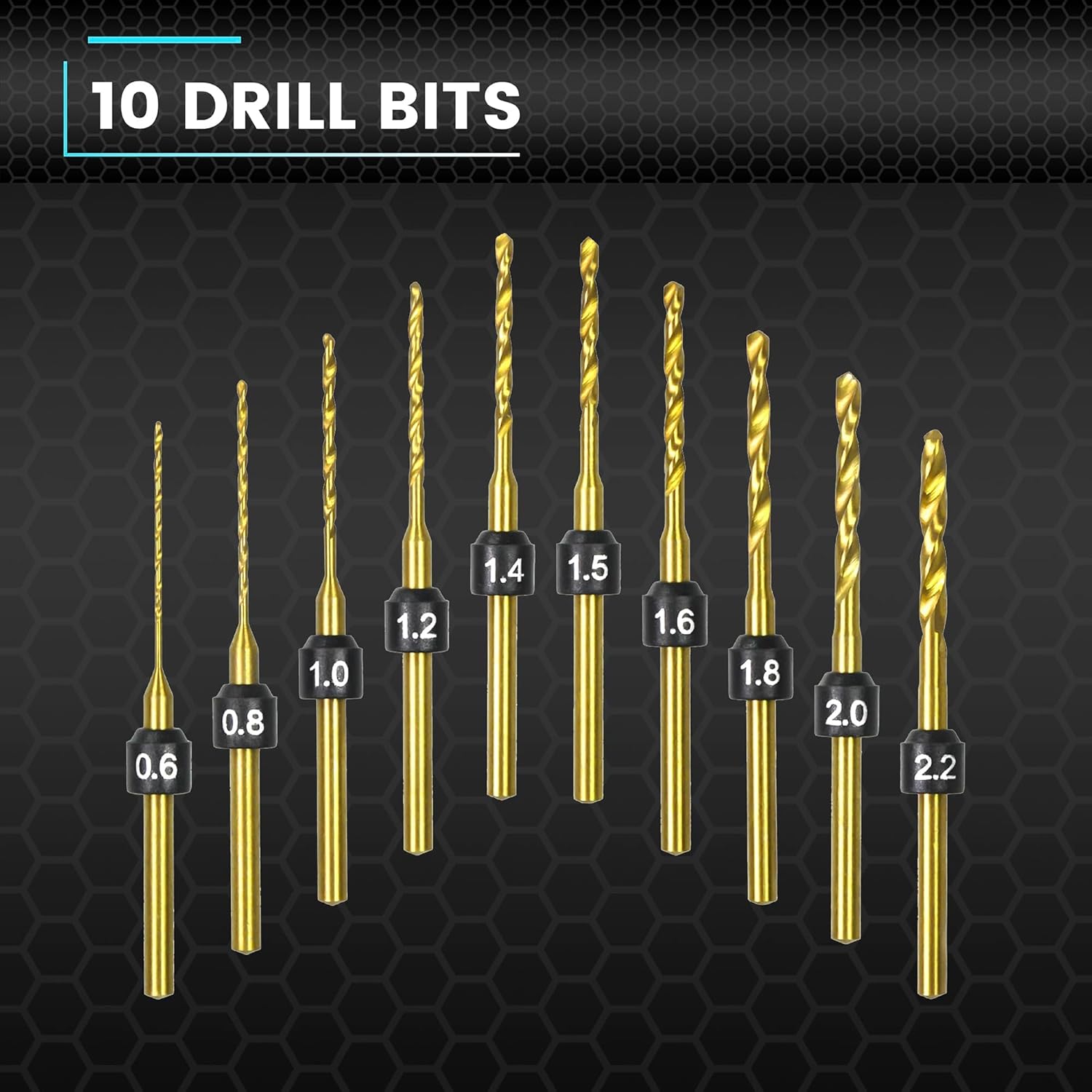
Figure 3.2: The 10 HSS drill bits included with the SDS MINI 22.
4. פּראָדוקט איבערview
Familiarize yourself with the components of your ARROWMAX Mini Electric Drill.
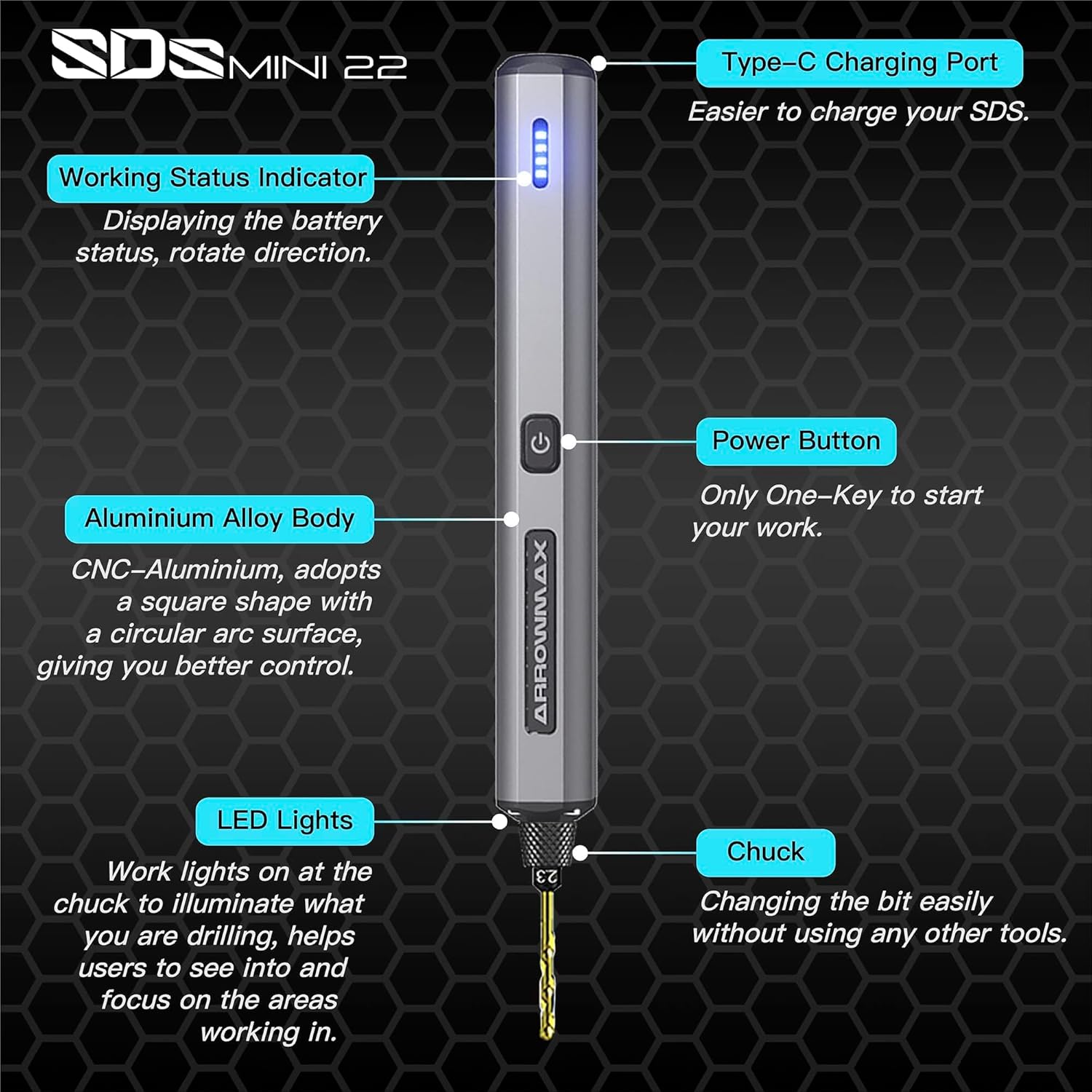
Figure 4.1: Labeled components of the SDS MINI 22.
- טיפּ C טשאַרדזשינג פּאָרט: פֿאַר אָפּלאָדן די אינעווייניקסטע באַטאַרייע.
- ארבעטן סטאַטוס ינדיקאַטאָר: Displays battery status and rotation direction.
- מאַכט קנעפּל: Controls power on/off and rotation direction.
- אַלומינום צומיש גוף: Provides durability and ergonomic grip.
- LED לייץ: Illuminates the drilling area for improved visibility.
- טשאַק: Holds the drill bits securely.
5. סעטאַפּ
5.1 טשאַרדזשינג די מיטל
- Locate the Type-C charging port on the top of the drill.
- Connect the provided USB Type-C cable to the drill and the other end to a compatible USB power source (e.g., computer, wall adapter).
- The Working Status Indicator LEDs will illuminate to show the charging progress. A full charge is indicated when all LEDs are solid.
- Allow approximately 60 minutes for a full charge.
5.2 אינסטאַלירן דריל ביטס
- Ensure the drill is powered off before installing or removing bits.
- Gently pull the chuck downwards to open the jaws.
- Insert the desired drill bit into the chuck. Ensure the bit is inserted as far as it can go for maximum stability.
- Release the chuck to secure the drill bit. The chuck is designed for tool-free bit changes.
- To remove a bit, pull the chuck downwards and extract the bit.
6. אַפּערייטינג ינסטרוקטיאָנס
6.1 Power On/Off and Rotation Control
The SDS MINI 22 features a simple one-button control:
- ערשטער דרוק: The drill will power on and rotate in a clockwise direction. The LED indicator will show the direction.
- צווייטע דרוק: The drill will switch to counter-clockwise rotation. The LED indicator will update to show the new direction.
- דריטע דרוק: The drill will power off.
You do not need to continuously hold the button during operation.
6.2 באַטערי ינדיקאַטאָר
The LED indicators on the drill body display the remaining battery power. Monitor these lights to know when recharging is necessary.
6.3 Working with Materials
The SDS MINI 22 is suitable for drilling various materials, including:
- פּלאַסטיק
- שעלז
- האלץ
- לעדער
- Soft metals (e.g., aluminum)
Always select the appropriate drill bit size for your task and material. Apply gentle, consistent pressure. Avoid excessive force, which can damage the bit or the material.
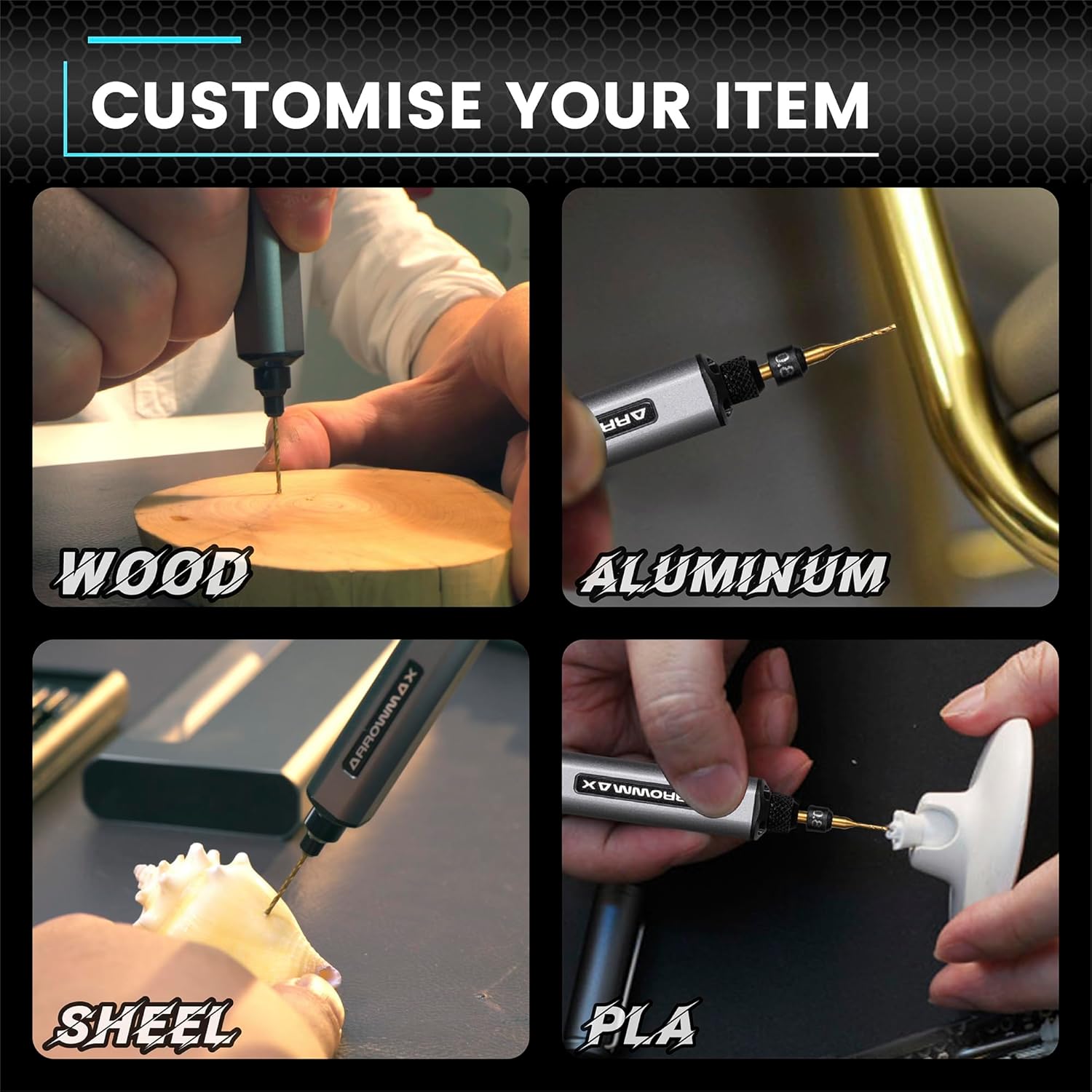
פיגורע 6.1: עקסamples of materials suitable for drilling with the SDS MINI 22.
7. וישאַלט
7.1 רייניקונג
- Ensure the drill is powered off and disconnected from any charging source before cleaning.
- Wipe the drill body with a soft, dry cloth. Do not use harsh chemicals or abrasive cleaners.
- Remove any dust or debris from the chuck and ventilation openings using a soft brush or compressed air.
7.2 סטאָרידזש
- Store the drill and its accessories in a cool, dry place, away from direct sunlight and moisture.
- Always store the drill bits in their provided aluminum case to protect them from damage and loss.
- For long-term storage, ensure the battery is partially charged (around 50%) to prolong its lifespan. Recharge every 3-6 months if not in use.
8. טראָובלעשאָאָטינג
If you encounter issues with your ARROWMAX Mini Electric Drill, refer to the following common problems and solutions:
- Problem: The drill does not turn on.
לייזונג: Check the battery level. If the battery is low or depleted, connect the drill to a power source using the USB-C cable and charge it fully. Ensure the power button is pressed correctly (first press for clockwise, second for counter-clockwise). - Problem: The drill is not charging.
לייזונג: Verify that the USB-C cable is securely connected to both the drill and the power source. Try a different USB port or power adapter. Ensure the charging port on the drill is clean and free of debris. - Problem: The drill bit is loose or falls out.
לייזונג: Ensure the drill bit is inserted correctly and fully into the chuck. Pull the chuck down, insert the bit, and release it to ensure it clamps securely. If the chuck mechanism appears damaged, discontinue use and contact support. - Problem: Reduced drilling performance or unusual noise.
לייזונג: Check if the drill bit is dull or damaged; replace it if necessary. Ensure you are using the correct bit for the material. If the issue persists, contact customer support.
9. ספּעסאַפאַקיישאַנז
| שטריך | באַשרייַבונג |
|---|---|
| מאָדעל | SDS MINI 22 |
| סאָרט | ARROWMAX |
| פאַבריקאַנט | Freemax Technology Company Limited (IMPORT) |
| פּראָדוקט דימענשאַנז (L x W x H) | 18.5 X 7 X 3 סענטימעטער |
| וואָג | 280 גראַמז |
| מאַכט מקור | באַטאַרייע פּאַוערד |
| באַטערי טיפּ | ליטהיום-פּאָלימער |
| באַטאַרייע קאַפּאַציטעט | 500 מאַה |
| Voltage | 5 וואלטס |
| Ampעראַגע | 2 א |
| מאַקסימום ראָטאַציע גיכקייט | 600 רפּם |
| ספּעציעלע פֿעיִקייטן | Compact, LED Lights, Battery Indicator |
| קאָליר | שוואַרץ |
| אַרייַנגערעכנט קאַמפּאָונאַנץ | 1 Electric Pen, 10 Drill Bits, 1 Manual, 1 USB Charging Cable |
10. וואָראַנטי און שטיצן
Specific warranty information for the ARROWMAX Mini Electric Drill SDS MINI 22 is not provided in the product details. For warranty claims, technical support, or inquiries regarding spare parts, please contact your retailer or the manufacturer directly. Keep your purchase receipt as proof of purchase.