
1. הקדמה
Thank you for choosing the VCHICS Digital Audio Amplifier Receiver Module. This device is designed to provide versatile audio playback options, including Bluetooth, USB, TF card, and FM radio, with adjustable bass and treble controls. This manual will guide you through the setup, operation, and maintenance of your ampהעכער מאָדולע.
2. שליסל פֿעיִקייטן
- MP3 music playback from TF card, USB disk, and Bluetooth.
- Adjustable Treble, Bass, and Master Volume controls.
- Integrated Bluetooth receiver for wireless audio streaming.
- Built-in FM radio function.
- AUX port for connection to PC, phone, or CD players.
- Supports AC 110-220V or DC 12-24V input voltage.
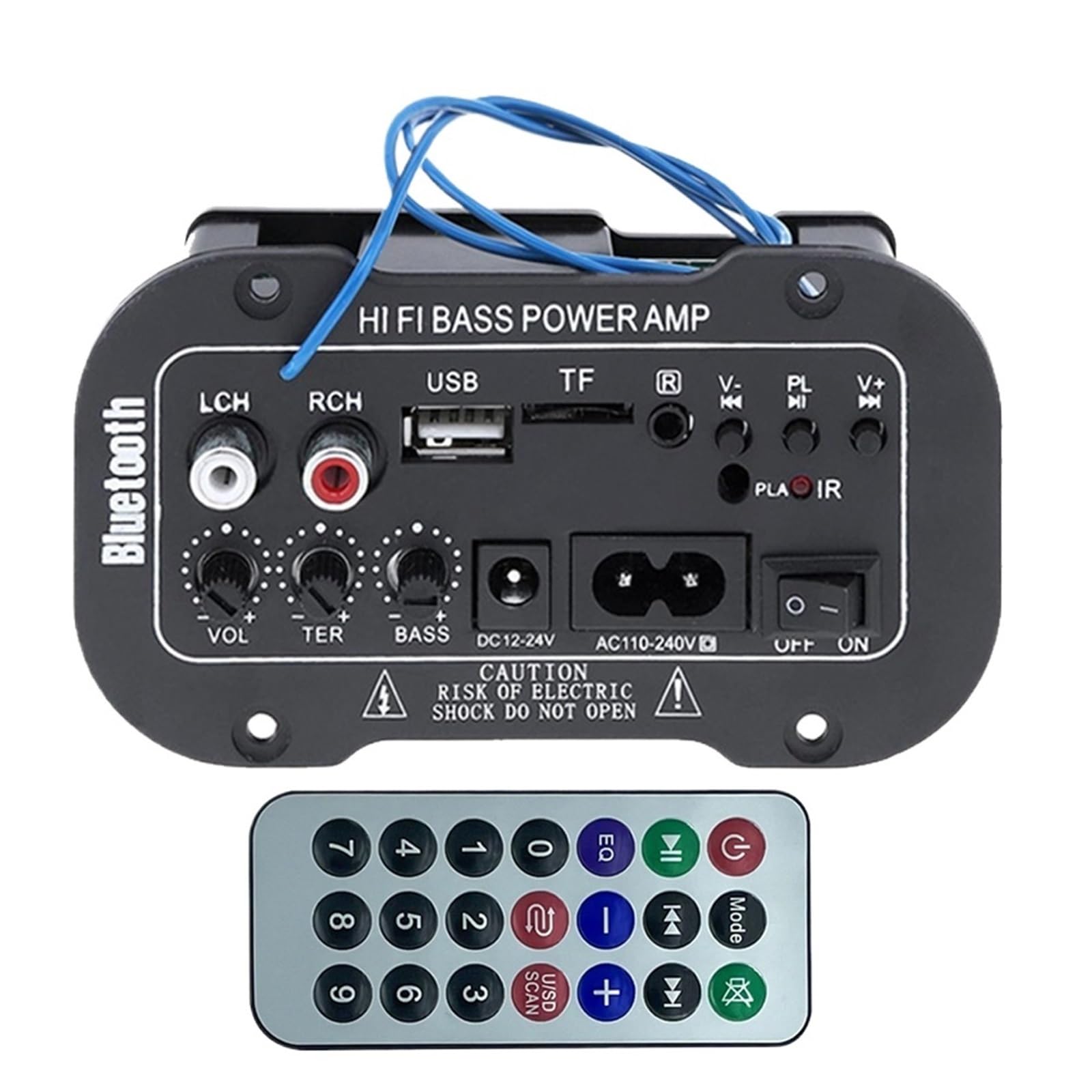
פיגורע 1: איבערview of the VCHICS Digital Audio Amplifier Receiver Module.
3. ספּעסאַפאַקיישאַנז
| באַשרייַבונג | ווערט |
|---|---|
| בלועטאָאָטה ווערסיע | 2.1+עדר |
| אַפּערייטינג וואָלtage | 9-20 V דק |
| אַרבעט מאַכט | 25-30 וו |
| קאָדעק | SBC |
| ימפּידאַנס | 4 אָהמס |
| רעדנער אַפּאַראַט גרייס | 133 מם |
| סענסיטיוויטי | 200hv |
| אָפטקייַט ענטפער | 20-20000 הז |
| פּונקט וואָג | 400 גראַמז |
| נומער פון טשאַנאַלז | 1 |
| מאָדעל נומער | 1005005454581585 |

Figure 2: Product dimensions (11.7cm x 6.5cm x 4.5cm / 10cm x 4cm).
4. קאָנטראָלס און קאַנעקשאַנז
Familiarize yourself with the various controls and connection ports on your ampליפיער מאָדולע:

פיגורע 3: דעטאַילעד view of controls and connection points.
- LCH / RCH (Audio Input): Left and Right channel audio input for external devices.
- וסב שפּעלטל: פֿאַר פֿאַרבינדן USB פֿלאַש דרייווז פֿאַר MP3 ווידערשפּיל.
- TF Slot: For inserting TF (MicroSD) cards for MP3 playback.
- Previous / Next (V- / V+): Navigate tracks or adjust volume in certain modes.
- Play / Pause (PL/IR): Play/pause audio, or initiate FM scan. IR indicates Infrared Sensor for remote control.
- ינדיקאַטאָר: סטאַטוס ליכט.
- ינפרערעד סענסאָר: For receiving signals from a remote control (if included or compatible).
- אַוועק / אויף: Power switch for the module.
- AC110-240V: אַק מאַכט אַרייַנשרייַב.
- DC12-24V: דק מאַכט אַרייַנשרייַב.
- באַס סטרויערן: Rotary knob to adjust bass levels.
- טרעבל אַדזשאַסטמאַנט: Rotary knob to adjust treble levels.
- באַנד סטרויערן: Rotary knob to adjust master volume.
- בלועטאָאָטה קנעפּל: אַקטיוויזירט בלועטוט מאָדע.
5. סעטאַפּ
5.1 מאַכט קאַנעקשאַן
- פאַרזיכערן די amplifier module is switched OFF.
- Connect the appropriate power supply to either the AC110-240V אַרייַנשרייַב אָדער די DC12-24V input. Use only the specified voltagE קייט צו פאַרמייַדן שעדיקן.
5.2 רעדנער קאַנעקשאַן
Connect your speakers to the output terminals of the amplifier module. Ensure correct polarity (+/-) for optimal sound quality.
5.3 Antenna Connection (for FM Radio)
If using the FM radio function, connect the provided FM antenna to the designated antenna port for better reception.
6. אַפּערייטינג ינסטרוקטיאָנס
6.1 מאַכט אויף / אַוועק
באַשטימען די OFF / ON switch to power on or power off the module.
6.2 בלועטאָאָטה קאַנעקשאַן
- דרוק די מאָדע button (or the Bluetooth button if labeled) to switch the amplifier to Bluetooth mode.
- On your mobile phone or Bluetooth device, open the Bluetooth settings and search for available devices.
- אויסקלייַבן די amplifier's Bluetooth device name (usually "Bluetooth" or similar) from the list to connect.
- Once successfully paired, you can play audio from your device through the ampליפער.
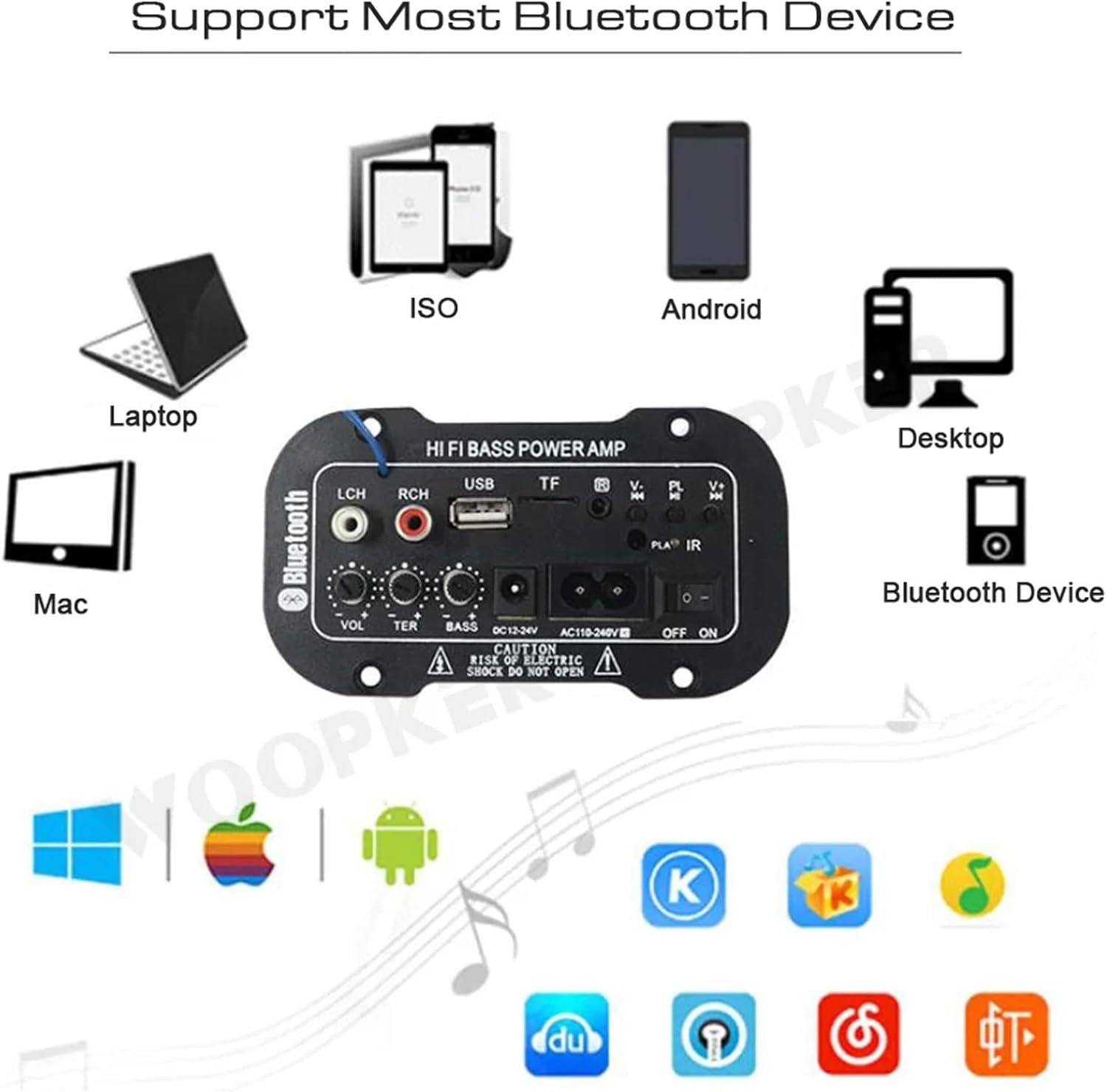
פיגור 4: די amplifier module supports various Bluetooth devices including laptops, phones, and desktops.
6.3 FM ראַדיאָ אָפּעראַציע
- Ensure the radio antenna is properly connected.
- דרוק די מאָדע קנעפּל צו באַשטימען די amplifier to FM radio mode.
- דרוק די שפּיל / פּויזע button to initiate an automatic scan for all available FM channels. The module will save them automatically.
- ניצן די פֿריִערדיקע / ווייַטער buttons to switch between saved radio stations.
6.4 USB / TF קאַרטל פּלייבּעק
- אַרייַנלייגן אַ וסב בליץ פאָר אין די וסב שפּעלטל אדער א TF (מיקראָSD) קאַרטל אין דעם טף שפּעלטל.
- The module should automatically detect the storage device and begin playing MP3 fileס. אויב נישט, דריק די מאָדע button to cycle through input sources until USB or TF mode is active.
- ניצן די פֿריִערדיקע / ווייַטער buttons to change tracks and the שפּיל / פּויזע קנעפּל צו קאָנטראָלירן ווידערשפּיל.
6.5 AUX אַרייַנשרייַב
Connect an external audio source (e.g., PC, phone, CD player) to the LCH / RCH (Audio Input) ports using an appropriate audio cable. Press the מאָדע button to select the AUX input source.
6.6 Adjusting Audio
ניצן די באַנד סטרויערן, טרעבלע אַדדזשוסט, און באַס סטרויערן rotary knobs to fine-tune your audio output to your preference.
7. טראָובלעשאָאָטינג
- קיין מאַכט: Ensure the power cable is securely connected and the power switch is in the ON position. Verify the power source is active and providing the correct voltage (AC 110-240V or DC 12-24V).
- קיין קול: Check speaker connections for correct polarity. Ensure the volume is turned up. Verify the correct input mode (Bluetooth, FM, USB, TF, AUX) is selected. Test with a different audio source.
- בלועטאָאָטה ניט קאַנעקטינג: מאַכן זיכער די amplifier is in Bluetooth mode. Ensure your device's Bluetooth is enabled and within range. Try restarting both the ampליפיער און אייער בלוטוט דעווייס.
- שלעכטע FM אויפנעמונג: Ensure the FM antenna is properly connected and extended. Try repositioning the antenna or the amplifier for better signal.
- USB/TF Card Not Playing: Ensure the USB drive or TF card contains compatible MP3 audio files. Check that the storage device is inserted correctly and not corrupted.
8. וישאַלט
- האַלטן די amplifier module clean by wiping it with a soft, dry cloth.
- פֿאַרמײַדט אויסשטעלן דעם אַפּאַראַט צו פֿײַכטקייט, עקסטרעמע טעמפּעראַטורן, אָדער דירעקטער זון.
- Do not attempt to disassemble or repair the module yourself, as this may void any warranty and cause damage.
9. וואָראַנטי און שטיצן
פֿאַר וואָראַנטי אינפֿאָרמאַציע און טעכנישע שטיצע, ביטע זען די דאָקומענטאַציע וואָס איז צוגעשטעלט געוואָרן ביים קויפן אָדער קאָנטאַקט דיין הענדלער. האַלט דיין באַווייַז פון קויפן פֿאַר קיין וואָראַנטי קליימז.