
1. הקדמה
This manual provides detailed instructions for the installation, operation, and maintenance of your Chameye C420 4K 20X Optical Zoom PTZ Camera. Please read this manual thoroughly before using the product to ensure proper and safe operation. Keep this manual for future reference.
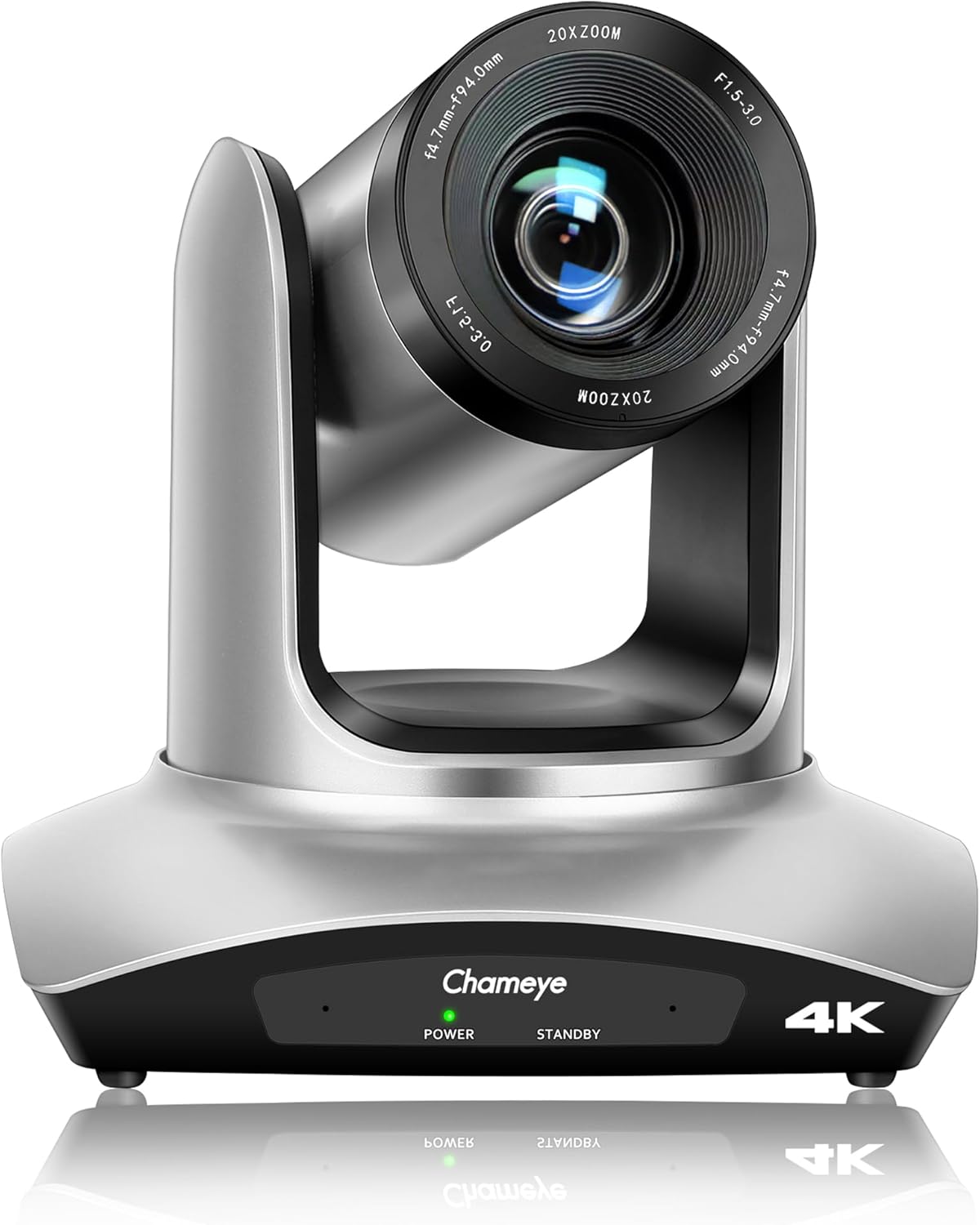
פראָנט view of the Chameye C420 4K PTZ Camera, showcasing its lens and base with power and standby indicators.
2. פּראָדוקט איבערview
2.1 שליסל פֿעיִקייטן
- 4K UHD האַכלאָטע: Delivers crystal-clear video quality up to 3840x2160 at 30fps, utilizing a 1/2.8-inch CMOS sensor with 8.5MP effective pixels.
- 20x אָפּטיש פארגרעסער: Provides high-quality remote capture with a 60° wide field of view, allowing for detailed imaging from a distance.
- פלעקסאַבאַל קאַנעקטיוויטי: Supports HDMI, USB 3.0, and IP streaming (RTSP, RTMP, H.264/H.265 encoding).
- מאַכט איבער עטהערנעט (פּאָע): Enables power, control, and video/audio streaming through a single network cable via the LAN port.
- פּאַן / טילט באַוועגונג: Offers 355° pan and 120° tilt ranges for precise camera positioning.
- Multiple Presets: Supports 10 preset positions via IR remote control and 255 presets with the Chameye PTZ controller E300.
- ברייט קאַמפּאַטאַבילאַטי: Plug-and-play USB3.0 compatibility with Windows (XP to 11), Mac OS (10.4+), and major platforms like Zoom, Teams, YouTube, vMix, OBS, Webעקס, און גאָוטאָמעיטינג.
- Advanced Image Technology: Features fast auto-focus, image flip and mirror functions, and high SNR CMOS with 2D/3D noise reduction for optimal performance in various lighting conditions.
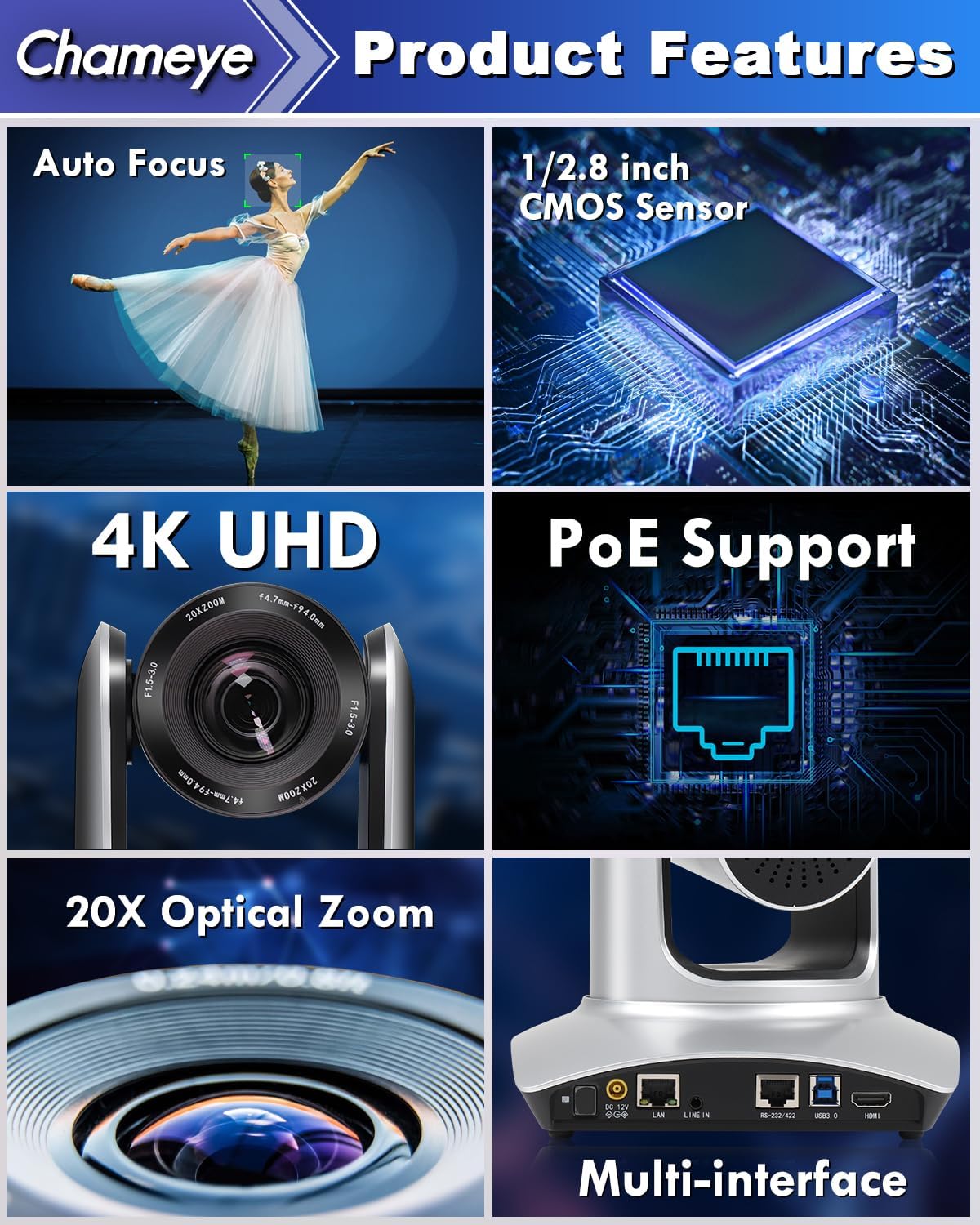
A collage highlighting the main features of the Chameye C420 PTZ Camera, including its auto-focus capability, 1/2.8-inch CMOS sensor, 4K UHD resolution, Power over Ethernet (PoE) support, 20x optical zoom, and multiple connectivity interfaces.
2.2 פּעקל אינהאַלט
באַשטעטיקן אַז אַלע זאכן זענען פאַראַן אין פּעקל:
- Chameye C420 PTZ Camera
- יר רימאָוט קאָנטראָללער
- E300 PTZ Controller (if purchased as part of a bundle)
- HDMI קאַבלע
- לאַן קאַבלע
- וסב קאַבלע
- מאַכט אַדאַפּטער
- מאַונטינג ייַזנוואַרג
- באַניצער מאַנואַל (דעם דאָקומענט)
3. סעטאַפּ
3.1 גשמיות ינסטאַלירונג
- מאָונטינג: The camera can be installed on a wall, tripod, or ceiling. Ensure the mounting surface is stable and can support the camera's weight.
- פּאַזישאַנינג: Place the camera in a location that provides the desired field of view for your application (e.g., conference room, church, classroom).
3.2 קאַנעקטינג די אַפּאַראַט
The Chameye C420 offers multiple connectivity options:
- מאַכט איבער עטהערנעט (פּאָע): Connect a single LAN cable from the camera's LAN port to a PoE-enabled router or switch. This provides both power and network connectivity.
- HDMI רעזולטאַט: Connect an HDMI cable from the camera's HDMI port to a display or video switcher for direct video output.
- וסב 3.0 רעזולטאַט: Connect a USB 3.0 cable from the camera's USB 3.0 port to a computer for video capture and control.
- RS-232/422 Control: Use the RS-232/422 port for external PTZ control systems.
- שורה אין: Connect an external audio source to the Line In port if needed.
- DC 12V מאַכט: If not using PoE, connect the included power adapter to the DC 12V port and a power outlet.

The back panel of the Chameye C420 PTZ Camera, detailing its various input and output ports for power, audio, video, and control, including LAN (PoE), HDMI, USB3.0, and RS-232/422.

A two-step diagram showing how to set up the Chameye C420 PTZ Camera: Step 1 involves connecting the camera to a PoE router/switch, and Step 2 shows configuring and starting real-time streaming on a monitor.
4. אָפּעראַציע
4.1 פּאַוערינג אויף / אַוועק
Once connected to power (either via PoE or DC 12V adapter), the camera will automatically power on. The power indicator light on the front of the camera will illuminate. To power off, disconnect the power source.
4.2 ניצן די IR ווײַטקאָנטראָל
The included IR remote control allows for basic camera functions:
- פּאַן / טילט: Use the directional arrows to move the camera horizontally (pan) and vertically (tilt).
- פארגרעסער: Use the zoom in/out buttons to adjust the optical zoom.
- פאָקוס: אַדזשאַסטירן פאָקוס מאַנועל אָדער אַקטיווירן אַוטאָ-פאָקוס.
- פּרעסעץ: Set and recall up to 10 preset positions. To set a preset, move the camera to the desired position, press the 'SET' button, then press a number (0-9). To recall, press the number.
- מעניו: Access the on-screen display (OSD) menu for advanced settings.
4.3 Advanced Control (E300 PTZ Controller)
For more comprehensive control, including up to 255 preset positions and multi-camera management, use the Chameye PTZ controller E300 (sold separately or as part of a bundle). Refer to the E300 controller's manual for detailed instructions.
4.4 Live Streaming and Video Conferencing
The Chameye C420 is compatible with various platforms:
- וסב 3.0: Connect to a computer and select the camera as a video input device in applications like Zoom, Teams, OBS, vMix, WebEx, or GoToMeeting. No drivers are required for Windows (XP to 11) or Mac OS (10.4+).
- IP סטרימינג: Configure the camera's IP settings via its web interface. Use streaming software (e.g., OBS, vMix) to receive the RTSP/RTMP stream for platforms like YouTube and Facebook Live.

The Chameye C420 PTZ Camera positioned next to a monitor displaying a live streaming interface, compatible with platforms like vMix, YouTube, Facebook Live, Skype, and Twitch.
5. וישאַלט
- רייניקונג: ניצט אַ ווייכע, טרוקענע שטאָף צו רייניקן די קאַמעראַ קערפּער. פֿאַר די לענס, ניצט אַ ספּעציאַליזירטע לענס רייניקונג שטאָף און לייזונג. פֿאַרמייַדט שטרענגע כעמיקאַלן.
- סוויווע: Operate the camera in a clean, dry environment. Avoid extreme temperatures, humidity, and direct sunlight.
- Firmware דערהייַנטיקונגען: קאָנטראָלירט פּעריִאָדיש דעם פאַבריקאַנט'ס webזייטל פֿאַר פירמווער דערהייַנטיקונגען צו ענשור אָפּטימאַל פאָרשטעלונג און אַקסעס צו נייַע פֿעיִקייטן.
6. טראָובלעשאָאָטינג
6.1 פּראָסט ישוז און סאַלושאַנז
| אַרויסגעבן | מעגלעך סיבה | לייזונג |
|---|---|---|
| קיין מאַכט | Power cable disconnected; PoE not active. | Ensure power adapter is securely connected or PoE switch is providing power. |
| קיין ווידעא רעזולטאַט | HDMI/USB cable loose; incorrect input selected on display/software. | Check cable connections; select correct input source; verify software settings. |
| ווייַט קאָנטראָל נישט ארבעטן | Batteries low/dead; IR sensor blocked; too far from camera. | Replace batteries; ensure clear line of sight to camera's IR sensor; operate within range. |
| בילד פארשוואָמען/נישט אין פאָקוס | Manual focus engaged; auto-focus not functioning. | Adjust focus manually using the remote or enable auto-focus. |
| Network streaming issues | Incorrect IP settings; network congestion; firewall blocking. | Verify IP address and network settings; check network bandwidth; configure firewall rules. |
7. ספּעסאַפאַקיישאַנז
- מאָדעל: C420
- סענסאָר: 1/2.8-inch CMOS, 8.5MP Effective Pixels
- ווידעא האַכלאָטע: 4K (3840x2160) @ 30fps; 1080P @ 60fps
- אָפּטיש פארגרעסער: 20x
- פעלד פון View: 60°
- פּאַן ראַנגע: 355°
- טילט ראַנגע: 120°
- קאַנעקטיוויטי: HDMI, USB 3.0, LAN (PoE), RS-232/422, Line In
- קאָדירונג: H.264/H.265 (IP Streaming)
- דימענסיעס: 7.28 X 7.28 X 7.09 אינטשעס (18.5 X 18.5 X 18 סענטימעטער)
- וואָג: 7.13 פונט (3.23 קג)
8. וואָראַנטי און שטיצן
Chameye provides the following support for the C420 PTZ Camera:
- 30-טאָג געלט-צוריק גאַראַנטירן: For any reason.
- 3-יאָר לימיטעד וואָראַנטי: דעקט פאַבריקאַציע חסרונות און מאַלפאַנגקשאַנז אונטער נאָרמאַל נוצן.
- לעבנס-לאַנג אָנליין שטיצע: Access to technical assistance for the product's lifespan.
- קונה סערוויס: Support team guarantees responses within 24 hours to resolve issues efficiently.
For support, please visit the official Chameye webזייטל אדער קאנטאקט זייער קאסטומער סערוויס גלייך.