
1. הקדמה
Thank you for choosing the MASINGO Allegro X8 2.0 Professional Karaoke Machine. This manual provides essential information for the safe and efficient operation of your device. Please read it thoroughly before use and retain it for future reference.
2. וואָס איז אין דער קעסטל
די מASINGO Allegro X8 2.0 package includes the following components:
- Allegro X8 קאַראַאָקע מאַשין
- 2 ווירעלעסס מייקראָופאָונז
- טשאַרדזשינג אַדאַפּטער
- באַניצער מאַנואַל
- אַגזיליערי קאַבלע

Image: The MASINGO Allegro X8 2.0 Karaoke Machine with its included accessories: two wireless microphones, a power adapter, a remote control, and the user manual.
3. פּראָדוקט איבערview
3.1 שליסל פֿעיִקייטן
- 15-inch Touch-Screen Tablet: Integrated display for lyrics and app navigation.
- צווייענדיק ווירעלעסס מיקראָפאָן: Two rechargeable microphones with individual displays for volume, echo, and EQ control.
- קייפל פּלייַבאַקק מאָדעס: Supports Tablet, Bluetooth, USB, AUX-out, Micro-SD, HDMI, and Guitar inputs.
- פּאָרטאַטיוו פּלאַן: Equipped with wheels and a telescoping handle for easy transport.
- קול עפפעקץ: 'Magic Mode' allows voice alteration (e.g., Man, Woman, Electric, Shout).
- לאַנג-בלייַביק באַטערי: Features a 12V 5000 mAh rechargeable battery providing 3-4 hours of operation.
3.2 פיזישע קאָמפּאָנענטן

Image: The MASINGO Allegro X8 2.0 Karaoke Machine, showcasing its overall design with the integrated touchscreen and speaker grille.
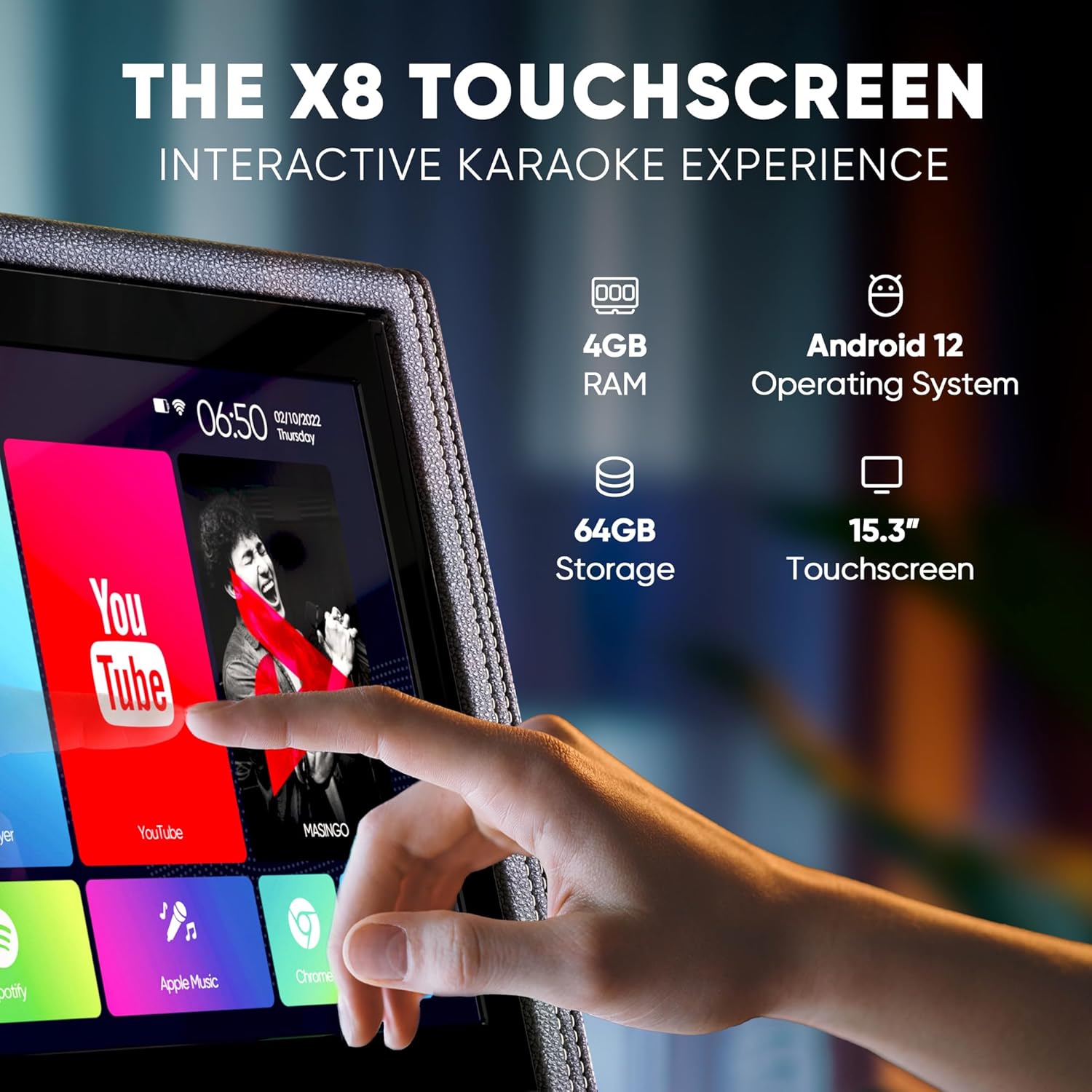
בילד: א דעטאַלירטע view of the 15-inch touchscreen tablet, highlighting its Android 12 operating system, 4GB RAM, and 64GB storage. The screen displays various app icons like YouTube and Spotify.

Image: Two wireless microphones are shown, emphasizing their visual control displays for battery levels and frequency, and the easy AA battery setup.

Image: A close-up of the top control panel, showing HDMI, WiFi, Bluetooth 5.0, USB, and Micro SD connectivity options.

Image: A person is shown easily transporting the karaoke machine using its telescoping handle and wheels, highlighting its portability and 12V 5000 mAh battery capacity.
Product Video: Introducing the Allegro X8 2.0 Karaoke Machine
Video Description: This official seller video provides an introduction to the MASINGO Allegro X8 2.0 Karaoke Machine, showcasing its features and design. It highlights the integrated touchscreen, dual wireless microphones, and portable nature of the device.
4. סעטאַפּ
4.1 ערשט טשאַרדזשינג
- Before first use, fully charge the karaoke machine using the provided charging adapter.
- Connect the charging adapter to the DC 15V input port on the control panel.
- לאָזט אַרום 3-4 שעה פֿאַר אַ פֿולע אָפּלאָדונג.
4.2 מיקראָפאָן סעטאַפּ
- Insert 2 AA batteries into each wireless microphone.
- Press the power button on each microphone to turn it on. The microphones will automatically pair with the karaoke machine.
5. אַפּערייטינג ינסטרוקטיאָנס
5.1 מאַכט אויף / אַוועק
- To power on the machine, locate the power switch on the control panel and toggle it to the 'ON' position.
- צו אויסלעשן, שטעלט דעם קנעפל צו דער 'אויס' פאזיציע.
5.2 ניצן די טאָוטשסקרעען
- The 15-inch touchscreen operates like a standard Android tablet.
- Navigate through pre-installed apps (e.g., YouTube, Spotify, Google Chrome) or download new ones from the Play Store.
- Use the remote control for basic navigation and volume adjustments from a distance.
5.3 קאָנעקטיוויטי אָפּציעס
- בלועטאָאָטה: Pair your smartphone or tablet wirelessly to stream music.
- יו-עס-בי/מיקראָ-סד: Insert a USB drive or Micro-SD card with your music files.
- AUX אין: Connect external audio devices using the provided AUX cable.
- הדמי: Connect the machine to an external display (e.g., TV) to show lyrics on a larger screen.
- גיטאַרע אַרייַנשרייַב: Plug in a guitar to use the machine as an ampליפער.
5.4 מיקראָפאָן קאָנטראָלס
- Adjust individual microphone volume, echo, and EQ settings using the dedicated controls on the microphone itself or the main control panel.
- Utilize 'Magic Mode' to change your voice with various effects like 'Man', 'Woman', 'Electric', or 'Shout'.
6. וישאַלט
- Keep the machine clean by wiping it with a soft, dry cloth. Avoid using abrasive cleaners or solvents.
- האַלט די מאַשין אין אַ קיל, טרוקן אָרט אַוועק פון דירעקט זונשייַן און עקסטרעמע טעמפּעראַטורן.
- Ensure microphones are stored securely in their designated sleeves when not in use.
7. טראָובלעשאָאָטינג
7.1 No Sound from Speaker
- Check if the master volume is turned up.
- Ensure the correct playback mode (Bluetooth, USB, AUX) is selected.
- Verify that the connected device's volume is also turned up.
7.2 מיקראָפאָן אַרבעט נישט
- Confirm microphones are powered on and have fresh batteries.
- Check microphone volume levels on both the mic and the main control panel.
- Ensure microphones are paired correctly (usually automatic upon power-on).
7.3 Display Lagging or Unresponsive
- ריסטאַרט די מאַשין.
- Clear cache or uninstall unused apps from the Android tablet interface.
- Ensure a stable Wi-Fi connection for streaming content.
8. ספּעסאַפאַקיישאַנז
| שטריך | באַשרייַבונג |
|---|---|
| מאָדעל נומער | X8 2.0 |
| פּראָדוקט דימענשאַנז | 15.3 X 9.4 X 25.1 אינטשעס |
| פּונקט וואָג | 35 פונט |
| באַטערי | 1 12V 5000 mAh battery (included) |
| באַטערי ראַן צייט | 3-4 שעה |
| ספּעציעלע שטריך | Portable, Touchscreen |
| קאָליר | Black faux leather |
9. וואָראַנטי & שטיצן
די מASINGO Allegro X8 2.0 Karaoke Machine comes with a 60-day warranty. For support or warranty claims, please refer to the contact information provided in your product packaging or visit the MASINGO official webפּלאַץ.