
הקדמה
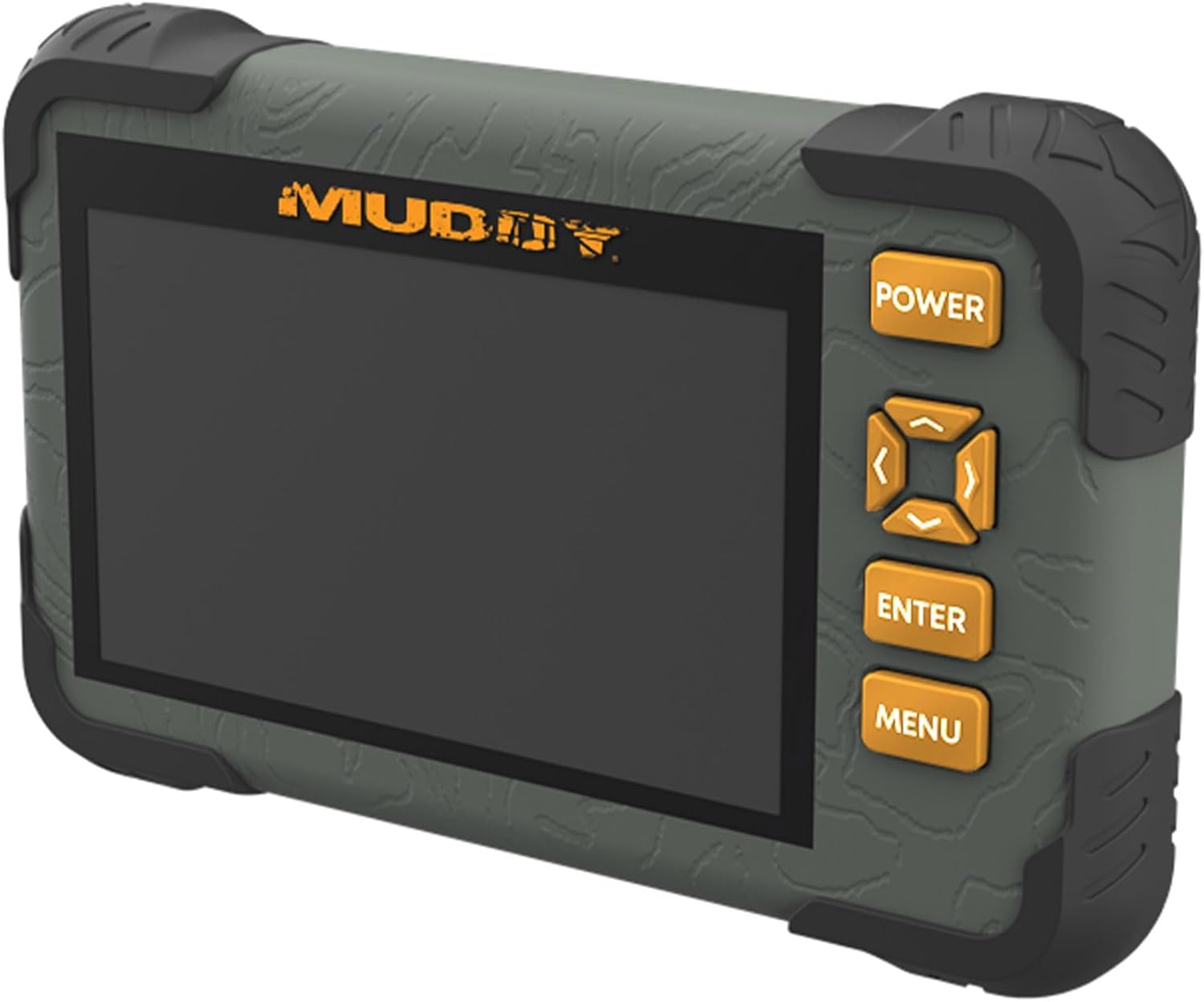
The Muddy CRV3 HD SD Card Viewer is designed for easy viewing of SD card captures with its high-definition, 4.3-inch color LCD screen. This device features durable, water-resistant housing, intuitive menu operation, and adjustable settings for optimal performance in outdoor environments. It supports 1080P video playback for SD cards up to 32GB and is powered by four AA batteries (not included).
וואָס איז אין די קעסטל
- SD Card Reader/Viewer with 4.3" LCD Screen
- ריסט לאַניאַרד
שליסל פֿעיִקייטן
- 1080P Video Playback: Supports high-definition video playback.
- 4.3" Color LCD Screen: Provides a clear display for viewאינג מעדיע.
- Intuitive Menu Operation: Easy-to-navigate menu for user convenience.
- Headphone Jack for Audio: Allows for private audio monitoring.
- אַדזשאַסטאַבאַל ברייטקייט און באַנד: Customize display and sound levels.
- Image Management: אָפּציעס צו View, Transfer, and Delete images.
- Durable Water-Resistant Housing: Built to withstand outdoor conditions.
- מיקראָ וסב שפּעלטל: For connectivity and data transfer.
- SD Card Slot: שטיצט סד קאַרדס אַרויף צו 32 גיגאבייט.
- מאַכט מקור: Operates on 4 AA Batteries (not included).
סעטאַפּ
1. באַטאַרייע ייַנמאָנטירונג
The Muddy CRV3 HD SD Card Viewer requires four (4) AA batteries (not included) for operation. To install batteries:
- געפֿינען די באַטאַרייע אָפּטייל אויף די צוריק פון די מיטל.
- Turn the locking tab counter-clockwise to unlock and open the battery cover.
- אַרײַנשטעלן פֿיר AA באַטעריעס, און זיכער מאַכן אַז די פּאָלאַריטעט (+/-) איז ריכטיק ווי אָנגעוויזן אין דעם אָפּטייל.
- Close the battery cover and turn the locking tab clockwise to secure it.
בילד: הינטערשטע view of the Muddy CRV3 HD SD Card Viewer showing the circular locking tab for the battery compartment. The compartment is opened to reveal four AA batteries.
2. SD קאַרטל אַריינשטעלן
The device supports SD cards up to 32GB. To insert an SD card:
- Locate the SD card slot on the side of the viewער.
- Gently insert the SD card into the slot with the metal contacts facing down until it clicks into place.
- To remove, push the SD card inward until it clicks, then release to eject.

בילד: זייט view of the Muddy CRV3 HD SD Card Viewer highlighting the SD card slot and Micro USB port.
אַפּערייטינג ינסטראַקשאַנז
1. מאַכט אויף / אויסגעלאשן
- צו מאַכט אויף: דריקן און האַלטן די מאַכט button located on the right side of the device until the screen changes color and the Muddy logo appears. The device will then initialize the SD card and display the main menu.
- צו מאַכט אַוועק: דריקן און האַלטן די מאַכט button until the "POWER OFF" message appears on the screen, then release.
2. מעניו נאַוויגאַציע
The Muddy CRV3 features an intuitive menu system. Use the directional arrow buttons (UP, אַראָפּ, לינקס, רעכט) to navigate through options. An orange border will highlight the currently selected item.
- Use the directional buttons to move the orange border to your desired menu icon.
- דרוק די אַרייַן קנעפּל צו באַשטעטיקן דיין סעלעקציע.
- דרוק די MENU button to go back to the previous screen or exit a function.
3. Viewבילדער און ווידעאס
From the main menu, select the appropriate icon to view images or videos stored on your SD card.
- Select the "View Images" icon (typically represented by a picture frame) and press אַרייַן.
- Use the directional buttons to scroll through thumbnails.
- דרוק אַרייַן צו view a selected image or play a video in full screen.
- For videos, the device supports 1080P playback. Use the directional buttons for play/pause/fast-forward/rewind if available.
- צו צוריקקומען צו די טאַמנייל view, דריקן MENU.
4. פירן Fileס (View/Transfer/Delete)
The device allows basic file management directly on the viewער.
- בשעת viewing an image or video, access the options menu (usually by pressing MENU or a dedicated button) to find options like "Delete" or "Transfer".
- Follow on-screen prompts to perform desired actions. Be cautious when deleting files as this action is often irreversible.
- פֿאַר אַריבערפירן files, connect the Micro USB slot to a computer using a compatible cable. The device should appear as a removable drive.
5. אַדזשאַסטינג סעטטינגס
From the main menu, select the "Settings" icon (typically a gear symbol) to adjust various parameters.
- ברייטקייט: Adjust the screen brightness for better visibility in different lighting conditions.
- באַנד: Control the audio output volume, especially when using the headphone jack.
- Other settings may include date/time, language, and device information.
Video: A user demonstrates the functions of the Muddy CRV3 HD SD Card Viewer, including navigating menus, viewing images, and adjusting settings.
וישאַלט
- רייניקונג: ניצט אַ ווייכע, טרוקענע שטאָף צו רייניקן דעם עקראַן און די אויסערלעכע זייט פון דעם אַפּאַראַט. פֿאַרמייַדט אַברייסיוו רייניגער אָדער סאָלווענטן.
- וואַסער קעגנשטעל: The device features durable water-resistant housing. However, it is not designed for submersion. Ensure battery compartment and port covers are securely closed to maintain water resistance.
- סטאָרידזש: When not in use for extended periods, remove batteries to prevent leakage and store the device in a cool, dry place.
טראָובלעשאָאָטינג
| פּראָבלעם | מעגלעך סיבה | לייזונג |
|---|---|---|
| די מיטל טוט נישט מאַכט אויף. | Low or dead batteries; incorrectly inserted batteries. | Replace with fresh AA batteries; ensure correct polarity. |
| SD קאַרטל נישט דעטעקטירט. | SD card not inserted correctly; incompatible SD card; faulty SD card. | Re-insert SD card until it clicks; ensure card is up to 32GB; try a different SD card. |
| קען נישט view בילדער/ווידיאס. | פארדארבן files on SD card; unsupported file פֿאָרמאַט. | פּרוּווט viewing files on a computer; ensure files are standard image/video formats. |
| No audio from headphone jack. | Volume too low; faulty headphones. | Adjust volume in settings; try different headphones. |
ספּעסאַפאַקיישאַנז
- מאָדעל נאָמען: CRV3 HD SD Card Viewer
- פאַרשטעלן: 4.3" קאָליר LCD פאַרשטעלן
- ווידעא פּלייבאַק: 1080 פּ
- סד קאָרט שטיצן: אַרויף צו 32 גיגאבייט
- קאַנעקטיוויטי: מיקראָ וסב
- אַודיאָ: כעדפאָון דזשאַק
- מאַכט: 4 אַאַ באַטעריז (ניט אַרייַנגערעכנט)
- הויז: Durable, Water-Resistant
- דימענשאַנז (L x W x H): 9.26" x 8.43" x 2.95"
- פאַבריקאַנט: GSM אינדרויסן
- UPC: 888151030974
וואָראַנטי און שטיצן
MUDDY is committed to quality, durability, and functionality. For warranty information or technical support, please refer to the product packaging or visit the official MUDDY webזייטל. האַלט אייער קויף קוויטל פֿאַר קיין וואָראַנטי קליימז.