
Bmax Y13
Bmax Y13 13.3-inch Convertible Laptop User Manual
מאָדעל: Y13
הקדמה
This manual provides essential information for setting up, operating, maintaining, and troubleshooting your Bmax Y13 13.3-inch Convertible Laptop. Please read this guide thoroughly to ensure proper use and to maximize the performance and longevity of your device.
סעטאַפּ
אַנפּאַקינג דיין מיטל
נעמט פֿאָרזיכטיק אַרויס אַלע קאָמפּאָנענטן פֿון דער פּאַקעט. די קעסטל זאָל אַנטהאַלטן די פֿאָלגנדיקע זאַכן:
- Bmax Y13 Laptop
- 24W DC Power Adapter with replaceable plugs (US, UK, EU standards)
- באַניצער גייד (דעם דאָקומענט)
- גאַראַנטירן קאַרד
- זיכערהייט דאָקומענט

The Bmax Y13 laptop in a convertible configuration, showcasinג זײַן פלעקסיבל פּלאַן.
ערשטע אויפלאדונג און איינשטראם
- Connect the power adapter to the laptop's charging port and then to a power outlet. Allow the laptop to charge for at least 30 minutes before first use.
- Press the power button, typically located on the side or top right of the keyboard, to turn on the laptop.
- פֿאָלגט די אינסטרוקציעס אויף דעם עקראַן צו פֿאַרענדיקן די ערשטע Windows 10 סעטאַפּ, אַרייַנגערעכנט שפּראַך, ראַיאָן, נעץ פֿאַרבינדונג און שאַפונג פֿון באַניצער אַקאַונט.
אַפּערייטינג ינסטראַקשאַנז
מאַכט מאַנאַגעמענט
- מאַכט אויף: דרוק די מאַכט קנעפּל.
- שלאָפן מאָדע: דריק קורץ דעם מאַכט קנעפּל אָדער פֿאַרמאַך דעם דעקל.
- שאַט אַראָפּ: דריקט דעם אָנהייב קנעפּל, דערנאָך מאַכט > שאַט דאַון.
Convertible Modes
The Bmax Y13 features a 360-degree hinge, allowing it to transform into various modes:
- לאַפּטאָפּ מאָדע: סטאַנדאַרט לאַפּטאַפּ קאָנפיגוראַציע פֿאַר טייפּינג און פּראָדוקטיוויטי.
- געצעלט מאָדע: Fold the screen back to form an inverted 'V' shape, ideal for watching videos or presentations in confined spaces.
- שטאַנד מאָדע: Fold the screen back further, resting the keyboard face down, suitable for touch-based interaction.
- טאַבלעט מאָדע: Fold the screen completely back against the base, converting the device into a tablet for portable use.
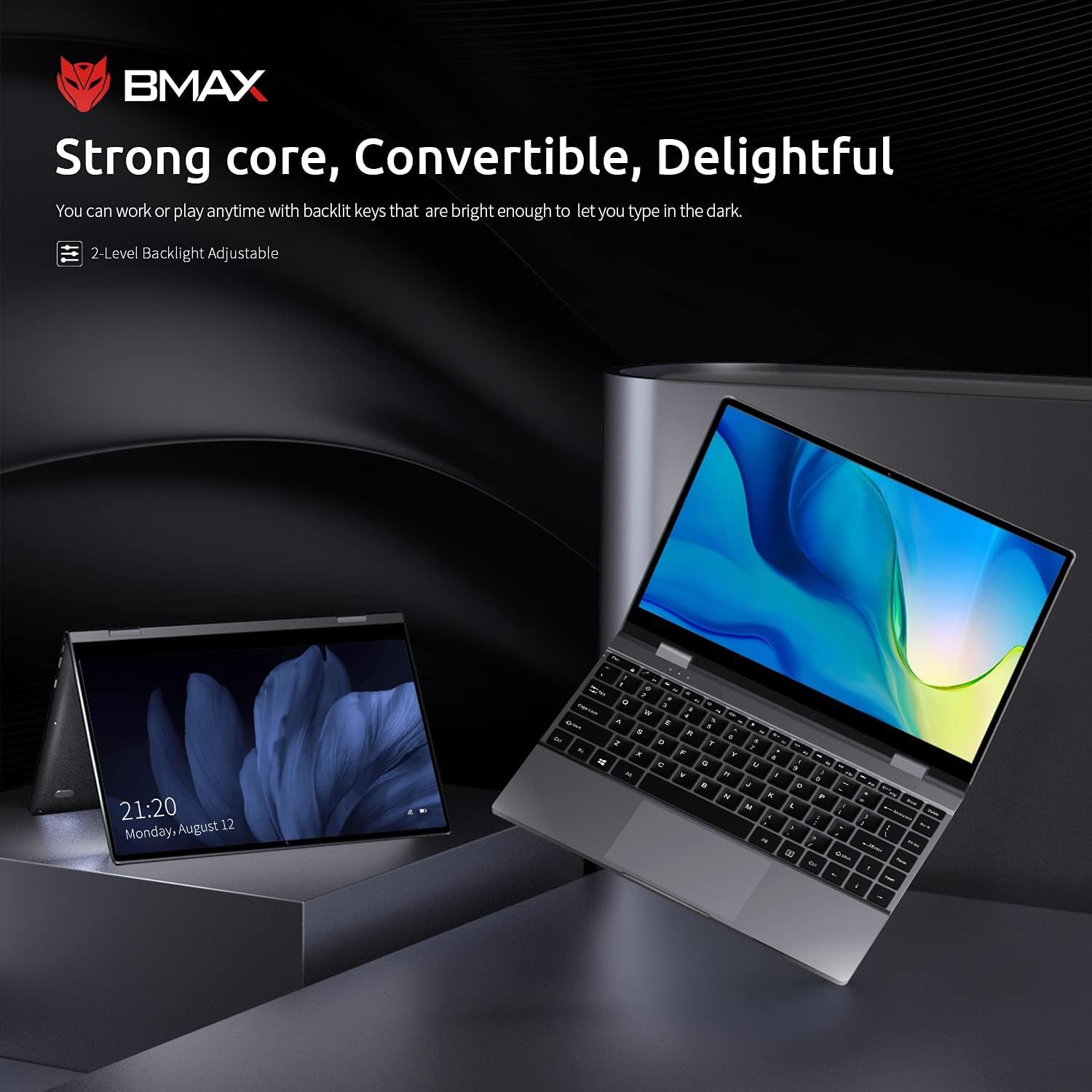
The Bmax Y13 laptop shown in both traditional laptop and tent modes, demonstrating its 2-in-1 versatility.
טאָוטשסקרעען אָפּעראַציע
The 13.3-inch FHD IPS display supports 10-point multi-touch. Use gestures similar to a smartphone or tablet for navigation, zooming, and interaction with applications.
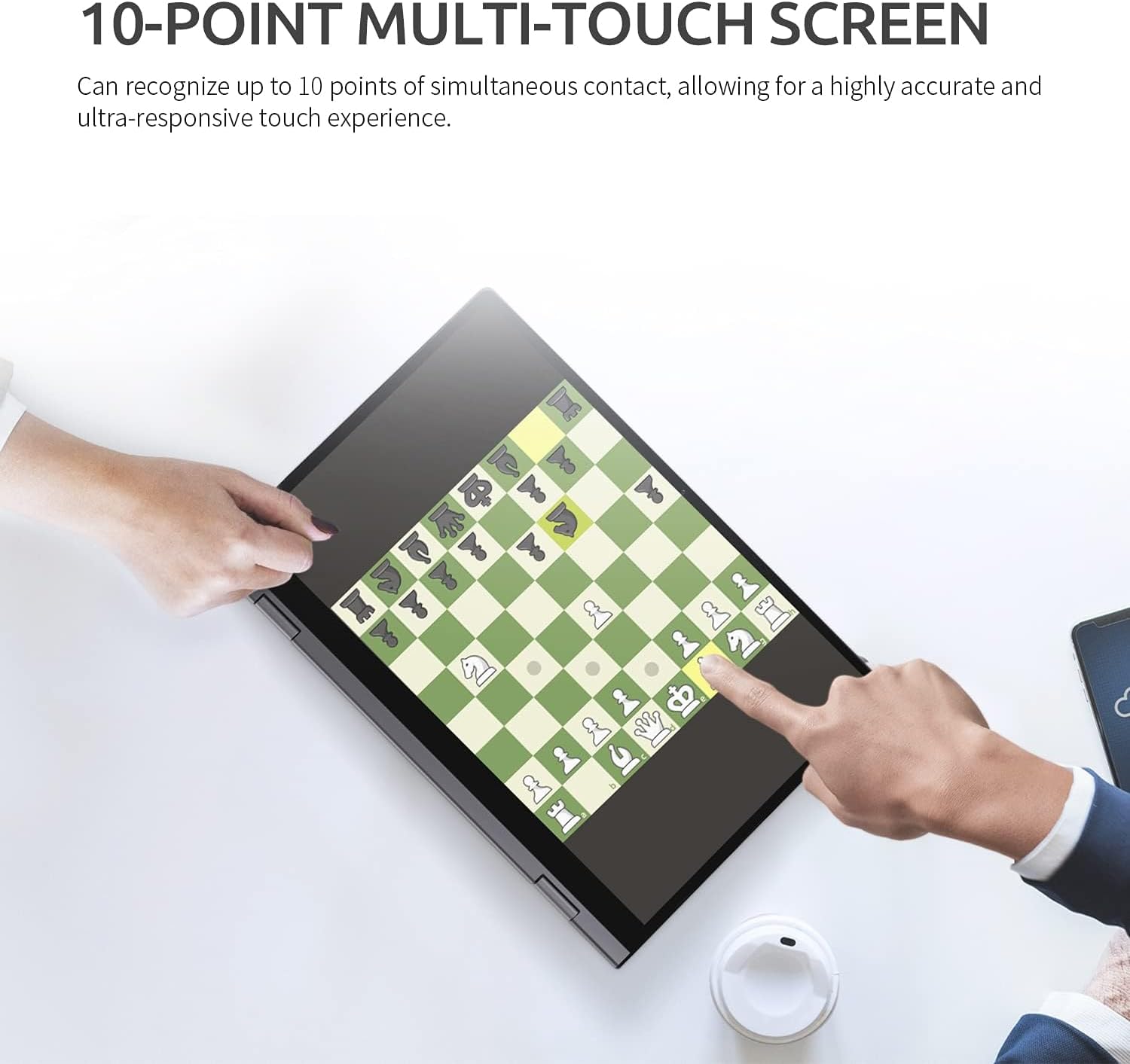
A user interacting with the Bmax Y13's 10-point multi-touch screen, playing a chess game, to demonstrate touch responsiveness.
קלאַוויאַטור און טאָוטשפּאַד
- באַקלייט קלאַוויאַטור: דרוק די Fn + F2 keys to adjust the 2-level backlight brightness or turn it off.
- טאָוטשפּאַד: Supports multi-touch gestures for scrolling, zooming, and other functions. Refer to Windows settings for customization.
קאַנעקטינג פּעריפעראַלס
The laptop is equipped with various ports:
- יו-עס-בי-סי פּאָרטן (x2): One port supports Power Delivery, HDMI output, and USB 3.0 data transfer. The second port supports USB 3.0 data transfer.
- סד קאָרט לייענער: Insert an SD card for expanded storage or data transfer.
- אַודיאָ קאָמבאָ דזשעק: פֿאַרבינדט כעדפאָונז אָדער אַ כעדסעט מיט אַ מיקראָפאָן.
ווירעלעסס קאַנעקטיוויטי
- ווי-פי: Supports 802.11a/b/g/n/ac for high-speed wireless internet access. Configure through Windows network settings.
- בלועטאָאָטה 4.2: Connect wireless accessories such as mice, keyboards, or headphones. Enable and pair devices through Windows Bluetooth settings.
וישאַלט
רייניקן דיין לאַפּטאָפּ
- פאַרשטעלן: ניצן אַ ווייך, לינט-פֿרייַ שטאָף אַ ביסל דampגעוואשן מיט וואַסער אָדער אַ פאַרשטעלן רייניגער. פֿאַרמייַדן שטרענגע כעמיקאַליעס.
- קלאַוויאַטור און שאַסי: ניצט אַ ווייכע, טרוקענע שטאָף. פֿאַר שווערע שמוץ, אַ ביסל טרוקןamp מען קען ניצן אַ שטאָף, און זיכער מאַכן אַז קיין פליסיקייט גייט נישט אַרײַן אין די עפענונגען.
- פּאָרץ: ניצט קאמפרעסט לופט צו פארזיכטיק רייניגן שטויב פון די פארטן.
באַטערי קער
- פֿאַרמײַדט אָפֿט פֿולשטענדיק אויסצולאָדן די באַטעריע.
- שטעלט נישט אויס דעם לאַפּטאָפּ צו עקסטרעמע טעמפּעראַטורן.
- אויב איר לייגט אַוועק דעם לאַפּטאָפּ פֿאַר אַ לענגערע צייט, זאָרגט אַז די באַטאַרייע איז אָפּגעלאָדן צו אַרום 50-70%.
אַלגעמיינע קער
- Protect the screen from scratches by closing the lid gently and avoiding placing objects on the keyboard.
- Avoid dropping or subjecting the laptop to strong impacts.
טראָובלעשאָאָטינג
If you encounter issues with your Bmax Y13 laptop, refer to the following common problems and solutions:
- לאַפּטאָפּ אַרבעט נישט אָן:
- זיכער מאַכן אַז דער מאַכט אַדאַפּטער איז זיכער פארבונדן צו ביידע דעם לאַפּטאַפּ און אַ אַרבעטנדיקן מאַכט ווענטיל.
- באַשטעטיקן אַז די עלעקטרישע ווענטיל אַרבעט דורך אַרײַנשטעקן אַן אַנדער דעוויס.
- אויב די באַטאַרייע איז גאָר אויסגעשעפּט, לאָזט עס זיך אויפלאָדן פֿאַר אַ צייט איידער איר פּרוּווט עס אָנצוצינדן.
- Display issues (e.g., no image, flickering):
- ריסטאַרט די לאַפּטאַפּ.
- קאָנטראָלירט די דיספּליי סעטטינגס אין ווינדאָוז צו זיכער מאַכן אַז די רעזאָלוציע און רעפרעש קורס זענען ריכטיק.
- טאָוטשסקרין רעאַגירט נישט:
- ריסטאַרט די לאַפּטאַפּ.
- Ensure there are no physical obstructions or dirt on the screen.
- Check for updated touchscreen drivers in Device Manager.
- Wi-Fi אדער בלועטוט קאנעקטיוויטי פראבלעמען:
- Ensure Wi-Fi/Bluetooth is enabled in Windows settings.
- ריסטאַרט דיין ראַוטער/מאָדעם פֿאַר Wi-Fi פּראָבלעמען.
- Remove and re-pair Bluetooth devices.
- דערהייַנטיקן וויירלעס דרייווערס.
- לאַנגזאַמע פאָרשטעלונג:
- שליסט אומנייטיקע אַפּליקאַציעס וואָס לויפן אין הינטערגרונט.
- Check available storage space; a full drive can impact performance.
- לויפט א ווירוס סקען.
If these steps do not resolve your issue, please refer to the support section for further assistance.
ספּעסאַפאַקיישאַנז
The following table outlines the key technical specifications for the Bmax Y13 laptop:

Diagram illustrating the Intel Core m5-6Y54 processor, highlighting its role in the laptop's performance.
| שטריך | דעטאַל |
|---|---|
| פּראַסעסער | Intel Core m5-6Y54 (up to 2.70GHz with Turbo Boost, 4MB Cache) |
| אָפּערייטינג סיסטעם | Windows 10 פּראָ 64-ביסל |
| גראַפיקס | ינטעגראַטעד Intel HD Graphics 515 |
| באַראַן | 8 GB DDR4 2133 MHz (Onboard) |
| סטאָרידזש | 256 GB M.2 2280 SATA SSD |
| ווייַז | 13.3-inch FHD (1920 x 1080) IPS Glossy Multi-touch (10-point) |
| אַפּאַראַט | 720p HD קאַמעראַ |
| אַודיאָ | Built-in Two-channel Speaker |
| באַטערי לעבן | Up to 6 hours (FHD) |
| דימענשאַנז (ב x ד x ה) | 307.5 X 208 X 14.7 מם (12.1 X 8.2 X 0.6 אינטשעס) |
| וואָג | 1.25 קג (2.75 לבס) |
| קאַנעקטיוויטי | 802.11a/b/g/n/ac Wi-Fi, Bluetooth 4.2 |
| פּאָרץ | 1x USB-C (Power Delivery, HDMI, USB 3.0), 1x USB-C (USB 3.0), 1x SD Card Reader, Audio Combo Jack |

Close-up of the Bmax Y13 display, emphasizing its 13.3-inch FHD IPS panel with 10-point touch precision and thin bezel.
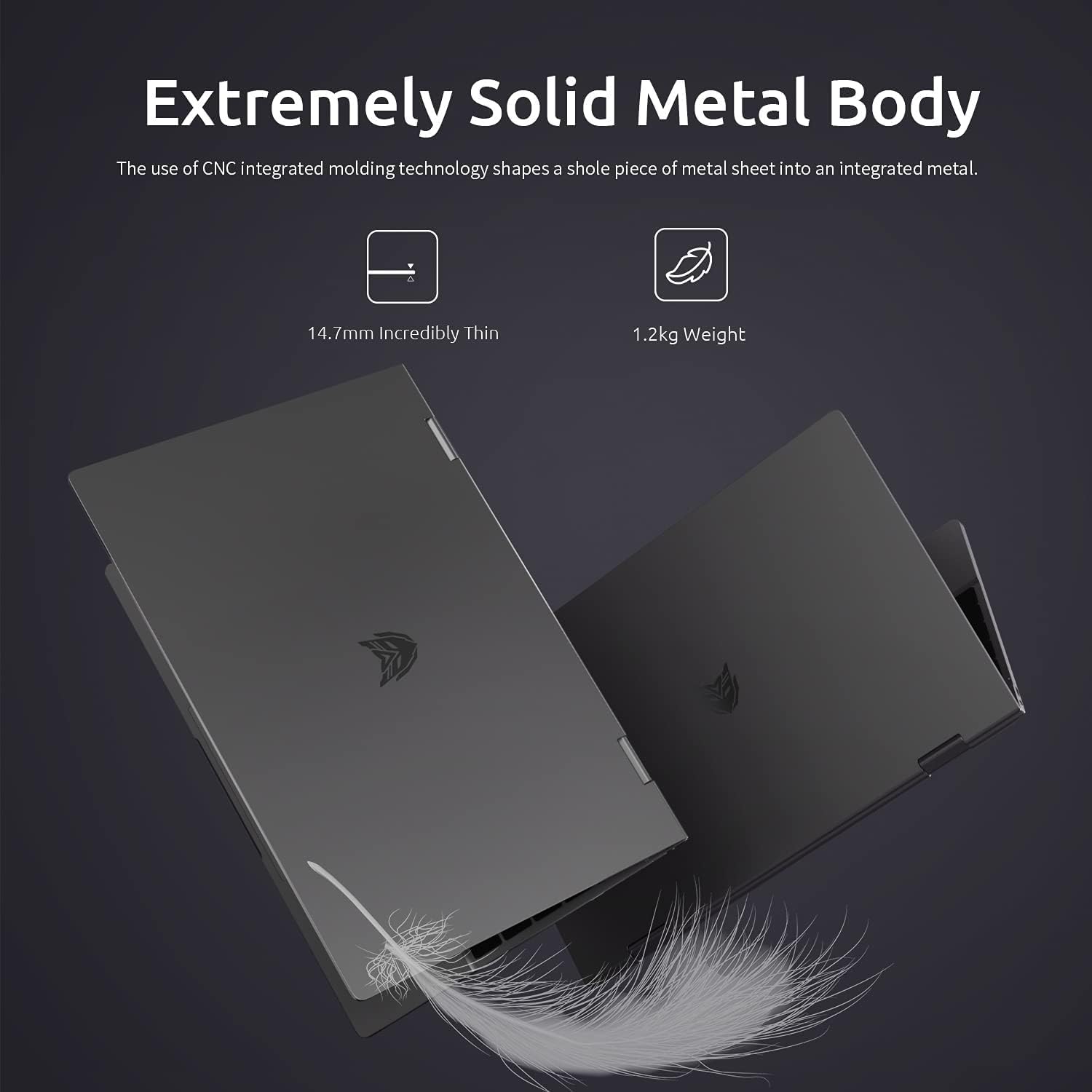
Two Bmax Y13 laptops shown from the side, illustrating their thin profile (14.7mm) and lightweight design (1.2kg).
וואָראַנטי און שטיצן
וואָראַנטי אינפֿאָרמאַציע
Your Bmax Y13 laptop comes with a standard manufacturer's warranty. Please refer to the included Guarantee Card for specific terms, conditions, and duration of your warranty coverage. Keep your proof of purchase for warranty claims.
קונה שטיצן
For technical assistance, service inquiries, or further information, please visit the official Bmax website or contact their customer support channels as detailed on your Guarantee Card or product packaging. When contacting support, please have your product model (Y13) and serial number ready.
Ask a question about this manual
Ask about setup, troubleshooting, compatibility, parts, safety, or missing instructions. Manuals+ will review the question and use this page’s manual context to help answer it.