
1. פּראָדוקט איבערview
The Docooler IPX7 Waterproof Bluetooth Portable Shower Speaker is designed for audio playback in various environments, including wet conditions. It features Bluetooth 5.0 connectivity, an LED display, FM radio, and a light show function. The speaker is equipped with a removable suction cup for versatile placement.

Image: Docooler IPX7 Waterproof Bluetooth Portable Shower Speaker, showcasinג זײַן דיזײַן און פֿעיִקייטן.
2. פּעקל אינהאַלט
באַשטעטיקן אַז אַלע זאכן זענען פאַראַן אין פּעקל:
- Docooler IPX7 Waterproof Bluetooth Portable Shower Speaker
- וסב-C טשאַרדזשינג קאַבלע
- Removable Suction Cup
- באַניצער מאַנואַל
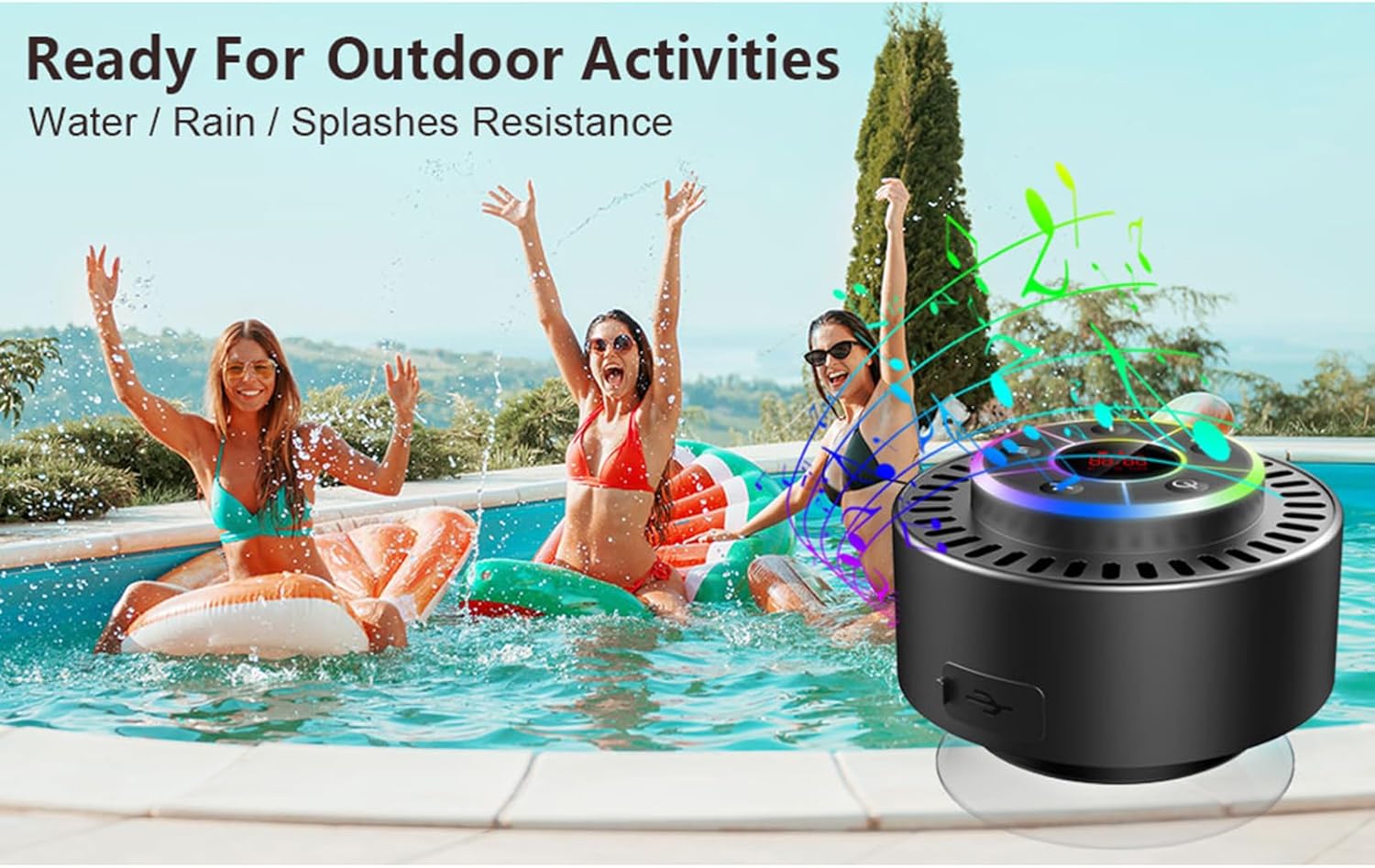
Image: The speaker, USB-C charging cable, and user manual as included in the package.
3. סעטאַפּ
3.1 אויפלאָדן דעם רעדנער
Before initial use, fully charge the speaker. Connect the provided USB-C charging cable to the speaker's charging port and the other end to a USB power adapter (not included) or a computer's USB port. The LED display will indicate charging status.
3.2 אנשטעלן דעם זויג־קאפ
To attach the suction cup, ensure both the speaker's back surface and the desired mounting surface are clean and dry. Press the suction cup firmly against the surface until it adheres securely. For best results, slightly moisten the suction cup before application.
3.3 פּאַוערינג אויף / אַוועק
- צו מאַכט אויף: דריקן און האַלטן די מאַכט קנעפּל (
 ) for approximately 3 seconds until the LED display illuminates.
 - צו מאַכט אַוועק: דריקן און האַלטן די מאַכט קנעפּל for approximately 3 seconds until the LED display turns off.
4. אַפּערייטינג ינסטרוקטיאָנס
4.1 קנעפּל פאַנגקשאַנז
בילד: דעטאַלירט view of the speaker's control panel, indicating the function of each button.
| קנעפּל | פונקציע (קורץ דריקן) | פֿונקציע (לאנג דרוק) |
|---|---|---|
| מאַכט קנעפּל () | Toggle LED light show modes | מאַכט אויף / אַוועק |
| ב קנעפּל | Switch between Bluetooth and FM Radio modes | N/A |
| שפּיל / פּויזע קנעפּל () | Play/Pause music; Answer/End calls; Auto-scan in FM mode | אָפּוואַרפן ינקאַמינג רופן |
| Previous Song / Volume Down (-) | Previous song (Bluetooth); Previous station (FM) | פאַרמינערן באַנד |
| Next Song / Volume Up (+) | Next song (Bluetooth); Next station (FM) | פאַרגרעסערן באַנד |
4.2 בלועטאָאָטה פּערינג
When powered on, the speaker automatically enters Bluetooth pairing mode. The LED display will show 'BT'.
- זיכער מאַכן אַז בלועטוט איז ענייבאַלד אויף דיין מיטל (סמאַרטפאָון, טאַבלעט, לאַפּטאָפּ).
- זוכן פֿאַר available Bluetooth devices and select "Docooler Speaker" from the list.
- Once connected, the speaker will emit an audible confirmation, and the 'BT' indicator on the LED display will stabilize.

Image: The speaker demonstrating connectivity with a phone, tablet, and computer via Bluetooth.
4.3 אמתע ווירעלעס סטערעאָ (TWS) פּאָרינג
To achieve 3D stereo sound, two Docooler speakers can be paired together.
- זיכער מאַכן אַז ביידע רעדנערס זענען אנגעצונדן און נישט פארבונדן צו קיין אַנדער בלוטוט מיטל.
- אויף איין רעדנער (דאָס וועט זיין דער הויפּט רעדנער), דריק און האַלט די שפּיל / פּויזע קנעפּל for 2-3 seconds until you hear a pairing tone.
- די צוויי רעדנערס וועלן זיך אויטאמאטיש פארבינדן איינער צום צווייטן.
- Once paired, connect your device to the primary speaker via Bluetooth as described in section 4.2. Audio will now play through both speakers in stereo.

Image: Two Docooler speakers wirelessly connected to a computer, illustrating the True Wireless Stereo (TWS) feature.
4.4 עפעם ראַדיאָ מאָדע
To switch to FM Radio mode:
- דרוק די ב קנעפּל to cycle through modes until 'FM' appears on the LED display.
- אַוטאָ סקאַן: אין FM מאָדע, דריק קורץ די שפּיל / פּויזע קנעפּל to automatically scan and save available radio stations.
- טוישן סטאנציע: ניצן די Previous Song / Volume Down (-) און Next Song / Volume Up (+) קנעפּלעך צו נאַוויגירן דורך געראטעוועט סטיישאַנז.
- סטרויערן באַנד: לאנג דריקן די Previous Song / Volume Down (-) or Next Song / Volume Up (+) קנעפּלעך צו סטרויערן די באַנד.
4.5 LED ליכט שאָו
The speaker features a beat-driven LED light show with seven colors.
- טוישן ליכט מאָדע: קורץ דריקן די מאַכט קנעפּל to cycle through different light show patterns or to lock a single color.
- קער אַוועק לייץ: פאָרזעצן דרינגלעך די מאַכט קנעפּל until the lights turn off.
4.6 האַנט-פריי קאַללינג
ווען פארבונדן דורך בלועטוט, דער איינגעבויטער מיקראפאן ערמעגליכט הענט-פרייע רופן.
- ענטפער רופן: קורץ דריקן די שפּיל / פּויזע קנעפּל.
- סוף רופן: קורץ דריקן די שפּיל / פּויזע קנעפּל בעשאַס אַ רופן.
- אָפּוואַרפן רופן: לאנג דריקן די שפּיל / פּויזע קנעפּל.
4.7 LED Display Information
The LED display shows the current time and battery level in Bluetooth mode. In FM radio mode, it displays the frequency.
5. וישאַלט
5.1 וואַסער קעגנשטעל (IPX7)
The speaker is IPX7 waterproof, meaning it can be submerged in up to 1 meter (3 feet) of water for up to 30 minutes. Ensure the charging port cover is securely closed before exposing the speaker to water. After exposure to water, wipe the speaker dry with a soft cloth.
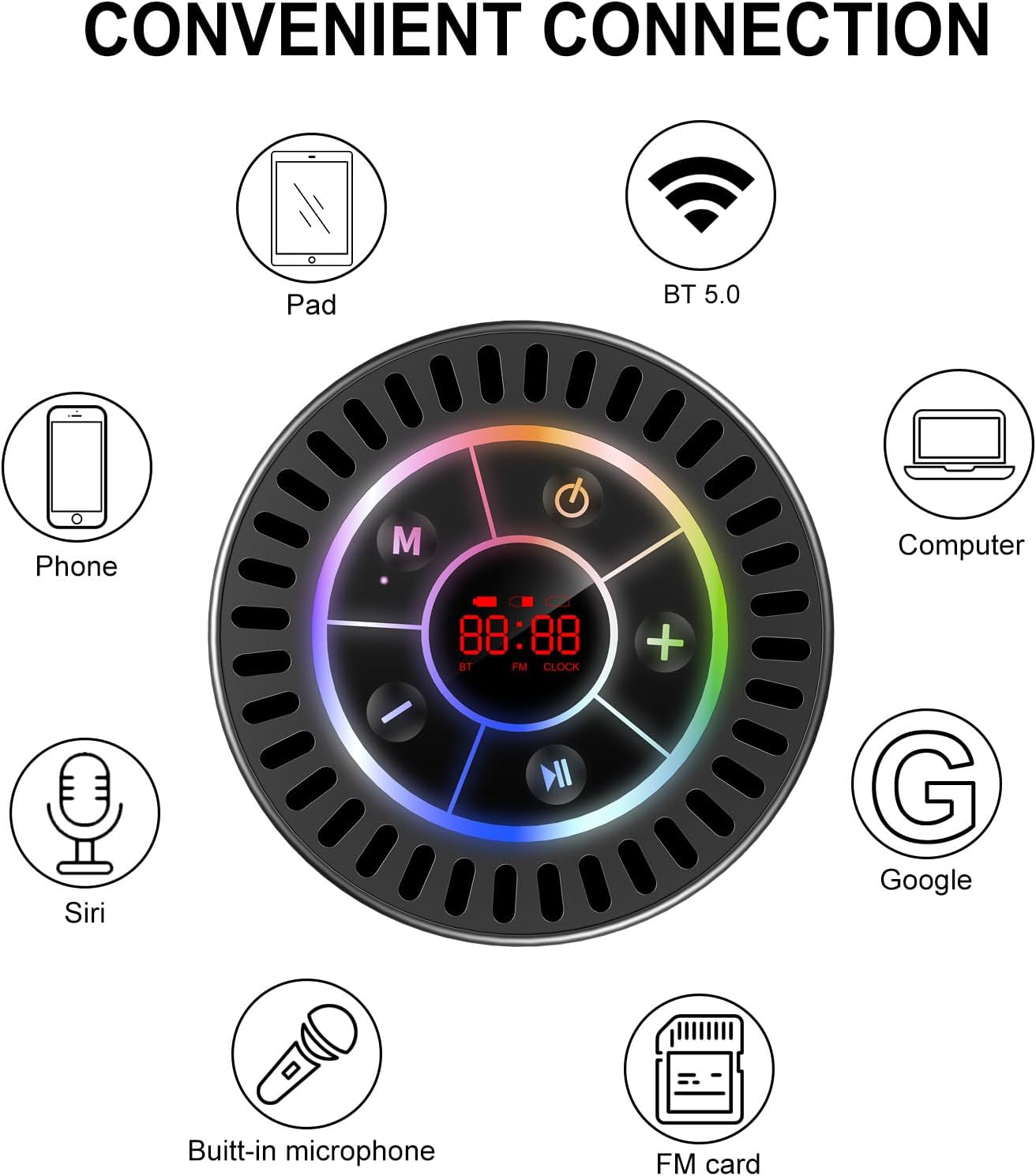
Image: The Docooler speaker attached to a shower wall, demonstrating its waterproof capability.
5.2 רייניקונג
רייניקט דעם רעדנער מיט אַ ווייכן, דamp שטאָף. ניצט נישט קיין שרײַבנדיקע רייניגער, אַלקאָהאָל, אדער כעמישע סאָלווענטן, ווײַל די קענען שאַטן די ייבערפלאַך אדער אינעווייניקסטע קאָמפּאָנענטן.
5.3 סטאָרידזש
האַלט דעם רעדנער אין אַ קיל, טרוקן אָרט אַוועק פון דירעקט זונשייַן און עקסטרעמע טעמפּעראַטורן. אויב איר האַלט עס פֿאַר אַ לענגערער צייט, לאָדט די באַטאַרייע פּעריִאָדיש צו האַלטן איר לעבן.
6. טראָובלעשאָאָטינג
- רעדנער גייט נישט אן: Ensure the battery is charged. Connect the speaker to a power source using the USB-C cable and try again.
- קען נישט צוזאמענשטעלן דורך בלוטוט:
- Ensure the speaker is in Bluetooth pairing mode ('BT' flashing on display).
- זייט זיכער אז בלועטוט איז ענייבאַלד אויף אייער דעווייס און עס איז אינערהאלב 15 מעטער פון דעם רעדנער.
- אויב פריער געפּאָרט, פּרוּווט פֿאַרגעסן דעם מיטל אויף אייער טעלעפֿאָן און ווידער געפּאָרט.
- ריסטאַרט ביידע דעם רעדנער און אייער בלועטוט מיטל.
- שלעכטע FM ראַדיאָ אָפּנאַם: FM radio reception can be affected by location and environmental factors. Try repositioning the speaker or using it in an open area. The charging cable can sometimes act as an antenna to enhance signal.
- קיין קלאַנג אָדער נידעריקע באַנד:
- קאָנטראָלירט דעם וואָלומען לעוועל אויף ביידע דעם רעדנער און אייער פֿאַרבונדענעם מיטל.
- Ensure the speaker is properly paired and not connected to another device.
- אויב איר ניצט TWS, זאָרגט אַז ביידע רעדנערס זענען ריכטיק צוזאַמענגעפּאָרט איינער מיטן אַנדערן און דערנאָך צו אייער דעווייס.
- Speaker starts at full volume: Some units may default to a high volume upon power-on. Immediately adjust the volume using the '-' button to a comfortable level after turning the speaker on.
- Suction cup does not hold: Ensure the mounting surface is clean, smooth, and dry. Slightly moisten the suction cup before pressing it firmly onto the surface. Avoid porous or textured surfaces.
7. ספּעסאַפאַקיישאַנז

בילד: אן עקספלאדירטע view showing the internal components of the Docooler speaker, highlighting its sound technology.
| שטריך | דעטאַל |
|---|---|
| סאָרט | דאָקאָאָלער |
| מאָדעל נומער | SMT4782513347516YX |
| קאַנעקטיוויטי טעכנאָלאָגיע | בלועטאָאָטה 5.0 |
| בלועטאָאָטה קייט | אַרויף צו 15 מעטער |
| וואַסער קעגנשטעל מדרגה | IPX7 (וואָטערפּרוף) |
| רעדנער מאַקסימום רעזולטאַט מאַכט | 5 וואטס |
| אָפטקייַט ענטפער | 100 הז |
| אַודיאָ רעזולטאַט מאָדע | סטערעאָ, סוראַונד (מיט TWS) |
| סיגנאַל-צו-נויז ראַטיאָ | 95 דב |
| נומער פון מייקראָופאָונז | 1 (געבויט) |
| מאַכט מקור | באַטאַרייע פּאַוערד |
| קאָנטראָל מעטאָד | קנעפּל |
| פּונקט וואָג | 300 גראַמז |
| קאַמפּאַטאַבאַל דעוויסעס | לאַפּטאָפּ, MP3 שפּילער, סמאַרטפאָון, טאַבלעט, טעלעוויזיע |
8. וואָראַנטי און שטיצן
8.1 וואָראַנטי אינפֿאָרמאַציע
This Docooler speaker comes with a limited warranty. For specific terms and conditions, please refer to the warranty card included in your package or contact Docooler customer support.
8.2 קונה שטיצן
For further assistance, technical support, or warranty claims, please visit the official Docooler webזייטל אדער קאנטאקט זייער קאסטומער סערוויס דעפארטמענט. קאנטאקט אינפארמאציע קען געווענליך געפונען ווערן אויף דער פראדוקט פארפאקונג אדער די בראנד'ס אנליין קראָם.