
NGS Roller Furia 2
NGS Roller Furia 2 Portable Bluetooth Speaker User Manual
Model: Roller Furia 2 | Brand: NGS
1. הקדמה
Thank you for choosing the NGS Roller Furia 2 Portable Bluetooth Speaker. This manual provides essential information for the safe and efficient use of your device. Please read it carefully before use and retain it for future reference.
2. זיכערקייַט אינפֿאָרמאַציע
- Do not expose the speaker to extreme temperatures or direct sunlight.
- ויסמיידן דראַפּינג אָדער ונטערטעניק די רעדנער צו שטאַרק ימפּאַקץ.
- האַלט דעם רעדנער אַוועק פון מעדיצינישע דעוויסעס.
- פרובירט נישט צו צענעמען אדער פאררעכטן דעם רעדנער אליין. קאנטאקטירט קוואַליפֿיצירטע סערוויס פּערסאָנעל.
- Ensure the charging port cover is securely closed when near water to maintain IPX7 waterproofing.
3. פּעקל אינהאַלט
דער פּעקל כולל די פאלגענדע זאכן:
- NGS Roller Furia 2 Portable Bluetooth Speaker
- וסב טיפּע- C טשאַרדזשינג קאַבלע
- באַניצער מאַנואַל (דעם דאָקומענט)
4. פּראָדוקט פֿעיִקייטן
- בלועטאָאָטה 5.3 קאַנעקטיוויטי: Advanced and stable wireless connection for music streaming.
- שטאַרק געזונט: 30W output for high-quality audio.
- IPX7 וואָטערפּרוף: Can be submerged up to 1 meter for 30 minutes.
- אמת ווירעלעסס סטערעאָ (TWS): Pair two Roller Furia 2 speakers for enhanced sound.
- קייפל פּלייַבאַקק אָפּציעס: Bluetooth, USB port, TF card slot, and 3.5mm AUX input.
- לאנג באַטאַרייע לעבן: Up to 9 hours of playback at 50% volume.
- ינטעגראַטעד קאָנטראָלס: Easy music control directly from the speaker.
- LED לייץ: Party mode with dynamic LED lighting.
5. קאָנטראָלס און קאַנעקשאַנז
Familiarize yourself with the speaker's controls and connection ports.

Image: Top controls and side connection panel of the NGS Roller Furia 2 speaker.
5.1. Top Controls
- מאַכט קנעפּל: Press and hold to turn on/off. Short press to play/pause.
- באַנד אַרויף (+): פאַרגרעסערן באַנד.
- באַנד אַראָפּ (-): פאַרמינערן באַנד.
- מאָדע קנעפּל: Switch between Bluetooth, AUX, USB, and TF card modes.
- געפירט ליכט קנעפּל: Change LED light modes or turn off lights.
5.2. פֿאַרבינדונג פּאָרטן

בילד: דעטאַלירט view of the connection ports on the NGS Roller Furia 2 speaker, including AUX, USB, and Micro SD slots.
- AUX Input (3.5mm Jack): פֿאַרבינדט עקסטערנע אַודיאָ דעוויסעס מיט אַ 3.5 מם אַודיאָ קאַבל.
- וסב ינפּוט: Connect a USB flash drive for MP3 playback (up to 32GB).
- TF קאַרטל שפּעלטל (מיקראָ SD): Insert a TF/Micro SD card for MP3 playback (up to 32GB).
- USB Type-C טשאַרדזשינג פּאָרט: Connect the provided USB-C cable for charging.
6. סעטאַפּ
6.1. ערשטע אָפּצאָל
Before first use, fully charge the speaker. Connect the USB Type-C cable to the speaker's charging port and the other end to a USB power adapter (not included) or a computer's USB port. The LED indicator will show charging status.
6.2. מאַכט אויף / אויסגעלאשן
דריקן און האַלטן די מאַכט קנעפּל (ⓘ) for approximately 3 seconds to turn the speaker on or off.
7. אַפּערייטינג ינסטרוקטיאָנס
7.1. בלועטאָאָטה פּערינג
- Turn on the speaker. It will automatically enter Bluetooth pairing mode, indicated by a flashing LED.
- אַקטיווירן בלועטוט אויף דיין סמאַרטפאָון, טאַבלעט, אָדער אַנדער מיטל.
- זוכן פֿאַר "NGS Roller Furia 2" in the list of available Bluetooth devices.
- Select it to connect. Once connected, you will hear a confirmation sound, and the LED will stop flashing.
- The speaker will automatically reconnect to the last paired device when turned on, if available.
7.2. אמתע ווירעלעס סטערעאָ (TWS) פונקציע
To pair two NGS Roller Furia 2 speakers for a stereo sound experience:
- Ensure both speakers are turned on and not connected to any Bluetooth device.
- On one speaker (this will be the primary speaker), press and hold the TWS button (often indicated by a Wi-Fi-like symbol or two interlocking circles) for 2-3 seconds.
- דער הויפּט רעדנער וועט זוכן דעם צווייטן רעדנער. אַמאָל פֿאַרבונדן, וועט איר הערן אַ באַשטעטיקונגס-קלאַנג.
- Now, connect your Bluetooth device to the primary speaker as described in section 7.1. Both speakers will play audio in stereo.
7.3. Playing Music from USB/TF Card
- Insert a USB flash drive or TF/Micro SD card (with MP3 files) into the corresponding port.
- The speaker will automatically switch to USB/TF card mode and begin playing music. If not, press the Mode button to select the correct input.
7.4. AUX ינפּוט
- פֿאַרבינדט איין עק פֿון אַ 3.5 מ״מ אַודיאָ קאַבל (נישט אַרייַנגערעכנט) צום AUX אַרייַנגאַנג פּאָרט אויף דעם רעדנער.
- פֿאַרבינדט דעם אַנדערן עק צום אַודיאָ אַרויסגאַנג פֿון אייער עקסטערנעם מיטל (למשל, MP3 שפּילער, קאָמפּיוטער).
- The speaker will automatically switch to AUX mode. If not, press the Mode button to select AUX input.
7.5. LED ליכט מאָדעס
Press the LED Light button to cycle through different light modes or turn the lights off. The speaker features dynamic LED lighting for a party atmosphere.
Video: Demonstrates the NGS Roller Furia series features, including LED lights, TWS pairing, robust design, waterproofing, various connection options, and battery life.
8. טשאַרדזשינג
When the battery is low, the speaker will indicate this with an audible alert or LED behavior. Connect the USB Type-C cable to the speaker and a power source to recharge. A full charge takes approximately 3-4 hours. The speaker can be used while charging.
9. וישאַלט
- רייניקט דעם רעדנער מיט אַ ווייכן, טרוקענעם שטאָף. ניצט נישט קיין שרײַבנדיקע רייניגערס אדער סאָלווענטן.
- האַלט דעם רעדנער אין אַ קיל, טרוקן אָרט ווען עס איז נישט אין באַנוץ פֿאַר לענגערע פּעריאָדן.
- Ensure the charging port cover is sealed when not charging, especially in wet environments.
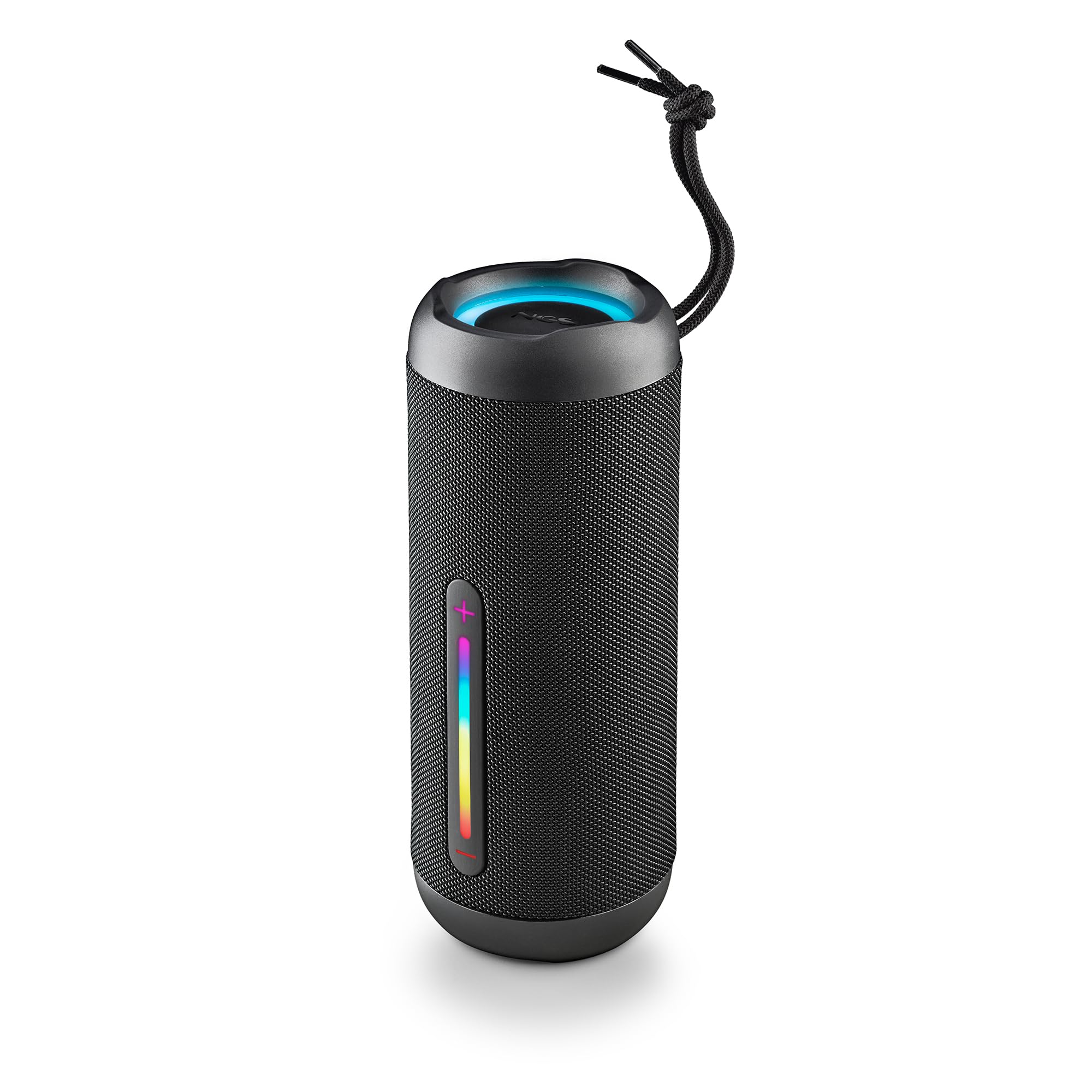
Image: The NGS Roller Furia 2 speaker demonstrating its IPX7 water resistance by being partially submerged in water.
10. טראָובלעשאָאָטינג
| פּראָבלעם | מעגלעך לייזונג |
|---|---|
| דער רעדנער לאָזט זיך נישט אָנ. | זיכער מאַכן אַז די באַטאַרייע איז אויפגעלאָדן. פֿאַרבינדט עס צו אַ מאַכט מקור און פּרוּווט ווידער. |
| קען נישט פארבינדן דורך בלוטוט. | Make sure the speaker is in pairing mode. Disable and re-enable Bluetooth on your device. Ensure no other devices are connected to the speaker. Move closer to the speaker. |
| קיין געזונט. | Check volume levels on both the speaker and your connected device. Ensure the correct input mode (Bluetooth, AUX, USB, TF) is selected. |
| TWS פּאָרינג פיילז. | Ensure both speakers are not connected to any other Bluetooth device before initiating TWS pairing. Try resetting both speakers. |
11. ספּעסאַפאַקיישאַנז
| שטריך | דעטאַל |
|---|---|
| מאָדעל נאָמען | Roller Furia 2 Black |
| מאָדעל נומער | ELEC-SPK-0871 |
| סאָרט | NGS |
| קאַנעקטיוויטי טעכנאָלאָגיע | בלועטוט 5.3, AUX, USB, TF קאַרטל |
| רעדנער רעזולטאַט מאַכט | 30 וו (RMS) |
| וואַסער קעגנשטעל מדרגה | IPX7 (וואָטערפּרוף) |
| באַטערי טיפּ | 2 ליטיום-יאָן (אַרייַנגערעכנט) |
| באַטאַרייע קאַפּאַציטעט | 7.4 וו / 2500 מאַה |
| פּלייַבאַקק צייט | אַרויף צו 9 שעה (ביי 50% באַנד) |
| בלועטאָאָטה קייט | אַרויף צו 10 מעטער |
| דימענסיעס (L X W X H) | 7.4 X 7.4 X 19.4 סענטימעטער |
| וואָג | 712 גראַמז |
| קאַמפּאַטאַבאַל דעוויסעס | MP3 Player, Laptop, Projector, Smartphone, Tablet, TV |
12. וואָראַנטי און שטיצן
דער פּראָדוקט קומט מיט אַ 2-יאָר לימיטעד וואָראַנטי פֿון דעם קויף־דאַטום. ביטע באַהאַלטן אייער קויף־באַווייַז פֿאַר גאַראַנטיע־קליימז.
For technical support or warranty inquiries, please visit the official NGS webזייטל אדער קאָנטאַקט אייער לאקאלן הענדלער.
Ask a question about this manual
Ask about setup, troubleshooting, compatibility, parts, safety, or missing instructions. Manuals+ will review the question and use this page’s manual context to help answer it.