
1. הקדמה
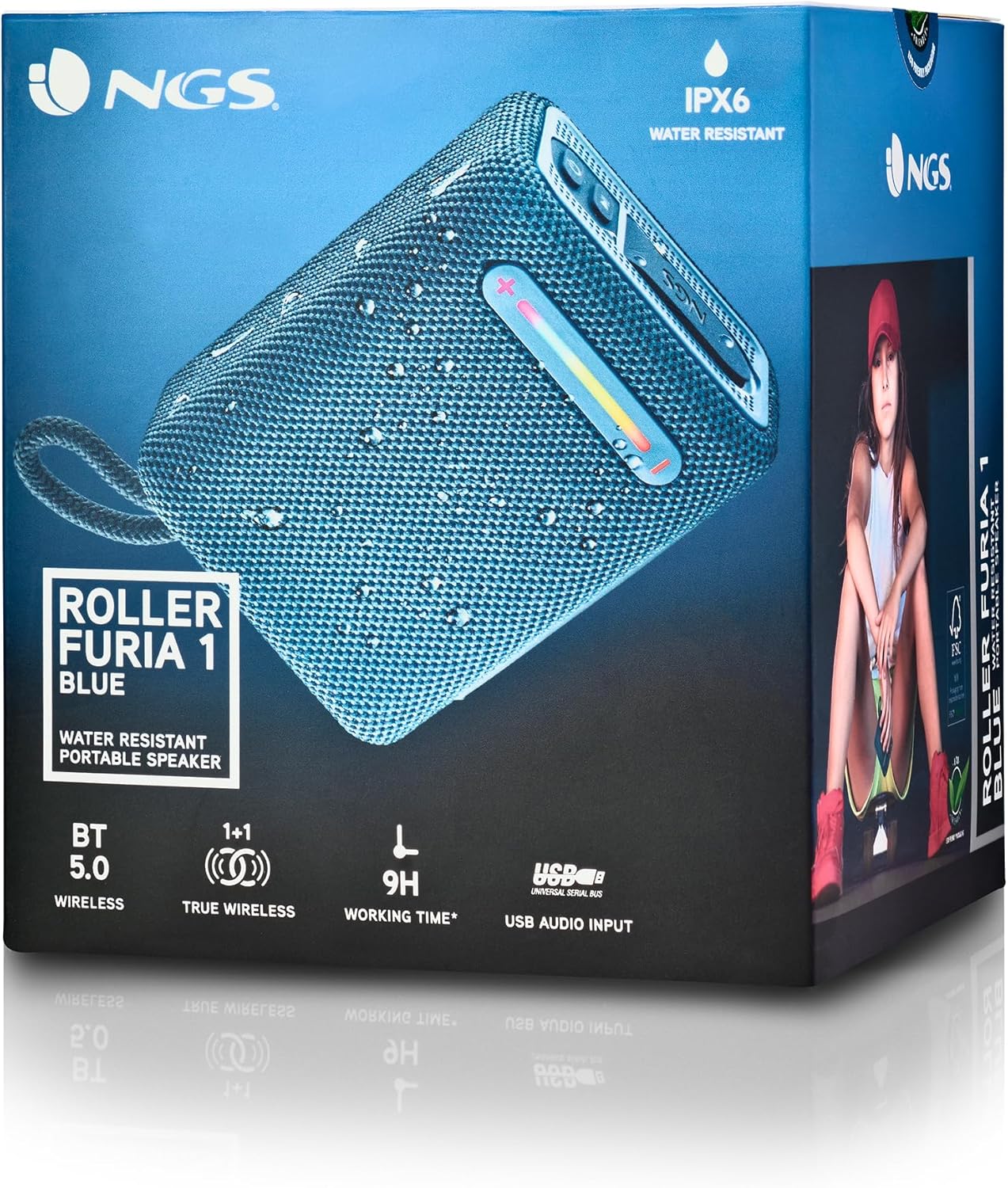
Thank you for choosing the NGS Roller Furia 1 portable speaker. This device is designed to provide high-quality audio with advanced features such as Bluetooth 5.0 connectivity, True Wireless Stereo (TWS) functionality, RGB lighting, and IPX6 water resistance. This manual provides essential information for the safe and efficient use of your speaker.
2. פּעקל אינהאַלט
ביטע טשעק די פּאַקעט פֿאַר די פאלגענדע זאכן:
- NGS Roller Furia 1 Portable Speaker
- וסב טיפּע- C טשאַרדזשינג קאַבלע
- קעריינג רימען
- ינסטרוקטיאָן מאַנואַל (דעם דאָקומענט)
3. פּראָדוקט איבערview
מאַכט זיך באַקאַנט מיט די רעדנער'ס קאָמפּאָנענטן און קאָנטראָלס.
דאָס בילד גיט אַ דעטאַלירטע view of the NGS Roller Furia 1 speaker, indicating its approximate dimensions (10cm length, 7.5cm height) and labeling the USB input and AUX input ports. It also highlights the RGB light strip and the power button.
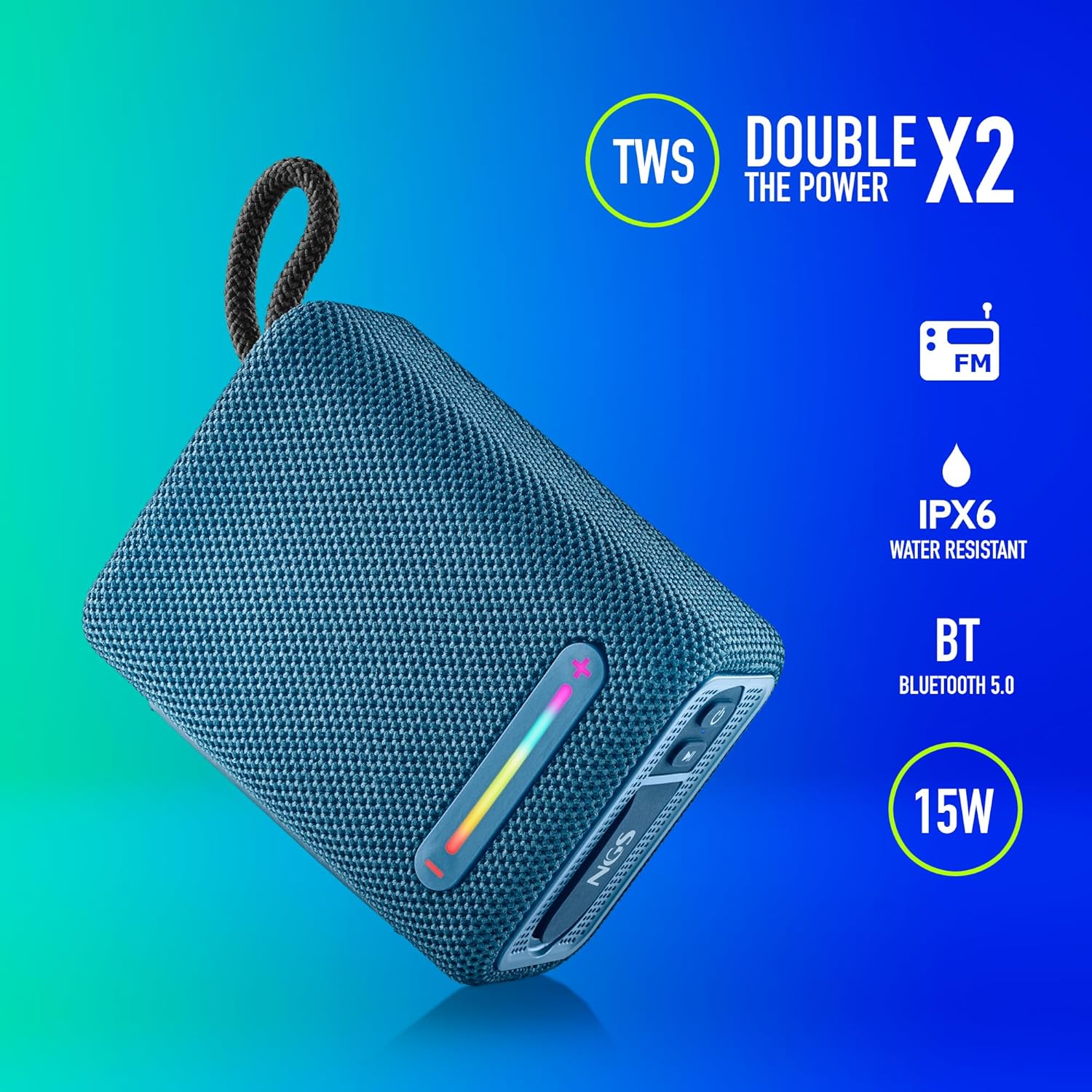
This image illustrates the NGS Roller Furia 1 Blue speaker from an angled view, emphasizing its key features: True Wireless Stereo (TWS) for pairing two speakers, IPX6 water resistance, Bluetooth 5.0 connectivity, and 15 Watts of audio power.
קאָנטראָלס און פּאָרץ:
- מאַכט קנעפּל: Press and hold to turn the speaker on or off. Short press to play/pause audio.
- באַנד אַרויף / ווייַטער ליד קנעפּל (+): קורץ דריקן צו פֿאַרגרעסערן די קול. לאַנג דריקן צו גיין צום נעקסטן ליד.
- באַנד אַראָפּ / פריערדיקע ליד קנעפּל (-): קורץ דריקן צו פֿאַרמינערן די קול. לאַנג דריקן צו גיין צום פֿריִערדיקן ליד.
- מאָדע קנעפּל (M): Short press to switch between Bluetooth, USB, and AUX input modes.
- RGB ליכט קנעפּל: Press to cycle through different RGB light modes or turn them off.
- USB אַרייַנשרייַב פּאָרט: For playing audio from USB memory devices (up to 32GB).
- AUX אַרייַנשרייַב פּאָרט: For connecting external audio devices via a 3.5mm audio cable (not included).
- USB Type-C טשאַרדזשינג פּאָרט: פֿאַר אָפּלאָדן די רעדנער'ס אינערלעכע באַטאַרייע.
4. סעטאַפּ
4.1 אויפלאָדן דעם רעדנער
- פֿאַרבינדט דעם צוגעשטעלטן USB טיפּ-C טשאַרדזשינג קאַבל צום רעדנער'ס טשאַרדזשינג פּאָרט.
- פֿאַרבינדט דעם אַנדערן עק פֿונעם קאַבל צו אַ USB מאַכט אַדאַפּטער (נישט אַרייַנגערעכנט) אָדער אַ קאָמפּיוטער'ס USB פּאָרט.
- The charging indicator light will illuminate. Once fully charged, the light will change or turn off (refer to the speaker's LED behavior).
- A full charge provides approximately 9 hours of playback at 50% volume.
4.2 פּאַוערינג אויף / אַוועק
- צו אָנפאַנגען, דריקן און האַלטן די מאַכט קנעפּל until you hear an audible prompt and the indicator lights illuminate.
- צו האַלטן אַוועק, דריקן און האַלטן די מאַכט קנעפּל again until you hear an audible prompt and the indicator lights turn off.
5. אַפּערייטינג ינסטרוקטיאָנס
5.1 בלועטאָאָטה פּערינג
- Ensure the speaker is powered on and in Bluetooth mode (the indicator light will flash, indicating it's ready for pairing). If not, press the מאָדע קנעפּל (M) צו באַשטימען צו בלועטאָאָטה מאָדע.
- אויף דיין רירעוודיק מיטל, געבן בלועטאָאָטה און זוכן פֿאַר בנימצא דעוויסעס.
- אויסקלייבן "NGS ROLLER FURIA 1"פון דער רשימה פון דעווייסעס.
- אַמאָל פּערד, וועט דער רעדנער אַרויסלאָזן אַן אָודאַבאַל באַשטעטיקונג, און די בלועטוט אינדיקאַטאָר ליכט וועט אויפהערן צו בלינקען און בלייבן פעסט.
- דער רעדנער וועט אויטאָמאַטיש פּרובירן זיך ווידער צו פֿאַרבינדן מיטן לעצטן פֿאַרבונדענעם מיטל ווען עס ווערט אָנגעצונדן.
5.2 אמתע ווירעלעס סטערעאָ (TWS) פּאָרינג
TWS allows you to pair two NGS Roller Furia 1 speakers together for a stereo sound experience.
- Ensure both NGS Roller Furia 1 speakers are powered on and in Bluetooth pairing mode (indicator lights flashing).
- אויף איינעם פון די רעדנערס (דאָס וועט זיין דער הויפּט רעדנער), דריקט צוויי מאָל דעם קנעפּל מאָדע קנעפּל (M). The speaker will emit a sound, indicating it's searching for another TWS speaker.
- The two speakers will automatically connect to each other. Once connected, you will hear a confirmation sound, and the indicator light on the primary speaker will flash slowly, while the secondary speaker's light will remain solid.
- איצט, פֿאַרבינדט אייער מאָבילן מיטל צום הויפּט רעדנער דורך בלועטוט ווי באַשריבן אין סעקציע 5.1.
5.3 יו-עס-בי פּלייבּעק
- Insert a USB memory device (up to 32GB) containing MP3 audio files into the USB Input Port.
- The speaker will automatically switch to USB mode and begin playing audio. If not, press the מאָדע קנעפּל (M) צו אויסקלייַבן וסב מאָדע.
- ניצן די באַנד אַרויף (+) און באַנד אַראָפּ (-) buttons for track control and volume adjustment.
5.4 AUX אַרייַנשרייַב
- Connect one end of a 3.5mm audio cable (not included) to the AUX Input Port on the speaker.
- Connect the other end of the cable to the audio output jack of your external device.
- דער רעדנער וועט זיך אויטאָמאַטיש איבערקערן צו AUX מאָדע. אויב נישט, דריק די מאָדע קנעפּל (M) צו אויסקלייַבן AUX מאָדע.
- קאָנטראָליר ווידערשפּיל און באַנד פֿון דיין עקסטערנעם מיטל.
5.5 RGB ליכט מאָדעס
The speaker features an integrated RGB light strip.
- דרוק די RGB ליכט קנעפּל to cycle through various light patterns and colors.
- ווייטער דריקן דעם קנעפּל צו אויסלעשן די ליכט.
5.6 Volume Control and Call Management
- באַנד אַדזשאַסטמאַנט: קורץ דריקן די באַנד אַרויף (+) or באַנד אַראָפּ (-) קנעפּלעך.
- ענטפֿערן / סוף רופן: When a call comes in while connected via Bluetooth, short press the מאַכט קנעפּל to answer or end the call.
- אָפּוואַרפן רופן: לאנג דריקן די מאַכט קנעפּל צו אָפּוואַרפן אַ ינקאַמינג רופן.
6. וישאַלט
6.1 רייניקונג
- ווישט דעם רעדנער מיט אַ ווייכן, טרוקענעם שטאָף.
- Do not use abrasive cleaners, alcohol, benzene, or other chemical solvents, as these may damage the surface or components.
6.2 סטאָרידזש
- האַלט דעם רעדנער אין אַ קיל, טרוקן אָרט אַוועק פון דירעקט זונשייַן און עקסטרעמע טעמפּעראַטורן.
- אויב איר לייגט עס אויף פאר א לענגערע צייט, לאדט אויף די באטעריע פון צייט צו צייט כדי צו פארהאלטן איר לעבנס-צייט.
6.3 וואַסער קעגנשטעל (IPX6)
- The NGS Roller Furia 1 is IPX6 water resistant, meaning it can withstand powerful water jets. It is suitable for outdoor use and can resist rain or splashes.
- דו זאלסט נישט סאַבמערדזש די רעדנער אין וואַסער.
- Ensure the rubber flap covering the ports is securely closed to maintain water resistance.
7. טראָובלעשאָאָטינג
| פּראָבלעם | מעגלעך סיבה | לייזונג |
|---|---|---|
| דער רעדנער לאָזט זיך נישט אָנ. | באַטערי איז דיפּליטיד. | Charge the speaker using the provided USB Type-C cable. |
| קיין געזונט. | Volume is too low or muted. Incorrect input mode. Device not paired. | Increase volume on speaker and connected device. Press the מאָדע קנעפּל (M) to select the correct input. Re-pair the Bluetooth device. |
| בלועטאָאָטה פּערינג פיילז. | דער רעדנער איז נישט אין פּערינג מאָדע. דער דעווייס איז צו ווייט. שטערונג. | Ensure speaker is in pairing mode (flashing light). Move device closer (within 10m). Turn off other Bluetooth devices. |
| TWS פּאָרינג פיילז. | רעדנערס זענען צו ווייט איינער פון די אנדערע. איין רעדנער איז שוין פארבונדן מיט א דעווייס. | Ensure both speakers are close to each other. Disconnect any Bluetooth devices from both speakers before initiating TWS pairing. |
| געזונט דיסטאָרשאַן. | Volume too high. Low battery. | רעדוצירט די קול. לאדנט אויף דעם רעדנער. |
8. ספּעסאַפאַקיישאַנז
| שטריך | דעטאַל |
|---|---|
| מאָדעל נאָמען | Roller Furia 1 |
| מאָדעל נומער | ELEC-SPK-0865 |
| סאָרט | NGS |
| קאַנעקטיוויטי טעכנאָלאָגיע | בלועטוט 5.0, הילפס-פארבינדונג, USB |
| רעדנער רעזולטאַט מאַכט | 15 וואטס |
| אָפטקייַט ענטפער | 2480 מהז |
| סיגנאַל-צו-נויז ראַטיאָ | 80 דב |
| וואַסער קעגנשטעל שאַץ | IPX6 |
| באַטערי טיפּ | 3.7 וו / 2500 מאַה ליטהיום באַטערי |
| באַטערי דורכשניטלעך לעבן | אַרויף צו 9 שעה (ביי 50% באַנד) |
| ווירעלעסס ראַנגע | אַרויף צו 10 מעטער |
| וסב סופּפּאָרט | Up to 32GB memory devices |
| דימענשאַנז (די רענטגענ וו x ה) | 5D x 9.9W x 7.5H סענטימעטער (אומגעפער) |
| מאַטעריאַל | Stoff (Fabric) |
9. וואָראַנטי און שטיצן
The NGS Roller Furia 1 portable speaker comes with a limited warranty. Please refer to the warranty card included in your package or visit the official NGS webזייטל פֿאַר דעטאַלירטע וואָראַנטי טערמינען און באדינגונגען.
For technical support, troubleshooting assistance, or inquiries about your product, please contact NGS customer service through their official webזייטל אדער די קאָנטאַקט אינפֿאָרמאַציע וואָס איז צוגעשטעלט אין אייער פּראָדוקט דאָקומענטאַציע.