
1. הקדמה
This manual provides detailed instructions for the installation, operation, and maintenance of your EZoneTronics RM-26VW93-2G32 9-inch Android 11 Car Stereo. This universal car radio is designed for various VW models including Passat, Golf MK5, Golf MK6, Jetta, T5, EOS, POLO, Touran, Seat, and Sharan. It features an Android 11 operating system, integrated CarPlay and Android Auto, Bluetooth 5.0, FM/RDS radio, and GPS navigation. Please read this manual thoroughly before using the product to ensure proper function and safety.
2. זיכערקייַט אינפֿאָרמאַציע
- שטענדיק נוצן דעם מיטל פאַראַנטוואָרטלעך און לויט די לאָקאַלע פאַרקער געזעצן. דיסטראַקטעד דרייווינג קען פירן צו אַקסאַדאַנץ.
- Do not attempt to install or repair the unit yourself if you are not qualified. Improper installation can cause damage to the vehicle's electrical system or the unit itself.
- זיכער מאַכן אַז אַלע וויירינג איז ריכטיק פארבונדן און איזאָלירט צו פאַרמייַדן קורץ קרייזן.
- האַלט דעם אַפּאַראַט אַוועק פון וואַסער און איבעריקער נעץ.
- ויסמיידן יקספּאָוזינג די אַפּאַראַט צו עקסטרעם טעמפּעראַטורעס.
3. פּעקל אינהאַלט
באַשטעטיקט אַז אַלע זאכן וואָס זענען אויסגערעכנט אונטן זענען אַרייַנגערעכנט אין אייער פּעקל:
- 1 x EZoneTronics Android Car Stereo Unit
- 1 רענטגענ גפּס אַנטענע
- 1 x VW Wiring Harness
- 1 x CANBUS Box
- 1 x Radio Antenna Adapter
- 1 x USB אַדאַפּטער
- 1 x באַניצער מאַנואַל (דאָס דאָקומענט)
4. פּראָדוקט איבערview
The EZoneTronics RM-26VW93-2G32 is a 9-inch universal car stereo designed to enhance your driving experience with advanced features and seamless integration. Key features include:
- אַנדרויד 11 סיסטעם: Provides a fast, stable, and user-friendly operating environment.
- 9-inch TFT Capacitive Touchscreen: High-definition display with 1280 x 720 pixels for clear visuals.
- Integrated CarPlay & Android Auto: Connect your smartphone via USB for navigation, music, calls, and messages.
- בלועטאָאָטה 5.0: For hands-free calling, phonebook access, and audio streaming (A2DP).
- גפּס נאַוויגאַציע: Built-in receiver compatible with various navigation apps like Waze, Navfree, and Google Maps.
- FM/RDS Radio: Automatic memory and preset scanning for your favorite stations.
- שטיצע פארן קאנטראל פון די שטייער-ראד: Retains original vehicle steering wheel control functionality via CANBUS.
- מולטימעדיאַ שפּילער: Supports various audio and video formats.
- הינטערשטע קאַמעראַ אַרייַנשרייַב: Supports CVBS/AHD cameras for parking assistance.
- 32GB פלאַש זכּרון: Ample storage for music, map data, and videos.
- 4 x 45W Output Power: גיט קלאָר און שטאַרק אַודיאָ.
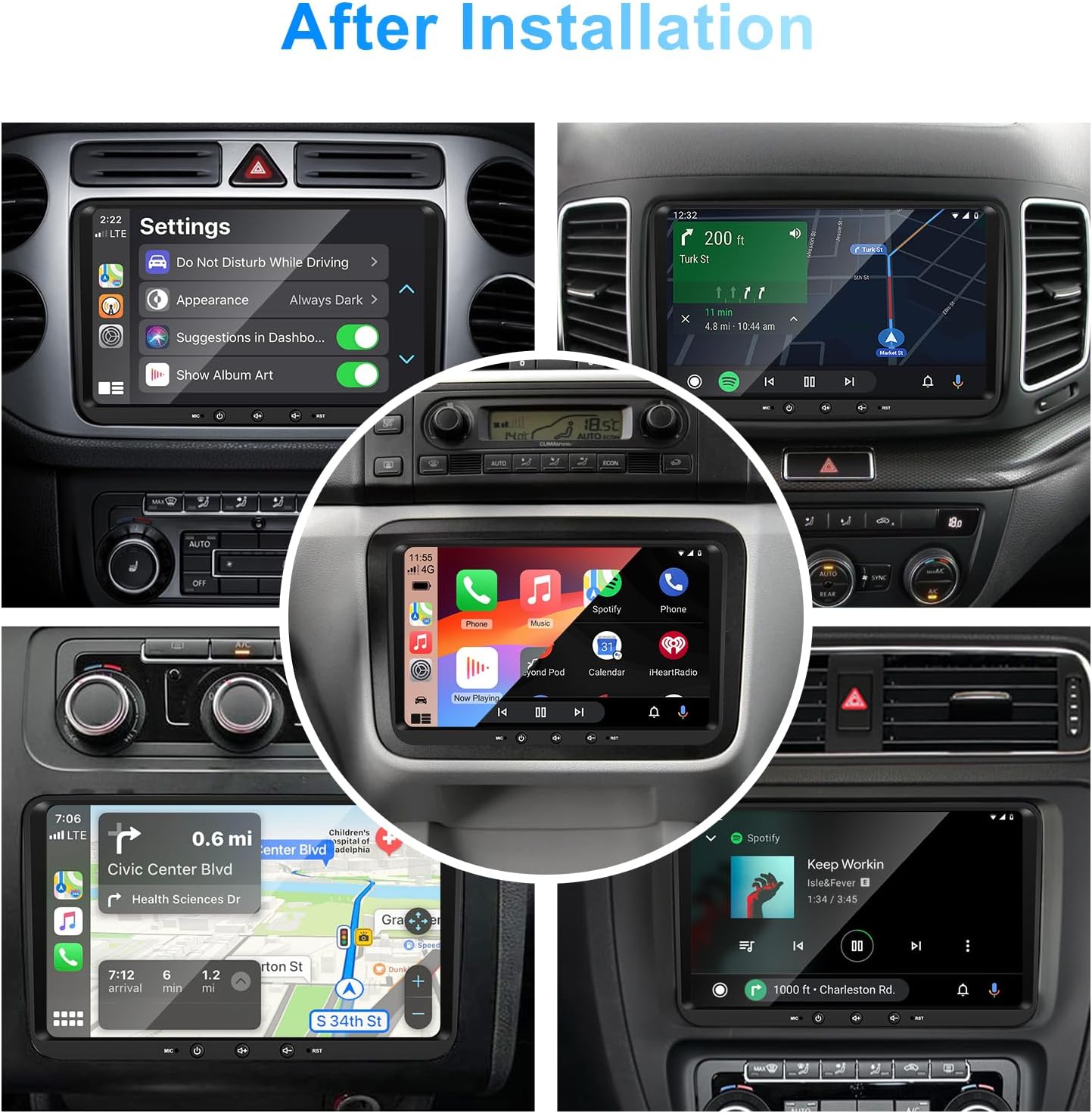
בילד 1: פראָנט view of the EZoneTronics 9-inch Android 11 Car Stereo unit, showcasing its large touchscreen display and sleek design.
5. אויפשטעלן און אינסטאַלירן
פראפעסיאנעלע אינסטאלאציע איז רעקאמענדירט. זיכערט זיך אז די אויטא'ס עלעקטריע איז אפגעטיילט איידער איר הייבט אן די אינסטאלאציע.
5.1 וויירינג דיאַגראַמע
Refer to the following diagram for proper wiring connections. Each connector is labeled for clarity.

Image 2: Detailed wiring diagram illustrating connections for the power harness, CANBUS box, USB extension, backup camera video input, radio antenna adapter, and GPS antenna.
5.2 אינסטאַלאַציע טריט (אַלגעמיין)
- אַראָפּנעמען אָריגינעלע איינהייט: Carefully remove your vehicle's existing car stereo unit and trim panels.
- פאַרבינדן מאַכט כאַרניס: Connect the provided VW wiring harness to the vehicle's wiring and then to the car stereo unit. Ensure all connections are secure.
- Connect CANBUS Box: Integrate the CANBUS box as shown in the wiring diagram. This enables steering wheel controls and other vehicle data integration.
- Connect GPS Antenna: מאָנטירט די דזשי-פּי-עס אַנטענע אין אַ אָרט מיט אַ קלאָרן view of the sky (e.g., dashboard or windshield corner) and connect it to the unit.
- Connect Radio Antenna: Use the provided radio antenna adapter to connect the vehicle's radio antenna to the unit.
- Connect USB Adapters: Connect the USB extension harnesses for external USB devices.
- אָפּטיאָנאַל קאַנעקשאַנז: Connect any optional accessories such as a backup camera (CVBS/AHD), external amplifier (RCA output), or additional video inputs/outputs.
- טעסט פאַנגקשאַנאַליטי: Before fully reassembling the dashboard, temporarily connect the unit and test all functions (power, audio, radio, GPS, Bluetooth, steering wheel controls, camera).
- זיכערע איינהייט: Once all functions are verified, secure the car stereo unit in the dashboard and reassemble all trim panels.
6. אַפּערייטינג ינסטרוקטיאָנס
This section details the primary functions and operations of your EZoneTronics car stereo.
6.1 יקערדיק אָפּעראַציע
- מאַכט אויף / אַוועק: Press and hold the power button (usually on the front panel) to turn the unit on or off. A short press typically mutes/unmutes audio.
- באַנד קאָנטראָל: Use the physical volume knob or the on-screen controls to adjust the audio level.
- טאָוטשסקרעען צובינד: Navigate through menus and applications by tapping, swiping, and pinching on the 9-inch capacitive touchscreen.
6.2 אַנדרויד 11 סיסטעם
The unit runs on Android 11, providing a familiar smartphone-like experience. You can download and install various applications from the Google Play Store.

Image 3: Screenshot of the Android 11 system interface, showing various applications and media options available on the car stereo.
6.3 קאַרפּליי און אַנדרויד אויטאָ
Connect your iPhone or Android smartphone via USB to access CarPlay or Android Auto. This allows for safe and convenient use of phone features while driving.
- קשר: Connect your smartphone to one of the unit's USB ports using a certified USB cable.
- אַקטאַוויישאַן: The unit should automatically detect and prompt you to launch CarPlay or Android Auto. Follow on-screen instructions.
- פֿעיִקייטן: Access navigation, make calls, send/receive messages, and play music using voice commands (Siri or Google Assistant) or the touchscreen.

Image 4: Display showing the CarPlay interface with Siri voice commands and the Android Auto interface with Google Assistant commands, demonstrating smartphone integration.
6.4 גפּס נאַוויגאַציע
The unit includes a built-in GPS receiver and supports various navigation applications.
- Pre-installed Maps: Sygic Maps are typically pre-installed. For offline use, download regional map data as needed.
- Online Navigation: Connect to Wi-Fi or use a mobile hotspot to access real-time traffic information and online map services like Google Maps.
- External GPS Antenna: Ensure the external GPS antenna is properly connected and positioned for optimal signal reception.

Image 5: The car stereo displaying an online navigation map, showing a route and real-time traffic conditions within a vehicle dashboard.
6.5 בלועטאָאָטה 5.0
פֿאַרבינדט אייער סמאַרטפאָון דורך בלועטוט פֿאַר הענט-פֿרײַ קאָמוניקאַציע און אַודיאָ סטרימינג.
- פּאָרינג: Enable Bluetooth on your smartphone and search for the car stereo (e.g., "EZoneTronics"). Select the device and confirm the pairing code.
- הענט-פריי רופן: Make and receive calls directly from the car stereo. Access your phonebook and recent call history.
- אַודיאָ סטרימינג (A2DP): Play music from your smartphone through the car stereo's speakers.

Image 6: The car stereo displaying music playback via Bluetooth 5.0, with a smartphone shown next to it also playing music, illustrating the wireless audio connection.
6.6 FM/RDS ראַדיאָ
Access local radio stations with the built-in FM/RDS tuner.
- טונינג: Use the on-screen controls to manually tune to frequencies or perform an automatic scan for available stations.
- פּרעסעץ: ראַטעוועט אייערע באַליבסטע סטאַנציעס צו פּרעסעט קנעפּלעך פֿאַר שנעלן צוטריט.
- RDS (ראַדיאָ דאַטאַ סיסטעם): Displays station information such as song title, artist, or program type where available.
6.7 סטירינג ראָד קאָנטראָל
The unit supports your vehicle's original steering wheel controls through the CANBUS box, allowing you to manage audio and other functions without taking your hands off the wheel.
- פאַנגקשאַנאַליטי: Control volume, change tracks, answer calls, and switch modes directly from your steering wheel.
- קאַנפיגיעריישאַן: In some cases, steering wheel controls may require initial configuration in the unit's settings menu.

Image 7: Illustration showing a steering wheel with control buttons and corresponding icons on the car stereo display, indicating seamless integration of steering wheel controls.
6.8 Audio Settings (32-Band EQ)
Customize your audio experience with the built-in 32-band equalizer and other sound controls.
- עקוואַליזער: Adjust frequency bands to fine-tune the sound output to your preference.
- פאָראויסגעשטעלטע EQ מאָדעס: Select from various preset equalizer modes (e.g., Pop, Rock, Jazz, Classic).
- פאַדער / באַלאַנס: אַדזשאַסטירן די אַודיאָ פאַרשפּרייטונג צווישן פראָנט/הינטן און לינקס/רעכטס רעדנערס.
- הויך Enhance bass and treble at low volume levels.

Image 8: Screenshot of the car stereo's 32-band equalizer interface, showing adjustable frequency sliders and preset sound modes, along with a visual representation of sound distribution in a car cabin.
6.9 After Installation Overview
Once installed, the unit provides a comprehensive interface for various functions, including system settings, navigation, media playback, and vehicle information.
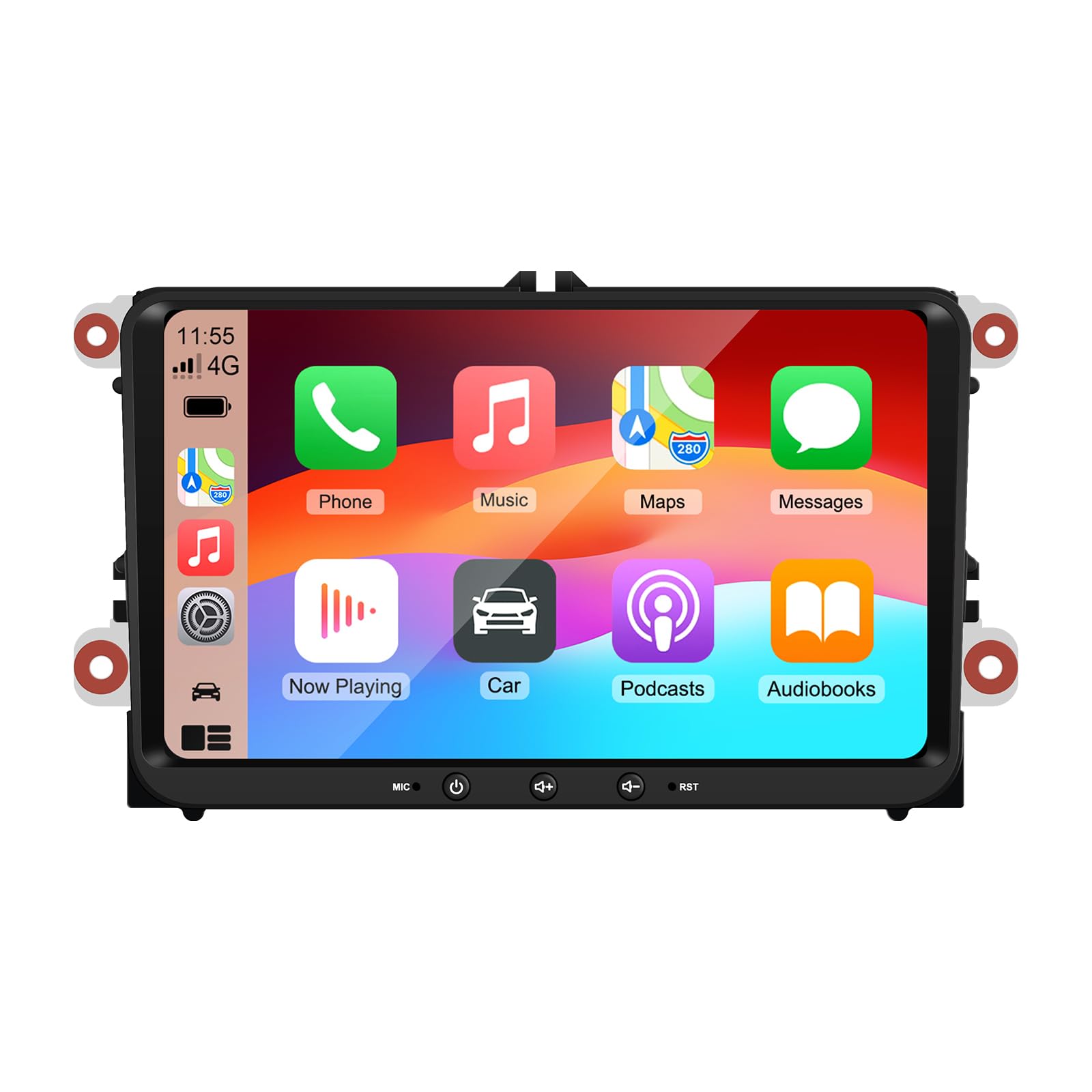
Image 9: A collage of various screen displays from the car stereo after installation, showing settings, navigation, CarPlay, Spotify, and vehicle information screens.
7. וישאַלט
- רייניקונג די פאַרשטעלן: ניצט אַ ווייכע, לינט-פֿרייע שטאָף צו פֿאָרזיכטיק ווישן דעם טאָוטשסקרין. פֿאַר שווערע פֿלעקן, אַ ביסל ווישןampווישט דעם שטאָף מיט וואַסער אָדער אַ פאַרשטעלן-זיכער רייניגער. פֿאַרמייַדט שטרענגע כעמיקאַלן.
- ווייכווארג דערהייַנטיקונגען: Periodically check for software updates through the unit's settings menu or the manufacturer's webזייטל צו ענשור אָפּטימאַל פאָרשטעלונג און אַקסעס צו נייַע פֿעיִקייטן.
- סיסטעם באַשטעטיק: If the unit experiences persistent issues, a factory reset option is available in the settings. Note that this will erase all user data and settings.
8. טראָובלעשאָאָטינג
If you encounter problems with your EZoneTronics car stereo, refer to the following common issues and solutions:
| פּראָבלעם | מעגלעך סיבה | לייזונג |
|---|---|---|
| דער אַפּאַראַט טוט נישט מאַכט אויף. | Incorrect wiring; Blown fuse; Vehicle power issue. | Check power connections and fuses. Consult a professional installer. |
| קיין געזונט. | Volume muted; Speaker wiring incorrect; Ampליפיער אַרויסגעבן. | Check volume and mute settings. Verify speaker connections. |
| דזשי-פי-עס סיגנאַל פאַרלוירן אָדער נישט ריכטיק. | GPS antenna improperly placed or disconnected. | זיכער מאַכן אַז די GPS אַנטענע האָט אַ קלאָרע view פון הימל און איז זיכער פארבונדן. |
| בלועטאָאָטה פּערינג פיילז. | Bluetooth not enabled on phone/unit; Incorrect pairing process. | Ensure Bluetooth is active on both devices. Restart pairing process. |
| שטייר-ראד קאנטראלס ארבעטן נישט. | CANBUS box not connected; Incorrect configuration. | Verify CANBUS box connection. Check steering wheel control settings in the unit. |
9. ספּעסאַפאַקיישאַנז
Technical specifications for the EZoneTronics RM-26VW93-2G32 car stereo:
| שטריך | באַשרייַבונג |
|---|---|
| מאָדעל נומער | RM-26VW93-2G32 |
| אָפּערייטינג סיסטעם | אַנדרויד 11 |
| פאַרשטעלן גרייס | 9 אינטשעס |
| ווייַז האַכלאָטע | 1280 X 720 בילדצעלן |
| פּראַסעסער | Quad Core 1.5G |
| באַראַן | 2G DDR4 |
| אינערלעכער סטאָרידזש | 32 גיגאבייט פלאַש זכּרון |
| בלועטאָאָטה ווערסיע | 5.0 |
| רעזולטאַט מאַכט | 4 x 45W (180 Watts total) |
| נומער פון טשאַנאַלז | 2 |
| גפּס ופנעמער | Built-in, with external antenna |
| ווי-פי | געבויט-אין |
| וסב ינפּוט | 2 רענטגענ דערציען וסב |
| אַפּאַראַט אַרייַנשרייַב | CVBS/AHD compatible |
| פאַבריקאַנט | Rhythm Electronics Limited |
10. וואָראַנטי & שטיצן
10.1 וואָראַנטי אינפֿאָרמאַציע
The EZoneTronics RM-26VW93-2G32 car stereo comes with a 1 יאָר וואָראַנטי from the date of purchase. This warranty covers manufacturing defects and malfunctions under normal use. It does not cover damage caused by improper installation, misuse, accidents, or unauthorized modifications.
10.2 קונה שטיצן
For technical assistance, warranty claims, or any questions regarding your product, please contact our customer support team:
- בליצפּאָסט: support@ezonetronics.com
When contacting support, please provide your product model number (RM-26VW93-2G32) and a detailed description of the issue.