
1. הקדמה
Thank you for choosing Herdio 6.5-inch Indoor Outdoor Bluetooth Speakers. This manual provides essential information for the proper setup, operation, and maintenance of your speakers. Please read it thoroughly before use to ensure optimal performance and longevity of your product.
These speakers are designed for versatile use, featuring Bluetooth 5.3 connectivity, IP66 marine-grade waterproofing, and a 2-way full-range audio system with a 6.5-inch woofer and 1.0-inch PET dome tweeter.
2. פּעקל אינהאַלט
באַשטעטיקן אַז אַלע זאכן זענען פאַראַן אין פּעקל:
- 2 x Herdio 6.5-inch Indoor Outdoor Speakers (1 active, 1 passive)
- 1 x PWR-24V3A-US Power Adapter
- 1 x 16FT/5M Speaker Cable
- 1 x באַניצער מאַנואַל (דאָס דאָקומענט)
- Mounting Brackets and Hardware (screws/nails)

3. סעטאַפּ אינסטרוקציעס
3.1. מאָונטינג די ספּיקערז
The speakers come with adjustable mounting brackets for wall installation. Ensure the mounting surface is sturdy enough to support the weight of the speakers.
- Remove the Bracket: Turn the knob on the side of the speaker counter-clockwise to loosen and remove the mounting bracket.
- באַוואָרענען די בראַקאַץ: Position the bracket on your desired mounting location. Use appropriate nails or screws (provided) to securely fix the bracket to the wall.
- צוטשעפּען דעם רעדנער: Place the speaker onto the secured bracket. Tighten the knob clockwise to firmly secure the speaker in place. Adjust the speaker angle as needed before fully tightening.


3.2. וויירינג די רעדנערס
The system includes one active speaker (with amplifier and Bluetooth) and one passive speaker. The passive speaker connects to the active speaker using the provided speaker cable.
- קאָננעקט רעדנער קאַבלע: Identify the speaker cable (red for positive, black for negative). Connect the red wire to the red terminal and the black wire to the black terminal on both the active and passive speakers. Ensure a secure connection.
- מאַכט קשר: Plug the PWR-24V3A-US power adapter into the DC 24V IN port on the active speaker. Then, plug the power adapter into a suitable power outlet.


3.3. בלועטאָאָטה פּערינג
Once powered on, the active speaker will enter Bluetooth pairing mode, indicated by an audible prompt.
- אַקטאַווייט בלועטאָאָטה: אויף אייער מאָבילער מיטל (סמאַרטפאָן, טאַבלעט, לאַפּטאָפּ), אַקטיווירט בלועטוט.
- אויסקלייַבן דיווייס: זוכן פֿאַר available Bluetooth devices. You should see 'HOS602' in the list. Select it to initiate pairing.
- באַשטעטיקן קשר: Once paired, an audible confirmation will sound, and your device will show 'HOS602' as connected for media audio.
3.4. אמתע ווירעלעס סטערעאָ (TWS) פּאָרינג
For a stereo configuration with two active speakers (purchased separately), use the TWS function.
- צינד אן ביידע רעדנערס: Ensure both active speakers are powered on and in Bluetooth pairing mode.
- Activate TWS: On the back of one active speaker, locate the TWS/Reset button. A short press will illuminate the light and activate TWS functionality. The speakers will automatically attempt to pair with each other.
- פאַרבינדן צו מיטל: Once the two active speakers are paired in TWS mode, connect your mobile device to one of the speakers via Bluetooth as described in Section 3.3.
4. אַפּערייטינג ינסטרוקטיאָנס
4.1. יקערדיק אָפּעראַציע
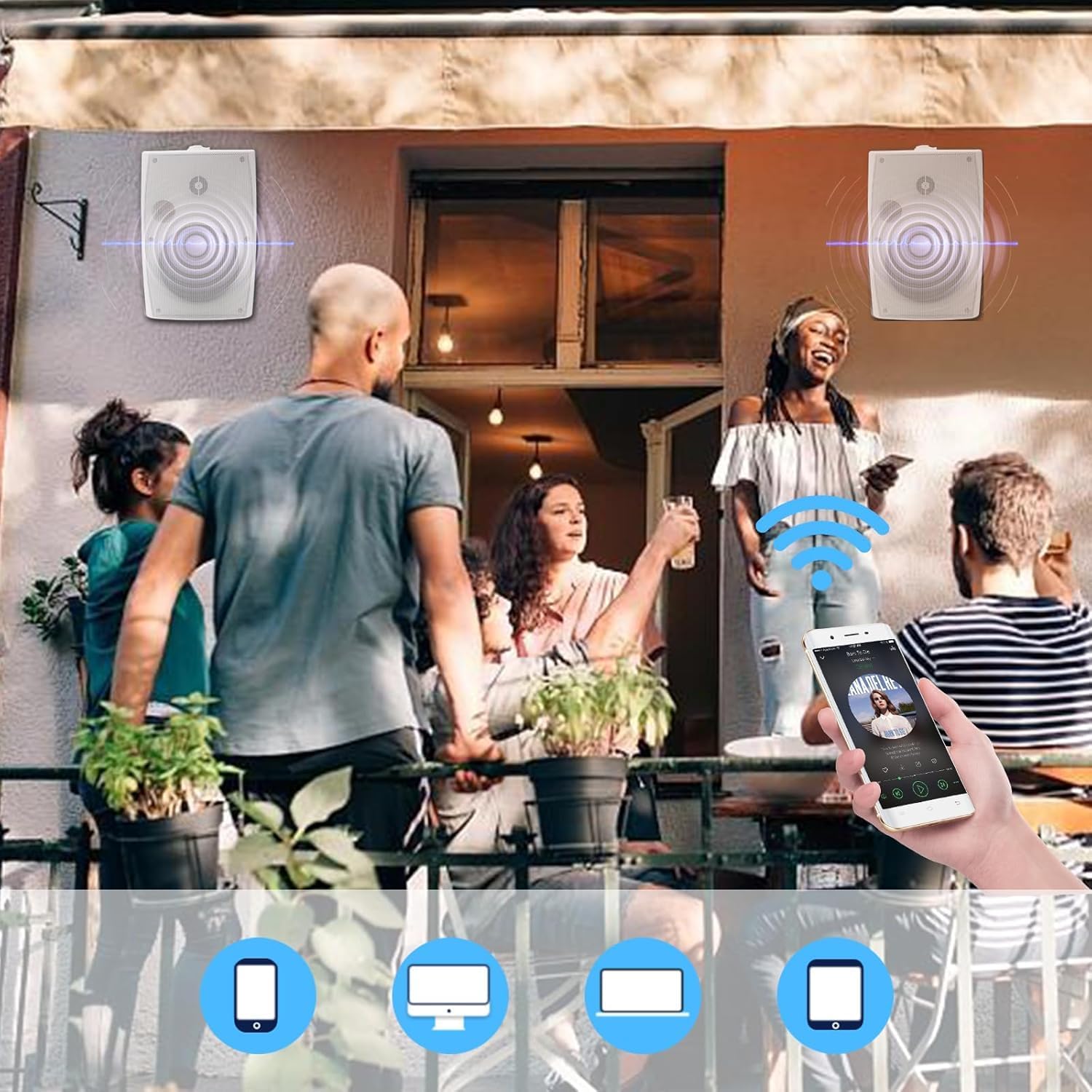
After successful Bluetooth pairing, you can control music playback directly from your connected device. Adjust volume, skip tracks, and pause/play using your device's media controls.
4.2. פּאָווערינג אויף / אויסגעלאשן
The speakers power on automatically when connected to the power adapter and power is supplied. To power off, disconnect the power adapter from the outlet.
5. וישאַלט
5.1. רייניקונג
ווישן די ספּיקערז מיט אַ ווייך, דamp cloth. Do not use harsh chemicals or abrasive cleaners, as these can damage the finish or internal components.
5.2. וואַסערפּרוף
The speakers feature an IP66 marine-grade waterproof rating, making them suitable for outdoor use in various weather conditions, including rain and snow. The Bluetooth motherboard is also coated with triple-proof paint for added protection against moisture.

5.3. Power Adapter Care
The provided power adapter is generally designed for indoor use. If installing the speakers outdoors, ensure the power adapter is protected from direct exposure to rain, snow, or extreme moisture. Consider housing it in a weatherproof enclosure if outdoor placement is unavoidable.
6. טראָובלעשאָאָטינג
- קיין מאַכט: Ensure the power adapter is securely plugged into both the active speaker and a working power outlet. Check if the outlet has power.
- קיין קול: Verify that the speakers are properly wired (red to red, black to black). Ensure your Bluetooth device is connected and the volume is turned up on both the device and the speakers.
- בלועטאָאָטה פּערינג ישוז: Make sure the speakers are in pairing mode. If you have previously paired the speakers with another device, disconnect them from that device first. Try restarting your Bluetooth device and the speakers.
- TWS פּערינג פּראָבלעמען: Ensure both speakers are active and within range. Perform a system reset if TWS pairing fails repeatedly.
- סיסטעם באַשטעטיק: To restore the active speaker to factory settings, press and hold the TWS/Reset button on the back of the master unit for 3 seconds.
7. ספּעסאַפאַקיישאַנז
| שטריך | באַשרייַבונג |
|---|---|
| מאָדעל נאָמען | HOS-602WBT (SZJW-US-602WBT) |
| רעדנער טיפּ | Outdoor (Indoor/Outdoor) |
| ספּעציעלע שטריך | Waterproof (IP66 Marine-Grade) |
| קאַנעקטיוויטי טעכנאָלאָגיע | בלועטאָאָטה 5.3 |
| רעדנער גרייס | 6.5 אינטשעס |
| וואָאָפער | 6-inch Injection-Molded Polypropylene (PP) Cone with Rubber Surround |
| טוועטער | 1.0-inch PET Dome Tweeter |
| רעדנער מאַקסימום רעזולטאַט מאַכט | 400 וואטס (פּיקס) |
| אַודיאָ רעזולטאַט מאָדע | סטערעאָ |
| פּראָדוקט דימענשאַנז (L x W x H) | 11.81" (30 ס"מ) x 8.27" (21 ס"מ) x 6.69" (17 ס"מ) |
| פּונקט וואָג | 12.94 פונט (5.88 קילאָגראַמס) |
| מאַונטינג טיפּ | וואנט בארג |
| מאַכט מקור | Battery Powered (via included power adapter) |
8. ווידעא גייד
For a visual demonstration of the setup and features, please refer to the official product video below:
9. וואָראַנטי און שטיצן
Herdio products are manufactured with quality and performance in mind. For specific warranty details, please refer to the warranty card included with your purchase or visit the official Herdio website. If you encounter any issues or require technical assistance, please contact Herdio customer support through their official channels.