
1. הקדמה
Thank you for choosing the Zeblaze Crystal 3 Smartwatch. This manual provides essential information for setting up, operating, maintaining, and troubleshooting your device. Please read it carefully to ensure proper use and optimal performance.
2. פּראָדוקט איבערview
The Zeblaze Crystal 3 is a versatile smartwatch designed for fitness tracking and daily use. It features a vibrant HD color display and high-precision sensors to monitor various health metrics.
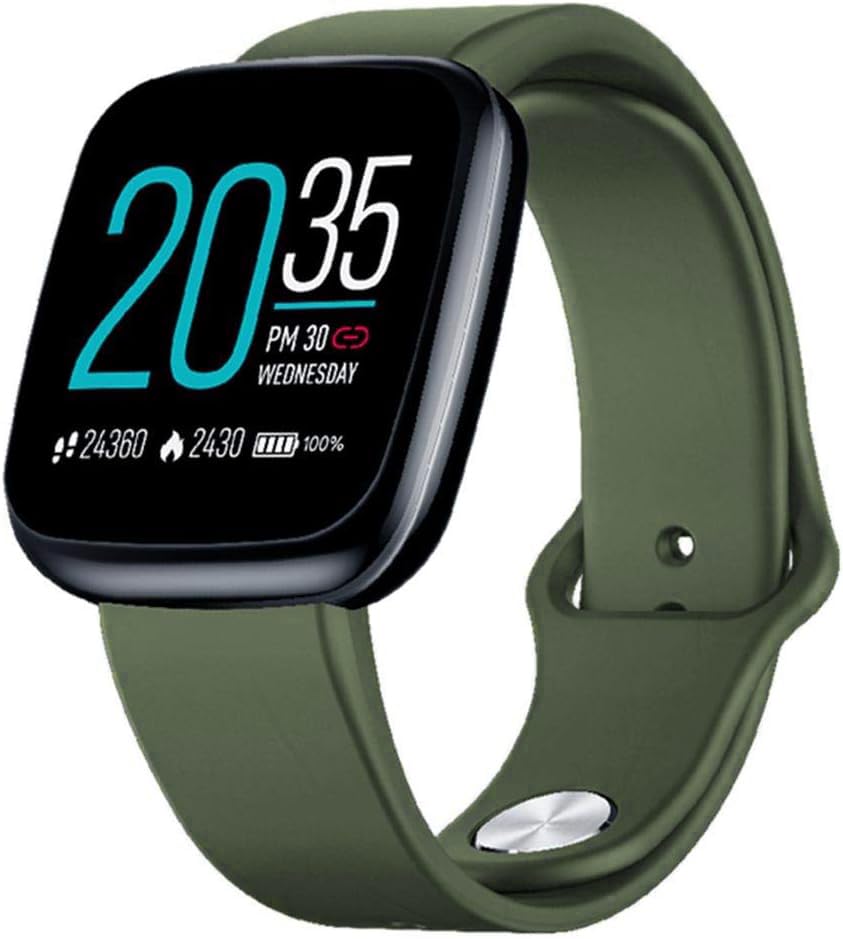
Image: Zeblaze Crystal 3 Smartwatch, showing the main display and green strap.
שליסל פֿעיִקייטן:
- 1.3-inch HD Color Screen: A vibrant IPS display with 240x240 pixel resolution for clear visuals.
- הויך פּרעסיסיאָן סענסאָרס: Equipped with a heart rate sensor, proximity sensor, and accelerometer for accurate data collection.
- IP67 וואַסער קעגנשטעל: Designed to withstand daily water exposure, such as splashes and rain.
- לאנג באַטאַרייע לעבן: Up to 7 days of use on a single 2-hour charge, thanks to its 200 mAh battery.
- אַקטיוויטעט טראַקינג: Monitors steps, distance, calories burned, and supports various sports modes.
- געזונט מאָניטאָרינג: Includes heart rate and sleep tracking.
- סמאַרטפאָנע קאַמפּאַטאַבילאַטי: Works with Android 4.4 or newer and iOS 8.0 or newer devices.
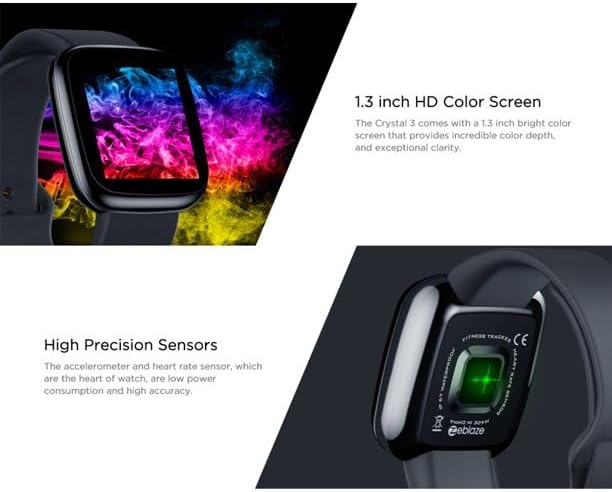
Image: Close-up of the 1.3-inch HD color screen and the high-precision heart rate sensor on the back of the watch.
3. סעטאַפּ
3.1 אויפלאָדן די סמאַרטוואַטש
Before first use, fully charge your Zeblaze Crystal 3. Connect the charging cable to the watch's charging port and a USB power source (e.g., computer USB port or a 5V/1A USB adapter). A full charge typically takes about 2 hours.
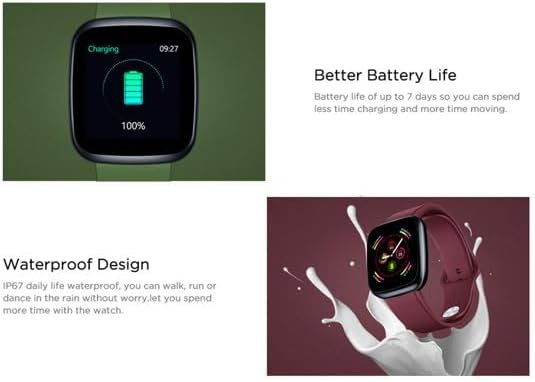
Image: Illustration showing how to connect the smartwatch to a USB port for charging.
3.2 אַפּ אינסטאַלאַציע און פּערינג
- אראפקאפיע די אַפּ: זוכן פֿאַר the official Zeblaze companion app on your smartphone's app store (Google Play Store for Android or Apple App Store for iOS).
- שאַפֿן אַ חשבון: עפֿענען די אַפּ און נאָכגיין די ינסטראַקשאַנז אויף דעם עקראַן צו שאַפֿן אַ חשבון אָדער קלאָץ אין.
- פּאָר דיווייס: Ensure Bluetooth is enabled on your smartphone. In the app, navigate to the device pairing section and select "Zeblaze Crystal 3" from the list of available devices. Confirm the pairing request on both your phone and the smartwatch.
- פּראָfile סעטאַפּ: פֿאַרענדיקט אייער פּערזענלעכע פּראָפֿעסיאָנעלfile within the app to ensure accurate tracking of health and fitness data.
4. אַפּערייטינג ינסטרוקטיאָנס
4.1 יקערדיק נאַוויגאַציע
- וועק סקרין: הייבט אויף אייער האַנטגעלענק אָדער דריק דעם זייט קנעפּל צו וועקן דעם עקראַן.
- שלעפּן אַרויף / אַראָפּ: צוטריט צו נאטיפיקאציעס אדער שנעלע סעטינגס.
- שלעפּן לינקס / רעכט: Navigate through different functions and widgets (e.g., heart rate, activity data, weather).
- צאַפּן: אויסקלייבן אַן אייטעם אָדער באַשטעטיקן אַן אַקציע.
- לאנג פּרעס: On the main watch face, long press to change watch faces.
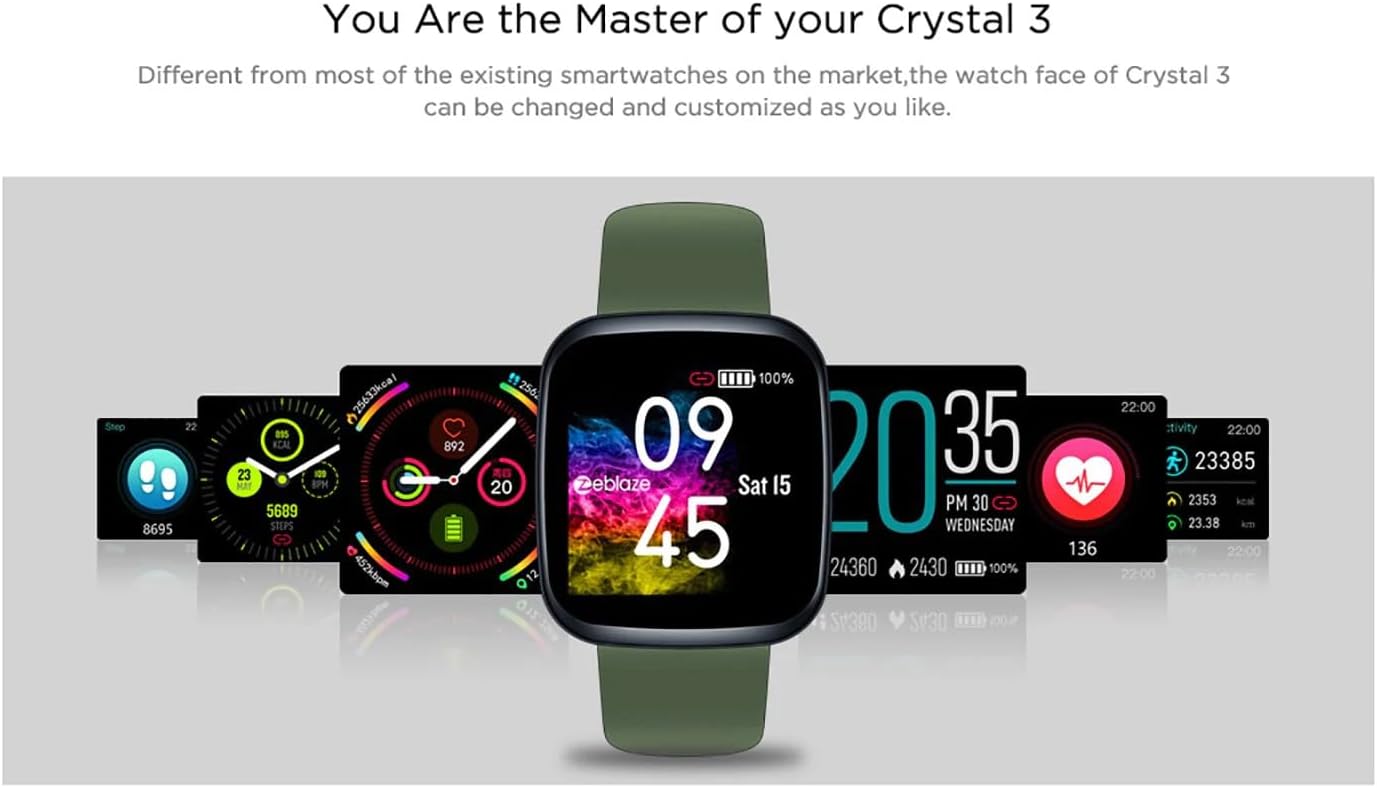
Image: The Zeblaze Crystal 3 displaying different customizable watch faces and data screens.
4.2 טעטיקייט טראַקינג
די קלוגע טשויט טרעקט אויטאָמאַטיש אייערע טעגלעכע טריט, דיסטאַנץ, און קאַלאָריעס פארברענט. איר קענט view this data directly on the watch or in more detail within the companion app.
4.3 האַרץ קורס מאָניטאָרינג
The built-in heart rate sensor continuously monitors your heart rate. Ensure the watch is worn snugly on your wrist for accurate readings. View your current and historical heart rate data in the app.
4.4 שלאָפן מאָניטאָרינג
Wear the smartwatch to bed to track your sleep patterns. The device records sleep duration and quality, which can be reviewed in the app to help you understand and improve your sleep habits.
5. וישאַלט
5.1 רייניקונג די מיטל
Regularly clean your smartwatch and strap to prevent skin irritation and maintain functionality. Use a soft, damp א שטאָף צו ווישן דעם עקראַן און רימען. פֿאַרמייַדן ניצן שטרענגע כעמיקאַלן אָדער אַברייסיוו מאַטעריאַלן.
5.2 וואַסער קעגנשטעל (IP67)
The Zeblaze Crystal 3 is IP67 water-resistant, meaning it is protected against dust and can withstand immersion in water up to 1 meter for up to 30 minutes. It is suitable for daily use, such as washing hands, rain, or light splashes. עס איז נישט רעקאָמענדירט צו שווימען, נעמען אַ שפּריץ מיט הייס וואַסער, אָדער דייווינג.

Image: Illustration highlighting the waterproof design of the Zeblaze Crystal 3 Smartwatch.
5.3 באַטערי קער
- פֿאַרמײַדן עקסטרעמע טעמפּעראַטורן, וואָס קענען פֿאַרערגערן די לעבן פֿון דער באַטעריע.
- לאָזט נישט דעם אַפּאַראַט גאָר אויסגעלאָדן פֿאַר לאַנגע פּעריאָדן.
- ניצט נאָר דעם צוגעשטעלטן טשאַרדזשינג קאַבל אָדער אַ סערטיפיצירטן עקוויוואַלענט.
6. טראָובלעשאָאָטינג
6.1 אַפּאַראַט טוט זיך נישט אָן
- זיכער מאַכן אַז די דעווייס איז גאָר אויפגעלאָדן. פֿאַרבינדט עס צום טשאַרדזשער פֿאַר לפּחות 30 מינוט.
- Try pressing and holding the side button for 10-15 seconds to force a restart.
6.2 נישט געקענט זיך צופּאַרן מיטן סמאַרטפאָן
- Make sure Bluetooth is enabled on your phone and the smartwatch is within range.
- ריסטאַרט ביידע דיין סמאַרטפאָון און סמאַרטוואַטש
- קוק אויב די אַפּ איז דערהייַנטיקט צו די לעצטע ווערסיע.
- Forget the device from your phone's Bluetooth settings and try pairing again through the app.
6.3 Inaccurate Heart Rate/Activity Data
- זייט זיכער אז די זייגער טראָגט גוט אויף אייער האַנטגעלענק, נישט צו ענג אדער צו לויז.
- רייניקט דעם סענסאר אויף דער הינטערשטער זייגער.
- Update the smartwatch firmware via the companion app if an update is available.
7. ספּעסאַפאַקיישאַנז
| שטריך | דעטאַל |
|---|---|
| סאָרט | זעבלאז |
| מאָדעל נאָמען | קריסטאַל 3 |
| ווייַז | 1.3-אינטש IPS קאָליר פאַרשטעלן |
| האַכלאָטע | 240 * 240 בילדצעלן |
| סענסאָרס | Heart Rate Sensor, Proximity Sensor, Accelerometer |
| וואַסער קעגנשטעל | IP67 |
| באַטאַרייע קאַפּאַציטעט | 200 מאַה |
| טשאַרדזשינג צייט | בעערעך. 2 שעה |
| באַטערי לעבן | אַרויף צו 7 טעג |
| קאַמפּאַטאַבילאַטי | אַנדרויד 4.4+ / יאָס 8.0+ |
| דימענשאַנז | 4.05 X 3.55 X 1.2 סענטימעטער (1.59 X 1.39 X 0.47 אינטשעס) |
| וואָג | 27 גראַמז (0.95 אונסעס) |
| קאַנעקטיוויטי | Bluetooth (for app pairing), USB (for charging) |
| ספּעציעלע פֿעיִקייטן | Activity Tracker, Heart Rate Monitor, Sleep Monitor |
8. וואָראַנטי און שטיצן
For warranty information and customer support, please refer to the documentation included with your purchase or visit the official Zeblaze website. If you encounter any issues not covered in this manual, please contact Zeblaze customer service for assistance.