
Z-EDGE U28I4K
Z-EDGE U28I4K 4K מאָניטאָר באַניצער מאַנואַל
28-inch IPS, 144Hz Refresh Rate, Ultra HD 3840x2160 Gaming Monitor
1. הקדמה
This user manual provides detailed instructions for the setup, operation, maintenance, and troubleshooting of your Z-EDGE U28I4K 4K Monitor. Please read this manual thoroughly before using the product to ensure proper functionality and to prevent damage.
פּראָדוקט פֿעיִקייטן:
- 4K UHD Resolution (3840x2160): Delivers stunningly clear and lifelike images with exceptional detail.
- 144 הערץ רעפרעש קורס און 1 מס רעאקציע צייט: Ensures smooth, crisp visuals and reduces motion blur, ideal for gaming.
- IPS פּאַנעל: Provides wide 178° viewing angles and consistent, accurate color reproduction.
- HDR10 Technology: Enhances picture quality with deeper blacks and brighter whites.
- עטלעכע קאַנעקטיוויטי אָפּציעס: Two HDMI inputs and two DisplayPort inputs for versatile device connection.
- אויג קער טעכנאָלאָגיע: Features low blue light and flicker-free technology to reduce eye strain.
- VESA בארג קאַמפּאַטאַבאַל: Supports 100x100mm VESA mounting for flexible installation.
2. פּעקל אינהאַלט
Please check the package contents upon unboxing. If any items are missing or damaged, contact Z-EDGE customer support.
- Z-EDGE U28I4K 4K Monitor
- מאָניטאָר שטאַנד (באַזע און האַלדז)
- מאַכט אַדאַפּטער און מאַכט קאַבל
- HDMI קאַבלע
- DisplayPort קאַבלע
- באַניצער מאַנואַל
- Screws and Screwdriver for stand assembly
3. סעטאַפּ
3.1 צוזאַמענשטעלן דעם שטאַנד
- נעמט פֿאָרזיכטיק אַרויס דעם מאָניטאָר פֿון זײַן פּאַקעט, האַלטנדיק עס באַשיצט אויף אַ ווייכער, גלאַטער ייבערפֿלאַך.
- Attach the stand neck to the monitor's rear panel using the provided screws. Ensure it is securely fastened.
- Connect the stand base to the stand neck and tighten the thumb screw or use the provided screwdriver to secure it.
- Gently place the assembled monitor on a stable, flat desk.

3.2 קאַנעקטינג צו אַ מיטל
The Z-EDGE U28I4K monitor supports multiple input types. Choose the appropriate cable for your device.
- HDMI קשר: Connect one end of the HDMI cable to the HDMI port on your computer/device and the other end to an HDMI input port (HDMI 1 or HDMI 2) on the monitor.
- DisplayPort קאַנעקשאַן: Connect one end of the DisplayPort cable to the DisplayPort on your computer/device and the other end to a DisplayPort input port (DP 1 or DP 2) on the monitor.
- אַודיאָ רעזולטאַט: פֿאַרבינדט עקסטערנע רעדנערס אדער כעדפאָונז צו די 3.5 מם אַודיאָ אַרויסגאַנג דזשעק אויף דעם מאָניטאָר אויב געוואונטשט.

3.3 מאַכט קאַנעקשאַן
Connect the power adapter to the DC 12V input on the monitor, then plug the power cable into a wall outlet.
Important: Use only the power adapter provided with your monitor.
4. אַפּערייטינג די מאָניטאָר
4.1 מאַכט אויף / אַוועק
דריק דעם מאַכט קנעפּל וואָס געפינט זיך אויף דער הינטערשטער אָדער אונטערשטער טייל פון דעם מאָניטאָר צו עס אנצינדן אָדער אויסלעשן. די מאַכט אינדיקאַטאָר ליכט וועט זיך אָנצינדן ווען דער מאָניטאָר איז אנגעצינדן.
4.2 אויף-סקרין ווייַז (אָסד) מעניו
The OSD menu allows you to adjust various monitor settings. Navigate the menu using the buttons typically found on the back or bottom right of the monitor.
געוויינטלעכע OSD סעטטינגס:
- ברייטנאַס / קאַנטראַסט: אַדזשאַסטירן די קוילעלדיקע לומינאַנס און קאָנטראַסט פאַרהעלטעניש.
- קאָליר סעטטינגס: מאָדיפֿיצירן קאָליר טעמפּעראַטור, גאַמאַ, און יחידישע RGB לעוועלס.
- אַרייַנשרייַב מקור: Manually select between HDMI 1, HDMI 2, DP 1, or DP 2.
- בילד מאָדע: אויסקלייבן פארגעשטעלטע ווייזונג מאָדעס (למשל, סטאַנדאַרט, שפּיל, פֿילם, טעקסט).
- רעאַקציע צייט/איבערדרייוו: אַדזשאַסטירן די פּיקסעל רעאַקציע צייט פֿאַר שנעלערע איבערגאַנגען.
- FreeSync/Adaptive Sync: Enable or disable adaptive synchronization technology.
- נידעריק בלוי ליכט: Reduce blue light emission to minimize eye strain.
- פליקער-פריי: Ensure the display is free from visible flickering.
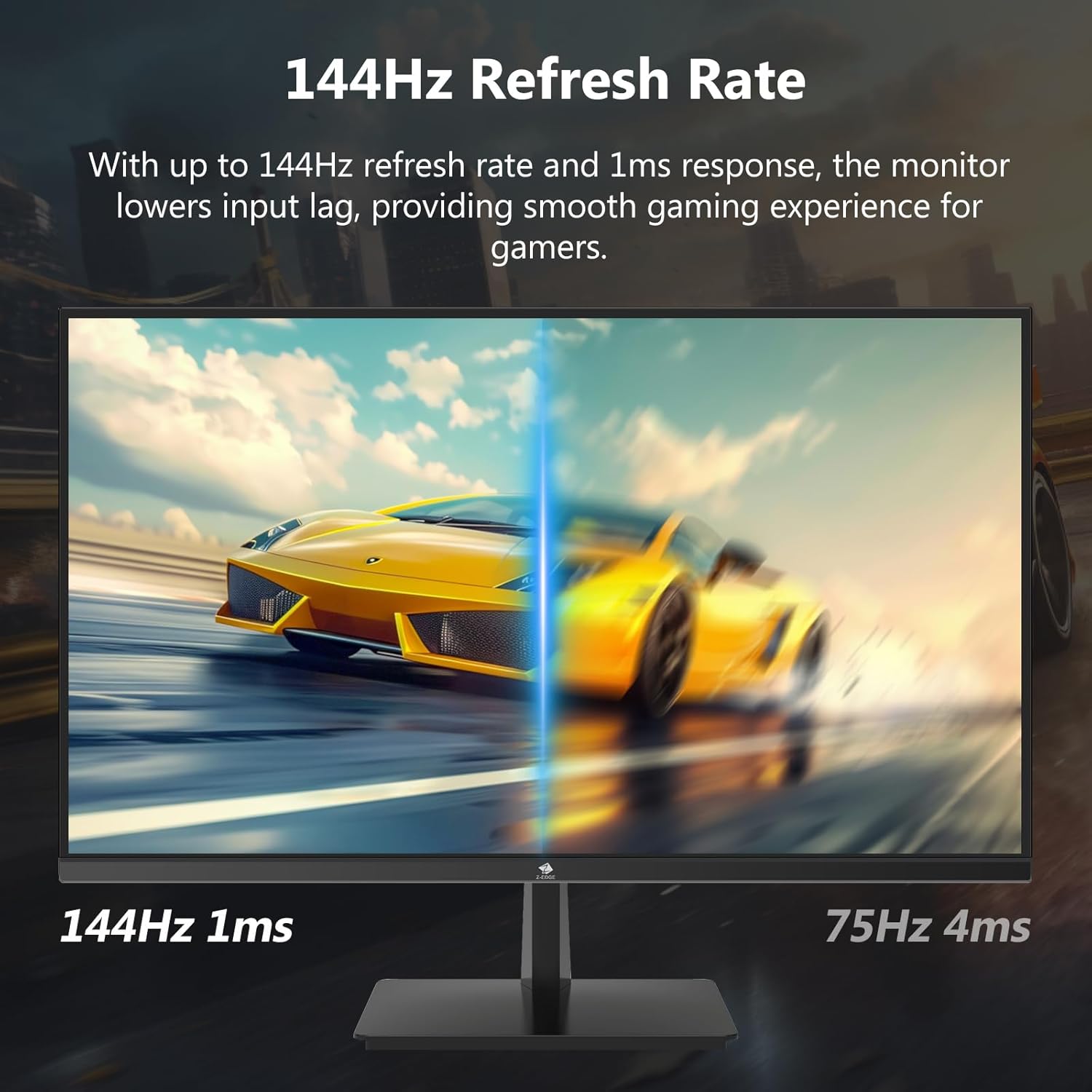

4.3 דערפרישונג קורס און רעאַקציע צייט
The monitor supports up to a 144Hz refresh rate and 1ms response time for optimal performance in fast-paced applications and gaming.
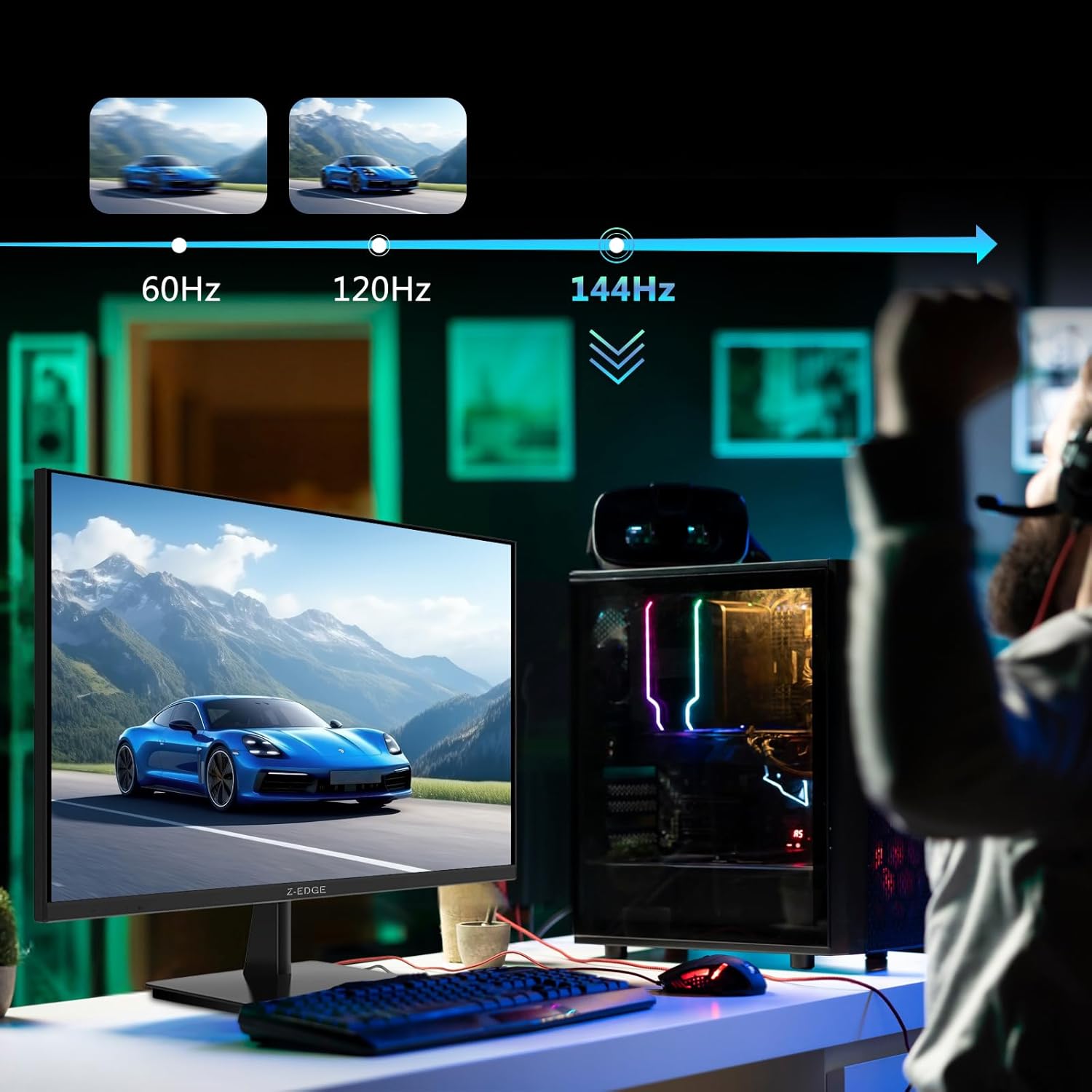

5. וישאַלט
5.1 רייניקונג די מאָניטאָר
- שטענדיק ארויסנעמען דעם מאָניטאָר פֿון דער עלעקטרישער אַוטלעט איידער איר רייניגט.
- ניצן אַ ווייך, לינט-פֿרייַ שטאָף אַ ביסל דampגעוואשן מיט וואַסער אָדער אַ ניט-אַברייסיוו פאַרשטעלן רייניגער.
- שפריצט נישט רייניגער גלייך אויפן עקראַן.
- פֿאַרמײַדט צו ניצן בענזין, פֿאַרדינער, אַמאָניאַק, אָדער אַברייסיוו רייניגער, ווײַל די קענען שאַטן די מאָניטאָר'ס ייבערפֿלאַך.
5.2 סטאָרידזש
ווען איר לייגט אַוועק דעם מאָניטאָר פֿאַר אַ לענגערע צייט, זאָרגט אַז ער איז אויסגעלאָשן און אָפּגעטיילט פֿון אַלע קאַבלען. האַלט עס אין אַ קיל, טרוקן אָרט, בעסער אין זיין אָריגינעלער פּאַקאַדזשינג צו באַשיצן עס פֿון שטויב און גשמיות שעדיקן.
6. טראָובלעשאָאָטינג
| פּראָבלעם | מעגלעך סיבה | לייזונג |
|---|---|---|
| קיין מאַכט | שטראָם קאַבל נישט פארבונדן; שטראָם אַוטלעט דעפעקט; שטראָם אַדאַפּטער דעפעקט. | Ensure power cable is securely connected to monitor and outlet. Test outlet with another device. Contact support if adapter is suspected faulty. |
| קיין סיגנאַל | Input cable not connected; Incorrect input source selected; Computer/device not outputting signal. | Check HDMI/DisplayPort cable connections. Select correct input source via OSD menu. Restart computer/device. |
| פליקערנדיקער עקראַן | Loose cable connection; Refresh rate mismatch; DCR (Dynamic Contrast Ratio) enabled. | Ensure cables are firmly connected. Adjust refresh rate in display settings. Disable DCR in OSD menu. |
| Poor Image Quality (Blurry/Distorted) | Incorrect resolution; Cable quality; Graphics driver issues. | Set display resolution to 3840x2160. Try a different high-quality cable. Update graphics drivers. |
| קיין אַודיאָ פֿון מאָניטאָר | Volume too low; Incorrect audio output selected on computer; External speakers not connected/powered. | Increase monitor volume via OSD. Select monitor as audio output device in OS settings. Ensure external speakers are connected and powered. |
If the problem persists after trying these solutions, please contact Z-EDGE customer support.
7. ספּעסאַפאַקיישאַנז
| שטריך | דעטאַל |
|---|---|
| מאָדעל נומער | U28I4K |
| פאַרשטעלן גרייס | 28 אינטשעס |
| טאַפליע טיפּ | IPS |
| האַכלאָטע | 3840x2160 (4K UHD) |
| דערפרישן קורס | 144 הז |
| ענטפער צייט | 1ms (MPRT) |
| ברייטנאַס | 300 סי / מ² |
| קאַנטראַסט פאַרהעלטעניש | 1000:1 |
| קאָליר סופּפּאָרט | 16.7 מיליאָן קאָלירן (8-ביט) |
| Viewינג אַנגלע | 178° (H/V) |
| HDR שטיצן | HDR10 |
| קאַנעקטיוויטי | 2x HDMI 2.1, 2x DisplayPort 1.4, 1x Audio Out (3.5mm) |
| וועסאַ בארג | 100x100מם |
| דימענשאַנז (מיט שטיין) | 19 X 64 X 46 סענטימעטער |
| וואָג (מיט שטיין) | 5.96 קג |
| מאַכט אַרייַנשרייַב | DC 12V |
8. וואָראַנטי און שטיצן
8.1 וואָראַנטי אינפֿאָרמאַציע
Z-EDGE products typically come with a limited manufacturer's warranty. Please refer to the warranty card included in your product packaging or visit the official Z-EDGE webזייטל פֿאַר דעטאַלירטע וואָראַנטי טערמינען און באַדינגונגען. האַלט דיין קויף קוויטל ווי אַ באַווייַז פון קויפן פֿאַר וואָראַנטי קליימז.
8.2 קונה שטיצן
For technical assistance, troubleshooting, or warranty inquiries, please contact Z-EDGE customer support:
- Webפּלאַץ: www.z-edge.com (Check for support contact details, FAQs, and driver downloads)
- בליצפּאָסט: אָפּשיקן צו דער באַאַמטער webזייטל פֿאַר די מערסט אַקטועל שטיצע בליצפּאָסט אַדרעס.
- טעלעפֿאָן: אָפּשיקן צו דער באַאַמטער website for the most current support phone number.
When contacting support, please have your monitor's model number (U28I4K) and serial number ready.
Ask a question about this manual
Ask about setup, troubleshooting, compatibility, parts, safety, or missing instructions. Manuals+ will review the question and use this page’s manual context to help answer it.