
Codnida YM-MWM553+MWZ553C-EU
Codnida Baby Monitor YM-MWM553+MWZ553C-EU User Manual
א פולשטענדיקע אנווייזונג פאר אויפשטעלן, אפעראציע און אויפהאלטונג
1. הקדמה
This manual provides detailed instructions for the safe and effective use of your Codnida Baby Monitor, Model YM-MWM553+MWZ553C-EU. Please read this manual thoroughly before operating the device and retain it for future reference. This baby monitor is designed to provide secure and reliable surveillance of your child, offering features such as a 5.5-inch 2K HD display, PTZ camera control, two-way audio, and environmental monitoring.
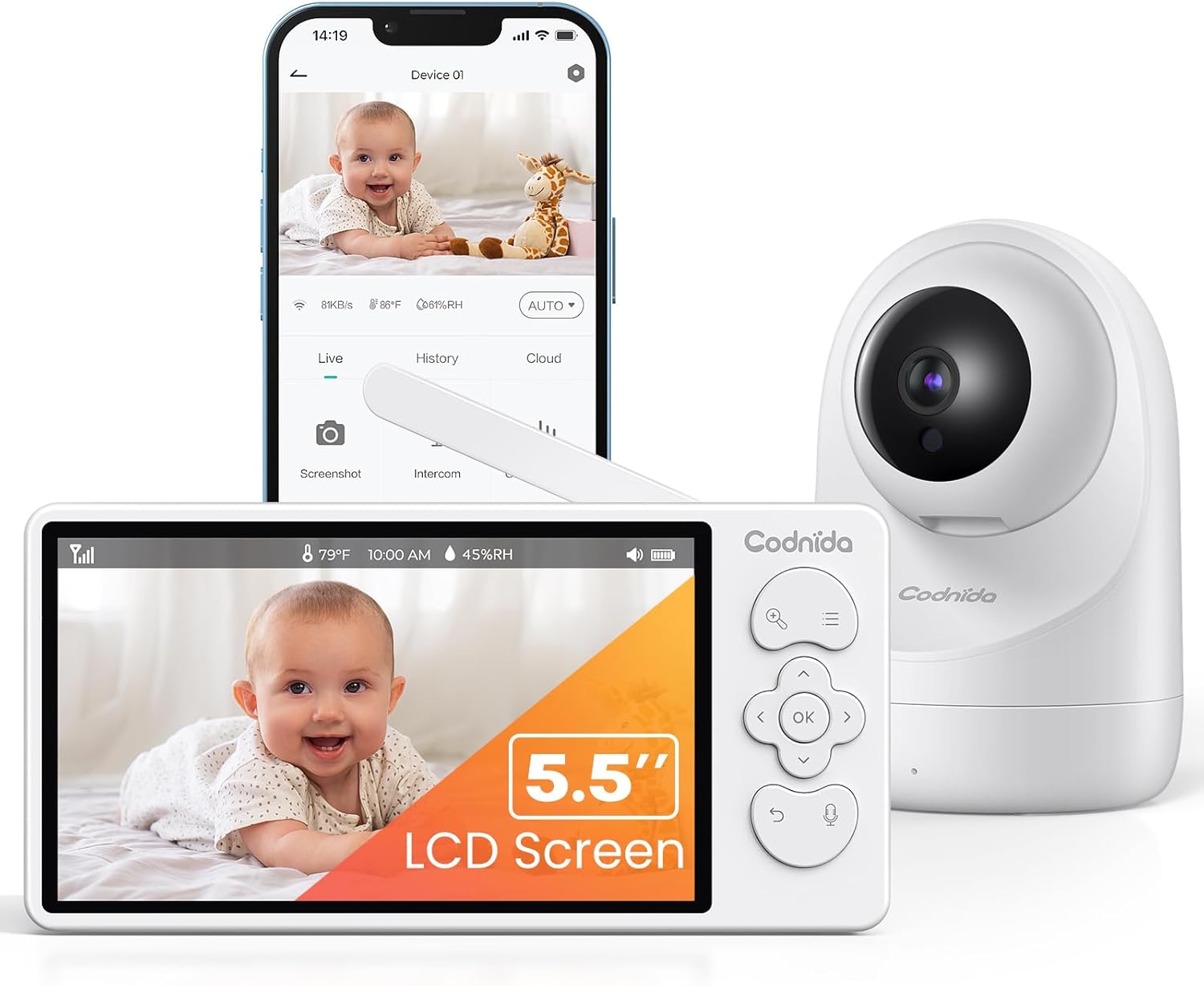
Image 1.1: Codnida Baby Monitor system, showing the monitor, camera, and smartphone interface.
2. פּעקל אינהאַלט
באַשטעטיקן אַז אַלע זאכן זענען פאַראַן אין פּעקל:
- Baby Monitor (Parent Unit)
- בעיבי קאַמעראַ (בעיבי אַפּאַראַט)
- Power Adapters (2x, for monitor and camera)
- USB Charging Cables (2x)
- Wall Mount Kit (screws and anchors)
- באַניצער מאַנואַל (דעם דאָקומענט)

Image 2.1: All components included in the Codnida Baby Monitor package.
3. פּראָדוקט איבערview
3.1 פאָטער אַפּאַראַט (מאָניטאָר)
The parent unit features a 5.5-inch LCD screen for live video feed, control buttons for camera functions, and a built-in microphone and speaker for two-way audio communication.
- LCD פאַרשטעלן: 5.5-inch 2K HD display.
- קאָנטראָל קנעפּלעך: Navigation, OK, Menu, Talk, Zoom.
- אַנטענע: פֿאַר וויירלעס סיגנאַל טראַנסמיסיע.
- מיקראָפאָן: פֿאַר צוויי-וועג אַודיאָ.
- רעדנער: For listening to your baby and lullabies.
- מאַכט פּאָרט: USB-C for charging.
- באַטערי: Integrated 4000mAh rechargeable battery.
3.2 בעיבי אַפּאַראַט (קאַמעראַ)
The baby unit is equipped with a 3MP 2K HD camera, infrared LEDs for night vision, and a temperature/humidity sensor.
- אַפּאַראַט לענס: 3MP 2K HD resolution.
- ינפרערעד לעדס: For clear night vision up to 8 meters.
- מיקראָפאָן: To detect baby's sounds.
- רעדנער: To play lullabies and enable two-way audio.
- טעמפּעראַטור/הומידיטי סענסאָר: Monitors room environment.
- מאַכט פּאָרט: USB-C for continuous power.
- מאַונטינג לאָך: פֿאַר וואַנט מאַונטינג.
4. סעטאַפּ
4.1 טשאַרדזשינג די פּאַרענט אַפּאַראַט
Before first use, fully charge the parent unit for approximately 8 hours. Connect the provided USB charging cable to the parent unit's power port and the power adapter to an electrical outlet. The battery indicator on the screen will show charging status.

Image 4.1: Charging the parent unit and expected battery life.
4.2 אנשטעלן דעם בעיבי אַפּאַראַט
The baby unit requires continuous power. Connect the provided USB charging cable to the baby unit's power port and the power adapter to an electrical outlet. Ensure the cable is placed safely away from the baby's reach.
4.3 קאַמעראַ פּלאַצירונג
שטעלט די בעיבי איינהייט (קאַמעראַ) אין אַ פּלאַץ וואָס גיט אַ קלאָרע view of your baby. Ensure it is at least 1 meter (3 feet) away from the baby's crib to prevent any entanglement hazards with the power cord. The camera can be placed on a flat surface or mounted to a wall using the provided kit.
- פֿאַר אָפּטימאַל viewing, position the camera to capture the entire crib area.
- Avoid placing the camera near heat sources or direct sunlight.
- Ensure the camera is within the monitor's transmission range (up to 700 meters in open areas).
4.4 ערשט קאַנעקשאַן
The Codnida Baby Monitor uses FHSS technology for a secure, direct connection without requiring Wi-Fi or an app for basic operation. Simply power on both the parent unit and the baby unit. They should automatically connect. If they do not connect, refer to the troubleshooting section for pairing instructions.

Image 4.2: Secure FHSS connection between monitor and camera.
5. אַפּערייטינג ינסטרוקטיאָנס
5.1 מאַכט אויף / אַוועק
- עלטערן אַפּאַראַט: Press and hold the power button until the screen turns on/off.
- בעיבי אַפּאַראַט: The baby unit powers on automatically when connected to power.
5.2 לעבן View and VOX Mode
The monitor defaults to live view, continuously displaying video from the camera. To conserve battery, you can activate VOX (Voice Operated eXchange) mode.
- VOX מאָדע: In VOX mode, the monitor screen remains black. It will automatically light up and display video when sound or motion is detected in the baby's room.
- To activate/deactivate VOX mode, navigate through the menu settings on the parent unit.

Image 5.1: VOX mode for power saving and automatic activation.
5.3 Camera Control (PTZ & Zoom)
The camera offers Pan, Tilt, and Digital Zoom (PTZ) functions, allowing you to adjust the viewינג ווינקל רימאָוטלי.
- פּאַן / טילט: Use the directional buttons on the parent unit to move the camera lens horizontally (350 degrees) and vertically (90 degrees).
- דיגיטאַל פארגרעסער: Press the zoom button to activate 2x or 4x digital zoom for a closer view פון דיין בעיבי.
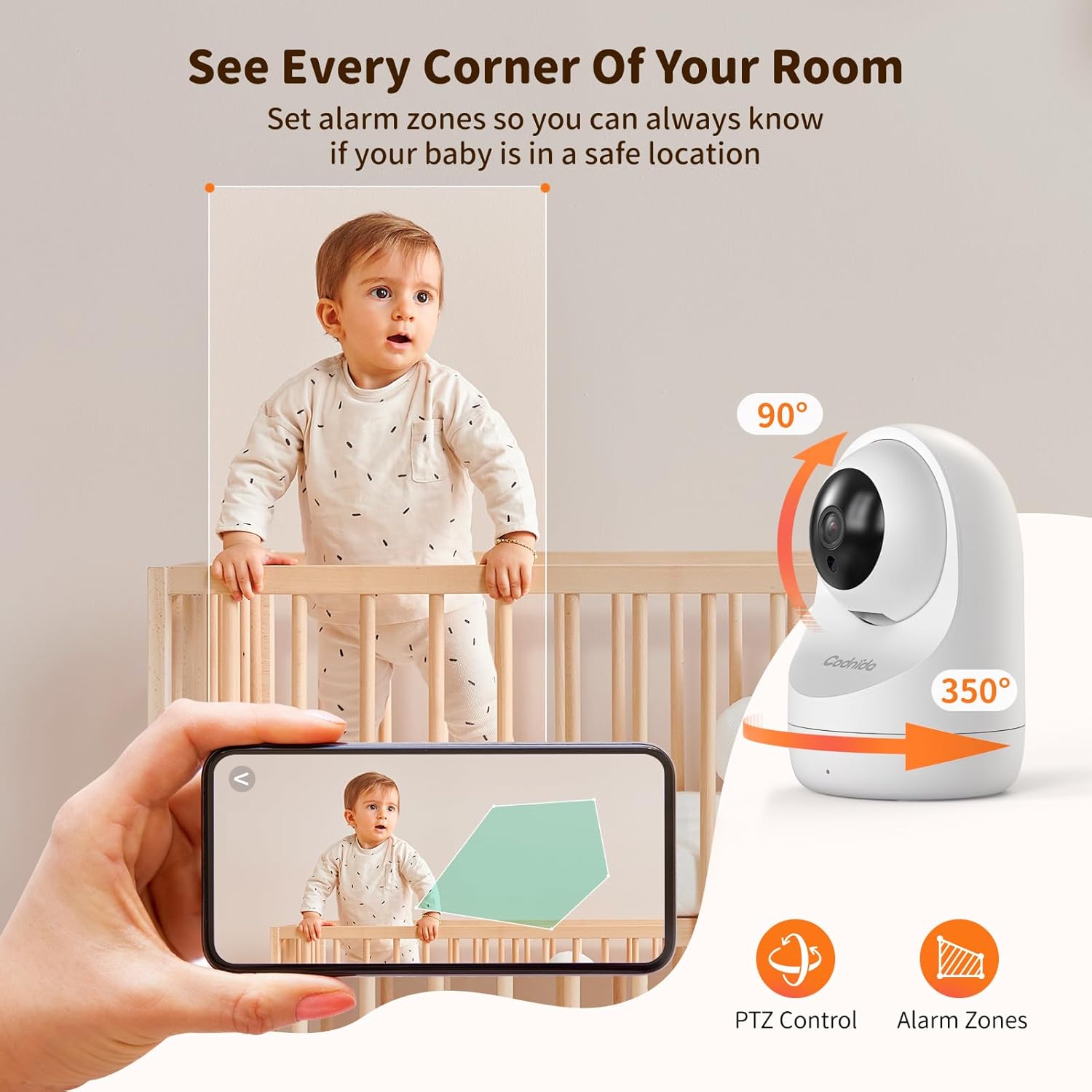
Image 5.2: PTZ control and alarm zone setup.
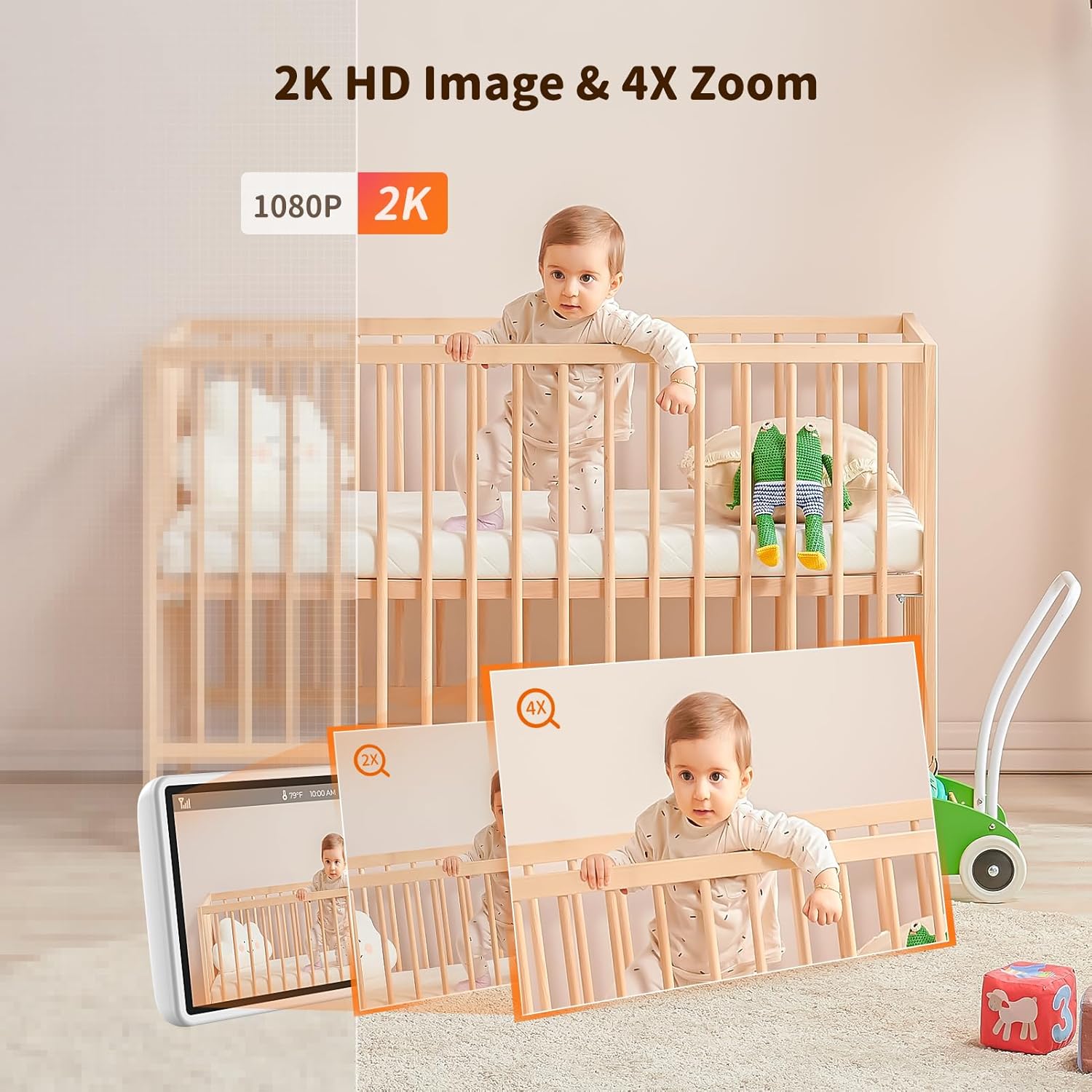
Image 5.3: 2K HD image quality and 4x digital zoom.
5.4 Two-Way Audio and Lullabies
Communicate with your baby or play soothing lullabies directly from the parent unit.
- צוויי-וועג אַודיאָ: Press and hold the 'Talk' button on the parent unit to speak to your baby through the camera's speaker. Release the button to listen.
- לולאַביעס: Access the menu to select and play built-in lullabies. You can adjust the volume and set a timer for playback.

Image 5.4: Two-way audio communication.

Image 5.5: Night vision and lullaby function.
5.5 Monitoring Features
- מאָניטאָרינג טעמפּעראַטור און הומידיטי: The baby unit continuously monitors the room's temperature and humidity. These readings are displayed on the parent unit. You can set alert thresholds in the menu.
- דערמאָנונג פון פידינג: Set up feeding reminders through the parent unit's menu to help maintain a consistent feeding schedule.
- אַלאַרם זאָנעס: דעפינירן ספּעציפֿישע געביטן אין דער קאַמעראַ'ס view as alarm zones. The monitor will alert you if motion is detected within these zones.

Image 5.6: Temperature and humidity detection.

Image 5.7: Feeding reminder function.
5.6 Recording to SD Card
The Codnida Baby Monitor supports Micro SD cards (FAT32 format, up to 256GB) for video recording. Insert the Micro SD card into the designated slot on the parent unit. You can initiate recording manually or set it to record automatically upon motion/sound detection via the menu settings.
6. וישאַלט
6.1 רייניקונג
To clean the monitor and camera units, use a soft, dry cloth. Do not use abrasive cleaners or solvents. For the camera lens, use a lens cleaning cloth to avoid scratches.
6.2 באַטערי קער
- Avoid fully discharging the parent unit's battery frequently.
- Charge the parent unit regularly to maintain battery health.
- Store the device in a cool, dry place if not in use for extended periods.
7. טראָובלעשאָאָטינג
If you encounter issues with your Codnida Baby Monitor, please refer to the following common solutions:
| פּראָבלעם | מעגלעך סיבה | לייזונג |
|---|---|---|
| קיין בילד/קלאַנג אויף מאָניטאָר | Units not powered on, out of range, or not paired. | Ensure both units are powered. Move units closer. Re-pair units via menu settings (refer to manual for specific steps). |
| נעבעך בילד קוואַליטעט | Low light, dirty lens, interference. | Ensure adequate lighting. Clean camera lens. Move units away from other electronic devices. |
| Monitor loses connection frequently | Out of range, signal interference, obstacles. | Move units closer. Reduce obstacles (walls, furniture). Avoid placing near thick walls or metal structures. |
| באַטאַרייע דריינז געשווינד | Continuous live view, high brightness, aging battery. | Activate VOX mode. Reduce screen brightness. Ensure full charge before use. |
| Temperature/Humidity readings incorrect | Sensor obstruction, extreme environmental conditions. | Ensure sensor is not covered. Allow time for sensor to adjust to room conditions. |
8. ספּעסאַפאַקיישאַנז
| שטריך | דעטאַל |
|---|---|
| מאָדעל נומער | YM-MWM553+MWZ553C-EU |
| ווייַז גרייס | 5.5 אינטשעס |
| ווידעא האַכלאָטע | 2K HD (1296p) |
| אַפּאַראַט האַכלאָטע | 3 מעגאַפּיקסעלס |
| ווירעלעסס טעכנאָלאָגיע | FHSS (פאַרשפּרייטן ספּעקטרום פֿאַר אָפטקייַט כאַפּינג) |
| טראַנסמיסיע ראַנגע | אַרויף צו 700 מעטער (עפענען שטח) |
| נאַכט וויזשאַן ראַנגע | אַרויף צו 8 מעטער |
| פּאַן / טילט ווינקל | פּאַן 350°, טילט 90° |
| דיגיטאַל פארגרעסער | 4x |
| פּאַרענט אַפּאַראַט באַטערי | 4000mAh Lithium-ion (1 AAA included for internal components) |
| סטאָרידזש שטיצן | Micro SD card up to 256GB (FAT32 format) |
| ספּעציעלע פֿעיִקייטן | Two-Way Audio, Motion Detector, VOX Mode, Temperature/Humidity Sensor, Lullabies, Feeding Reminder |
| מאַטעריאַל | פּלאַסטיק |
| דימענסיעס (L X W X H) | 10 X 5 X 5 סענטימעטער |
| וואָג | 860 גראַמז |
9. וואָראַנטי און שטיצן
קאָדנידאַ אָפפערט אַ 1 יאָר וואָראַנטי for this product and a 30-טאָג קריק פּאָליטיק. For any questions regarding your baby monitor or other Codnida products, please contact customer support through your Amazon account:
- Navigate to "Your account"
- Select "Your orders"
- Locate your Codnida Baby Monitor order
- Click on "Ask a question"
Our support team will assist you with any inquiries or issues you may have.
Ask a question about this manual
Ask about setup, troubleshooting, compatibility, parts, safety, or missing instructions. Manuals+ will review the question and use this page’s manual context to help answer it.