
הקדמה
The JLab Nightfall Wired Gaming Headset is designed to provide an immersive audio experience for gamers across multiple platforms. Featuring 50mm drivers, cloud foam cushions, and a sound-isolating inner shelf, this headset ensures clear communication and comfortable wear during extended gaming sessions.
פּעקל אינהאַלט
- JLab Nightfall Wired Gaming Headset
- ינסטראַקשאַנז מאַנואַל
סעטאַפּ און קאַנעקטיוויטי
The Nightfall headset offers universal compatibility through its wired 3.5mm connection cable, making it suitable for a wide range of gaming and multimedia devices.
קאַנעקטינג דיין העאַדסעט
- Locate the 3.5mm audio jack on your device (PC/Mac, Xbox, PlayStation 4 & 5, Nintendo Switch).
- Insert the 3.5mm connector from the headset cable firmly into the device's audio jack.
- Adjust your device's audio settings to ensure the headset is selected as the input and output device.

Image: The JLab Nightfall Wired Gaming Headset in use, connected to a gaming setup, demonstrating its universal compatibility.
אַפּערייטינג ינסטראַקשאַנז
Audio Quality and Immersion
Equipped with 50mm drivers and a sound-isolating inner shelf, the Nightfall headset delivers immersive and powerful sound. This design enhances your gaming experience by providing rich audio with clarity and deep bass, allowing you to hear crucial in-game details.

בילד: אן עקספלאדירטע view diagram highlighting the 50mm audio driver and the sound-isolating inner shelf within the headset's ear cup.
מיקראָפאָן באַניץ
The headset features a flip-to-mute rotating boom mic, ensuring clear team communications during gaming sessions. The TeamSpeak Certified near-field directional mic captures your voice while actively eliminating background noise, ensuring your teammates hear you clearly without distractions.
- צו שטום: Flip the microphone boom upwards.
- צו אָנמאַכן: Flip the microphone boom downwards.
- The rotating design allows for optimal positioning of the mic for better voice pickup.
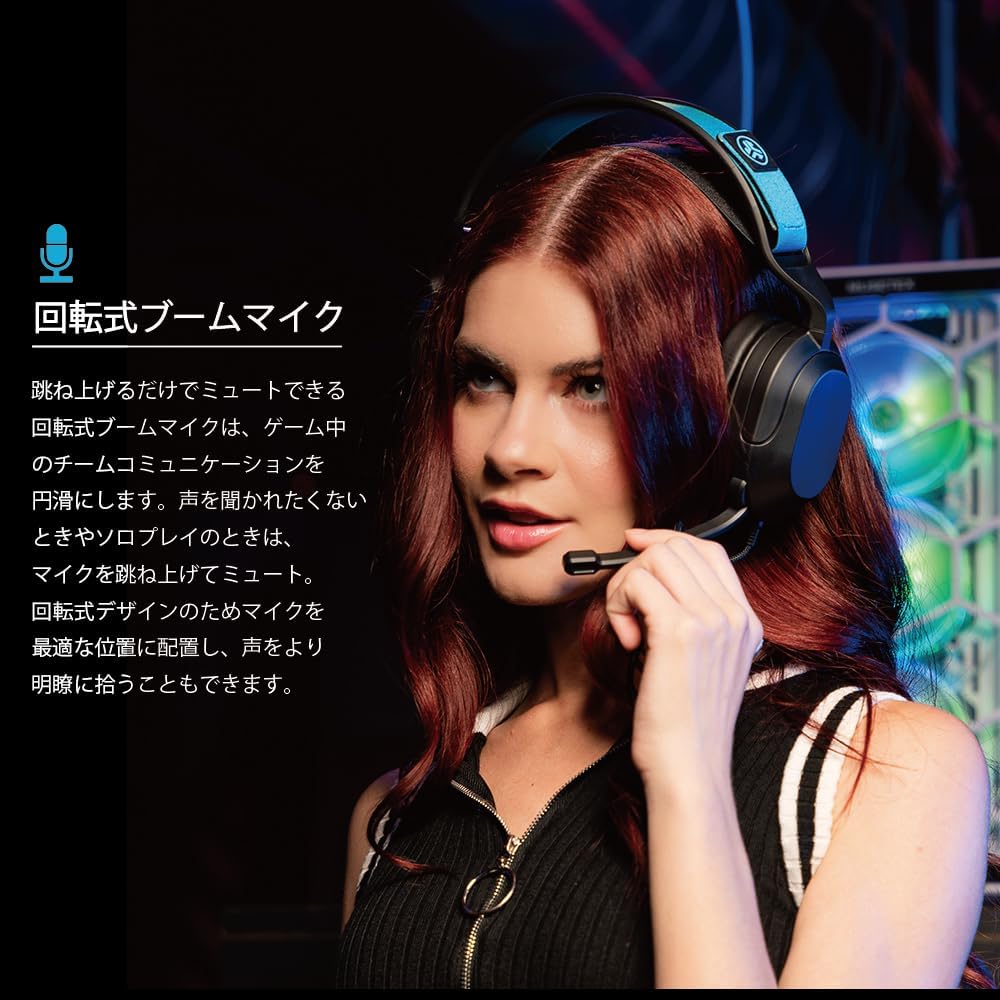
Image: A user wearing the JLab Nightfall headset, demonstrating the flexible and rotating boom microphone in an active position.

Image: A gamer wearing the JLab Nightfall headset, illustrating the effective noise elimination provided by the directional microphone for clear communication.
קאָמפאָרט און דיזיין
The Nightfall headset is engineered for all-night comfort. It features super-wide stretchable and adjustable headbands that provide a customizable fit for various head sizes. The cloud foam cushions further enhance comfort, preventing discomfort during long gaming sessions.
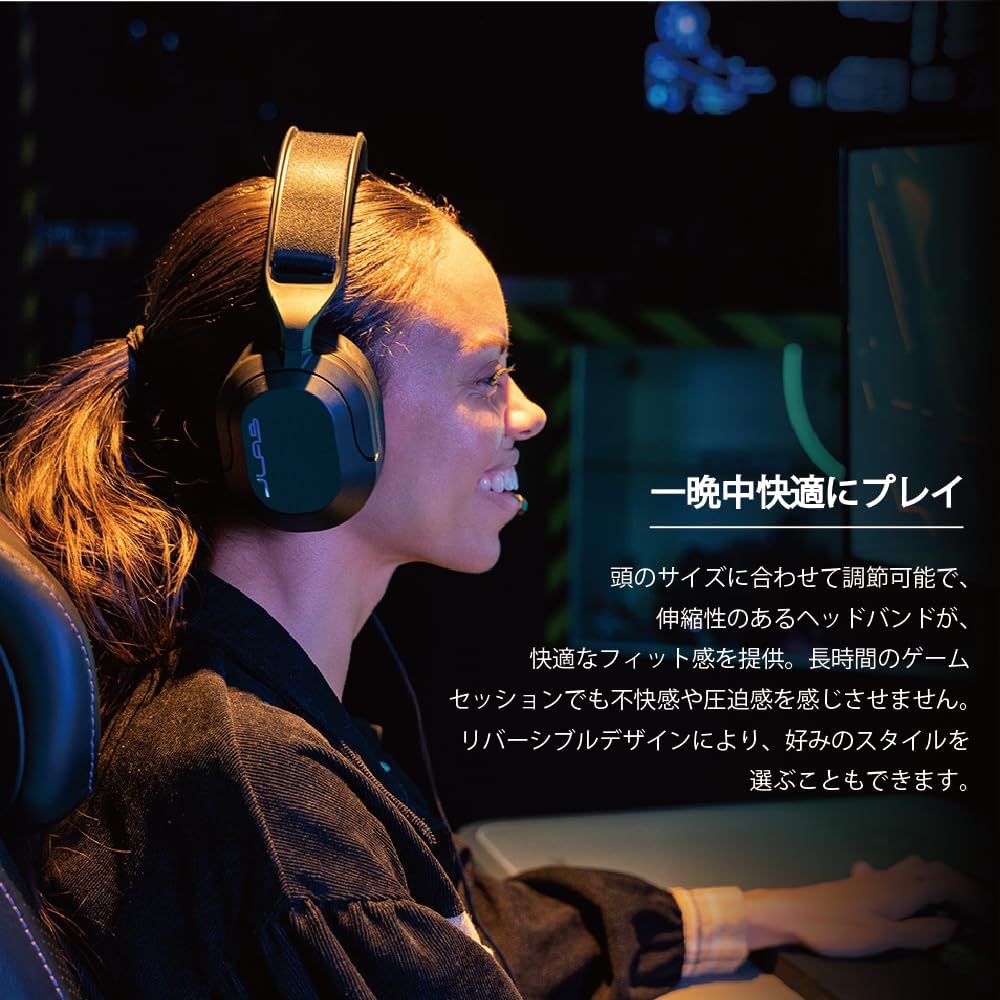
Image: A user wearing the JLab Nightfall headset, showcasing the comfortable over-ear design and adjustable headband for extended wear.

בילד: א דעטאַלירטע view of the JLab Nightfall headset's cloud foam ear cushions, emphasizing their soft and comfortable design.
ספּעסאַפאַקיישאַנז
| שטריך | דעטאַל |
|---|---|
| סאָרט | JLab |
| מאָדעל נאָמען | Nightfall |
| קאַנעקטיוויטי טעכנאָלאָגיע | מיט אַ דראָט (3.5 מ״מ דזשעק) |
| אויער פּלייסמאַנט | איבער אויער |
| אַודיאָ דרייווער גרייס | 50 מילאַמיטערז |
| ימפּידאַנס | 32 אָהמס |
| סענסיטיוויטי | 102 דב |
| אָפטקייַט ראַנגע | 20 הז - 20,000 הז |
| ראַש קאָנטראָל | געזונט אפגעזונדערטקייט |
| מיקראָפאָן | Flip-to-mute rotating boom mic, TeamSpeak Certified near-field directional |
| קאַמפּאַטאַבאַל דעוויסעס | PC/Mac, Xbox, PlayStation 4, PlayStation 5, Nintendo Switch |
| פּונקט וואָג | 0.39 קילאָגראַמס |
| מאַטעריאַל | Plastic, Metal, Synthetic materials |
| נאָך פֿעיִקייטן | Adjustable Headband, Cloud Foam Cushions |
וישאַלט
- רייניקונג: ניצט אַ ווייכע, טרוקענע שטאָף צו רייניקן די כעדסעט. ניצט נישט פליסיקע רייניגער אדער אַעראָזאָלן.
- סטאָרידזש: האַלט די כעדסעט אין אַ קיל, טרוקן אָרט אַוועק פון דירעקט זונשייַן און עקסטרעמע טעמפּעראַטורן.
- קאַבלע זאָרגן: פֿאַרמײַדט שאַרפֿע בייגן אָדער איבערגעטריבענע ציען אויף דעם קאַבל צו פֿאַרמײַדן שאָדן.
טראָובלעשאָאָטינג
- קיין קול:
- זייט זיכער אַז די 3.5 מם דזשעק איז גאָר אַרײַנגעשטעלט אין אײַער דעווײַס.
- Check your device's audio settings to confirm the headset is selected as the output device and volume is not muted.
- פּרובירט דעם כעדסעט מיט אַן אַנדער מיטל צו אויסשליסן אַ מיטל-ספּעציפֿישן פּראָבלעם.
- מיקראָפאָן איז נישט ארבעטן:
- Ensure the microphone boom is flipped down to the active position (not muted).
- Verify your device's audio settings have the headset microphone selected as the input device and input volume is not muted.
- Check for any in-game or application-specific microphone settings.
- פאַרקרימט אַודיאָ:
- Lower the volume on your device or the headset.
- Ensure the 3.5mm connection is secure and free from debris.
- פּרובירט מיט אַן אַנדער אַודיאָ מקור צו באַשטימען צי די פּראָבלעם איז מיטן כעדסעט אָדער מיטן מקור מיטל.
וואָראַנטי און שטיצן
The JLab Nightfall Wired Gaming Headset comes with a 2-Year Warranty from the manufacturer, JLab Audio. For detailed warranty information, technical support, or service inquiries, please refer to the official JLab webזייטל אדער קאנטאקט זייער קאסטומער שטיצע גלייך.
Manufacturer: JLab Audio