
Strong SRT24HE4023C
Strong 24-inch HD TV SRT24HE4023C User Manual
Model: SRT24HE4023C
1. הקדמה
This user manual provides essential information for the safe and efficient operation of your Strong 24-inch HD TV, model SRT24HE4023C. Please read this manual thoroughly before using the product and retain it for future reference.
The Strong SRT24HE4023C is a compact and versatile 24-inch (60 cm) HD Ready television, specifically designed for portability with its 12V power input, making it ideal for use in caravans, campers, or other mobile environments. It features a triple tuner for various signal receptions and multiple connectivity options.
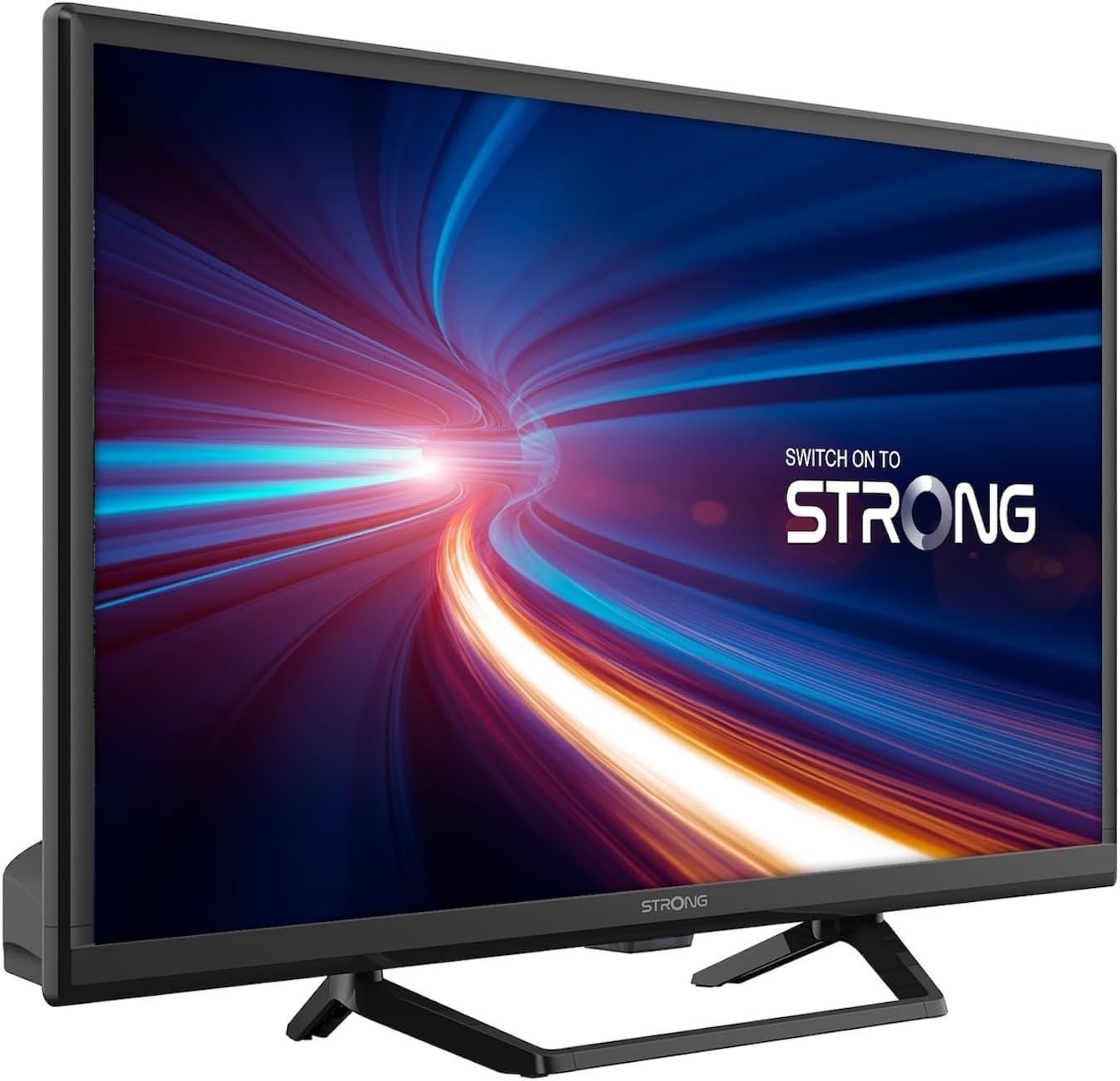
פיגורע 1.1: פראָנט view of the Strong 24-inch HD TV.
2. פּעקל אינהאַלט
Upon unpacking, please ensure all items listed below are present and in good condition. If any items are missing or damaged, contact your retailer immediately.
- Strong 24-inch HD TV (SRT24HE4023C)
- טעלעוויזיע שטייט
- ווײַטקאָנטראָל (דאַרפֿט 2 AAA באַטעריעס, אַרײַנגערעכנט)
- באַניצער מאַנואַל (דעם דאָקומענט)
3. סעטאַפּ
3.1. אַסעמבאַל די שטיין
Carefully place the TV screen-down on a soft, clean surface to prevent scratches. Attach the provided stand to the base of the TV using the designated screws. Ensure the stand is securely fastened before placing the TV upright.
3.2. מאַכט קאַנעקשאַן
This TV operates on a 12V DC power supply, making it suitable for mobile applications. Connect the 12V power adapter to the TV's power input port and then to a compatible 12V power source. Ensure the power source can provide sufficient current for the TV's operation.
3.3. קאַנעקטינג פונדרויסנדיק דעוויסעס
די טעלעוויזיע אָפפערט פֿאַרשידענע קאָנעקטיוויטי אָפּציעס:
- HDMI פּאָרטן (x2): Connect Blu-ray players, game consoles, or other HDMI-enabled devices. One port supports ARC (Audio Return Channel).
- יו-עס-בי פּאָרט (x1): For playing multimedia fileס פֿון וסב סטאָרידזש דעוויסעס.
- מיני AV אַרייַנשרייַב: פֿאַר פֿאַרבינדן עלטערע דעוויסעס מיט קאָמפּאָזיט ווידעאָ און סטערעאָ אַודיאָ אַוטפּוץ.
- Antenna Input (ANT in): Connect a terrestrial antenna for DVB-T/T2 reception.
- Satellite Input (SAT in): Connect a satellite dish for DVB-S/S2 reception.
- סי שפּעלטל: אַריינשטעלן אַ קאָמאַן אינטערפֿייס מאָדול פֿאַר פֿאַרשליסטע קאַנאַלן.
- SPDIF רעזולטאַט: For digital audio output to an external sound system.
- כעדפאָון דזשאַק: פֿאַר פּריוואַט צוגעהערט.

פיגורע 3.1: דערציען view showing various connectivity ports.
4. אַפּערייטינג ינסטרוקטיאָנס
4.1. ערשטער מאָל ינסטאַלירונג
When you power on the TV for the first time, a setup wizard will guide you through initial settings such as language, country, and channel scanning. Follow the on-screen prompts to complete the setup.
4.2. קאַנאַל סקאַנינג
The TV features a triple tuner (DVB-T/T2, DVB-C, DVB-S/S2) for receiving digital terrestrial, cable, and satellite broadcasts. To scan for channels:
- דרוק די MENU קנעפּל אויף דיין ווייַט קאָנטראָל.
- נאַוויגירן צו די קאַנאַל or ייַנמאָנטירונג מעניו.
- אויסקלייַבן אַוטאָ סקאַן or מאַנואַל סקאַן depending on your preference and connection type.
- Follow the on-screen instructions to start the scan.
4.3. Using the Electronic Program Guide (EPG)
The EPG provides a schedule of current and upcoming TV programs. To access the EPG, press the EPG button on your remote control. You can browse programs, view details, and set reminders.
4.4. מולטימעדיאַ ווידערשפּיל דורך USB
Insert a USB storage device into the USB port. The TV will typically prompt you to open the media browser. You can play various multimedia files, including videos, photos, and music.
4.5. Parental Control and Hotel Mode
The TV includes parental control features to restrict access to certain channels or programs based on age ratings. Hotel mode provides advanced settings for managing TV functions in a multi-unit environment.
5. וישאַלט
5.1. רייניקן דעם טעלעוויזאר
Before cleaning, always unplug the TV from the power source. Use a soft, dry cloth to wipe the screen and cabinet. For stubborn marks, lightly dampen the cloth with water or a mild, non-abrasive screen cleaner. Never spray liquid directly onto the TV.
5.2. רימאָוט קאָנטראָל באַטאַרייע פאַרבייַט
The remote control uses two AAA batteries. If the remote control's range decreases or it stops responding, replace both batteries with new ones, ensuring correct polarity.
6. טראָובלעשאָאָטינג
אויב איר טרעפט פּראָבלעמען מיט אייער טעלעוויזיע, זעט די פאלגענדע געוויינטלעכע פּראָבלעמען און לייזונגען איידער איר קאָנטאַקטירט קונה שטיצע.
| פּראָבלעם | מעגלעך סיבה | לייזונג |
|---|---|---|
| קיין מאַכט | Power cable disconnected; no power from source. | Check power cable connection. Ensure 12V power source is active. |
| קיין בילד נישט, אבער סאונד איז דא | Incorrect input source selected; loose cable connection. | דרוק די מקור button to select the correct input. Check HDMI/AV cable connections. |
| קיין קלאַנג, אָבער בילד איז דאָ | Volume too low or muted; audio settings incorrect. | Increase volume. Check mute status. Adjust audio output settings in the menu. |
| נעבעך בילד קוואַליטעט | Weak signal; incorrect resolution. | Check antenna/satellite connection. Perform a channel scan. Adjust picture settings. |
| ווייַט קאָנטראָל נישט ארבעטן | Batteries depleted or incorrectly inserted. | Replace batteries, ensuring correct polarity. Ensure no obstructions between remote and TV. |
7. ספּעסאַפאַקיישאַנז
| שטריך | דעטאַל |
|---|---|
| מאָדעל | SRT24HE4023C |
| פאַרשטעלן גרייס | 24 אינטשעס (60 סענטימעטער) |
| ווייַז טעכנאָלאָגיע | לעד, IPS פּאַנעל |
| האַכלאָטע | 1366 x 768p (HD Ready) |
| אַספּעקט פאַרהעלטעניש | 16:9 |
| דערפרישן קורס | 60 הז |
| ענטפער צייט | 5 מיליסעקאַנדז |
| טונערס | דווב-ט/ט2, דווב-C, דווב-ז/ס2 |
| ווידעא קאָדעק | HEVC 265 10-bit |
| HDMI פּאָרץ | 2 (1 with ARC support) |
| וסב פּאָרץ | 1 |
| Other Inputs/Outputs | Mini AV In, CI Slot, SPDIF Out, Headphone Jack |
| אַודיאָ דיקאָודינג | דץ |
| מאַכט צושטעלן | 12 וואלט דק |
| דימענשאַנז (ב x ה x ד) | 55.29 x 36.6 x 14.78 ס״מ (מיט שטאַנד) |
| וואָג | 2.5 קג |
| VESA וואנט בארג | געשטיצט |
| ענערגיע עפעקטיווקייַט קלאַס | E (View EPREL details) |
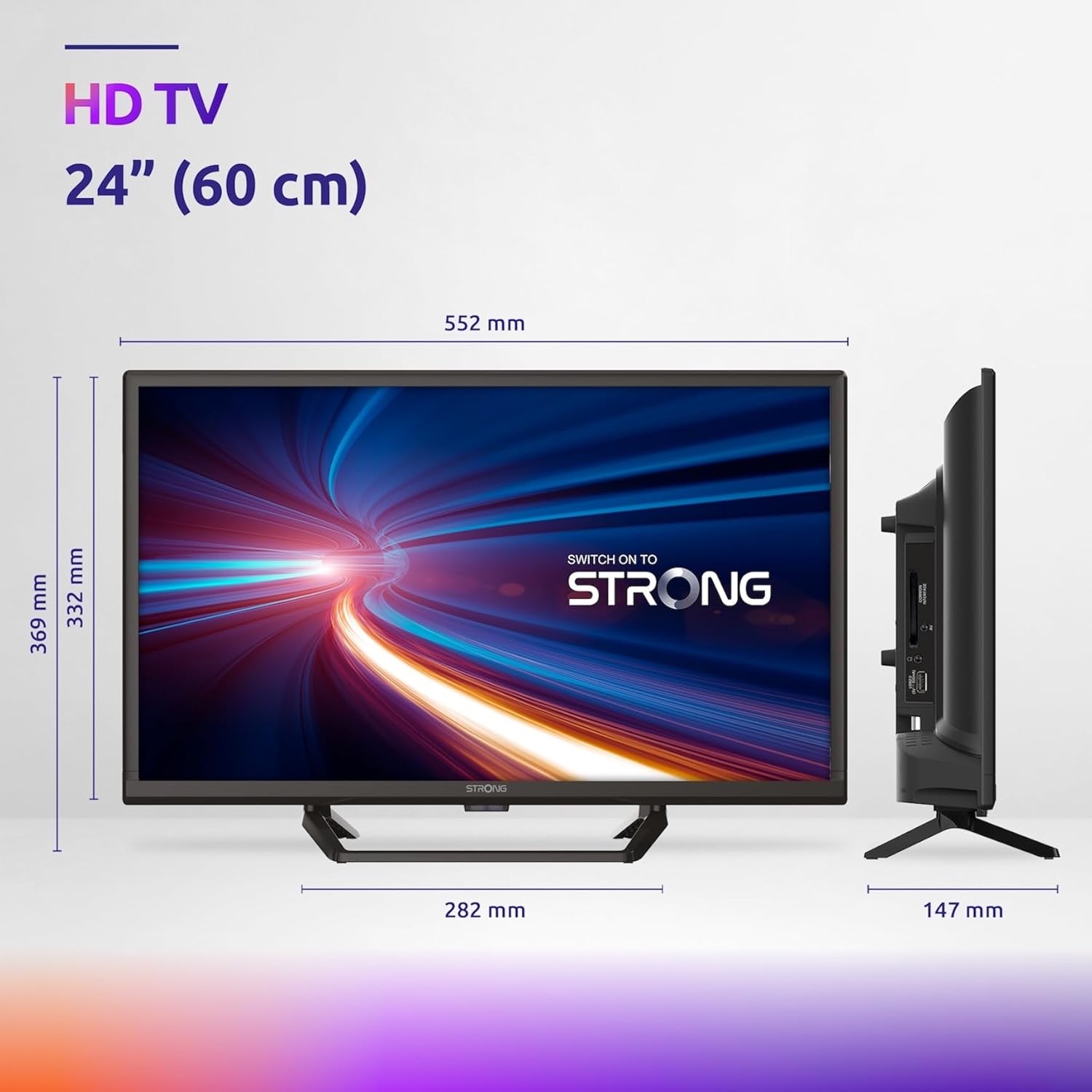
Figure 7.1: Product dimensions of the Strong 24-inch HD TV.

Figure 7.2: Energy efficiency label for the Strong SRT24HE4023C TV.
8. וואָראַנטי און שטיצן
Strong products are designed for reliability and performance. For warranty information and technical support, please refer to the warranty card included with your product or visit the official Strong webזייטל. האַלט אייער קויף קוויטל ווי אַ באַווייַז פון קויפן פֿאַר וואָראַנטי קליימז.
פֿאַר ווייטערדיקע הילף, קענט איר אויך זיך ווענדן צו די Strong Brand Store on Amazon פֿאַר נאָך פּראָדוקט אינפֿאָרמאַציע און רעסורסן.
Ask a question about this manual
Ask about setup, troubleshooting, compatibility, parts, safety, or missing instructions. Manuals+ will review the question and use this page’s manual context to help answer it.