
DeerRun Walking Pad Foldable Treadmill
Model: BA05-B1-04
באַניצער מאַנואַל
1. פּראָדוקט איבערview
The DeerRun Walking Pad is a foldable, app-controlled treadmill designed for both walking and light jogging. It features a compact design suitable for home and office use, offering a versatile fitness solution. This manual provides essential information for safe operation, setup, maintenance, and troubleshooting.
אַרייַנגערעכנט קאַמפּאָונאַנץ:
- DeerRun Walking Pad
- מאַכט שנור
- ווייַט קאָנטראָל
- שמירעכץ
- מכשיר קיט
- באַניצער מאַנואַל (דעם דאָקומענט)
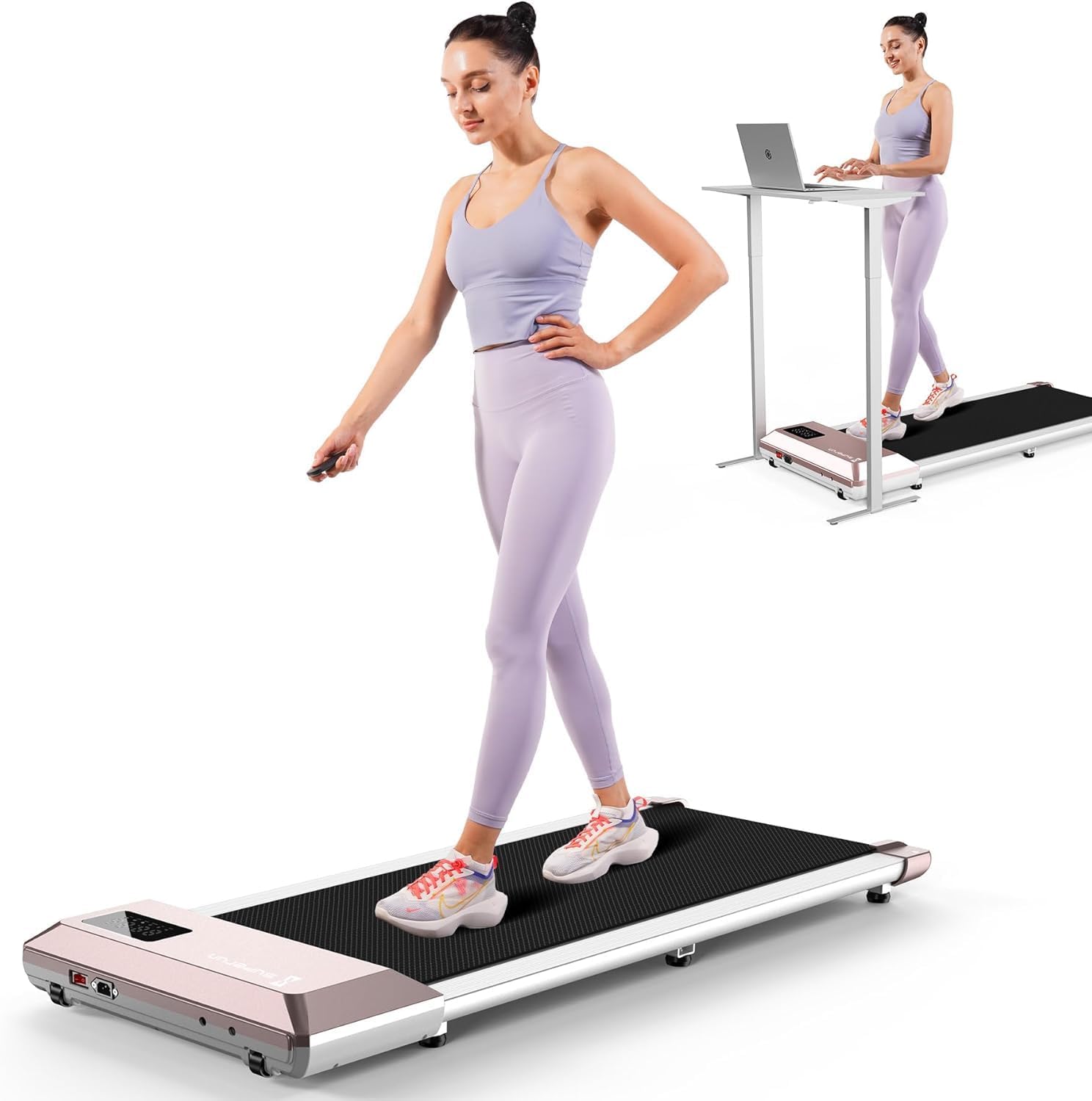
Image 1.1: The DeerRun Walking Pad Foldable Treadmill in its operational state.
2. זיכערקייַט גיידליינז
Please read all safety instructions carefully before using the DeerRun Walking Pad. Failure to follow these instructions may result in injury or damage to the product.
- Ensure the walking pad is placed on a flat, stable surface.
- האַלט קינדער און חיות אַוועק פון די גיין-פּלאַטפאָרמע בעת אָפּעראַציע.
- Do not use the walking pad if you weigh more than the maximum weight capacity (300 lbs).
- טראָגט פּאַסיקע אַטלעטישע שיך בעת באַניץ.
- Stop exercising immediately if you feel dizzy, nauseous, or experience any pain.
- Unplug the power cord when not in use or before cleaning/maintenance.
- Do not operate the walking pad in damp אָדער נאַס טנאָים.
- The running belt features a 5-layer shock-absorbing, non-slip design to minimize impact on joints.

Image 2.1: Illustration of the 5-layer shock-absorbing running belt designed to reduce knee impact.
3. אַסעמבלי און סעטאַפּ
The DeerRun Walking Pad comes largely pre-assembled. Follow these steps for initial setup:
- אויספּאַקן: נעמט פֿאָרזיכטיק אַרויס דעם גיין-פּאַד פֿון זײַן פּאַקעט.
- אָרט: Place the walking pad on a firm, level surface, ensuring adequate space around it for safe operation.
- מאַכט קשר: Connect the power cord to the walking pad and then to a grounded electrical outlet.
- ערשט טשעק: Before first use, ensure the running belt is centered and free of any obstructions.

Image 3.1: The walking pad in use under a standing desk, demonstrating its suitability for various environments.
4. Operating the Walking Pad
The DeerRun Walking Pad can be controlled via the included remote control or through the dedicated PitPat smartphone application.
4.1 Basic Controls (Remote Control)
- מאַכט אויף / אַוועק: Press the power button on the remote to start or stop the walking pad.
- גיכקייט אַדזשאַסטמאַנט: Use the '+' and '-' buttons to increase or decrease the speed. The speed range is 0.6 to 3.8 mph.
- מאָדע סעלעקציע: The remote may offer basic mode selections, consult the remote's specific instructions for details.
4.2 ספּיד מאָדעס
The walking pad supports various speed ranges for different activities:
- Working (0.6-1.6 Mph): Ideal for eliminating sedentary stiffness while working.
- Walking (1.6-2.6 Mph): Suitable for daily healthy aerobics.
- Jogging (2.6-3.8 Mph): For fast fat-burning fitness.

Image 4.1: Visual representation of the three primary speed modes and their recommended uses.
4.3 ווייַז אינפֿאָרמאַציע
The integrated LED display provides real-time workout data:
- דיסטאַנסע: גאַנצע דיסטאַנץ באדעקט.
- גיכקייַט: Current speed in mph.
- צייט: Duration of the current workout.
- קאַלאָריעס: עסטימאַטעד קאַלאָריעס פארברענט.
- WiFi/Bluetooth Indicators: Status of wireless connections.

Image 4.2: Close-up of the LED display and its various indicators for workout data and connectivity.
5. Smart App Features (PitPat APP)
The DeerRun Walking Pad integrates with the PitPat APP for enhanced control, tracking, and interactive training experiences.
5.1 Activating the PitPat APP
To unlock the full potential of your walking pad, download and activate the PitPat APP:
- Download the PitPat APP from your device's app store.
- Follow the in-app instructions to register and activate your device. This typically involves creating an account and pairing the walking pad via Bluetooth.
- The app allows you to manage maintenance services, track component status, and set up a maintenance plan.

Image 5.1: Step-by-step guide for activating the PitPat APP, including registration and device pairing.
5.2 App Functionality
- פאַקטיש-צייט טראַקינג: Monitor speed, distance, time, and calories burned directly on your smartphone.
- AI-Driven Training Programs: Access personalized workout routines designed to improve fitness scientifically.
- ינטעראַקטיווע ווערקאַוץ: Participate in virtual races and competitions with other users globally.
- Professional Guide: Provides training courses and AI intelligent companionship, recording exercise data in real-time.
- Cross-device Connectivity: Connects to high-tech devices for an integrated fitness experience.

Image 5.2: Diagram illustrating the intelligent integration and data synchronization process with the PitPat APP.
6. סטאָרידזש און פּאָרטאַביליטי
The DeerRun Walking Pad is designed for easy storage and portability, making it suitable for small living spaces.
- פאָלדאַבלע פּלאַן: The walking pad can be folded for compact storage.
- Under-Desk Storage: זייער שלאַנק פּראָfile allows it to be stored under a sofa or bed when not in use.
- אינטעגרירטע רעדער: Built-in transport wheels facilitate easy movement and relocation.

בילד 6.1: עקס.amples of compact storage, showing the walking pad stored horizontally under furniture and vertically against a wall.

Image 6.2: A user demonstrating the ease of moving the walking pad using its integrated transport wheels.
7. וישאַלט
Regular maintenance ensures the longevity and optimal performance of your DeerRun Walking Pad.
- רייניקונג: ווישט אַראָפּ דעם גיין-פּלאַט מיט אַדamp טוך נאך יעדן באַניץ. פֿאַרמייַדן שרײַבנדיקע רייניגער.
- גאַרטל לובריקיישאַן: The running belt requires periodic lubrication to reduce friction and wear. Use the provided lubricant or a silicone-based treadmill lubricant. Refer to the PitPat APP for maintenance schedules and instructions.
- גאַרטל אַדזשאַסטמאַנט: If the running belt becomes misaligned, refer to the troubleshooting section or contact customer support for adjustment instructions.
8. טראָובלעשאָאָטינג
This section addresses common issues you might encounter with your DeerRun Walking Pad.
| פּראָבלעם | מעגלעך סיבה | לייזונג |
|---|---|---|
| דער גיין-פּאַד גייט נישט אָן. | עלעקטרישע שנור נישט ריכטיג פארבונדן; פראבלעם מיטן עלעקטרישן אויסגאבע. | זיכער מאַכן אַז דער עלעקטרישער שנור איז גוט איינגעשלאָסן. פּרוביר די אַוטלעט מיט אַן אַנדער מיטל. |
| דער לויף גאַרטל גליטשט אָדער האַלט זיך אָן. | Belt requires lubrication; belt tension is too loose. | Apply lubricant as per maintenance instructions. Adjust belt tension (refer to specific instructions or contact support). |
| ומגעוויינטלעך ראַש בעשאַס אָפּעראַציע. | Loose components; motor issue; belt friction. | Check for loose screws. Lubricate the belt. If noise persists, contact customer support. The treadmill operates at less than 55dB. |
| די ווײַטקאָנטראָל רעאַגירט נישט. | טויטע באַטעריעס; ווייַטקאָנטראָל נישט געפּאָרט. | Replace remote batteries. Re-pair the remote with the walking pad (refer to specific pairing instructions). |
| אַפּ קאַנעקטיוויטי פּראָבלעמען. | בלועטוט נישט איינגעשטעלט; אַפּ נישט דערהייַנטיקט; מיטל נישט געפּאָרט. | Ensure Bluetooth is enabled on your device. Update the PitPat APP. Follow in-app instructions to pair the walking pad. |

Image 8.1: The walking pad is designed for ultra-quiet performance, operating at less than 55dB.
9. פּראָדוקט ספּעסאַפאַקיישאַנז
| שטריך | דעטאַל |
|---|---|
| מאָדעל נומער | BA05-B1-04 |
| פּראָדוקט דימענשאַנז | 114 X 52 X 12 סענטימעטער (44.8 X 20.2 X 4.7 אינטשעס) |
| פּונקט וואָג | 18.6 קג (41 לבס) |
| מאַקסימום וואָג קאַפּאַציטעט | 300 לבס |
| ספּיד ראַנגע | 0.6 - 3.8 מייל פּער שעה |
| מאָטאָר כאָרספּאַוער | 2.5 הפּ |
| ראַש מדרגה | <55dB |
| ראַם מאַטעריאַל | אַלומינום |
| Running Belt Material | Rubber (5-layer shock-absorbing) |
| ווייַז טיפּ | LED (shows Distance, Speed, Time, Calories) |
| קאָנטראָל מעטהאָדס | Remote Control, PitPat APP |
| ספּעציעלע פֿעיִקייטן | Compact Design, Portable, Smart Walking Pad, AI Training, Multi-Runner Races |
| מאַכט מקור | קאָרדעד עלעקטריק |
| קאָליר | ראָזעווע |
10. וואָראַנטי און שטיצן
DeerRun is committed to providing quality products and customer satisfaction.
- 2-Year Maintaining Service: The product is protected by a 2-year maintaining service, ensuring comprehensive support and repair.
- 60-Day No Risk Trial: Users can try the product for 60 days. If unsatisfied, it can be returned for a refund.
- 24/7 Online Customer Support: For any inquiries or assistance, please contact DeerRun customer support.
קאָנטאַקט אינפֿאָרמאַציע:
- האָטליין: +1 888 589 0777
- בליצפּאָסט: support@deerruntreadmill.com

בילד 10.1: איבערview of DeerRun's customer support and warranty commitments.