
הקדמה
Thank you for choosing the JSAUX 10000mAh Battery Pack. This device is designed to extend the playtime of your VR headset, such as the Oculus Quest 3, and provide portable power for other USB-C compatible devices. This manual will guide you through the setup, operation, maintenance, and troubleshooting of your new battery pack.
זיכערקייַט אינפֿאָרמאַציע
- Do not expose the battery pack to extreme temperatures, direct sunlight, or fire.
- דו זאלסט נישט דיסאַסעמבאַל, מאָדיפיצירן אָדער פּרווון צו פאַרריכטן די מיטל.
- האַלטן די מיטל אַוועק פון וואַסער און אנדערע ליקווידס.
- ניצט נאָר דעם צוגעשטעלטן USB-C קאַבל אָדער אַ סערטיפיצירטן עקוויוואַלענט צום אָפּלאָדן.
- האַלטן אויס פון דערגרייכן פון קינדער.
- Dispose of the battery pack according to local regulations.

בילד: אינערלעך view of the JSAUX battery pack, illustrating its multiple protection features including over-charge, over-voltage, over-power, and over-temperature protection.
פּעקל אינהאַלט
באַשטעטיקן אַז אַלע זאכן זענען פאַראַן אין דיין פּעקל:
- JSAUX 10000mAh Battery Pack (x1)
- USB-C טשאַרדזשינג קאַבלע (x1)
פּראָדוקט פֿעיִקייטן
- Extended VR Playtime: Provides an additional 6-8 hours of VR gaming, depending on usage.
- Ergonomic Neck-Worn Design: Unique design for comfortable wear, reducing head-mounted weight and cable interference.
- שנעל טשאַרדזשינג: Supports up to 20W Power Delivery (PD) fast charging for efficient power delivery to your devices.
- אוניווערסאַלע USB-C קאָמפּאַטאַביליטי: Works seamlessly with Meta Quest 3, Meta Quest 2, Pico 4, Pico 4 Pro, HTC Vive, PSVR 2, and other USB-C enabled phones, tablets, and laptops.
- Flexible and Durable: Constructed with skin-friendly, bendable, and twistable materials for enhanced comfort and longevity.
- ינטעליגענט שוץ: Built-in chip automatically detects optimal charging performance and protects against over-charge, over-voltage, over-power, and over-temperature.

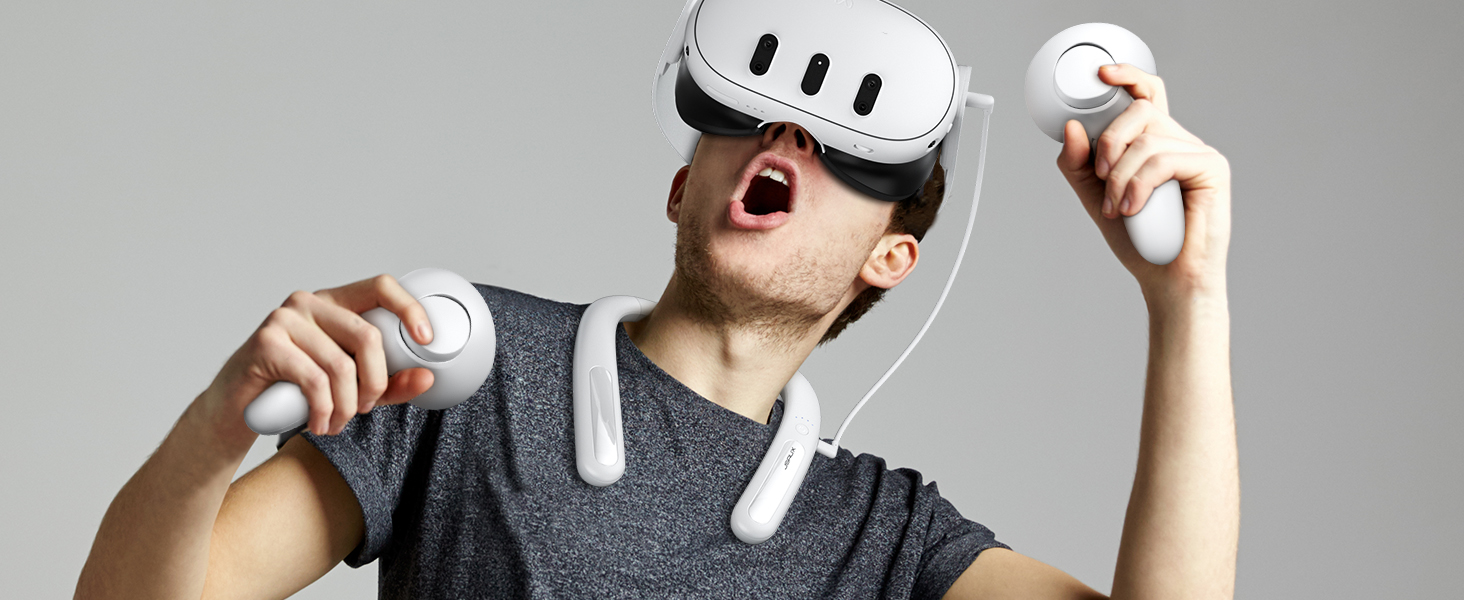
Image: A user enjoying VR with the JSAUX 10000mAh battery pack, highlighting its capacity to extend playtime.

Image: The JSAUX battery pack shown alongside multiple USB-C devices, including VR headsets, phones, and handheld consoles, emphasizing its broad compatibility.
סעטאַפּ
- לאָד די באַטעריע פּאַק: Before first use, fully charge the JSAUX battery pack using the provided USB-C cable and a compatible power adapter (not included). Connect the cable to the Type-C1 (Input/Output) port on the battery pack. The indicator lights will show charging progress.
- Wear the Battery Pack: Gently bend the battery pack to fit comfortably around your neck. The flexible design allows for a custom fit.
- Connect to VR Headset: Use the provided USB-C cable to connect the Type-C2 (Output) port of the battery pack to your VR headset's charging port.
- זיכער קאַבלעס: Ensure cables are routed safely to avoid entanglement during VR use.

Image: A user wearing the JSAUX battery pack, illustrating its adjustable and comfortable fit around the neck while using a VR headset.

Image: A visual comparison highlighting how the JSAUX neck-worn design reduces strain on the cervical spine compared to traditional head-mounted battery solutions.
אַפּערייטינג ינסטראַקשאַנז
טשאַרדזשינג די באַטאַרייע פּאַק
- Connect the provided USB-C cable to the Type-C1 (Input/Output) port on the battery pack.
- Plug the other end of the cable into a USB power adapter (e.g., wall charger, computer USB port). For optimal charging speed, use a PD compatible charger.
- The indicator lights will illuminate to show the charging status.

Image: The JSAUX battery pack connected to a power source via its Type-C1 port, demonstrating the PD fast charging capability.
ניצן ווי אַ מאַכט באַנק
- Connect your device (VR headset, phone, etc.) to the Type-C2 (Output) port of the battery pack using a USB-C cable.
- The battery pack will automatically begin charging your device.
- The indicator lights will show the remaining battery level of the power bank.
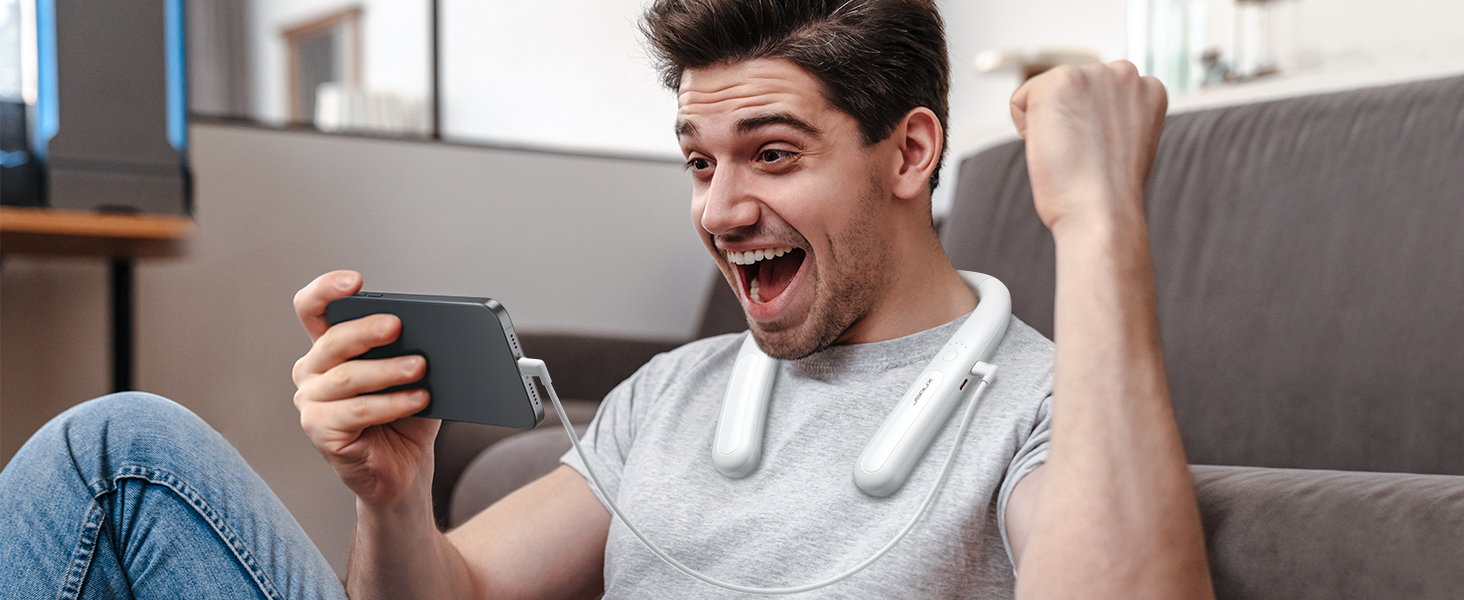
Image: The JSAUX battery pack connected to and charging a smartphone, demonstrating its versatility as a portable power bank.
ינדיקאַטאָר ליגהץ
The battery pack features indicator lights to display its charge status:
- Four Lights Solid: 100% באפוילן
- Three Lights Solid: >75% באפוילן
- Two Lights Solid: >50% באפוילן
- One Light Solid: >25% באפוילן
- All Four Lights Flashing Simultaneously: Input/Output Anomaly (Error)
בילד: דעטאַלירט view of the JSAUX battery pack's indicator lights, explaining what each light pattern signifies regarding battery level and potential anomalies.
וישאַלט
- רייניקונג: ווישט אָפּ דאָס אַפּאַראַט מיט אַ ווייכן, טרוקענעם שטאָף. ניצט נישט קיין שאַרפע כעמיקאַלן אָדער אַברייסיוו מאַטעריאַלן.
- סטאָרידזש: Store the battery pack in a cool, dry place away from direct sunlight and extreme temperatures. For long-term storage, charge the battery to about 50-75% every three months to maintain battery health.
- קאַבלע זאָרגן: Avoid bending or twisting the USB-C cable excessively to prevent damage.
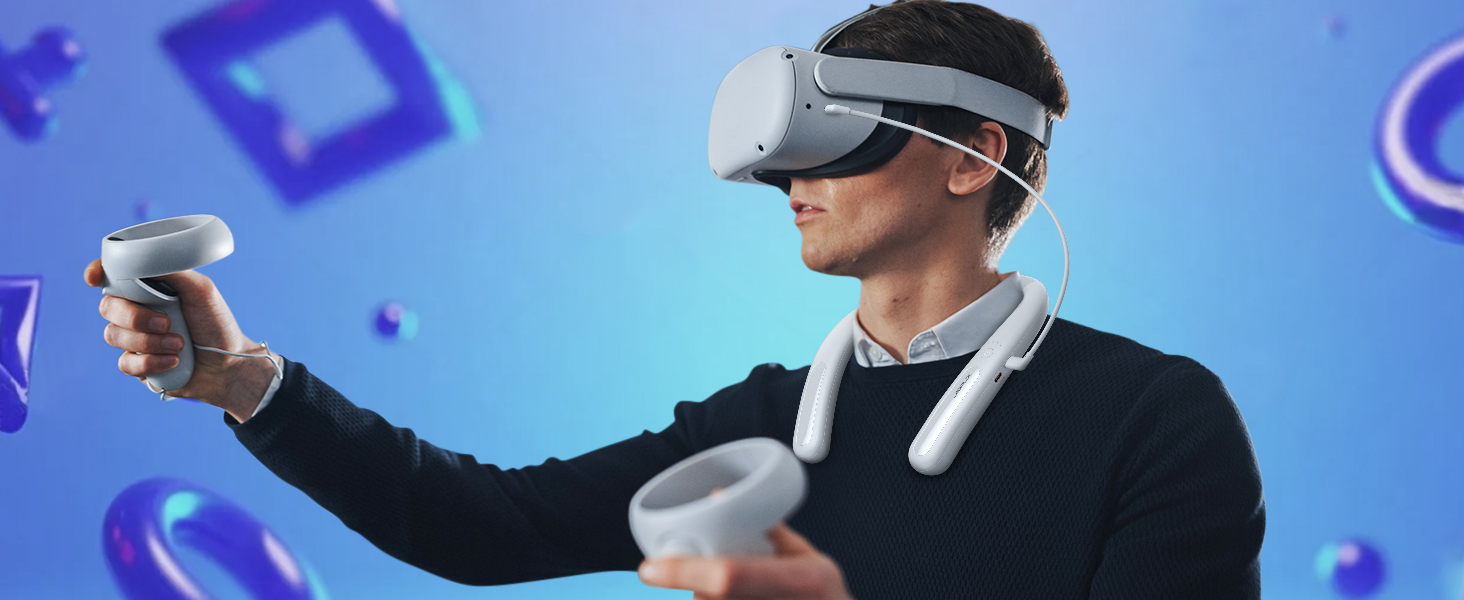
Image: The JSAUX battery pack shown in a flexible, twisted state, highlighting its durable and adaptable material for comfortable use and storage.
טראָובלעשאָאָטינג
- Device not charging from battery pack:
- Ensure the battery pack is sufficiently charged.
- Verify the USB-C cable is securely connected to both the battery pack's Type-C2 (Output) port and your device.
- Try a different USB-C cable to rule out cable malfunction.
- Check if your device is compatible with USB-C charging.
- Battery pack not charging:
- Ensure the USB-C cable is connected to the Type-C1 (Input/Output) port.
- Verify the power adapter is working and properly connected to a power source.
- פרובירט אן אנדערן USB-C קאבל און פאוער אדאפטער.
- If all four indicator lights are flashing, there might be an input anomaly. Disconnect and reconnect the charger.
- Reduced playtime extension:
- The actual playtime extension depends on the power consumption of the VR game or application. More demanding games consume more power.
- פאַרזיכערן אַז די באַטאַרייע פּאַק איז גאָר באפוילן איידער נוצן.
- Over time, all rechargeable batteries experience some capacity degradation.
ספּעסאַפאַקיישאַנז
| מאָדעל נומער | PB2004A |
|---|---|
| באַטאַרייע קאַפּאַציטעט | 10000 מאַה |
| באַטאַרייע זאַץ | ליטהיום |
| רעזולטאַט וואָסtage | 20 וואטס (מאַקס) |
| קאַנעקטער טיפּ | וסב טיפּ-C |
| וואָג | 137 גראַמז |
| פאַבריקאַנט | JSAUX |
| לאַנד פון אָריגין | כינע |
וואָראַנטי און שטיצן
JSAUX provides an 18-month worry-free period for this product. If you encounter any issues or have questions, please contact our 24/7 קונה דינסט. We are committed to resolving your concerns within 24 hours.
For support, please visit the official JSAUX website or contact us through your purchase platform.
פּראָדוקט ווידעא
ווידעא: אן איבערview of the JSAUX 10000mAh Battery Pack, demonstrating its features, ergonomic design, and compatibility with VR headsets and other USB-C devices.