
Roxicosly Cordless Vibrating Clock and Bed Shaker
Roxicosly Cordless Vibrating Clock and Bed Shaker User Manual
Model: Cordless Vibrating Clock and Bed Shaker
Brand: Roxicosly
הקדמה
This manual provides detailed instructions for the setup, operation, and maintenance of your Roxicosly Cordless Vibrating Clock and Bed Shaker. Please read this manual thoroughly before using the device to ensure proper function and longevity.
וויכטיק סאַפעטי אינפֿאָרמאַציע
- האַלטן די מיטל אַוועק פון וואַסער און הויך הומידיטי.
- דו זאלסט נישט ויסשטעלן די מיטל צו עקסטרעם טעמפּעראַטורעס אָדער דירעקט זונשייַן.
- ויסמיידן דראַפּינג אָדער אונטערטעניק די מיטל צו שטאַרק ימפּאַקץ.
- דו זאלסט נישט פּרווון צו דיסאַסעמבאַל אָדער פאַרריכטן די מיטל זיך. קאָנטאַקט קונה שטיצן פֿאַר הילף.
- ניצט נאָר דעם צוגעשטעלטן USB-C קאַבל צום אויפלאָדן.
- האַלטן אויס פון דערגרייכן פון קינדער און פּעץ.
פּעקל אינהאַלט
באַשטעטיקן אַז אַלע זאכן זענען פאַראַן אין פּעקל:
- Roxicosly Cordless Vibrating Clock and Bed Shaker
- וסב-C טשאַרדזשינג קאַבלע
- באַניצער מאַנואַל (דעם דאָקומענט)
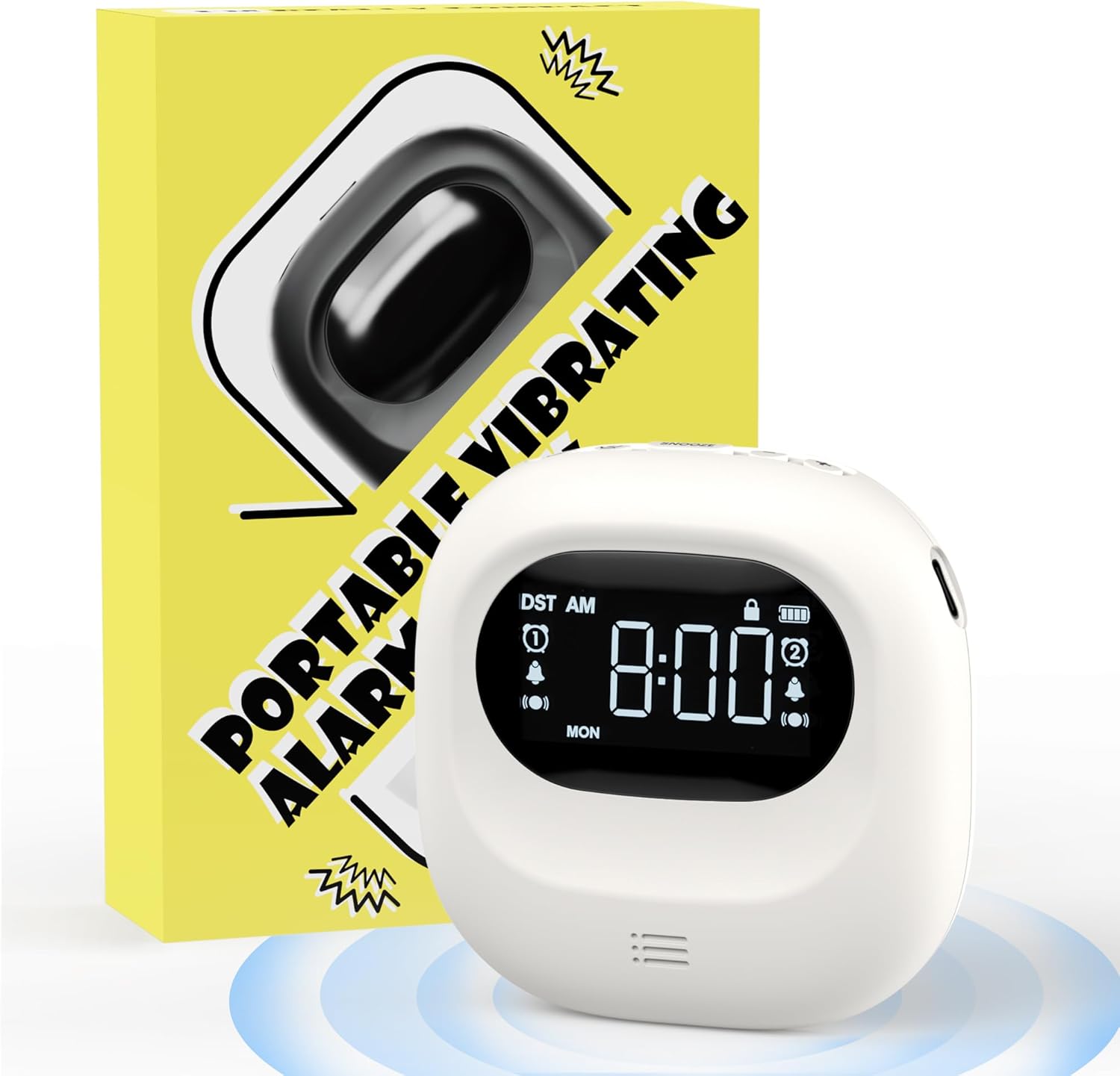
Image: The Roxicosly Cordless Vibrating Clock and Bed Shaker shown alongside its product packaging.
פּראָדוקט איבערview
The Roxicosly Cordless Vibrating Clock is designed to provide a reliable and discreet wake-up experience. Its compact size and cordless design make it ideal for use under a pillow or for travel.
שליסל פֿעיִקייטן:
- קאָרדלעסס פּלאַן: Operates without tangled wires, offering flexibility in placement.
- Adjustable Vibration Intensity: Choose from High, Medium, or Low vibration levels.
- קייפל אַלאַרם מאָדעס: Wake up with Vibration+Alarm, Vibration Only, or Alarm Only.
- צווייענדיק שרעק: Set two independent alarms with Weekday/Weekend/All 7 Days modes.
- לאנג באַטאַרייע לעבן: Built-in 3000mAh rechargeable battery provides up to 160 days of usage on a single charge (lowest settings).
- USB-C טשאַרדזשינג: באַקוועם און מאָדערן טשאַרדזשינג צובינד.
- קינד שלאָס: פאַרהיט אַקסאַדענטאַל קנעפּל דריקונגען.
- סנוז פונקציע: Allows for temporary alarm delay.
- סאָליד און פּאָרטאַטיוו: Measures 3.35 x 3.35 x 1 inch, weighing 0.3lb (135g).
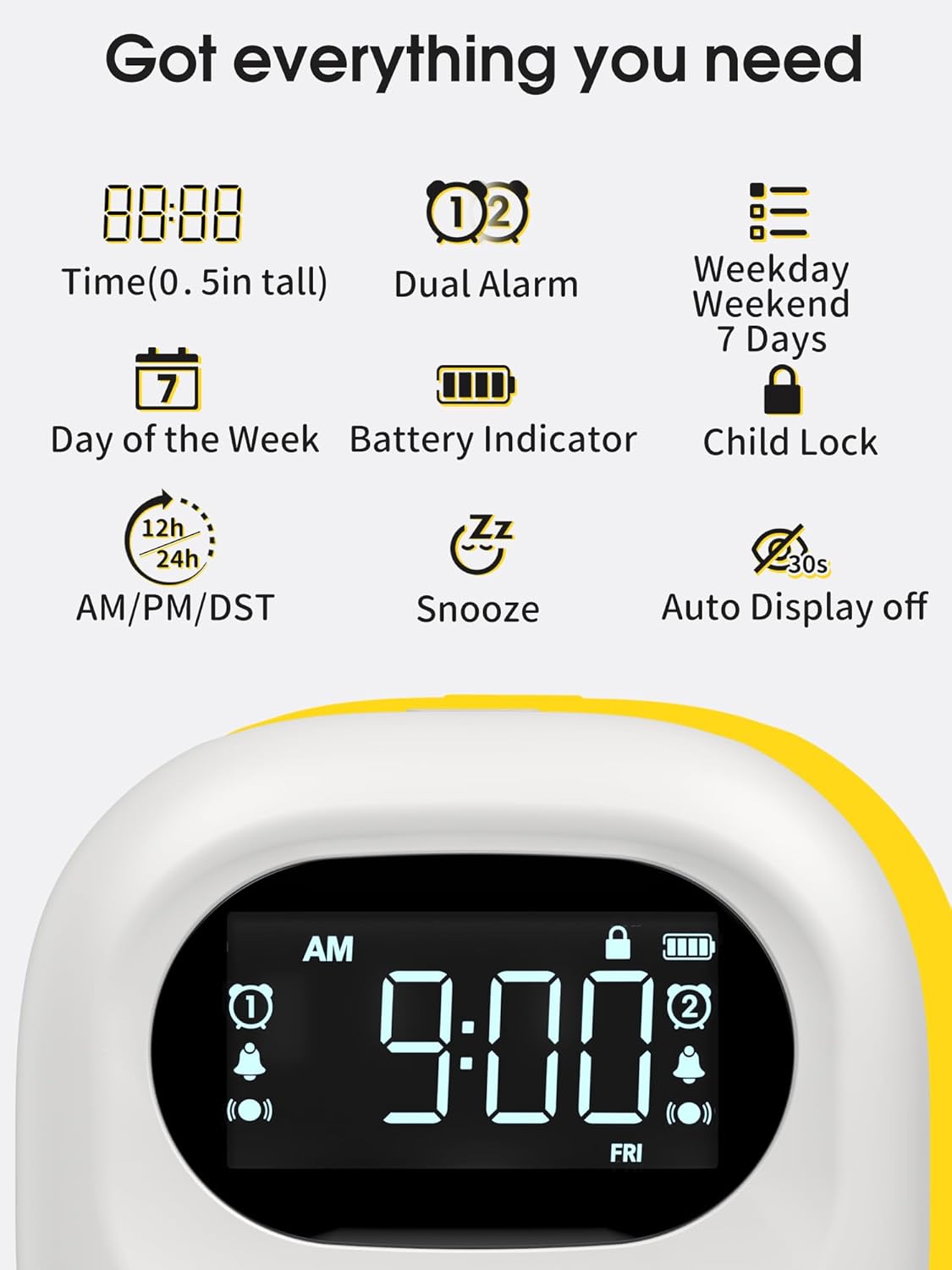
Image: A visual representation of the clock's display, highlighting features such as time, dual alarm indicators, day of the week, battery level, and child lock icon.
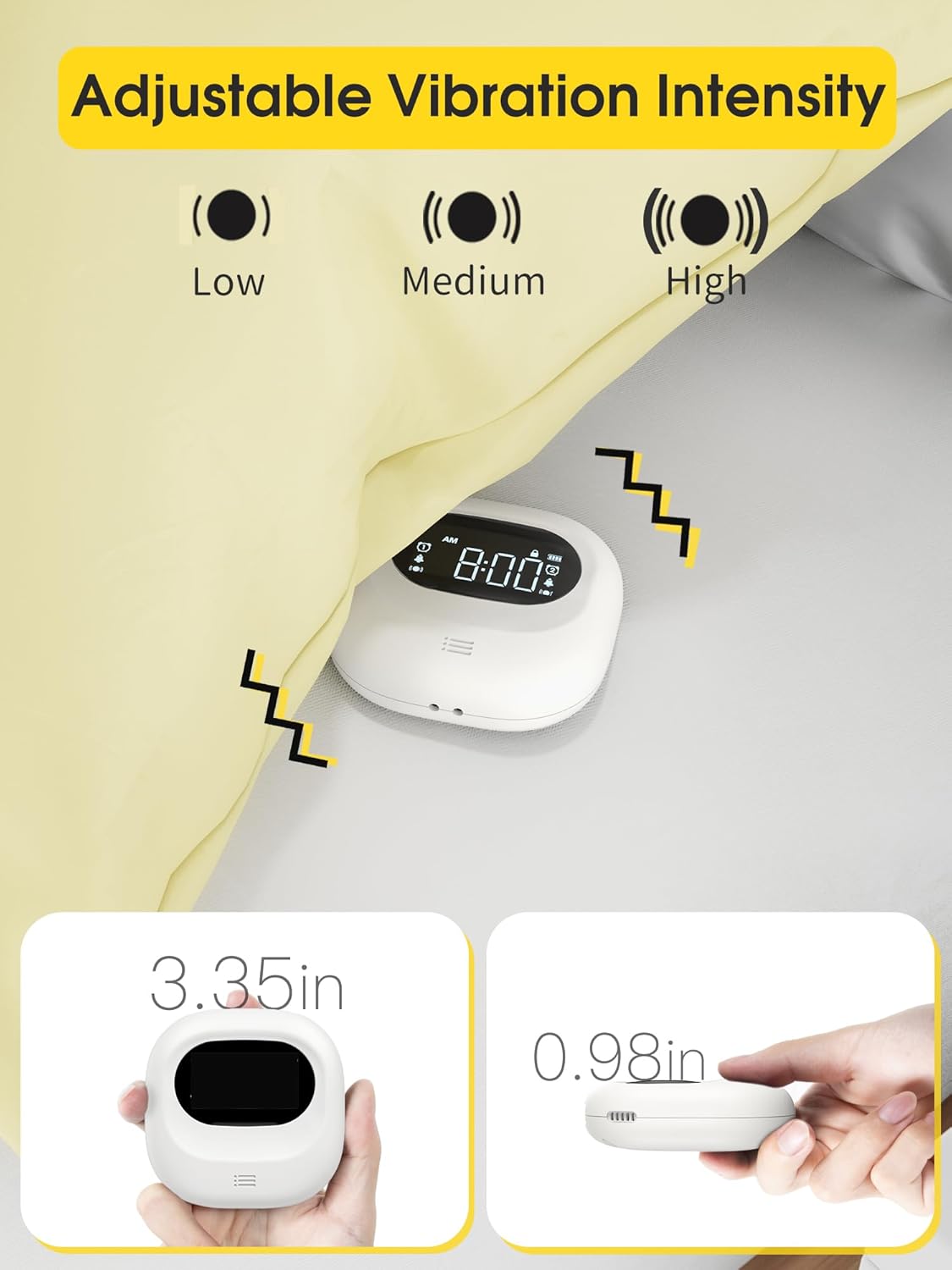
Image: The clock demonstrating its adjustable vibration intensity (Low, Medium, High) and its compact dimensions of 3.35 inches width and 0.98 inches thickness.
סעטאַפּ
טשאַרדזשינג די מיטל
Before first use, fully charge the clock. Connect the provided USB-C cable to the charging port on the device and plug the other end into a USB power adapter (not included) or a computer USB port. The battery indicator on the screen will show charging status.

Image: The clock connected to a USB-C charging cable, illustrating the charging process and the battery indicator on the display.
ערשט מאַכט אויף
Once charged, the clock will automatically power on. If not, press and hold the power button (if available, otherwise it's always on when charged) to activate the display.
אַפּערייטינג ינסטראַקשאַנז
באַשטעטיקן די צייט
- Press the "Time Set" button (refer to device for exact button label, typically a gear or clock icon).
- ניצט די "+" און "-" קנעפלעך צו סטרויערן די שעה.
- Press "Time Set" again to move to minute adjustment, then use "+" and "-" buttons.
- Continue pressing "Time Set" to cycle through 12/24-hour format and AM/PM settings.
- Confirm settings by waiting a few seconds or pressing a "Set" button.
שטעלן אַלאַרמס (צווייענדיק אַלאַרם)
די זייגער שטיצט צוויי אומאפהענגיקע אלארמען (אלארם 1 און אלארם 2).
- Press the "Alarm 1 Set" button (or similar, typically an alarm clock icon with '1').
- Use "+" and "-" buttons to set the desired alarm hour.
- Press "Alarm 1 Set" again to set the alarm minute.
- Cycle through alarm modes (Vibration+Alarm, Vibration Only, Alarm Only) using the "Mode" button or by repeatedly pressing "Alarm 1 Set".
- Adjust alarm volume (if in Alarm or Vibration+Alarm mode) using "+" and "-" buttons.
- Adjust vibration intensity (if in Vibration or Vibration+Alarm mode) using a dedicated vibration button or by cycling through options.
- Set the alarm frequency: Weekday (Mon-Fri), Weekend (Sat-Sun), or All 7 Days (Mon-Sun).
- Repeat steps for "Alarm 2 Set" button to configure the second alarm.
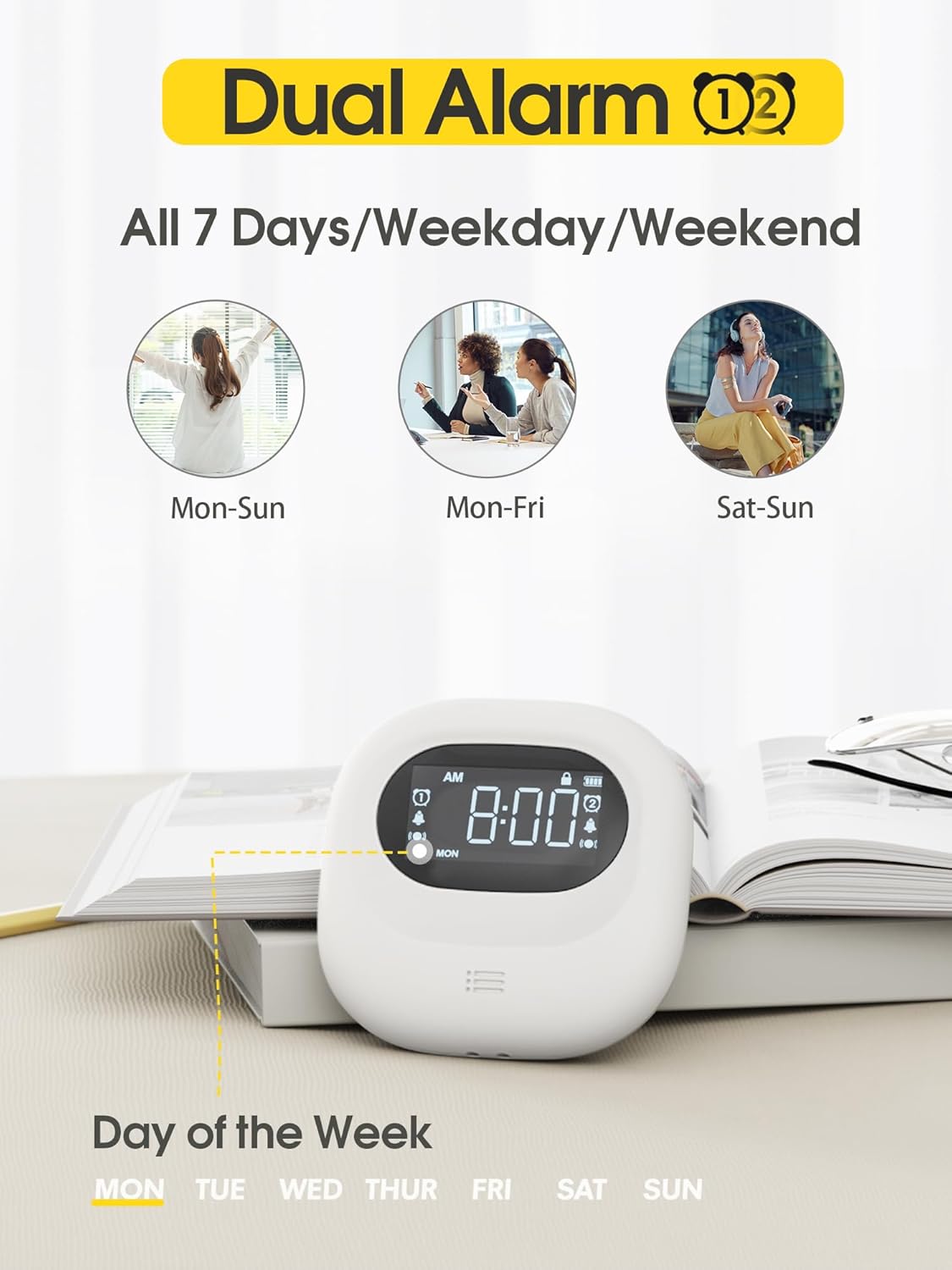
Image: The clock display illustrating the dual alarm feature and options for setting alarms for all 7 days, weekdays, or weekends.

Image: The clock showcasing its three distinct alarm modes: Vibration Only, Buzzer Only (audible alarm), and a combination of Vibration and Buzzer.
סנאָאָזע פֿונקציע
When an alarm sounds, press the large "Snooze" button (typically located in the center) to temporarily silence the alarm. The alarm will sound again after a set snooze interval (e.g., 9 minutes).
קינד לאַק
To prevent accidental changes to settings, slide the "Child Lock" switch on the back of the device to the locked position. This will disable most buttons until unlocked.
וישאַלט
רייניקונג
Wipe the device with a soft, dry cloth. Do not use abrasive cleaners, solvents, or immerse the device in water.
סטאָרידזש
When not in use for extended periods, store the clock in a cool, dry place. Ensure it is fully charged before storing to maintain battery health.
טראָובלעשאָאָטינג
| פּראָבלעם | מעגלעך סיבה | לייזונג |
|---|---|---|
| די מיטל איז נישט קער אויף. | נידעריק באַטאַרייע. | לאָדט אויף דעם דעווייס מיטן USB-C קאַבל. |
| דער אַלאַרם קלינגט/וויברירט נישט. | Alarm is off, volume is too low, or vibration is disabled. | Ensure the alarm is enabled, check alarm mode settings (Vibration+Alarm, Vibration Only, Alarm Only), and adjust volume/vibration intensity. |
| סעטטינגס קענען ניט זיין געביטן. | Child Lock is engaged. | Slide the Child Lock switch on the back of the device to the unlocked position. |
| Inaccurate time display. | די צייט איז נישט ריכטיק איינגעשטעלט. | Refer to "Setting the Time" section to reset the time. |
ספּעסאַפאַקיישאַנז
- סאָרט: ראָקסיקאָסלי
- מאָדעל: Cordless Vibrating Clock and Bed Shaker
- קאָליר: שוואַרץ
- ווייַז טיפּ: דיגיטאַל
- ספּעציעלע שטריך: Loud Alarm, Adjustable Vibration
- פּראָדוקט דימענשאַנז: 3.35"W x 3.35"H x 1"D (approximate, based on 0.98in thickness)
- מאַכט מקור: באַטאַרייע פּאַוערד (קריקאָנלאָדלעך)
- באַטאַרייע קאַפּאַציטעט: 3000 מאַה
- טשאַרדזשינג פּאָרט: וסב-C
- ראַם מאַטעריאַל: אַקרילאָניטרילע בוטאַדיענע סטירענע (אַבס)
- וועקער זייגער: Yes, Dual Alarm
- אָפּעראַציע מאָדע: עלעקטריקאַל
- זייגער פאָרעם: רייזע
וואָראַנטי און שטיצן
Roxicosly products are designed for reliability and performance. For warranty information or technical support, please refer to the warranty card included with your purchase or visit the official Roxicosly webזייטל. אויב איר טרעפט אויף פראבלעמען וואָס זענען נישט באדעקט אין דעם מאַנואַל, ביטע קאָנטאַקט אונדזער קונה סערוויס מאַנשאַפֿט פֿאַר הילף.
קאָנטאַקט אינפֿאָרמאַציע: Please refer to your product packaging or the Roxicosly official webזייטל פֿאַר די מערסט אַרויף-צו-דאַטע קאָנטאַקט דעטאַילס.
Ask a question about this manual
Ask about setup, troubleshooting, compatibility, parts, safety, or missing instructions. Manuals+ will review the question and use this page’s manual context to help answer it.