
הקדמה
Thank you for choosing the Generic TWS-S23 Wireless Earbuds. These earbuds are designed to provide a superior audio experience with advanced Bluetooth V5.3 technology, Hi-Fi stereo sound, and convenient features like smart touch control and an intelligent LED power display. This manual will guide you through the setup, operation, and maintenance of your new earbuds to ensure optimal performance.

Figure 1: Generic TWS-S23 Wireless Earbuds and Charging Case
וואָס איז אין די קעסטל
ווען איר עפנט אייער פעקל, ביטע זיכער מאכן אז אלע פאלגנדע זאכן זענען דא:
- דראָטלאָזע אויערקנעפּלעך (לינקס און רעכטס)
- טשאַרדזשינג קעסטל מיט LED מאַכט אַרויסווייַזן
- יו-עס-בי טשאַרדזשינג קאַבל (טיפּ-C)
- באַניצער מאַנואַל
- Additional Earbud Tips (various sizes)

פיגור 2: פּאַקינג ליסטע איבערview
סעטאַפּ
1. אויפלאָדן די אויערקנעפּלעך און קעסטל
פארן ערשטן באַנוץ, זאָלט איר גאָר אויפלאָדן די אויערקנעפּלעך און דעם אויפלאָדן-קעסטל. פֿאַרבינדט דעם צוגעשטעלטן USB טיפּ-C קאַבל צום אויפלאָדן-פּאָרט אויפן קעיס און אַ שטראָם-מקור. די LED אַרויסווייַזונג אויפן אויפלאָדן-קעסטל וועט ווײַזן דעם באַטאַריע פּראָצענט.tage, indicating the charging status. Each earbud also has an independent battery indicator.

Figure 3: Type-C Fast Charging
2. בלועטאָאָטה פּערינג
- מאַכן זיכער אַז די עאַרבודז זענען באפוילן.
- עפֿנט דעם טשאַרדזשינג קעסטל. די אויערקנעפּלעך וועלן זיך אויטאָמאַטיש אָנצינדן און אַרײַן אין פּערינג מאָדע.
- אויף אייער דעווייס (סמאַרטפאָן, טאַבלעט, אאז"וו), אַקטיווירט בלועטוט.
- זוכן פֿאַר "TWS-S23" in the list of available Bluetooth devices and select it to connect.
- Once connected, the earbuds will automatically pair with your device each time you open the charging case.

Figure 4: Earbuds in Charging Case with LED Display
אַפּערייטינג ינסטראַקשאַנז
סמאַרט טאָוטש קאָנטראָל
The earbuds are equipped with sensitive touch control panels for easy management of music and calls. Refer to the diagram below for specific functions:

Figure 5: Simple Touch Control Functions
- שפּיל / פּויזע: איין צאַפּן אויף יעדער עאַרבוד.
- ענטפֿערן / הענגען אַרויף רופן: איין צאַפּן אויף יעדער עאַרבוד.
- פֿריִער ליד: טאָפּל-קליק די לינקע אויערקנעפּל.
- ווייַטער ליד: Double-click the right earbud.
- אַקטיווירן שטימע אַסיסטאַנט (סירי): ריר און האַלטן יעדער עאַרבוד פֿאַר 2 סעקונדעס.
רופן פאַנגקשאַנז
The earbuds feature a built-in high-sensitive microphone with call noise reduction, ensuring clear communication. You can answer and end calls directly from the earbuds using the touch controls.

Figure 6: Call Noise Reduction for Clear Calls
פֿעיִקייטן
הי-פי סטערעאָ סאָונד
Experience rich and detailed audio with the 10mm graphene composite diaphragm drivers. The earbuds deliver deep bass, crisp mids, and crystal-clear highs for an immersive listening experience, whether for music, movies, or games.
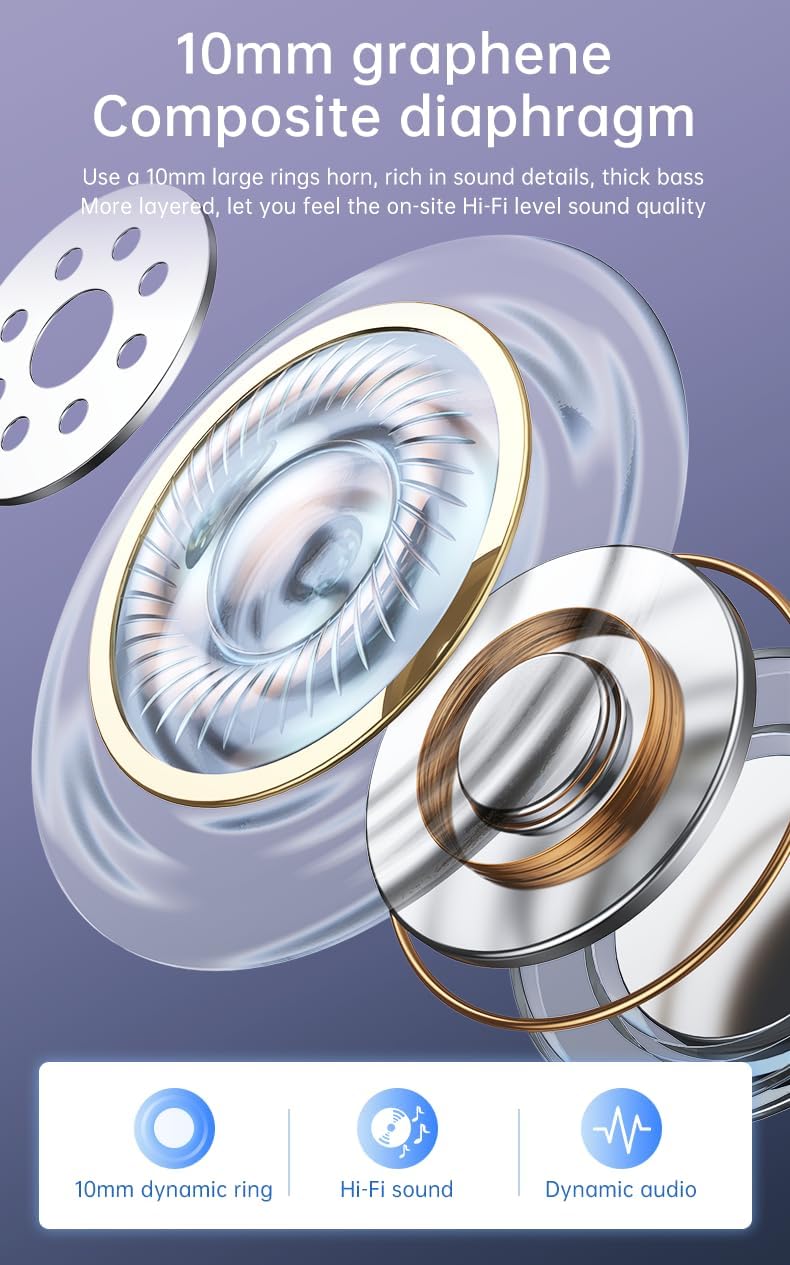
Figure 7: 10mm Graphene Composite Diaphragm
Lightweight, Portable & Ergonomic Design
Each earbud weighs only 0.14 ounces (approximately 4g), making them incredibly light and comfortable for extended wear. The ergonomic design ensures a firm and comfortable fit, suitable for various activities.

Figure 8: Comfortable and Stable Fit

פיגור 9: קליין און פּאָרטאַטיוו פּלאַן
IP7 וואָטערפּרוף שאַץ
The IP7 waterproof rating effectively protects the headphones from sweat and rain, making them ideal for sports and outdoor activities.
Zero Latency for Gaming
With an ultra-low latency of 0.05 seconds and a stable signal connection, these earbuds provide a seamless audio experience for gaming, ensuring you hear every detail without delay.

Figure 10: Perfect Headset for Gaming with Zero Latency
וישאַלט
To ensure the longevity and optimal performance of your earbuds, follow these maintenance guidelines:
- רייניקונג: רייניקט רעגולער די אויערקנעפּלעך און די טשאַרדזשינג קעסטל מיט אַ ווייכן, טרוקענעם, לינט-פֿרייע שטאָף. פֿאַרמייַדט ניצן שאַרפֿע מאַטעריאַלן אָדער שאַרפֿע כעמיקאַלן.
- וואַסער ויסשטעלן: While the earbuds are IP7 waterproof, avoid prolonged submersion in water. Dry them thoroughly if they get wet from sweat or rain before placing them back in the charging case.
- סטאָרידזש: לייגט די אויערן-קנעפּלעך אין זייער טשאַרדזשינג קעסטל ווען זיי ווערן נישט גענוצט, כדי זיי צו באַשיצן פון שטויב און שאָדן.
- טשאַרדזשינג: Use only the provided charging cable or a certified Type-C cable. Avoid overcharging or completely draining the battery for extended periods.
טראָובלעשאָאָטינג
If you encounter any issues with your earbuds, please refer to the following common troubleshooting steps:
| פּראָבלעם | מעגלעך לייזונג |
|---|---|
| עאַרבודס נישט פּערינג | Ensure earbuds are charged. Turn off and on your device's Bluetooth. Forget "TWS-S23" from your device's Bluetooth list and re-pair. |
| קיין געזונט פון איין עאַרבוד | Place both earbuds back in the charging case, close the lid, wait a few seconds, then open and try again. Check device's audio balance settings. |
| טשאַרדזשינג פאַל ניט טשאַרדזשינג | זיכער מאַכן אַז דער USB קאַבל איז זיכער פארבונדן צו ביידע דעם קעסטל און די מאַכט מקור. פּרוּווט אַן אַנדער טשאַרדזשינג קאַבל אָדער מאַכט אַדאַפּטער. |
| ריר קאָנטראָלס ריספּאַנד נישט | זיכער מאַכן אַז די אויערן-קנעפּלעך זענען ריין און טרוקן. ריסטאַרט די אויערן-קנעפּלעך דורך זיי אַרײַנלייגן אין דעם קעסטל און זיי אַרויסנעמען. |
If the issue persists after trying these steps, please contact customer support for further assistance.
ספּעסאַפאַקיישאַנז
| שטריך | דעטאַל |
|---|---|
| מאָדעל נאָמען | TWS-S23 |
| ווירעלעסס קאָמוניקאַציע טעכנאָלאָגיע | בלועטאָאָטה וו5.3 |
| פאָרם פאַקטאָר | אין אויער |
| קאָנטראָל מעטאָד | ריר |
| קאָנטראָל טיפּ | Siri (Voice Assistant) |
| וואָטערפּרוף רייטינג | IP7 |
| דרייווער גרייס | 10 מם |
| פּונקט וואָג | 3.95 אונסעס (גאַנץ פּאַקעט) |
| פּלייַטימע | 22+ Hours (with charging case) |
| טשאַרדזשינג פּאָרט | וסב טיפּ-C |
וואָראַנטי און שטיצן
For warranty information and customer support, please refer to the documentation included with your purchase or contact the retailer/manufacturer directly. Keep your proof of purchase for any warranty claims.