
FIFINE K688W
FIFINE AmpliTank K688W Dynamic USB/XLR Microphone User Manual
Model: K688W | Brand: FIFINE
1. הקדמה
א דאנק פארן קויפןasing the FIFINE AmpliTank K688W Dynamic USB/XLR Microphone. This microphone is designed for high-quality audio capture in various applications, including gaming, streaming, podcasting, and professional recording. Please read this manual carefully to ensure proper setup and operation.

Image: The FIFINE AmpliTank K688W microphone demonstrating its sound capture capabilities with a visual representation of sound waves.
2. פּעקל אינהאַלט
באַשטעטיקט אַז אַלע זאכן וואָס זענען אויסגערעכנט אונטן זענען אַרייַנגערעכנט אין אייער פּעקל:
- FIFINE AmpliTank K688W Microphone Body
- USB-C to USB-A Cable (2.5m)
- 3/8" to 5/8" Screw Adapter
- User Manual (Japanese)
Note: A microphone stand and XLR cable are not included and must be purchased separately.

Image: The FIFINE AmpliTank K688W microphone and its included accessories: USB cable and screw adapter, alongside the user guide.
3. פּראָדוקט איבערview (Components and Controls)
מאַכט זיך באַקאַנט מיט די מיקראָפאָן'ס קאָמפּאָנענטן און קאָנטראָלס:

בילד: הינטערשטע view פון די פיפֿינע AmpliTank K688W microphone, highlighting the XLR output terminal and USB connection port.
- XLR Output Terminal: For connecting to audio interfaces, mixers, or other professional audio equipment.
- USB Connection Port (USB Type-C): For direct connection to computers or game consoles.
- 3.5 מם כעדפאָון דזשאַק: פֿאַר רעאַל-צייט אַודיאָ מאָניטאָרינג.
- Microphone Volume Control (Gain Knob): Adjusts the microphone's input sensitivity. (USB mode only)
- Headphone Jack Volume Control: Adjusts the monitoring volume through the 3.5mm headphone jack. (USB mode only)
- שטום קנעפּל מיט געפירט ינדיקאַטאָר: Toggles microphone mute. LED indicates mute status. (USB mode only)
4. סעטאַפּ
4.1 וסב קאַנעקשאַן
For direct connection to a computer (Windows/Mac OS) or game console (PS4/PS5):
- Connect the USB-C end of the provided USB cable to the microphone's USB port.
- Connect the USB-A end of the cable to an available USB port on your computer or game console.
- The device will automatically recognize the microphone.
- Select "FIFINE K688W" as your input and output device in your system's sound settings or application settings.

Image: The FIFINE AmpliTank K688W microphone connected to a laptop via its USB-C port, illustrating plug-and-play functionality.
4.2 XLR Connection
For connecting to professional audio equipment (audio interfaces, mixers):
- Connect a standard XLR cable (not included) to the XLR output terminal on the microphone.
- Connect the other end of the XLR cable to an XLR input on your audio interface or mixer.
- Ensure your audio interface or mixer is properly configured to receive input from the connected XLR channel.
- Adjust gain levels on your audio interface/mixer as needed.

בילד: א דעטאַלירטע view פון די פיפֿינע AmpliTank K688W's connectivity panel, showing both USB and XLR ports for versatile audio setups.
5. אַפּערייטינג ינסטרוקטיאָנס
5.1 Gain Control (USB Mode Only)
The gain knob on the microphone allows you to adjust the input sensitivity. Rotate the knob clockwise to increase gain and counter-clockwise to decrease it. Adjust this to achieve an optimal recording level without clipping or distortion.
5.2 Mute Function (USB Mode Only)
Press the touch-sensitive mute button on top of the microphone to instantly mute or unmute the audio input. The LED indicator will change color to show the microphone's status (e.g., green for active, red for muted).
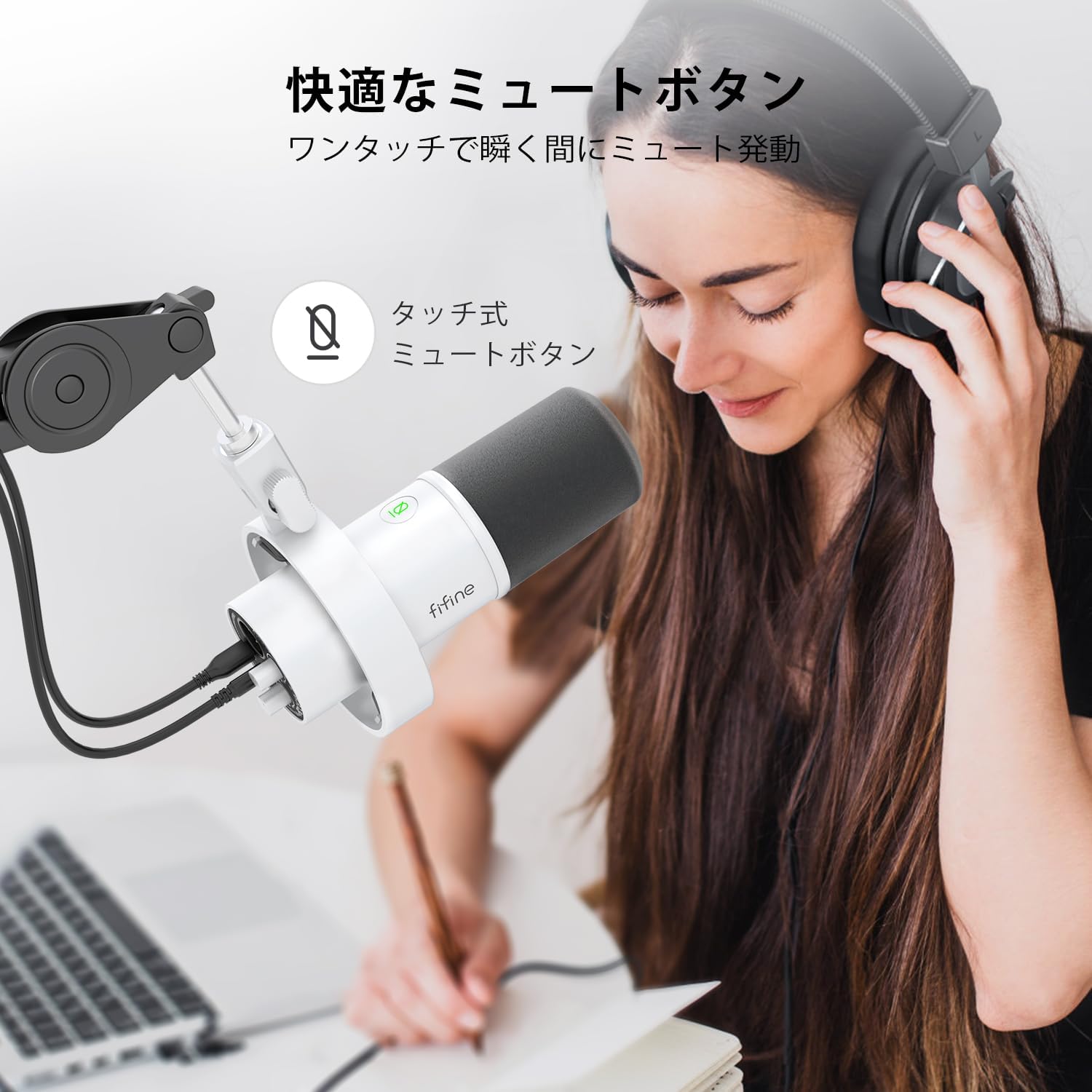
Image: A user interacting with the touch-sensitive mute button on the FIFINE AmpliTank K688W microphone, demonstrating its ease of use.
5.3 Headphone Monitoring (USB Mode Only)
Connect your headphones to the 3.5mm headphone jack on the microphone to monitor your audio in real-time with zero latency. Use the dedicated headphone volume knob to adjust the monitoring level to your preference.
6. וישאַלט
- האַלט דעם מיקראָפאָן ריין דורך עס ווישן מיט אַ ווייכן, טרוקענעם שטאָף.
- פֿאַרמײַדט אויסשטעלן דעם מיקראָפֿאָן צו עקסטרעמע טעמפּעראַטורן, פֿײַכטקייט, אָדער דירעקטער זון.
- סטאָר די מיקראָפאָן אין אַ פּראַטעקטיוו פאַל ווען ניט אין נוצן צו פאַרמייַדן שטויב און שעדיקן.
- פרובירט נישט צו צענעמען דעם מיקראָפאָן, ווייל דאָס וועט בטל מאַכן די וואָראַנטי.

Image: The FIFINE AmpliTank K688W microphone mounted on a boom arm, showcasing its integrated metal body design suitable for various recording environments.
7. טראָובלעשאָאָטינג
| פּראָבלעם | מעגלעך סיבה | לייזונג |
|---|---|---|
| No sound output (USB) |
|
|
| No sound output (XLR) |
|
|
| פאַרקרימט אַודיאָ |
|
|
| יבעריק הינטערגרונט ראַש |
|
|
8. ספּעסאַפאַקיישאַנז
| שטריך | דעטאַל |
|---|---|
| מאָדעל | K688W |
| סאָרט | FIFINE |
| מיקראָפאָן טיפּ | דינאַמיש |
| פּאָליאַר מוסטער | ונידירעקטיאָנאַל (קאַרדיאָיד) |
| קאַנעקטיוויטי | USB (Type-C), XLR |
| אָפטקייַט ענטפער | 70 הערץ - 15 כ"ץ |
| סיגנאַל-צו-ראַש פאַרהעלטעניש (S/N) | 75 דב |
| מאַכט טיפּ | עלעקטריש מיט אַ שנור (USB) |
| קאַמפּאַטאַבאַל דעוויסעס | PC (Windows/Mac OS), Game Consoles (PS4/PS5), Audio Mixers, Audio Interfaces, Smartphones (with adapter, not included) |
| ספּעציעלע פֿעיִקייטן | Volume Control, Mute Function, Headphone Monitoring |
| קאָליר | ווייַס |
| מאַטעריאַלס | פּלאַסטיק, מעטאַל |
| UPC | 850052511821 |
9. וואָראַנטי און שטיצן
9.1 וואָראַנטי אינפֿאָרמאַציע
דער פּראָדוקט קומט מיט אַ 1-יאָר פאַבריקאַנט ס וואָראַנטי פֿון דעם קויפֿדאַטום. די וואָראַנטי דעקט חסרונות אין מאַטעריאַלן און אַרבעט אונטער נאָרמאַלן באַנוץ.
די וואָראַנטי טוט נישט דעקן:
- שאָדן געפֿירט דורך אומרעכט, זידלען, אַקסידענט, אָדער פאַרלאָזיקייט.
- שאָדן פון נישט-אָטעריזירטע ריפּערז אָדער מאָדיפיקאַטיאָנס.
- נאָרמאַל טראָגן און טרער.
9.2 קונה שטיצן
If you encounter any issues with your FIFINE AmpliTank K688W microphone, such as packaging damage, color discrepancies, or product defects, please contact FIFINE Japan customer support immediately. Provide your purchase details and a description of the issue for prompt assistance.
For further support, please visit the official FIFINE webפּלאַץ.

Image: Information regarding FIFINE's customer support process, including steps to contact them via Amazon and their operating hours.
Ask a question about this manual
Ask about setup, troubleshooting, compatibility, parts, safety, or missing instructions. Manuals+ will review the question and use this page’s manual context to help answer it.