
הקדמה
Thank you for choosing the LIORQUE S7509 Projection Alarm Clock. This manual provides detailed instructions for setting up and operating your new device. Please read it carefully to ensure proper use and to fully utilize all features.
פּעקל אינהאַלט
ביים אויספּאַקן, ביטע זיכער מאַכן אַז אַלע די פאלגענדע זאכן זענען פאַראַן:
- LIORQUE S7509 Projection Alarm Clock
- מאַכט אַדאַפּטער
- וסב מאַכט קאַבלע
- באַניצער מאַנואַל

Image: The LIORQUE S7509 Projection Alarm Clock, its power adapter, USB cable, and user manual are displayed next to the product box. Product dimensions are indicated as 18cm (7.1in) width, 9.8cm (3.9in) height, and 5cm (2in) depth.
פּראָדוקט פֿעיִקייטן איבערview
The LIORQUE S7509 Projection Alarm Clock is designed to enhance your daily routine with its versatile features:
- 180° Rotatable Projection: Project the time onto your ceiling or wall with adjustable brightness.
- גרויס געפירט ווייַז: Clear time display with 4 adjustable brightness levels.
- צוויי אַלאַרמס: שטעלט צוויי באַזונדערע אַלאַרמס פֿאַר פֿאַרשידענע סקעדזשולז.
- עפעם ראַדיאָ: Enjoy your favorite radio stations with 15 preset memory slots and 15 adjustable volume levels.
- סנוז פונקציע: גיט אן עקסטרע 9 מינוט שלאף.
- שלאָפן טימער: Automatically turns off the radio after a set duration (5-90 minutes).
- 12/24 שעה פֿאָרמאַט: Easily switch between time formats.
- געבויט-אין באַטערי: פֿאַר באַקאַפּ מאַכט בעת אויסtages.

Image: The LIORQUE S7509 Projection Alarm Clock is shown with its digital display set to 22:30. Surrounding icons highlight key features including 12/24 hour time, adjustable brightness, FM radio, snooze function, dual alarms, time projection, built-in battery, and a sleep timer.
סעטאַפּ אינסטרוקציעס
1. מאַכט קאַנעקשאַן
Connect the provided USB power cable to the alarm clock and plug the adapter into a standard wall outlet. The display will light up, indicating the device is powered on.

Image: The LIORQUE S7509 Projection Alarm Clock is shown on a bedside table, connected to a wall outlet via its power adapter. The clock displays 8:30, illustrating its readiness for use after power connection.
2. ערשטע צייט איינשטעלונג
- דריקן און האַלטן די צייט שטעלן button (usually labeled with a clock icon) for 3 seconds to enter time setting mode.
- ניצן די שעה און מינוט buttons (often labeled with '+' and '-' or arrows) to adjust the current time.
- דרוק צייט שטעלן ווידער צו באַשטעטיקן און אַרויסגאַנג.
3. 12/24 שעה פֿאָרמאַט
While in time setting mode, or by a dedicated button (refer to specific button labels on your device), you can toggle between 12-hour (with AM/PM indicator) and 24-hour formats.
אַפּערייטינג ינסטראַקשאַנז
1. באַשטעטיקן אַלאַרמס
די זייגער שטיצט צוויי אומאפהענגיקע אלארמען (אלארם 1 און אלארם 2).
- דריקן און האַלטן די שרעק 1 or שרעק 2 button for 3 seconds. The alarm time will flash.
- ניצן די שעה און מינוט קנעפּלעך צו שטעלן די געוואונטשענע שרעק צייט.
- דרוק די שרעק קנעפּל ווידער צו באַשטעטיקן די צייט.
- You can then select the alarm sound (buzzer or FM radio) and alarm volume.
- דרוק די שרעק button one more time to save settings and activate the alarm. An alarm icon will appear on the display.

Image: Two LIORQUE S7509 Projection Alarm Clocks are displayed side-by-side. One shows an alarm set for 8:30, labeled 'Workday', and the other shows 10:00, labeled 'Weekend', demonstrating the dual alarm capability.
2. פּראָיעקציע פֿונקציע
The projector allows you to display the time on your ceiling or wall.
- אַקטאַווייט / דיאַקטיווייט: דרוק די פּראָדזשעקטיאָן button (often labeled with a projection icon) to turn the projection on or off.
- סטרויערן ברייטנאַס: ריפּיטידלי דריקן די פּראָדזשעקטיאָן button to cycle through 3 brightness levels (Low, Medium, High) or turn it off.
- דרייען פּרויעקציע: The projector lens can be physically rotated 180° to adjust the angle of the projected time.

Image: The LIORQUE S7509 Projection Alarm Clock is shown in a bedroom, projecting the time '22:30' onto the ceiling. Below, three smaller images illustrate the three adjustable brightness levels for the projection.

Image: The LIORQUE S7509 Projection Alarm Clock is depicted with its projection arm extended, casting the time '12:45' onto a nearby surface. This image demonstrates the adjustable angle and direction of the projection feature.
3. ווייַז ברייטנאַס
Adjust the main display brightness to your preference.
- דרוק די דיממער button (or similar, often labeled with a sun icon) to cycle through 4 levels of display brightness.
- The levels typically range from brightest to off, allowing for comfortable viewטאָג אָדער נאַכט.

Image: The LIORQUE S7509 Projection Alarm Clock shows the time 22:30. Below, four distinct panels illustrate the four adjustable levels of screen brightness, ranging from completely off to maximum illumination, allowing users to select the appropriate brightness for night vision.
4. עפעם ראַדיאָ
הערט צו אייערע באַליבסטע FM ראַדיאָ סטאַנציעס.
- קער אויף / אַוועק: דרוק די RADIO קנעפּל צו דרייען די FM ראַדיאָ אויף אָדער אויס.
- אויטאָ-סקען: דריקן און האַלטן די RADIO button for 3 seconds to automatically scan and save up to 15 FM stations.
- טוישן סטאַנציעס: ניצן די PREV/NEXT buttons (or '+' and '-') to switch between saved stations.
- סטרויערן באַנד: ניצן די באַנד +/- buttons to adjust the radio volume through 15 levels.

Image: The LIORQUE S7509 Projection Alarm Clock displays 'FM 7.84' on its screen, surrounded by graphic representations of radio waves indicating different FM frequencies (e.g., FM90.2, FM95.6, FM96.8, FM97.5, FM98.5). The image also highlights that the device can store 15 favorite radio stations and has 15 adjustable volume levels.
5. שלאָף פונקציע
ווען אַן אַלאַרם קלינגט, דריק די גרויסע קנעפּל SNOOZE / LIGHT button on top of the clock. The alarm will pause for 9 minutes and then sound again.
6. שלאָפן טימער
דער שלאָף טייַמער ערלויבט דעם ראַדיאָ צו שפּילן פֿאַר אַ באַשטימטע צייט איידער עס אויטאָמאַטיש אויסלעשט זיך.
- בשעת די ראַדיאָ שפּילט, דריק די שלאָף button (or similar).
- ריפּיטידלי דריקן די שלאָף button to cycle through preset sleep times (e.g., 5, 10, 15, 30, 60, 90 minutes).
- דער ראַדיאָ וועט זיך אויטאָמאַטיש אויסלעשן נאָך דער אויסגעקליבענער צייט.
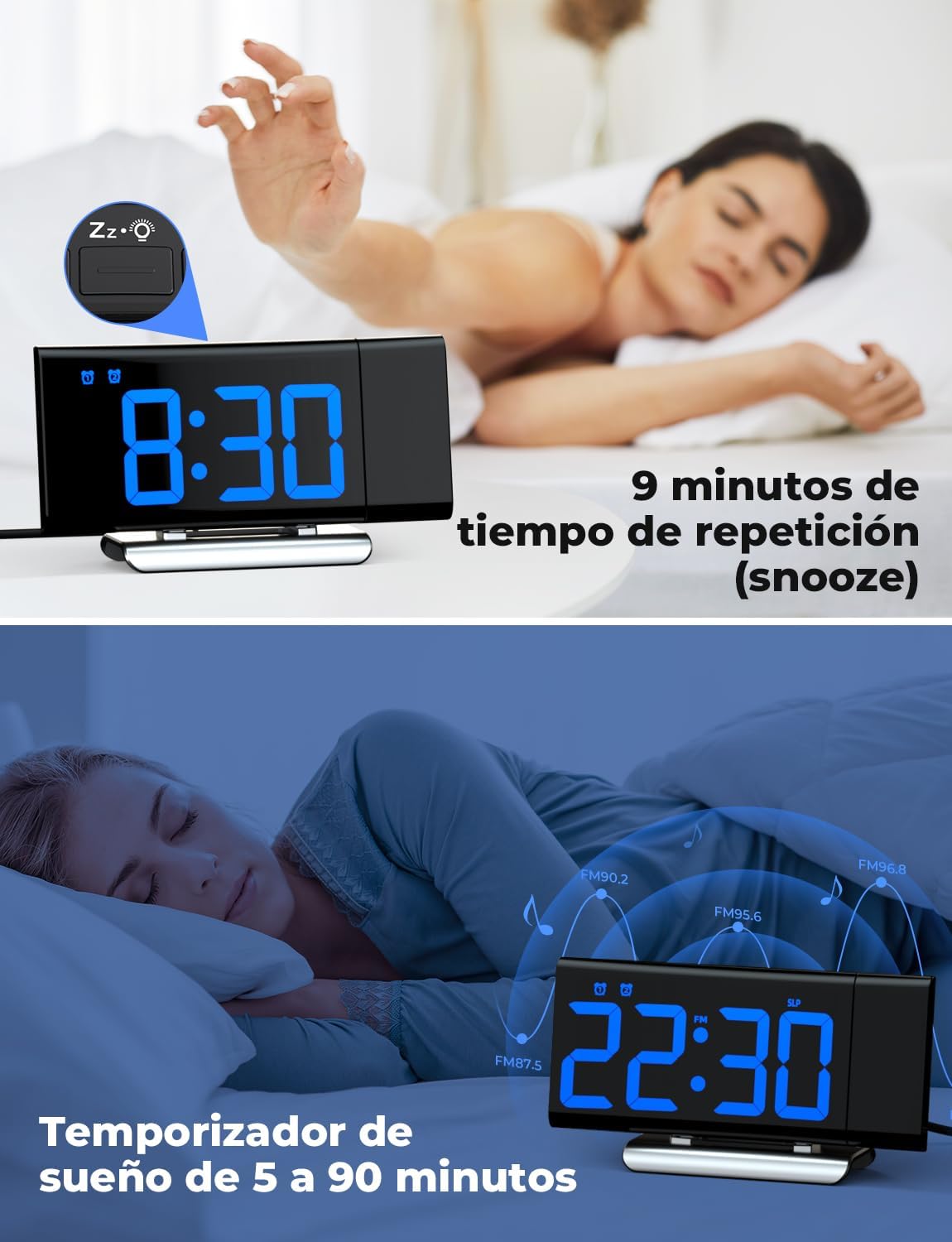
Image: The top section shows a person reaching for the snooze button on the LIORQUE S7509 Projection Alarm Clock, which displays 8:30, indicating a 9-minute snooze period. The bottom section features the clock displaying 22:30 with radio waves, illustrating the sleep timer function which can be set from 5 to 90 minutes, with a person sleeping peacefully in the background.
וישאַלט
To ensure the longevity and optimal performance of your LIORQUE S7509 Projection Alarm Clock, follow these simple maintenance guidelines:
- רייניקונג: Use a soft, dry cloth to wipe the surface of the clock. Do not use abrasive cleaners, solvents, or chemical sprays, as these can damage the finish and electronic components.
- באַזייַטיקונג פון שטויב: Gently wipe the projector lens with a soft, lint-free cloth to maintain clear projection quality.
- אָרט: שטעלט דעם זייגער אויף א סטאַבילער, גלאַטער ייבערפלאַך אַוועק פון דירעקטער זון, היץ-קוואַלן און איבערגעטריבענער פייכטקייט.
- מאַכט: Always use the provided power adapter. If the clock is not used for an extended period, you may unplug it. The built-in battery will retain settings for a short duration.
טראָובלעשאָאָטינג
If you encounter any issues with your alarm clock, please refer to the following common problems and solutions:
| פּראָבלעם | מעגלעך סיבה | לייזונג |
|---|---|---|
| די זייגער אויסשטעלונג איז ליידיק. | קיין מאַכט אָדער מאַכטtage. | Ensure the power adapter is securely plugged into the clock and a working outlet. Check if the display brightness is set to 'off'. |
| די פּראָיעקציע איז פֿאַרשוואָמען אָדער נישט קלאָר. | Incorrect focus or distance. | Adjust the distance of the clock from the projection surface. Ensure the projector lens is clean. |
| דער אַלאַרם קלינגט נישט. | אַלאַרם נישט אַקטיוויזירט אָדער די וואָלומען איז צו נידעריק. | Verify that the alarm icon is displayed on the screen. Check the alarm volume setting. Ensure the alarm time is correctly set. |
| שלעכטע FM ראַדיאָ אָפּנאַם. | שוואַך סיגנאַל אָדער אַנטענע פּאָזיציע. | Extend the FM antenna fully. Reposition the clock to improve reception. |
| די קנעפּלעך זענען נישט ריספּאַנדינג. | צייטווייליגע ווייכווארג פראבלעם. | Unplug the power adapter for a few seconds, then plug it back in to reset the device. |
ספּעסאַפאַקיישאַנז
| שטריך | דעטאַל |
|---|---|
| פּראָדוקט דימענשאַנז | 10.5 רענטגענ 3.81 רענטגענ 6.2 סענטימעטער; 340 ג |
| מאָדעל נומער | S7509 |
| סאָרט | LIORQUE |
| קאָליר | בלוי |
| ווייַז טיפּ | דיגיטאַל |
| מאַכט מקור | Both: Battery and AC power (with adapter) |
| פאָרעם | רעקטאַנגגיאַלער |
| באַניץ | דרינענדיק |
| ראַם מאַטעריאַל | מעטאַל |
| באַטעריז אַרייַנגערעכנט | יא |
| מאַונטינג טיפּ | טאַבלעטאָפּ |
| שרעק זייגער | יא |
| נומער פון זאכן | 1 |
וואָראַנטי און שטיצן
The LIORQUE S7509 Projection Alarm Clock comes with a manufacturer's warranty. For specific details regarding warranty coverage and duration, please refer to the warranty card included in your package or contact LIORQUE customer support.
If you require further assistance, have questions, or encounter issues not covered in this manual, please contact LIORQUE customer support. Contact information can typically be found on the product packaging, the official LIORQUE webוועבזייטל, אדער דורך אייער הענדלער.