
הקדמה
א דאנק פארן קויפןasing the GoolRC 4K Dual Camera Foldable Drone. This manual provides essential information for the safe operation, setup, and maintenance of your drone. Please read it thoroughly before first use to ensure proper functionality and to prevent damage or injury. Keep this manual for future reference.

Image: The GoolRC DRONEmax drone, featuring dual cameras and obstacle avoidance capabilities, shown in flight over a mountainous landscape.
וויכטיק סאַפעטי גיידליינז
Operating a drone requires responsibility. Adhere to the following safety precautions:
- פאַר-פלי טשעק: Always inspect the drone, remote control, and batteries for any damage before each flight. Ensure propellers are securely attached and free from obstructions.
- ינווייראַנמענאַל טנאָים: Fly in open areas, away from people, animals, buildings, and trees. Avoid flying in strong winds, rain, snow, or fog.
- שורה פון דערזען: האַלט די וויזועלע זיכט-ליניע מיטן דראָון צו יעדער צייט.
- באַטערי זיכערקייַט: Use only the provided or approved batteries and charging cables. Do not overcharge or puncture batteries. Discontinue use if batteries show signs of swelling or damage.
- עלטער רעקאָמענדאַציע: This product is recommended for adults (16 years and older).
- לאקאלע רעגולאציעס: זייט באוואוסטזיניק וועגן און פאלגט אלע לאקאלע געזעצן און רעגולאציעס וועגן דראָון אפעראציע.
פּעקל אינהאַלט
באַשטעטיקן אַז אַלע זאכן זענען פאַראַן אין דיין פּעקל:
- 1 x GoolRC Drone
- 1 x רימאָוט קאָנטראָל
- 3 x 3.7V 1800mAh Drone Battery
- 4 x Wind Blades (Spare Propellers)
- 4 x Protective Frames
- 1 x וסב טשאַרדזשינג קאַבלע
- 1 x שרויפנ - ציער
- 1 x סטאָרידזש באָקס
סעטאַפּ גייד
1. Charge Drone Batteries
Connect the 3.7V 1800mAh drone battery to the USB charging cable, then plug the cable into a USB power adapter (not included). The charging time is approximately 100 minutes. The indicator light will show charging status.
2. אינסטאַלירן באַטעריעס פֿאַר די ווײַטקאָנטראָל
Open the battery compartment on the back of the remote control and insert 3 x AA batteries (not included), ensuring correct polarity.
3. Attach Propellers and Protective Frames
Carefully attach the propellers to the motor shafts. Ensure each propeller is correctly oriented (A and B types). Then, snap the protective frames onto the drone's arms to shield the propellers from impact.
4. Unfold the Drone
Gently unfold the drone's arms until they lock into position. The drone is now ready for flight.

Image: The GoolRC drone in its unfolded state, highlighting its design for stable and easy flight, suitable for beginners.
5. אַפּ דאַונלאָוד און פֿאַרבינדונג
Download the dedicated drone control app from your device's app store. The app is compatible with Android 5.0 or above and iOS 9.0 or above. Power on the drone, then connect your smartphone to the drone's Wi-Fi network (2.4G WiFi signal) as displayed in your phone's Wi-Fi settings. Open the app to establish a connection for real-time image transmission and advanced controls.
אַפּערייטינג ינסטראַקשאַנז
1. מאַכט אויף / אויסגעלאשן און פּערינג
- מאַכט אויף: Place the drone on a flat surface. Press and hold the power button on the drone until the indicator lights turn on. Turn on the remote control.
- פּאָרינג: Push the left joystick on the remote control up then down. The drone's lights will stop flashing and become solid, indicating successful pairing.
- מאַכט אַוועק: Press and hold the power button on the drone and remote control until they turn off.
2. קאַלאַבריישאַן
After pairing, perform a gyroscope calibration. Push both joysticks on the remote control to the bottom-right corner simultaneously. The drone's lights will flash rapidly and then become solid, indicating successful calibration. This ensures stable flight.
3. אויפשטייג און לאַנדונג
- מאַנואַל אָפּטראָג: Push both joysticks to the bottom-left corner simultaneously to unlock the motors. Then, slowly push the left joystick (throttle) upwards to take off.
- איין-קלאַס אָפּפֿלי/לאַנדינג: Press the dedicated one-key take-off/landing button on the remote control for automatic take-off or landing.
4. גרונטלעכע פלי קאנטראלן
- לינקער דזשויסטיק (גאז/גיי): Up/Down for altitude, Left/Right for rotation.
- רעכטער דזשויסטיק (פּיטש/ראָלל): Up/Down for forward/backward flight, Left/Right for left/right sideward flight.
- Headless Mode: Press the headless mode button. In this mode, the drone's orientation is relative to the pilot, regardless of its actual front.
- אָפּטיש פלאָו פּאַזישאַנינג: The drone utilizes optical flow sensors for stable hovering and precise positioning, especially indoors or at low altitudes.

Image: A visual representation of the drone's optical flow hovering for stability, four-way obstacle avoidance, and upgraded high-brightness LED color lights.
5. אַוואַנסירטע פֿעיִקייטן
- Four-directional Obstacle Avoidance: The drone is equipped with sensors to detect and avoid obstacles from four directions, enhancing flight safety.
- Gesture Shooting: While in the air, perform specific hand gestures (refer to app instructions for details) to trigger photo or video recording.
- אינטעליגענטע נאכפאלג: Activate this feature via the app, and the drone will automatically follow a designated subject, capturing dynamic footage.
- טרייַעקטאָריע פלי: Draw a flight path on your smartphone screen within the app, and the drone will automatically follow the specified route.

Image: The GoolRC drone following a pre-drawn trajectory path over a river landscape, demonstrating its autonomous flight capability.
- 360° זעמל: Press the dedicated button on the remote control to perform an aerial 360-degree flip. Ensure sufficient altitude before attempting this maneuver.
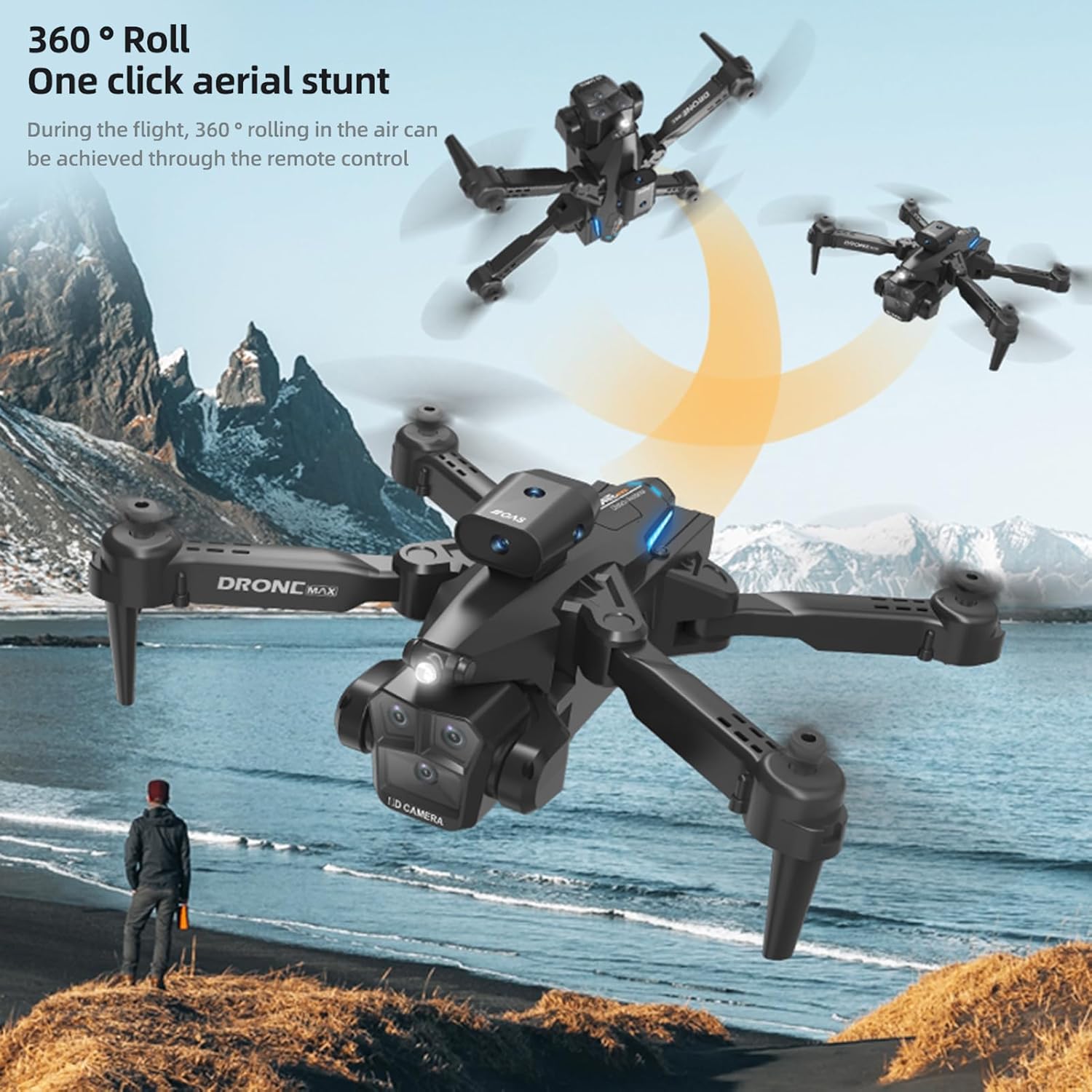
Image: The GoolRC drone executing a 360-degree roll in the air, illustrating its one-click aerial stunt capability.
6. 4K Dual Camera Operation and Real-Time Transmission
- פאָטאָ / ווידעא: Use the dedicated buttons on the remote control or the app interface to capture 4K photos and videos. The drone features both a front and bottom camera.
- Electric Tuning Lens: Adjust the camera angle dynamically via the remote control or app for optimal shots.
- Real-Time Image Transmission: View לעבן פאָאָtage from the drone's camera directly on your connected smartphone via the app, with high-definition transmission.

Image: A GoolRC drone flying over mountains, with a remote control and smartphone in the foreground displaying the drone's real-time camera view.

בילד: א דעטאַלירטע view of the GoolRC drone's 4K dual camera system, emphasizing its capability for high-quality aerial photography and videography.
- Beauty Filter Shooting: The app may offer beauty filters and post-production options for enhancing captured images.

Image: A comparison showing the effect of a beauty filter on a photograph, illustrating the drone's potential for enhanced image capture and post-processing.
וישאַלט
- רייניקונג: Use a soft, dry cloth to clean the drone and remote control. Avoid using water or solvents.
- פּראָפּעלער פאַרבייַט: If propellers are damaged, use the provided screwdriver to replace them with spare parts. Ensure correct A/B propeller types are installed in their respective positions.
- באַטערי זאָרגן: Store batteries in a cool, dry place. Do not store fully charged or completely depleted batteries for extended periods. Charge them to about 50% for long-term storage.
- סטאָרידזש: When not in use, fold the drone and store it in the provided storage box to protect it from dust and damage.
טראָובלעשאָאָטינג
| פּראָבלעם | מעגלעך סיבה | לייזונג |
|---|---|---|
| די דראָון רעאַגירט נישט אויף ווײַטקאָנטראָל. | נישט געפּאָרט, נידעריגע באַטעריע, שטערונג. | Ensure drone and remote are powered on and paired correctly. Charge batteries. Fly in an open area away from other wireless devices. |
| Drone flies unstably or drifts. | נישט קאליברירט, געשעדיגטע פּראָפּעלערס, שטאַרקער ווינט. | Perform gyroscope calibration. Check and replace damaged propellers. Avoid flying in windy conditions. |
| No real-time image on smartphone. | Not connected to drone's Wi-Fi, app not open, weak signal. | Ensure phone is connected to the drone's Wi-Fi. Open the control app. Move closer to the drone for a stronger signal. |
| קורץ פלי צייט. | באַטעריע נישט גאָר אויפגעלאָדן, אַלטע באַטעריע, אַגרעסיוו פליענדיק. | זיכער מאַכן אַז די באַטעריע איז גאָר אויפגעלאָדן. באַטראַכטן צו פאַרבייַטן אַלטע באַטעריעס. פליען מער קאָנסערוואַטיוו. |
| שטערונג אויסמיידונג ארבעט נישט. | Sensors obstructed, flying too fast, specific lighting conditions. | Ensure sensors are clean and unobstructed. Fly at moderate speeds. Obstacle avoidance may be less effective in certain lighting or with very thin objects. |
ספּעסאַפאַקיישאַנז
| שטריך | דעטאַל |
|---|---|
| פּונקט נאָמען | ווייַט קאָנטראָל דראָון |
| הויפּט מאַטעריאַל | פּלאַסטיק |
| מאָטאָר | 816 באַרשט מאָטאָר |
| דראָון באַטערי | 3.7 וו 1800 מאַה |
| רימאָוט קאָנטראָל באַטערי | 3 * אַאַ באַטאַרייע (ניט אַרייַנגערעכנט) |
| טשאַרדזשינג צייט | בעערעך 100 מינוט |
| Flight Time (Single Battery) | 15-18 מינוט |
| בילד טראַנסמיסיע סיגנאַל | 2.4G WiFi |
| ווייַט קאָנטראָל דיסטאַנסע | 100 מעטער |
| בילד טראַנסמיסיע דיסטאַנס | 100 מעטער |
| אַפּאַראַט | 4K Dual Camera (Front & Bottom) |
| פאָטאָ האַכלאָטע | 4096 * 2160 פּ |
| ווידעא האַכלאָטע | 4096 * 2160 פּ |
| קאַמפּאַטאַבאַל סיסטעם | Android 5.0 אָדער העכער, iOS 9.0 אָדער העכער |
| קאָליר | שוואַרץ |
| פאָולדיד גרייס | 13.5 * 8.5 * 7 סענטימעטער |
| אַנפאָולדאַד גרייס | 26 * 26 * 7 סענטימעטער |
| מאַנופאַקטורער טייל נומער | ZDC6494289347415LT |
וואָראַנטי און שטיצן
For warranty information and customer support, please refer to the documentation provided with your purchase or visit the official GoolRC webזייטל. איר קענט אויך קאָנטאַקטירן דעם הענדלער פון וועמען איר האָט געקויפט דעם פּראָדוקט פֿאַר הילף.
פאַבריקאַנט: GoolRC