1. פּראָדוקט איבערview
The XY-AP100L is a high-performance Bluetooth 5.0 stereo amplifier board designed for various audio applications. It features a 100W x 2 output, supporting multiple audio input methods including Bluetooth, AUX, and USB sound card functionality. This manual provides essential information for the proper setup, operation, and maintenance of your ampליפיער ברעט.
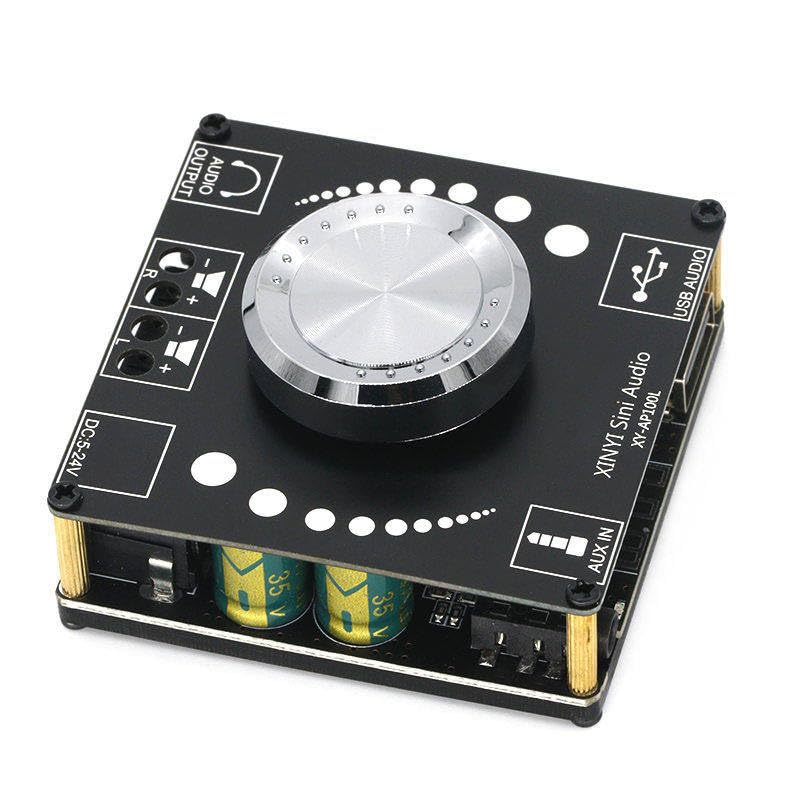
פיגורע 1: פראָנט view of the XY-AP100L amplifier board, showing the main controls and connection ports including Audio Output, DC power input, AUX IN, and USB Audio input.
2. ספּעסאַפאַקיישאַנז
| שטריך | באַשרייַבונג |
|---|---|
| מאָדעל נומער | XY-AP100L |
| רעזולטאַט מאַכט | 200 Watts (100W x 2 Channels) |
| נומער פון טשאַנאַלז | 2 (סטערעאָ) |
| Voltage אַרייַנשרייַב | גלייכשטראָם 12V - 24V |
| מאַקסימום צושטעלן וואָלtage | 24 וואלטס |
| בלועטאָאָטה ווערסיע | 5.0 |
| אַודיאָ ינפּוץ | Bluetooth, AUX (3.5mm), USB Audio (Sound Card) |
| מאַונטינג טיפּ | Freestanding |
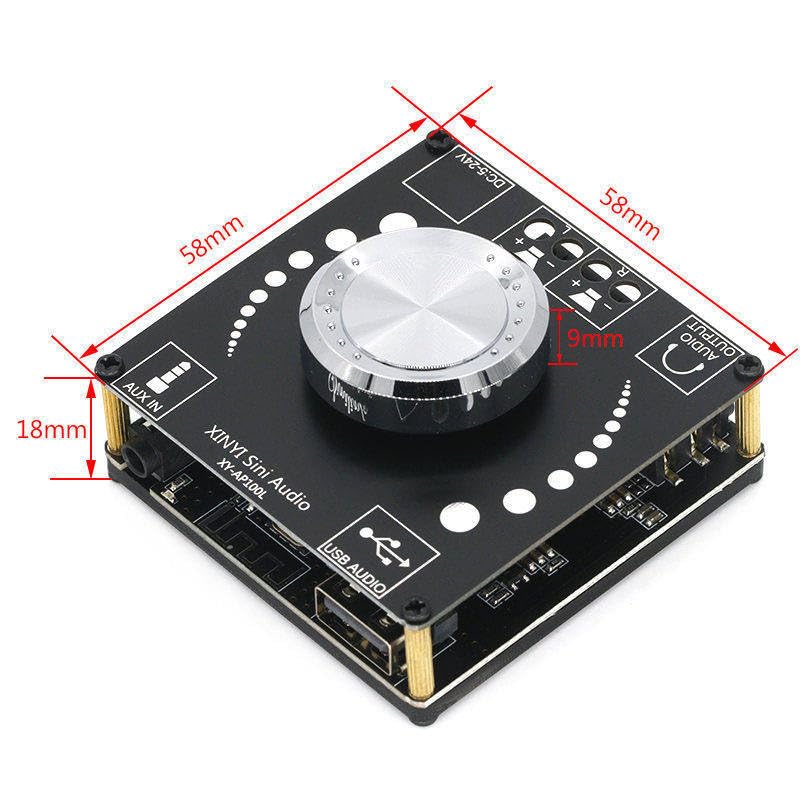
פיגורע 2: Dimensions of the XY-AP100L amplifier board, indicating its compact size for integration into various projects.
3. סעטאַפּ אינסטרוקציעס
Follow these steps to correctly set up your XY-AP100L ampליפער ברעט:
- מאַכט קשר: Connect a DC power supply (12V-24V) to the 'DC 5-24V' input terminal. Ensure correct polarity. A 24V power supply is recommended for optimal 100W x 2 output.
- רעדנער קשר: Connect your passive speakers to the 'AUDIO OUTPUT' terminals. The 'L' terminal is for the left channel speaker, and 'R' for the right channel speaker. Ensure positive (+) and negative (-) terminals are matched correctly.
- אַודיאָ אַרייַנגאַנג סעלעקציע: The board supports three input modes: Bluetooth, AUX IN, and USB Audio. The board will automatically switch modes or you can manually select via the rotary encoder (if applicable, refer to operating instructions).
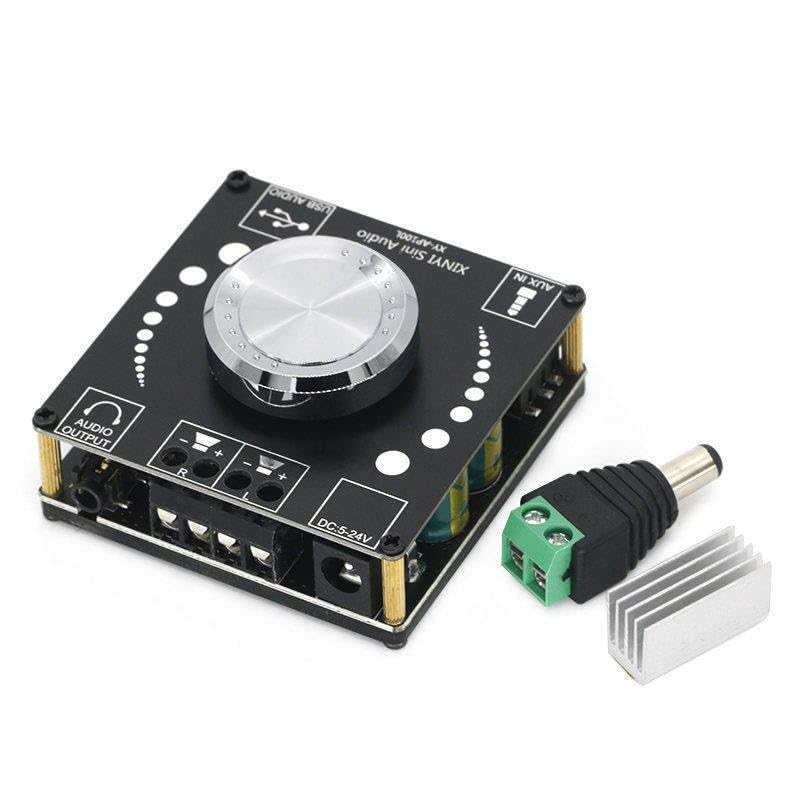
פיגורע 3: The XY-AP100L amplifier board shown with a heatsink and power adapter, illustrating typical setup components.
4. אַפּערייטינג ינסטרוקטיאָנס
אַמאָל די amplifier board is set up, follow these steps for operation:
- מאַכט אויף: Apply power to the DC input. The board will power on automatically.
- באַנד קאָנטראָל: Use the central rotary knob to adjust the output volume. Rotate clockwise to increase volume, counter-clockwise to decrease.
- Bluetooth Pairing:
- Ensure the board is in Bluetooth mode (indicated by an LED or voice prompt).
- On your mobile device, search for Bluetooth devices and select 'XY-AP100L'.
- אַמאָל פּערד, קענט איר סטרימען אַודיאָ וויירלעס.
- AUX אַרייַנשרייַב: Connect an audio source (e.g., smartphone, MP3 player) to the 'AUX IN' 3.5mm jack using an audio cable. The board should automatically switch to AUX mode.
- USB Audio (Sound Card): Connect the 'USB AUDIO' port to a computer using a USB cable. The computer should recognize the board as an audio output device. Select it as your playback device to use the board as an external sound card.
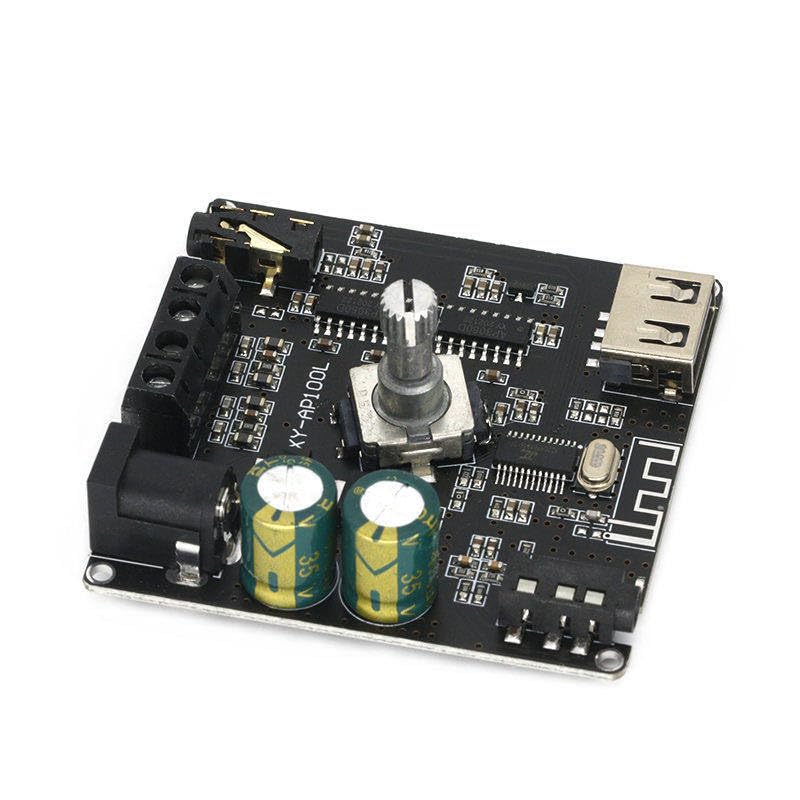
פיגורע 4: זייַט view of the XY-AP100L amplifier board, showing various components and connection points from a different angle.
5. וישאַלט
צו ענשור די לאָנדזשעוואַטי און אָפּטימאַל פאָרשטעלונג פון דיין ampליפיער ברעט, פאלגט די אויפהאלטונג גיידליינז:
- רייניקונג: Use a soft, dry cloth to clean the board. Avoid using liquid cleaners or solvents.
- ווענטילאַטיאָן: Ensure the board is placed in a well-ventilated area to prevent overheating, especially during prolonged use at high volumes.
- סטאָרידזש: When not in use for extended periods, store the board in a cool, dry place away from direct sunlight and moisture.
- האַנדלינג: Handle the board with care to avoid damaging components. Avoid static discharge.
6. טראָובלעשאָאָטינג
If you encounter issues with your XY-AP100L ampליפיער ברעט, זעט די פאלגענדע אלגעמיינע פראבלעמען און לייזונגען:
- קיין מאַכט:
- Check if the DC power supply is correctly connected and providing the specified voltagE (12V-24V).
- זיכער מאַכן אַז דער מאַכט אַדאַפּטער אַרבעט ווי עס דאַרף.
- קיין סאָונד רעזולטאַט:
- Verify speaker connections are secure and correct polarity is observed.
- Check the volume level on both the amplifier board and the audio source.
- Ensure the correct input mode (Bluetooth, AUX, USB) is selected and the audio source is playing.
- פּרובירט מיט אַן אַנדער אַודיאָ מקור אָדער רעדנערס צו איזאָלירן דעם פּראָבלעם.
- בלוטוט דיסקאנעקשאַן/פּערינג פּראָבלעמען:
- זיכער מאַכן אַז קיין אַנדערע דעוויסעס זענען נישט אַקטיוו פֿאַרבונדן צום amplifier board via Bluetooth.
- ריקט אייער בלוטוט דעווייס נענטער צום ampליפיער ברעט.
- Try forgetting the device on your phone/computer and re-pairing.
- פאַרקרימט סאָונד:
- רעדוצירן דעם קול אויף ביידע ampלײַפיער און די אַודיאָ מקור.
- Ensure the power supply is adequate for the desired output level. A weak power supply can cause distortion at higher volumes.
- טשעק די רעדנער אימפּעדאַנס קאָמפּאַטיביליטי.
7. וואָראַנטי און שטיצן
This product is manufactured by Generic. For specific warranty information or technical support, please refer to the retailer or manufacturer's official website where the product was purchased. Keep your purchase receipt as proof of purchase.


