
1. הקדמה
This manual provides detailed instructions for the installation, operation, and maintenance of your iUniker Raspberry Pi 5 Aluminum Passive Cooling Case. This case is specifically designed to protect your Raspberry Pi 5 and provide efficient passive cooling without the need for an active fan.

Figure 1: Assembled iUniker Raspberry Pi 5 Aluminum Passive Cooling Case, showcasing its compact design and ribbed top surface for heat dissipation.
2. פּעקל אינהאַלט
ביטע באַשטעטיקן אַז אַלע זאכן וואָס זענען ליסטעד אונטן זענען אַרייַנגערעכנט אין דיין פּעקל:
- 1x iUniker Raspberry Pi 5 Aluminum Passive Cooling Case (Upper and Lower halves)
- 4x טערמאַל פּאַדס
- 4x Screws with Nuts
3. סעטאַפּ און ייַנמאָנטירונג
Follow these steps to correctly install your Raspberry Pi 5 into the iUniker passive cooling case:
- צוגרייטן דעם ראַזבערי פּיי 5: Ensure your Raspberry Pi 5 board is powered off and disconnected from all peripherals.
- צולייגן טערמאַל פּאַדס: Carefully place the provided thermal pads onto the designated chips on your Raspberry Pi 5 board. These pads facilitate heat transfer to the case. Refer to Figure 3 for correct placement.

Figure 2: Illustration of thermal pad placement on the Raspberry Pi 5 board, ensuring contact with key heat-generating components.
- Position the Raspberry Pi 5: Place the Raspberry Pi 5 board into the lower half of the aluminum case. Ensure that all ports align correctly with the case cutouts.
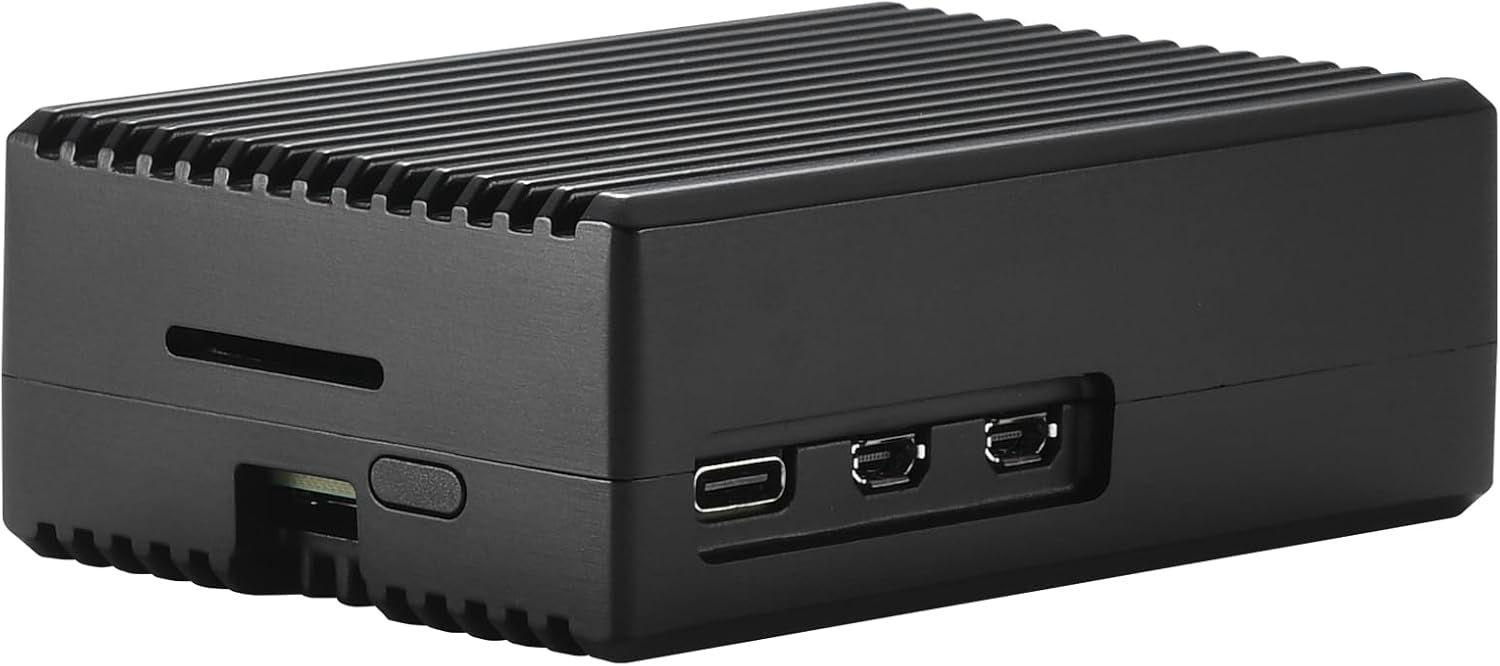
Figure 3: The Raspberry Pi 5 board being placed into the lower section of the iUniker case, with the upper section shown separately.
- Attach the Upper Case Half: Carefully place the upper half of the aluminum case onto the lower half, ensuring the thermal columns make firm contact with the thermal pads on the Raspberry Pi 5 chips.
- זיכער מיט סקרוז: Use the provided screws and nuts to secure the two halves of the case together. Do not overtighten.
The case is designed with 4 thermal columns that directly touch the chip, facilitating efficient heat transfer to the aluminum body. This design ensures the system runs cool and silently.
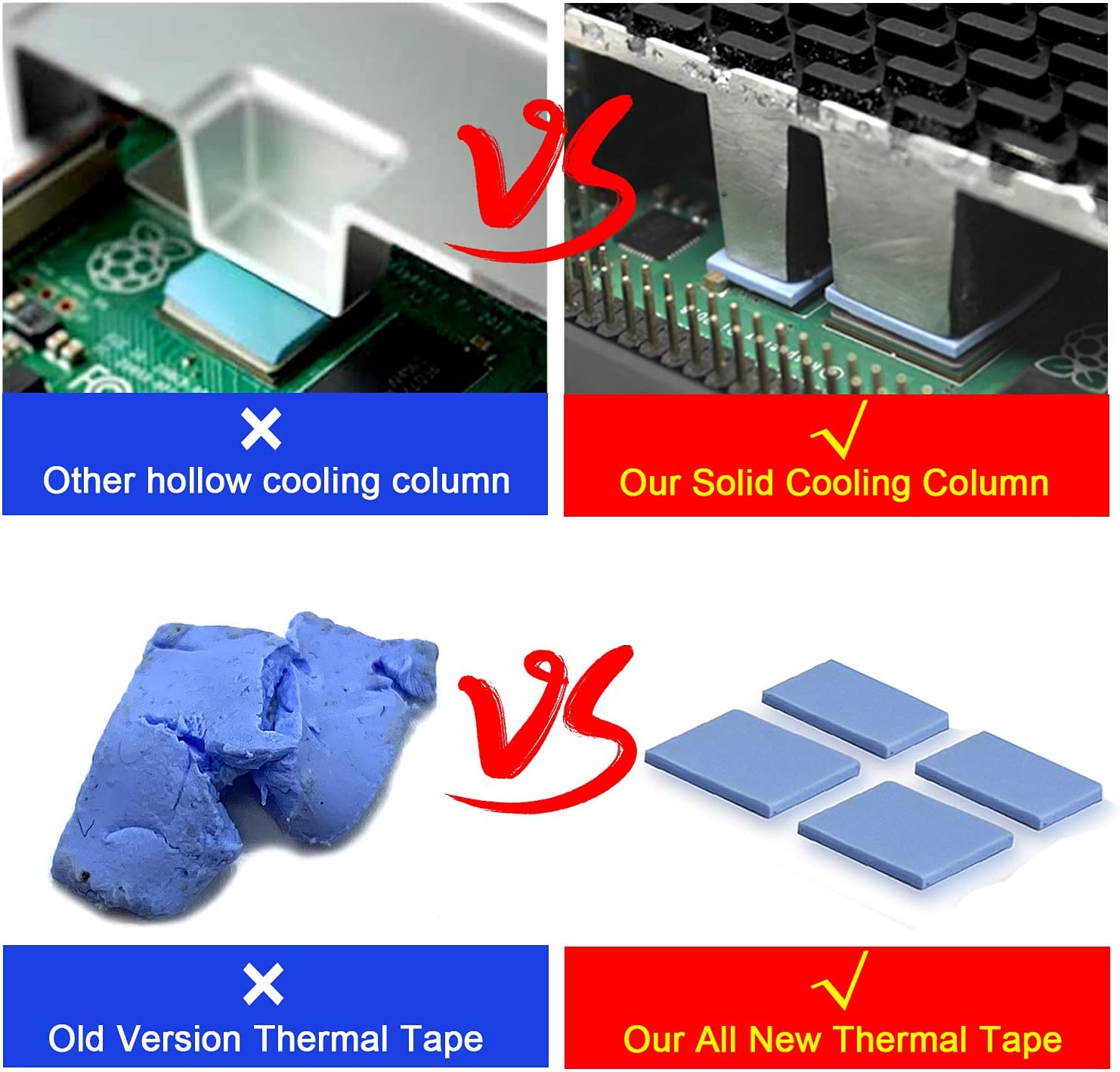
Figure 4: Visual comparison highlighting the solid cooling column design used in this case for superior heat dissipation.
4. אפעראציע באטראכטונגען
Once assembled, the iUniker case provides a robust and passively cooled environment for your Raspberry Pi 5. No additional fan is required for cooling under normal operating conditions.
- שטיל אָפּעראַציע: The passive cooling design ensures completely silent operation, as there are no moving parts like fans.
- פּאָרט צוטריטלעכקייט: All standard Raspberry Pi 5 ports (USB, Ethernet, HDMI, USB-C power) remain accessible through the case cutouts.
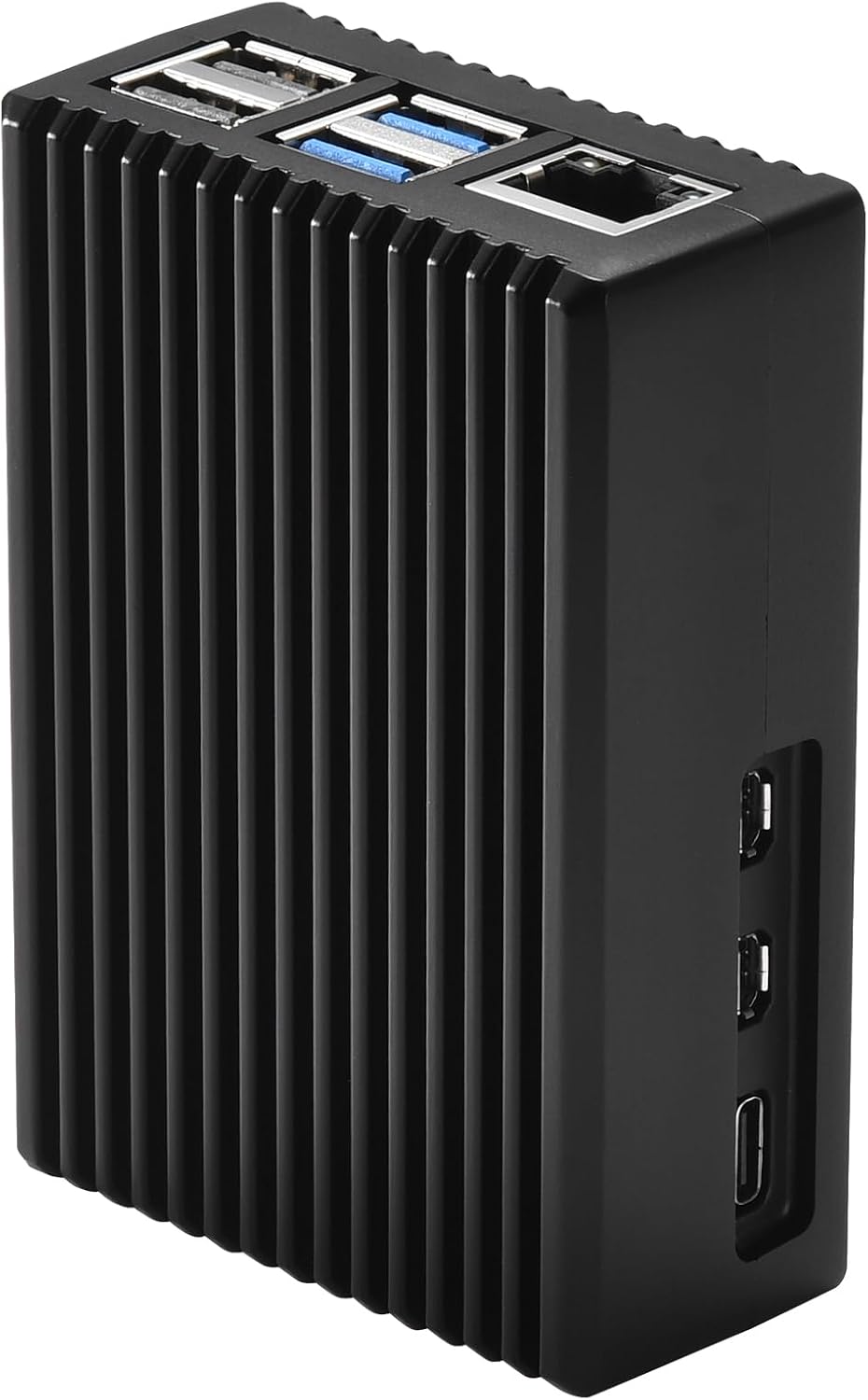
פיגורע 5: זייַט view of the assembled case, illustrating the clear access to all Raspberry Pi 5 ports.
5. וישאַלט
To ensure optimal performance and longevity of your iUniker case and Raspberry Pi 5:
- רייניקונג: Periodically wipe the exterior of the case with a soft, dry cloth to remove dust. Avoid using abrasive cleaners or solvents.
- דורכקוק: Occasionally check the screws to ensure they remain snug.
- Thermal Pads: The thermal pads are designed for long-term use. Replacement is generally not required unless the case is frequently disassembled.
6. טראָובלעשאָאָטינג
אויב איר טרעפט פּראָבלעמען, באַטראַכט די פאלגענדע:
- איבערהייצונג: Ensure thermal pads are correctly placed and making good contact with both the Raspberry Pi 5 chips and the case's thermal columns. Verify the case screws are tightened sufficiently to ensure proper contact.
- Reduced Wireless Performance: Aluminum cases can sometimes affect Wi-Fi and Bluetooth signal strength. If you experience significant degradation, consider using wired Ethernet or external USB wireless adapters if feasible for your application.
- Compatibility with Add-ons: This case is designed for the bare Raspberry Pi 5 board. It may not be compatible with HATs (Hardware Attached on Top) or other expansion boards that attach directly to the GPIO pins or sit above the main board.
7. ספּעסאַפאַקיישאַנז
| סאָרט | iuniker |
| מאָדעל נאָמען | פּי 5 קאַסע |
| טיפּ פון קאַסטן | Raspberry Pi |
| מאָטהערבאָאַרד קאַמפּאַטאַבילאַטי | Mini ITX (Raspberry Pi 5) |
| מאַטעריאַל | קנק אַלומינום צומיש |
| קאָליר | שוואַרץ |
| קאָאָלינג אופֿן | פּאַסיוו |
| פּראָדוקט דימענשאַנז | 4 X 10 X 6 סענטימעטער |
| פּונקט וואָג | 100 גראַמז |
8. וואָראַנטי און שטיצן
For warranty information or technical support, please contact iUniker customer service through your purchase platform or refer to the contact details provided with your product packaging.