
הקדמה
This manual provides essential information for setting up, operating, and maintaining your Amazon Basics 24-inch FHD 1080p monitor. Please read these instructions carefully before use and retain them for future reference.

The Amazon Basics 24-inch FHD 1080p monitor, featuring a sleek design and integrated speakers.
סעטאַפּ
1. אויספּאַקן די קעסטל און קאָמפּאָנענט קאָנטראָל
פֿאָרזיכטיק אַרויסנעמען אַלע קאָמפּאָנענטן פֿון דער פּאַקאַדזשינג. זיכער מאַכן אַז אַלע זאַכן וואָס זענען אויסגערעכנט אונטן זענען פֿאַראַן:
- מאָניטאָר ווייַז
- מאָניטאָר שטיין באַזע
- מאָניטאָר שטאַנד האַלדז
- מאַכט אַדאַפּטער
- HDMI קאַבלע
- באַניצער מאַנואַל (דעם דאָקומענט)

Included accessories: stand base, stand neck, power adapter, and HDMI cable.
2. שטיין אַסעמבלי
- Attach the stand neck to the stand base. Secure it with the screw provided, usually located on the underside of the base.
- Carefully attach the assembled stand to the back of the monitor panel. Ensure it clicks securely into place or is fastened with screws if applicable.
IMPORTANT: Remove the protective film (with the date code) from the panel surface before use. This film protects against scratches during shipping.
3. זיך פֿאַרבינדן צו אַ מיטל
The monitor supports HDMI and DisplayPort (DP) connections. It also features integrated speakers and VESA compatibility for wall mounting.
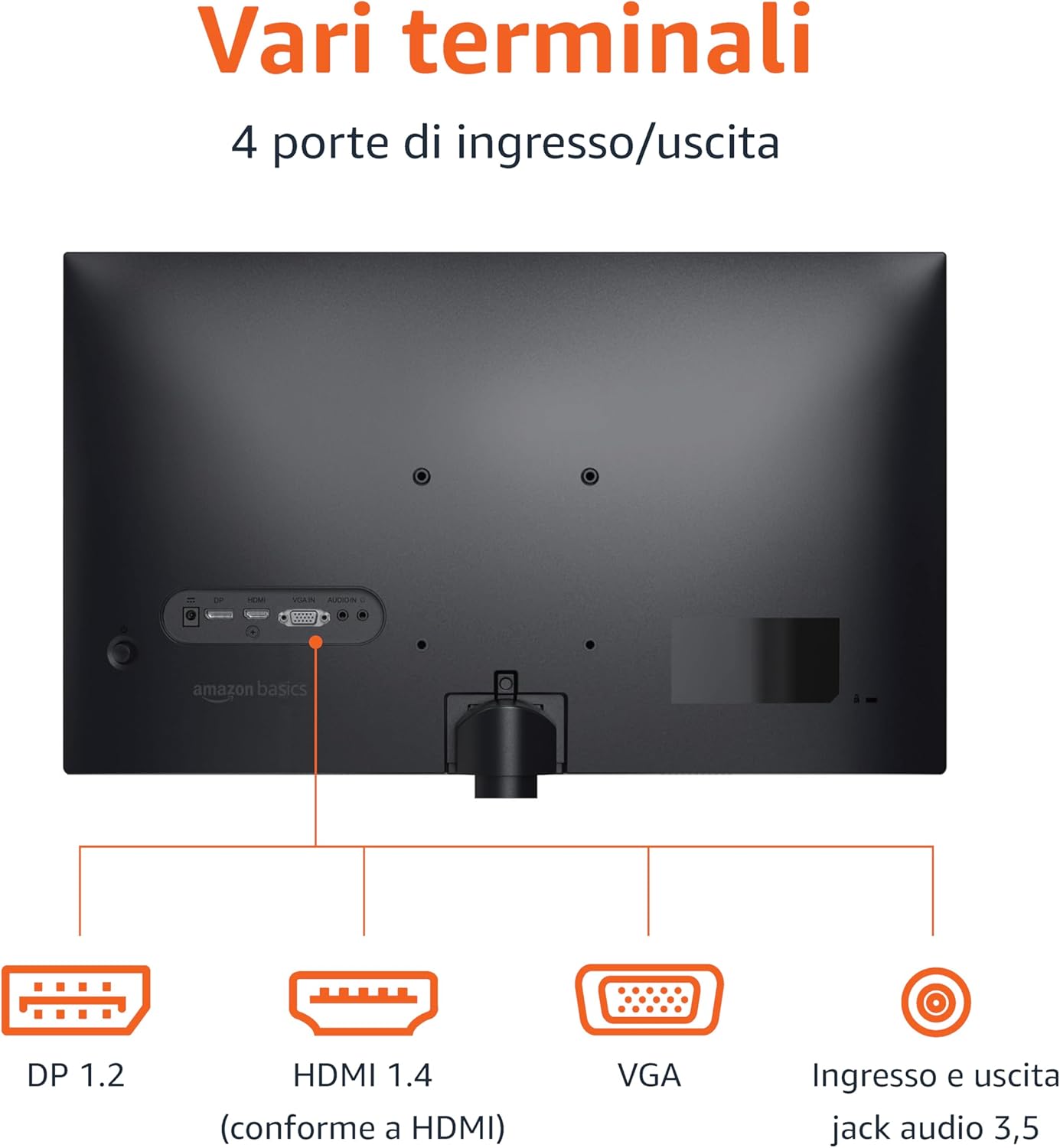
Rear panel connections: DP 1.2, HDMI 1.4, VGA, and 3.5mm audio input/output ports.
- HDMI קשר: Connect one end of the HDMI cable to the HDMI port on your computer or device and the other end to the HDMI 1.4 port on the monitor.
- DisplayPort (DP) פֿאַרבינדונג: Connect one end of the DP cable (not included) to the DP port on your computer or device and the other end to the DP 1.2 port on the monitor.
- VGA קשר: Connect one end of the VGA cable (not included) to the VGA port on your computer or device and the other end to the VGA port on the monitor.
- אַודיאָ קאַנעקשאַן: If using a VGA connection or an external audio source, connect a 3.5mm audio cable from your device's audio output to the monitor's audio input.
- מאַכט קשר: פֿאַרבינדט דעם מאַכט אַדאַפּטער צום מאָניטאָר'ס מאַכט אַרייַנגאַנג, און דערנאָך שטעק דעם אַדאַפּטער אין אַ מאַכט ווענטיל.
4. וועסאַ מאָונטינג (אָפּציאָנעל)
This monitor is VESA compatible, allowing it to be mounted on a wall or an adjustable arm. Refer to your VESA mount's instructions for installation. Ensure the mount supports the monitor's weight and VESA pattern.

The monitor stand allows for tilt adjustment from -5° to 20°.
אַפּערייטינג ינסטראַקשאַנז
1. מאַכט אויף / אויסגעלאשן
דריק דעם מאַכט קנעפּל, וואָס געפינט זיך געוויינטלעך אויף דער אונטערשטער רעכטער זייט אָדער הינטערן מאָניטאָר, צו עס אנצינדן אָדער אויסלעשן. די מאַכט אינדיקאַטאָר ליכט וועט זיך אָנצינדן ווען דער מאָניטאָר איז אָן.
2. אויף-סקרין ווייַז (אָסד) מעניו
Use the control buttons (typically located on the bottom right or rear) to navigate the OSD menu. The OSD allows you to adjust various settings:
- ברייטנאַס / קאַנטראַסט: אַדזשאַסטירן בילד לומינאַנס און קאָנטראַסט לעוועלס.
- קאָליר סעטטינגס: מאָדיפיצירן קאָליר טעמפּעראַטור, כיו, און זעטיקונג.
- אַרייַנשרייַב סעלעקציע: מאַנועל באַשטימען צווישן HDMI, DisplayPort, און VGA אינפוטס.
- אַודיאָ סעטטינגס: קאָנטראָליר די וואָלומען פֿאַר די איינגעבויטע רעדנערס אָדער פֿאַרבונדענע כעדפאָונז.
- בילד מאָדע: Select preset display modes (e.g., Standard, Movie, Game).
- דערפרישן קורס: Ensure your device is configured to output at 100Hz for the smoothest experience. This setting is usually adjusted in your computer's display settings.
3. געבויט-אין ספּיקערז
The monitor includes integrated speakers for audio output. Adjust the volume through the OSD menu or your connected device's audio controls.
וישאַלט
1. רייניקן דעם עקראַן
- שטענדיק אויסלעשן דעם מאָניטאָר און אַרויסציען דעם עלעקטרישן שנור איידער איר רייניגט עס.
- ניצן אַ ווייך, לינט-פֿרייַ שטאָף אַ ביסל דampאָפּגעווישט מיט וואַסער אָדער אַ ספּעציעלן עקראַן רייניגער.
- שפריצט נישט רייניגער גלייך אויפן עקראַן.
- ויסמיידן ניצן אַברייסיוו קלינערז, וואַקסעס אָדער סאָלוואַנץ.
2. אַלגעמיינע קער
- האַלט דעם מאָניטאָר אַוועק פון דירעקטער זון, היץ קוועלער און צו פיל שטויב.
- ענשור געהעריק ווענטאַליישאַן אַרום די מאָניטאָר.
- לייגט נישט קיין שווערע אביעקטן אויפן מאָניטאָר אדער זיינע קאַבלען.
טראָובלעשאָאָטינג
| פּראָבלעם | מעגלעך לייזונג |
|---|---|
| קיין מאַכט |
|
| קיין סיגנאַל / ליידיקער עקראַן |
|
| פליקערנדיק אָדער פאַרדרייטע בילד |
|
| קיין אַודיאָ פֿון איינגעבויטע רעדנערס |
|
ספּעסאַפאַקיישאַנז
| שטריך | דעטאַל |
|---|---|
| סאָרט | אַמאַזאָן באַסיקס |
| מאָדעל נומער | C24M2020DEU |
| פאַרשטעלן גרייס | 24 אינטשעס |
| האַכלאָטע | FHD 1080p (1920 x 1080) |
| דערפרישן קורס | מאַקסימום 100 הז |
| טאַפליע טיפּ | IPS |
| אַספּעקט פאַרהעלטעניש | 16:9 |
| קאַנטראַסט פאַרהעלטעניש | 1500:1 |
| פאַרשטעלן ייבערפלאַך | גלאָסי |
| קאַנעקטיוויטי | HDMI, DisplayPort (DP), VGA |
| ספּעציעלע פֿעיִקייטן | Built-in Speakers, VESA Compatible |
| וואָג | 3 קילאָגראַמס |
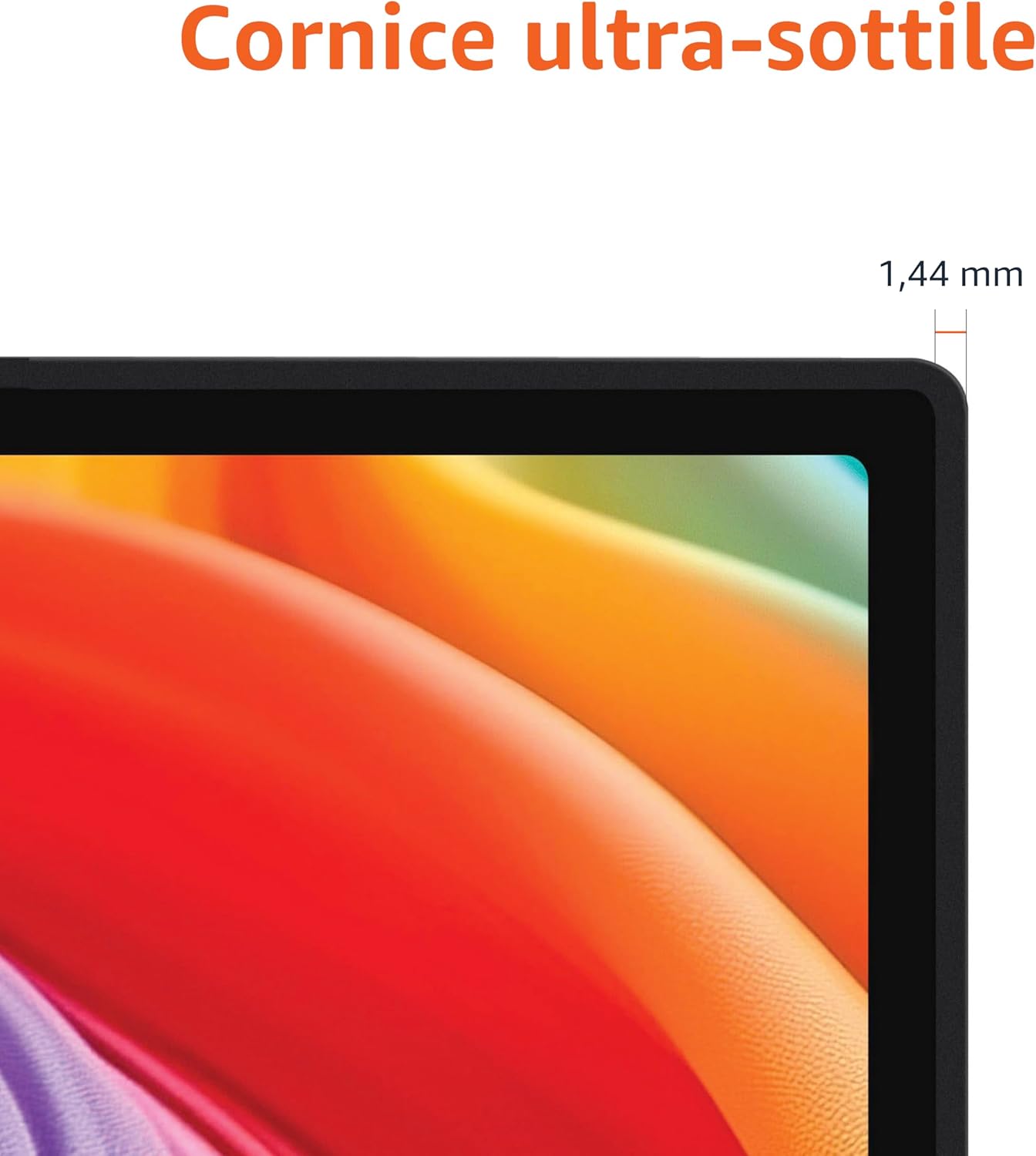
Approximate monitor dimensions (width x height x depth).
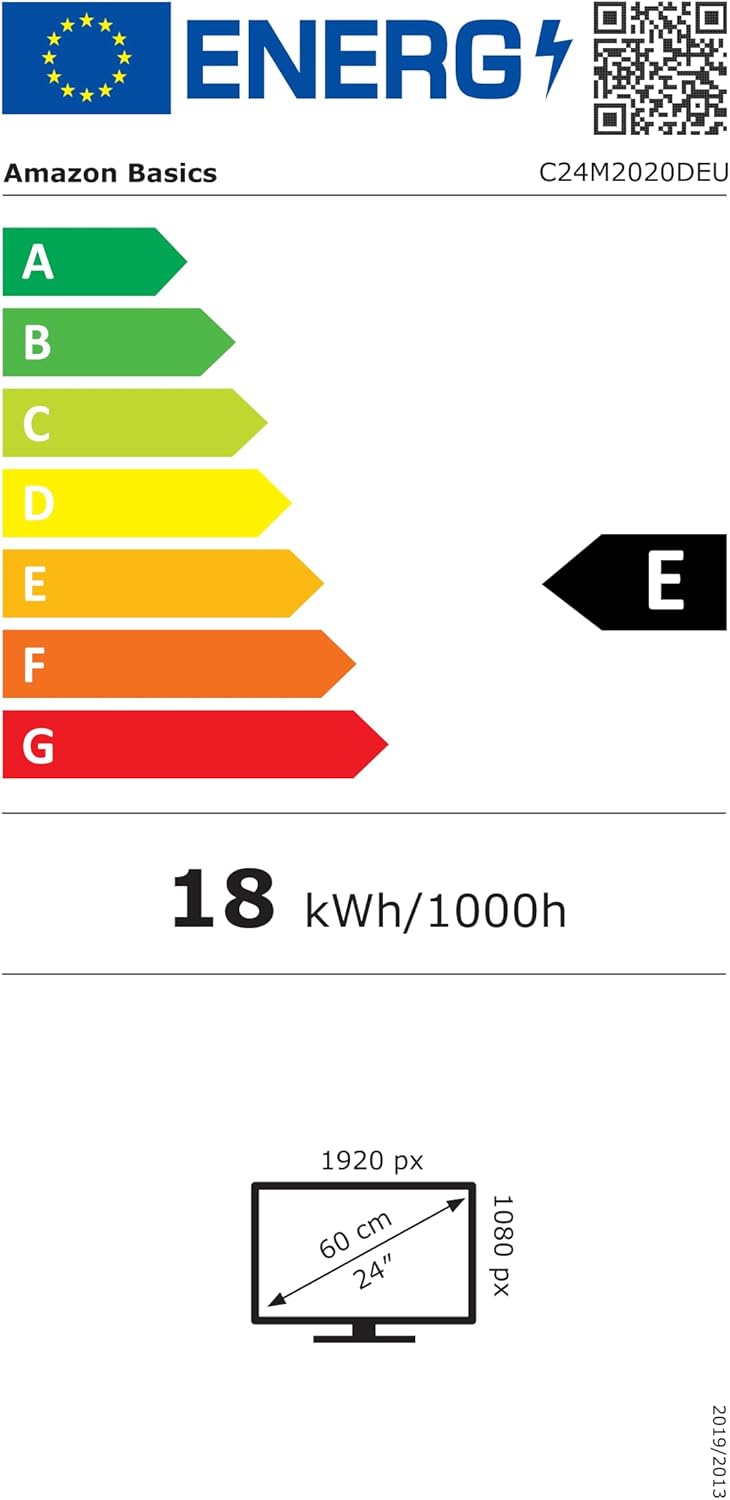
EU Energy Label for model C24M2020DEU. For more details, visit the EPREL דייטאַבייס.
וואָראַנטי אינפֿאָרמאַציע
דער פּראָדוקט קומט מיט אַ 1-יאָר לימיטעד וואָראַנטי. For specific terms and conditions, please refer to the warranty documentation provided with your purchase or contact Amazon Basics customer support.
שטיצן
For technical assistance, troubleshooting, or warranty claims, please contact Amazon Basics customer support through the Amazon webוועבזייטל אדער אייער קויפן פּלאַטפאָרמע.
You can also refer to the official Amazon Basics store for additional product information and support resources: אַמאַזאָן באַסיקס סטאָר