
1. הקדמה
This manual provides detailed instructions for the RUIZU X52 64GB Bluetooth 5.0 MP3 Player. Please read this manual carefully before using the device to ensure proper operation and to maximize your user experience. The RUIZU X52 is a compact and versatile music player designed for sports and daily use, featuring a 1.5-inch TFT color screen, Bluetooth 5.0 connectivity, and support for up to 128GB TF cards.

בילד: פראָנט און זייט view of the RUIZU X52 MP3 Player, showcasing its compact design, screen, and side controls.
2. וואָס איז אין דער קעסטל
ביים עפענען דעם פעקל, זיכער מאכן אז אלע זאכן וואס זענען אויסגערעכנט אונטן זענען דא:
- 1 x RUIZU X52 Clip MP3 Player
- 1 x ווייערד ירפאָונז
- 1 רענטגענ AUX קאַבלע
- 1 x USB Cable (for charging and data transfer)
- 1 x שוץ זעקל
- 1 x באַניצער מאַנואַל
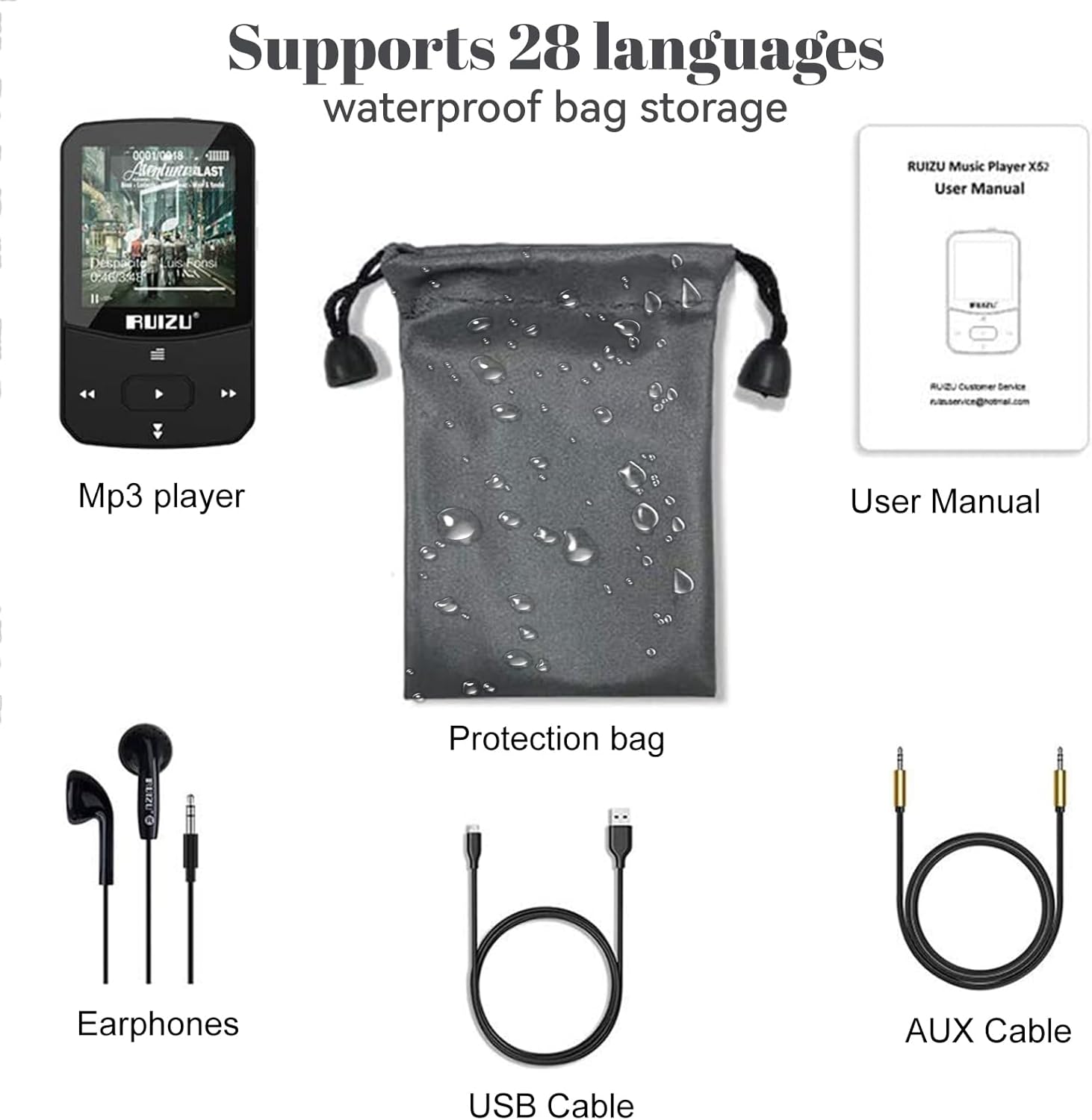
Image: All included accessories for the RUIZU X52 MP3 Player, including the player, earphones, cables, and protection bag.
3. פּראָדוקט איבערview
The RUIZU X52 features a user-friendly interface and physical buttons for easy control. Familiarize yourself with the device's layout:
3.1. מיטל אויסלייג
- 1.5-אינטש TFT קאָליר פאַרשטעלן: Displays menus, music information, videos, and e-books.
- באַנד קנעפּלעך (+/-): Located on the side for independent volume control.
- נאַוויגאַציע קנעפּלעך: Play/Pause, Next/Previous Track, Menu, Back.
- קליפ: Integrated clip for attaching the player to clothing or accessories.
- מיקראָ וסב פּאָרט: פֿאַר טשאַרדזשינג און דאַטן אַריבערפירן.
- 3.5 מם אַודיאָ דזשאַק: For connecting wired earphones or AUX cable.
- טף קאַרד שפּעלטל: Supports external memory expansion up to 128GB.

Image: The RUIZU X52 MP3 Player being worn with its portable clip, demonstrating its use during physical activity.
4. סעטאַפּ
4.1. טשאַרדזשינג די מיטל
Before first use, fully charge the MP3 player. Connect the included USB cable to the device's Micro USB port and the other end to a computer's USB port or a compatible USB wall adapter (not included). The battery icon on the screen will indicate charging status. A full charge takes approximately 1.5 hours.
4.2. Transferring Music and Files
- פֿאַרבינדט דעם MP3 שפּילער צו אײַער קאָמפּיוטער מיטן USB קאַבל.
- די דעווייס וועט דערשייַנען ווי אַ אַרויסנעמבאַר דיסק דרייוו אויף דיין קאָמפּיוטער.
- Drag and drop your desired music files (MP3, WAV, APE, WMA, FLAC) or other supported files into the player's storage or a connected TF card.
- אַרויסוואַרפן דאָס דעווייס זיכער פֿון אייער קאָמפּיוטער איידער איר אָפּטיילט דעם USB קאַבל.

Image: The RUIZU X52 MP3 Player highlighting its 64GB internal storage and the option to expand memory with a 128GB TF card.
4.3. Inserting/Removing TF Card
To expand storage, insert a TF (Micro SD) card into the designated slot until it clicks into place. To remove, gently push the card inward until it springs out.
5. אַפּערייטינג ינסטרוקטיאָנס
5.1. מאַכט אויף / אויסגעלאשן
Press and hold the Power button (usually the Play/Pause button) for a few seconds to turn the device on or off.
5.2. יקערדיק נאַוויגאַציע
- ניצן די אַרויף / אַראָפּ navigation buttons to scroll through menus.
- דרוק די שפּיל / פּויזע קנעפּל צו אויסקלייַבן אַן אָפּציע.
- דרוק די צוריק קנעפּל צו צוריקקומען צו די פריערדיקע פאַרשטעלן.
- ניצן די באנד +/- buttons on the side to adjust audio levels.
5.3. מוזיק פּלייבאַק
Navigate to the "Music" option on the main menu. You can browse by artist, album, genre, or all songs. The player supports MP3, WAV, APE, WMA, and FLAC formats. Adjust equalizer settings for personalized sound.
5.4. בלועטאָאָטה פּערינג
The RUIZU X52 features Bluetooth 5.0 for wireless audio. To pair with Bluetooth headphones or speakers:
- Go to the "Bluetooth" menu.
- קער אויף בלועטאָאָטה.
- Select "Search Device" to find available Bluetooth devices.
- Choose your device from the list to pair.

Image: The RUIZU X52 MP3 Player screen showing the Bluetooth icon and version 5.0, indicating wireless connectivity.
5.5. עפעם ראַדיאָ
Connect wired earphones (they act as the antenna) and navigate to the "FM Radio" menu. You can auto-scan for stations or manually tune to your preferred frequency (87.5-108MHz).

Image: A person using the RUIZU X52 MP3 Player to listen to FM radio while engaged in gardening, demonstrating its portability.
5.6. קול רעקאָרדער
Select "Record" from the main menu to start, pause, or save voice recordings. Recordings are saved in a dedicated folder.
5.7. ווידעא פּלייַבאַקק
The device supports video playback. Ensure video files are in a compatible format for optimal viewing on the 1.5-inch screen.
5.8. E-בוך לייענער
Access the "E-book" function to read text files. Ensure files are in a compatible format (e.g., TXT).
5.9. פּעדאָמעטער
Activate the pedometer function to track your steps during exercise. This feature is ideal for sports enthusiasts.
5.10. אנדערע פאַנגקשאַנז
The RUIZU X52 also includes a Stopwatch, Alarm Clock, Calendar, Screensaver, Resume Playback, A-B Repeat, and Lyrics Synchronization. Explore these features through the main menu.

Image: The RUIZU X52 MP3 Player screen showing icons for Music, Recording, FM Radio, Bluetooth, Video, eBook, Stopwatch, Pedometer, A-B Repeat, Resume Playback, Lyrics Synchronization, and Time Screensaver.
5.11. Connecting to Car Audio
Use the included AUX cable to connect the MP3 player to your car's audio system or external speakers for a larger sound experience.
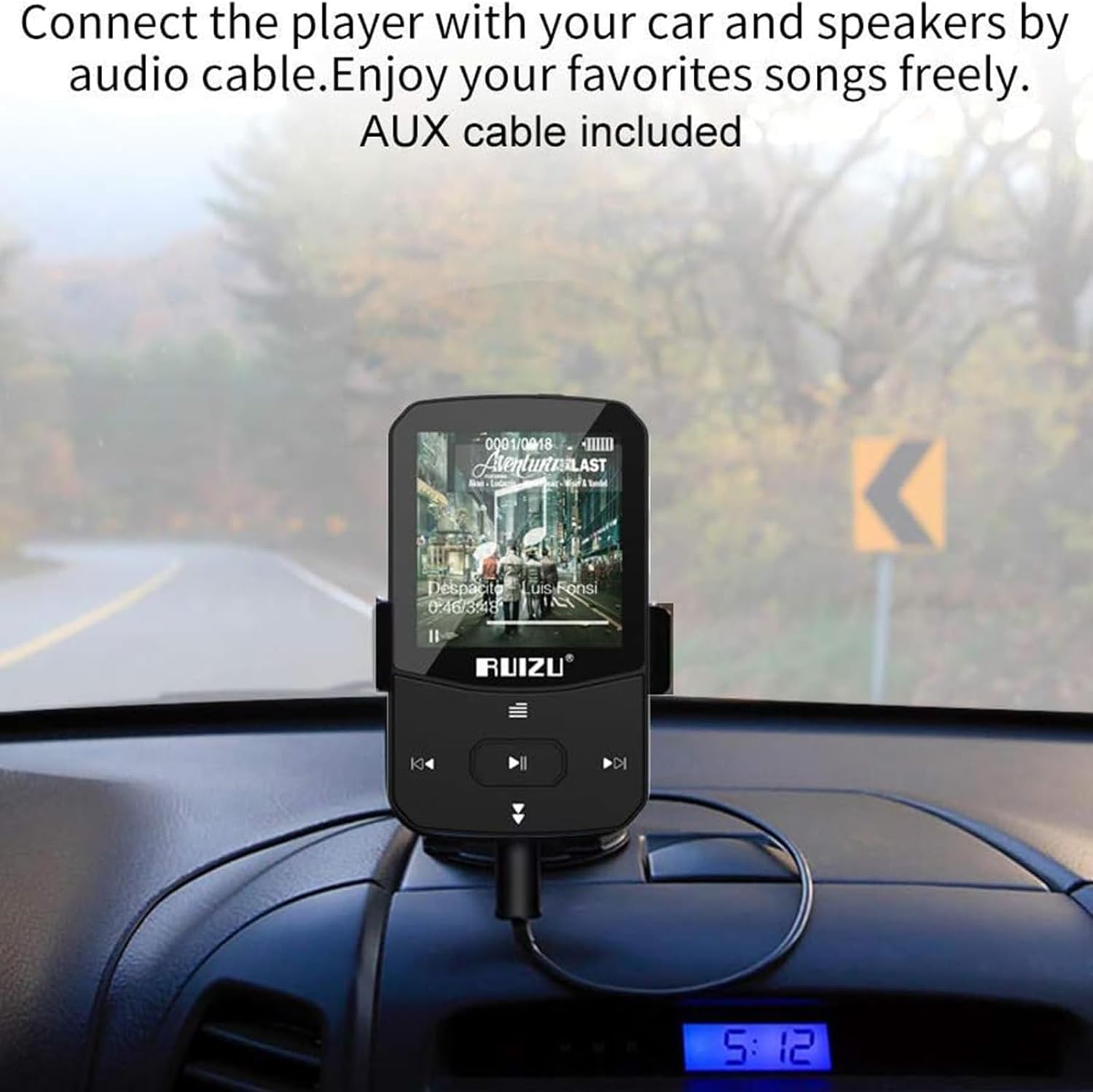
Image: The RUIZU X52 MP3 Player mounted on a car dashboard, connected to the car's audio system using an AUX cable.
6. וישאַלט
- האַלט דעם אַפּאַראַט טרוקן. פֿאַרמייַדט אויסשטעלונג צו פֿײַכטקייט אָדער פֿליסיקייטן.
- Clean the screen and body with a soft, dry cloth. Do not use abrasive cleaners.
- ויסמיידן עקסטרעם טעמפּעראַטורעס.
- דו זאלסט נישט פאַלן אָדער אונטערטעניק די מיטל צו שטאַרק ימפּאַקץ.
- Store the player in the provided protection bag when not in use.
7. טראָובלעשאָאָטינג
| פּראָבלעם | מעגלעך לייזונג |
|---|---|
| די מיטל טוט נישט מאַכט אויף. | זיכער מאַכן אַז די דעווייס איז גאָר אויפגעלאָדן. פֿאַרבינדט עס צו אַ מאַכט מקור און פּרוּווט ווידער. |
| קענען ניט אַריבערפירן fileס צו די מיטל. | Check USB cable connection. Ensure the device is properly recognized by the computer. Try a different USB port or cable. |
| בלועטאָאָטה פּערינג פיילז. | Ensure the target Bluetooth device is in pairing mode and within range. Restart both devices and try again. |
| קיין קול פון די אויערפאנען. | Check earphone connection. Ensure volume is not muted or too low. Test with different earphones. |
| דער עקראַן רעאַגירט נישט אָדער איז פֿאַרפֿרוירן. | דריק און האלט דעם פּאַוער קנעפּל פֿאַר 10-15 סעקונדעס צו צווינגען אַ ריסטאַרט. |
| מוזיק files are not recognized. | פאַרזיכערן files are in a supported format (MP3, WAV, APE, WMA, FLAC). |
8. ספּעסאַפאַקיישאַנז
- סאָרט: RUIZU
- מאָדעל: X52
- אינערלעכער סטאָרידזש: 64 גיגאבייט
- יקספּאַנדאַבאַל סטאָרידזש: Up to 128GB via TF Card
- פאַרשטעלן: 1.5-אינטש TFT קאָליר דיספּלעי
- בלועטאָאָטה ווערסיע: 5.0
- שטיצט אַודיאָ פֿאָרמאַטירונגען: MP3, WAV, APE, WMA, FLAC
- שטיצט ווידעא פֿאָרמאַטירונגען: (Specific format not detailed, generally AMV/AVI converted)
- Supported E-book Format: טקסט
- FM ראַדיאָ אָפטקייַט: 87.5-108 מהז
- באַטערי טיפּ: ליטהיום-פּאָלימער
- טשאַרדזשינג צייט: בעערעך 1.5 שעה
- באַטעריע לעבן (מוזיק ווידערשפּיל): Up to 25 hours (wired), 6 hours (Bluetooth)
- Battery Life (Video Playback): אַרויף צו 6 שעה
- Battery Life (FM Radio): אַרויף צו 8 שעה
- באַטעריע לעבן (רעקאָרדירונג): אַרויף צו 26 שעה
- קאַנעקטיוויטי: הילפס-פארבינדונג, בלועטוט
- ספּעציעלע פֿעיִקייטן: Voice Recorder, Pedometer, Clip Design, Independent Volume Button, Multi-language support (28 languages)

Image: Infographic detailing the battery life of the RUIZU X52 MP3 Player for various activities like music playback (wired and Bluetooth), video, FM radio, and recording.
9. וואָראַנטי & שטיצן
9.1. וואָראַנטי אינפֿאָרמאַציע
This product comes with a manufacturer's warranty. Please refer to the warranty card included in your package for specific terms and conditions. Keep your purchase receipt as proof of purchase.
9.2. קונה שטיצן
For any product issues or technical assistance, please contact RUIZU customer service. You can typically find contact information on the product packaging or the official RUIZU website. The product listing mentions "100% satisfaction from 24 hours Online-Kundenservice. Bei Produktproblemen wenden Sie sich bitte direkt an Tihoosky." This suggests contacting the seller "Tihoosky-eu" for support.
פארקויפער : Tihoosky-eu