
EBTOOLS EBTOOLS1756ogbieh-12
User Manual for EBTOOLS YEEMI K21+ 4G Flip Phone
Model: EBTOOLS1756ogbieh-12
הקדמה
This manual provides comprehensive instructions for the operation, maintenance, and troubleshooting of your EBTOOLS YEEMI K21+ 4G Flip Phone. Designed with seniors in mind, this phone features large buttons, dual screens, and essential functions like SOS and GPS for enhanced safety and ease of use. Please read this manual carefully to ensure proper use and to maximize the phone's capabilities.
1. סעטאַפּ
1.1 פּעקל אינהאַלט
איידער איר הייבט אן, ביטע זיכער מאכן אז אלע זאכן זענען פאראן אין פעקל:
- EBTOOLS YEEMI K21+ 4G Flip Phone
- באַטערי
- וסב קאַבלע
- באַניצער מאַנואַל (דעם דאָקומענט)

Image: The phone, battery, and USB cable included in the package.
1.2 אריינשטעלן די סים קארטל און באטעריע
- עפֿנט דעם הינטערשטן דעקל: פֿאָרזיכטיק עפֿנט די הינטערשטע דעקל פֿונעם טעלעפֿאָן.
- אַרײַנשטעלן סים קאַרטל(ן): Locate the SIM card slot(s). This phone supports dual SIM. Carefully insert your 4G compatible SIM card(s) into the designated slot(s) with the gold contacts facing down.
- אַרייַנלייגן באַטערי: גלייכט די באַטעריע קאָנטאַקטן מיט די טעלעפאָן'ס קאָנטאַקטן און דריק די באַטעריע לײַכט אין פּלאַץ.
- פֿאַרמאַכן הינטערשטן דעקל: לייג צוריק דעם הינטערשטן דעקל, און מאַך זיכער אַז עס קליקט זיכער אין פּלאַץ.

Image: The phone in its open position, ready for SIM card and battery insertion.
1.3 טשאַרדזשינג די באַטאַרייע
פארן ערשטן באַנוץ, לאָדן די טעלעפאָן'ס באַטאַרייע גאָר אויף.
- Connect the small end of the USB cable to the phone's charging port.
- פֿאַרבינדט דעם אַנדערן עק פֿונעם USB קאַבל צו אַ קאָמפּאַטיבלע USB מאַכט אַדאַפּטער (נישט אַרייַנגערעכנט) אָדער אַ קאָמפּיוטער'ס USB פּאָרט.
- דער טשאַרדזשינג אינדיקאַטאָר אויפן עקראַן וועט ווײַזן דעם טשאַרדזשינג סטאַטוס.
2. אַפּערייטינג ינסטרוקטיאָנס
2.1 מאַכט אויף / אַוועק
- צו מאַכט אויף: דריק און האלט דעם פּאַוער/ענד רוף קנעפּל (רויטער קנעפּל) ביז דער עקראַן ליכט זיך אָן.
- צו מאַכט אַוועק: Press and hold the Power/End Call button until the power off options appear, then select "Power Off".
2.2 מאַכן און באַקומען קאַללס
- מאַכן אַ רוף:
- Enter the phone number using the large keypad buttons.
- Press the Call button (green button) to dial.
- באַקומען אַ רוף:
- When the phone rings, open the flip to answer, or press the Call button.
- To end a call, press the Power/End Call button.

Image: The phone showcasing its dual display feature, with the internal screen open and the external screen visible when closed.
2.3 Dual Screens and Large Font
The phone features a 2.6-inch high-definition main screen and a 1.77-inch external color high-definition screen. The external screen displays important information like time, date, and incoming call notifications without needing to open the phone. Large fonts and icons are used throughout the interface for improved readability.

בילד: א נאָענטע בילד view of the phone's external screen, highlighting its dual SIM dual standby capability.
2.4 SOS and GPS Functionality
For emergencies, the phone is equipped with an SOS button and GPS positioning.
- Setting up SOS Contacts: Navigate to the SOS settings in the phone's menu to add emergency contact numbers.
- אַקטאַווייטינג SOS: In an emergency, press and hold the dedicated SOS button (usually located on the back or side of the phone). The phone will automatically call and send an emergency message with your GPS location to the pre-set SOS contacts.
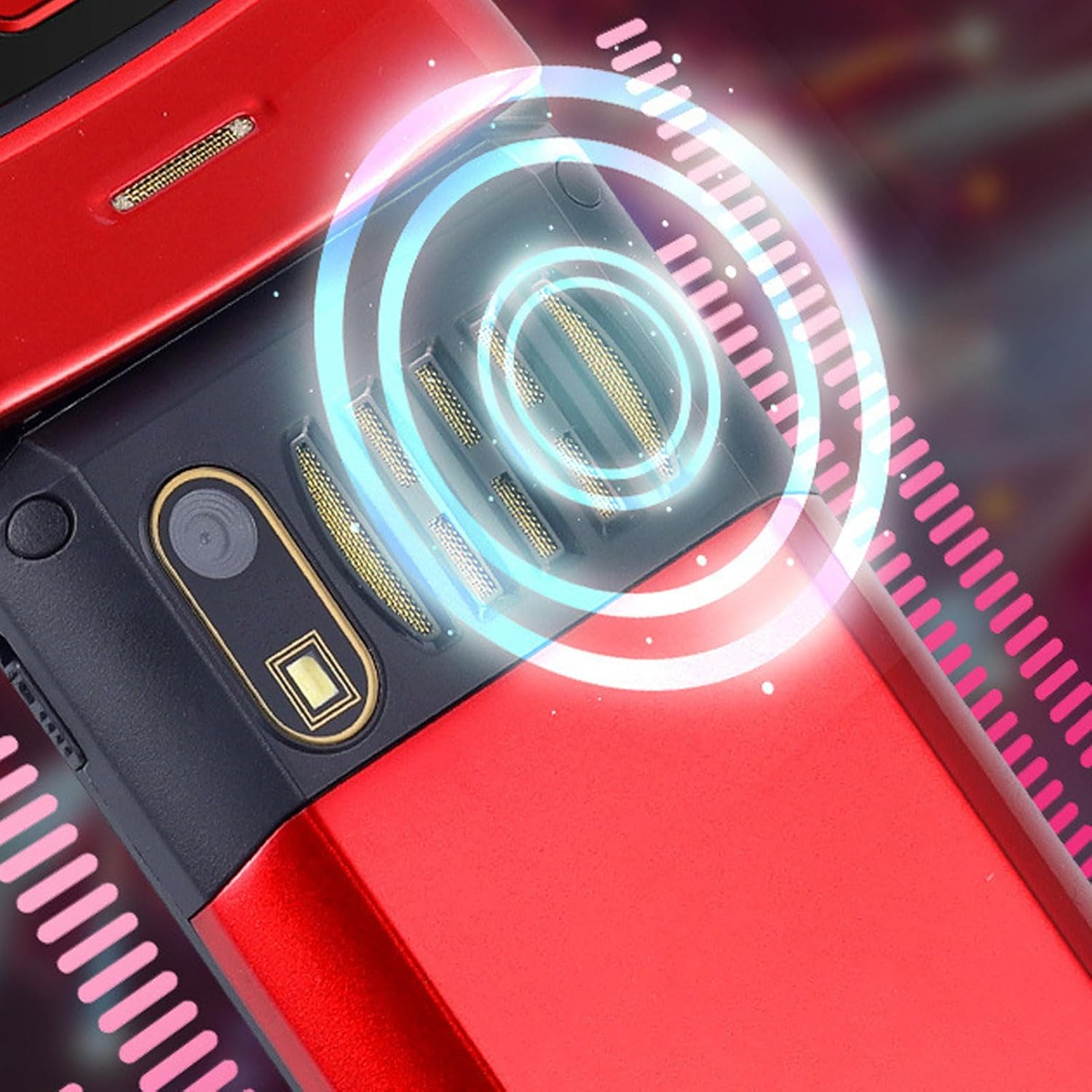
Image: The back of the phone, highlighting the speaker area, which contributes to clear sound for emergency calls.
2.5 Speed Dial and Shortcut Buttons
The phone supports 9 speed dial buttons for quick dialing of family numbers and 3 dedicated shortcut buttons for frequently used functions.
- Setting Speed Dial: Refer to the phone's menu for instructions on assigning contacts to speed dial numbers (typically 2-9).
- Using Shortcut Buttons: The dedicated shortcut buttons provide quick access to features like Camera, Messaging, or FM Radio.
3. וישאַלט
3.1 באַטערי קער
- ויסמיידן יקספּאָוזינג די באַטאַרייע צו עקסטרעם טעמפּעראַטורעס.
- דו זאלסט נישט פּאַנגקשער, דיסאַסעמבאַל אָדער קורץ-קרייַז די באַטאַרייע.
- אויב דער טעלעפאָן וועט נישט ווערן גענוצט פֿאַר אַ לענגערע צייט, לאָדט די באַטאַרייע צו אַרום 50% איידער איר לייגט עס אַוועק.
3.2 רייניקן דיין טעלעפאָן
- Use a soft, lint-free cloth to clean the phone's screen and body.
- Do not use harsh chemicals, cleaning sprays, or abrasive materials.
- Keep the charging port and speaker grilles free of dust and debris.
4. טראָובלעשאָאָטינג
If you encounter issues with your phone, please refer to the following common problems and solutions:
| פּראָבלעם | מעגלעך סיבה | לייזונג |
|---|---|---|
| דער טעלעפאָן גייט נישט אָן. | די באַטעריע איז אויסגעשעפּט אָדער נישט ריכטיק אַרײַנגעשטעלט. | לאָדט די באַטאַרייע. מאַכט זיכער אַז די באַטאַרייע איז ריכטיק אַרײַנגעשטעלט. |
| קען נישט מאַכן אָדער באַקומען רופן. | No SIM card, SIM card not properly inserted, or no network signal. | Ensure SIM card is inserted correctly. Check network signal strength. Contact your service provider. |
| שלעכטע רוף קוואַליטעט. | Weak network signal, or speaker/microphone obstruction. | Move to an area with better signal. Clean speaker and microphone openings. |
| SOS function not working. | SOS contacts not set up, or no network signal. | Verify SOS contacts are correctly configured in settings. Ensure phone has network signal. |
5. ספּעסאַפאַקיישאַנז
Key technical specifications for the EBTOOLS YEEMI K21+ 4G Flip Phone:
- מאָדעל: EBTOOLS1756ogbieh-12
- קאַנעקטיוויטי: 4G (supports 2G, 3G, and 4G network bands including GSM and CDMA)
- הויפּט פאַרשטעלן: 2.6-inch High Definition
- פונדרויסנדיק פאַרשטעלן: 1.77-inch Color High Definition
- באַטאַרייע קאַפּאַציטעט: 4800mAh (Long Standby Time)
- פֿעיִקייטן: Large Buttons, Dual Screens, SOS with GPS Positioning, 9 Speed Dial Buttons, 3 Dedicated Shortcut Buttons, Clear Sound Speaker
- דימענסיעס: אומגעפער 5.51 x 3.15 x 2.76 אינטשעס (פּאַקעט גרייס)
- לאַנד פון אָריגין: כינע
6. וואָראַנטי און שטיצן
Your EBTOOLS YEEMI K21+ 4G Flip Phone comes with a standard manufacturer's warranty. Please refer to the warranty card included in your package for specific terms and conditions. For technical support, troubleshooting assistance beyond this manual, or warranty claims, please contact the seller or manufacturer directly.
פאַבריקאַנט: EBTOOLS
פֿאַר ווייטערדיקע הילף, קענט איר באַזוכן די EBTOOLS Store on Amazon.
Ask a question about this manual
Ask about setup, troubleshooting, compatibility, parts, safety, or missing instructions. Manuals+ will review the question and use this page’s manual context to help answer it.